

Updated:
Readtime: 16 min
Every product is carefully selected by our editors and experts. If you buy from a link, we may earn a commission. Learn more. For more information on how we test products, click here.
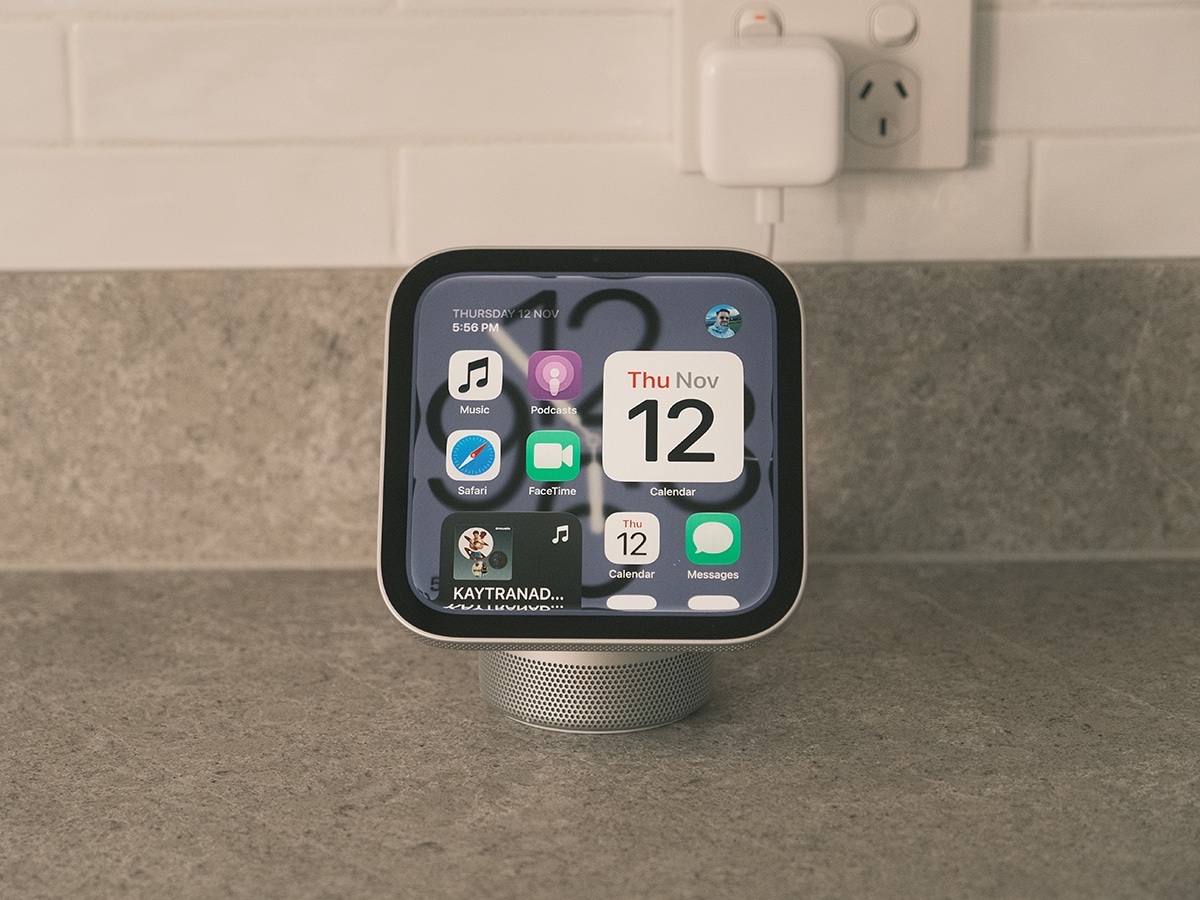
The new Apple HomeView asks a BIG question: If your household is already filled with iPhones, iPads, and smart speakers, does Apple’s first dedicated smart display justify a permanent spot on your kitchen counter? Now that I’ve spent the past week living with the Apple HomeView in my kitchen, I have an answer.
My Google Nest Hub (2nd Gen) died two weeks before the HomeView was announced. Without any artificial intelligence integration, it was becoming increasingly difficult to use it as a personal assistant, so I can’t say that I missed it. But what could I replace it with? I needed a screen to glance at information quickly, but Apple’s home strategy was entirely screenless. That question was answered with HomeView. It pairs a square 7-inch Liquid Retina display with an A18 chip, a Spatial Audio acoustic system, and the new Siri AI. Does it bridge the gap between a shared family noticeboard, an entertainment player, and a deeply personalised smart home controller?
I’ve spent the past week living with the new device as the central command hub in my kitchen and living space, putting it through its paces across busy morning routines, cooking sessions, and smart home automations. This includes testing how well the interface adapts as you walk across the room, evaluating its multi-user facial and voice recognition, and seeing how the domed base’s acoustic system handles room-filling music.
But before we dive into the full Apple HomeView review, let’s look at what we’re dealing with here. You can get your HomeView in both a tabletop model (featuring a machined aluminium domed base and an adjustable stainless steel hinge) and a sleek wall-mounted variant (that loses a little sound quality). It packs a 1088 x 1088 Liquid Retina display that dims down to just 0.3 nits for bedside use, alongside four beamforming microphones and a 12MP Center Stage camera. However, taking full advantage of the experience requires accepting a few deliberate ecosystem dependencies: neither model has an internal battery (both require wired power), personal context features rely on having a paired Apple Intelligence-enabled iPhone or iPad on your network, and the wall-mounted model sells its mounts and power cables separately.
30-Second Apple HomeView Verdict
Pros:
- Distance-adaptive UI scales text and widgets automatically depending on how far away you stand.
- 7-inch Liquid Retina display drops to a record-low 0.3 nits for distraction-free nightstand use.
- Hardware-level Secure Exclaves on the A18 chip isolate camera and microphone feeds.
- Recognises up to six household members via face and voice to surface apps, etc., privately.
- Tabletop model pairs dual full-range drivers with a down-firing woofer and passive radiators.
- Streams up to nine live HomeKit and Matter camera feeds simultaneously on the Home Camera.
Cons:
- Requires permanent wired power via USB-C, with no built-in battery for cordless portability.
- Personal context Siri AI and expressive voices require an Apple Intelligence-enabled iPhone or iPad.
- Wall-mounted model omits the base woofer and sells mounts, cable, and power adapter separately.
Should You Buy the Apple HomeView?
Yes. No-brainer if you’re deeply invested in the Apple ecosystem and want a dedicated, privacy-first kitchen companion, bedside clock, or smart home control panel that everyone in the house can share. Just keep the wired power requirement and paired-iPhone dependencies in mind.
Apple HomeView Technical Specifications
| Specification | |
| SoC / Silicon | Apple A18 chip with hardware Secure Exclaves |
| Display | 7-inch (6.98-inch actual diagonal) LED-backlit Multi-Touch IPS Liquid Retina, 1088 x 1088 at 220 ppi |
| Brightness & Coating | Up to 500 nits peak brightness, 0.3-nit minimum brightness; True Tone; fingerprint-resistant oleophobic coating |
| Camera | 12MP front camera with Center Stage |
| Microphones | Four beamforming far-field microphones |
| Tabletop Audio | Two custom full-range drivers in display, custom down-firing woofer, dual force-cancelling passive radiators in base; Spatial Audio with Dolby Atmos |
| Wall-Mounted Audio | Two custom full-range drivers with on-wall computational tuning; Spatial Audio support |
| Sensors | Ambient light sensor, temperature and humidity sensor, accelerometer |
| Multi-User Support | Recognises up to 6 household users via face and voice |
| Smart Home | Home Hub for HomeKit & Matter, Adaptive Lighting/Temperature, Sound Recognition (smoke/CO), HomeKit Secure Video |
| Dimensions (Tabletop) | 5.73 inches wide; 5.38 to 6.83 inches tall (angle-dependent) |
| Finishes | Tabletop: Silver, Starlight, Rose Pink, Space Grey; Wall Mounted: Space Grey, Silver |
| Environmental | 100% recycled aluminium base/enclosure, 100% recycled gold & tin in PCBs, 100% fibre packaging |
Design, Hardware, and Wall-Mounting Options
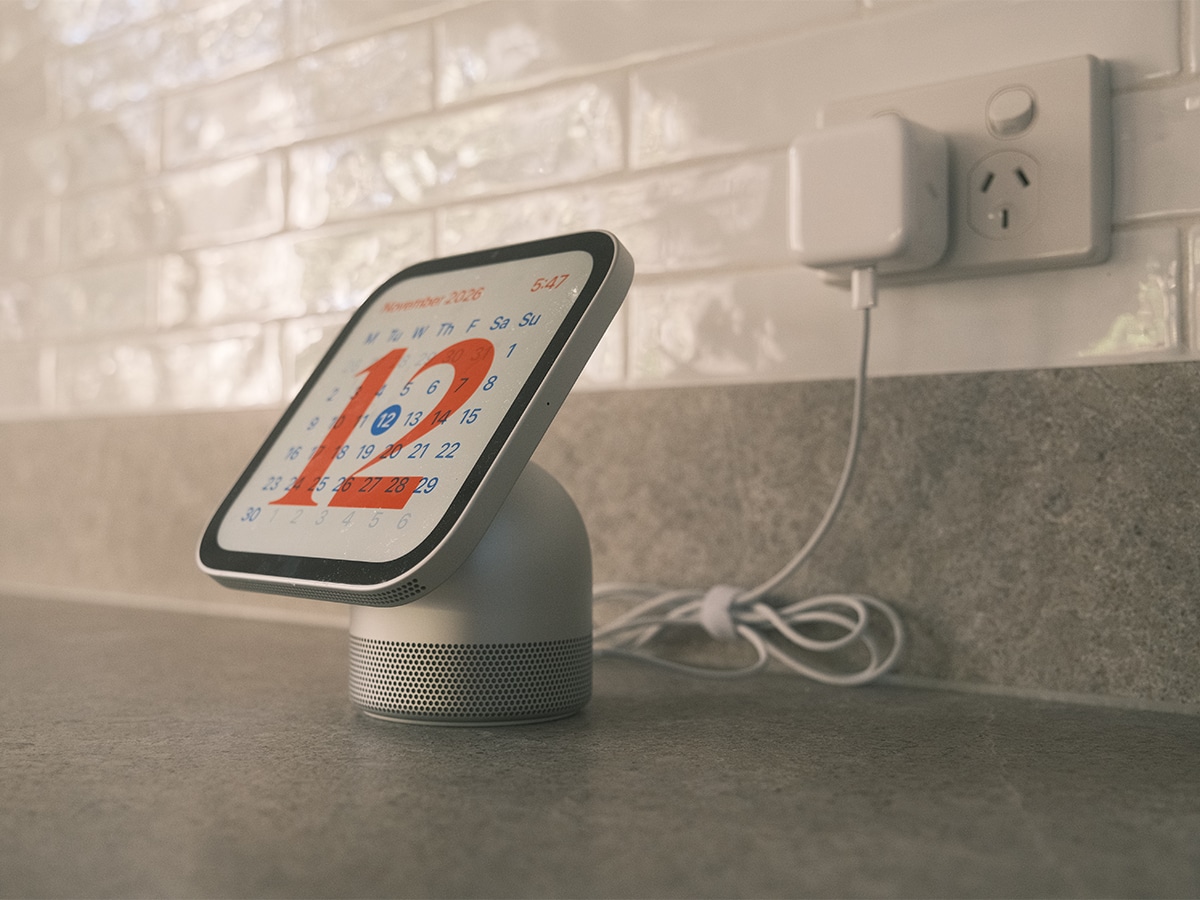
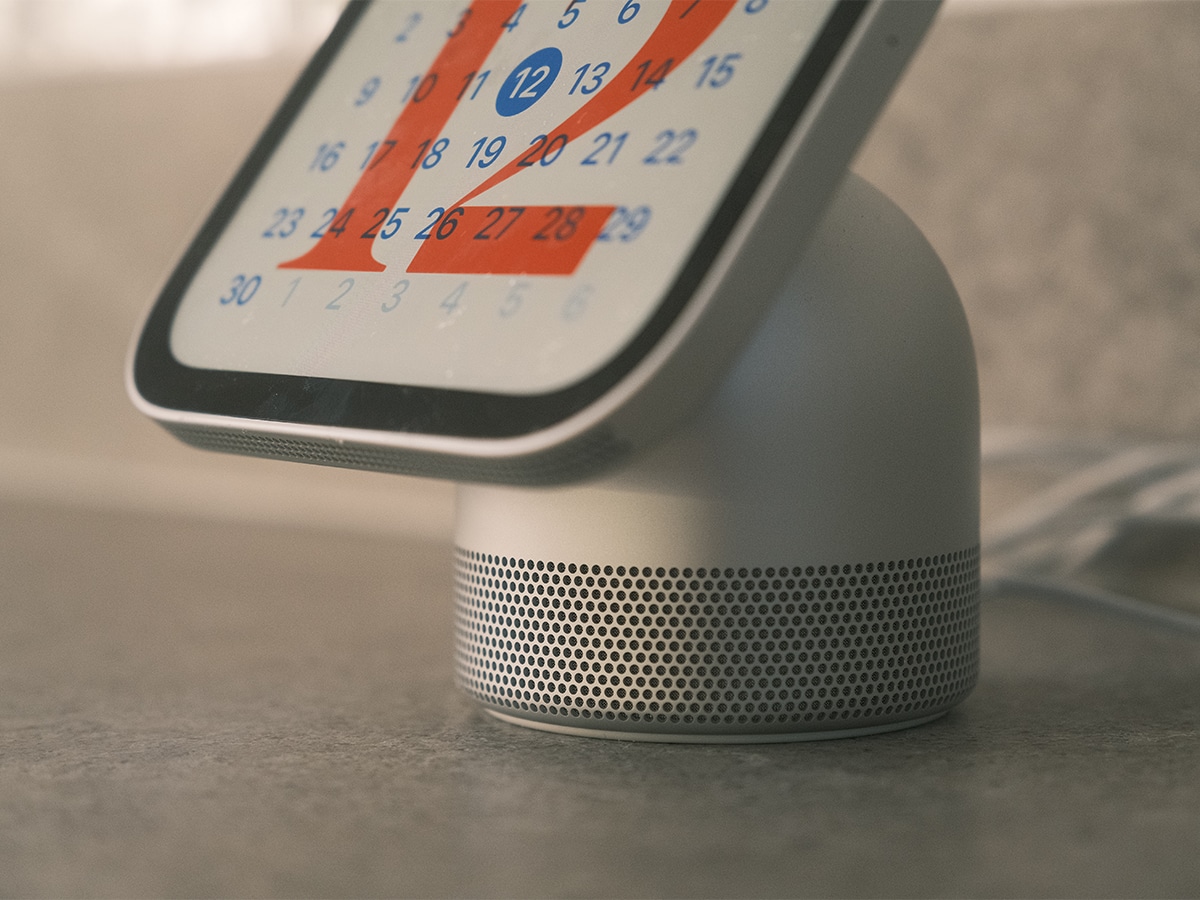
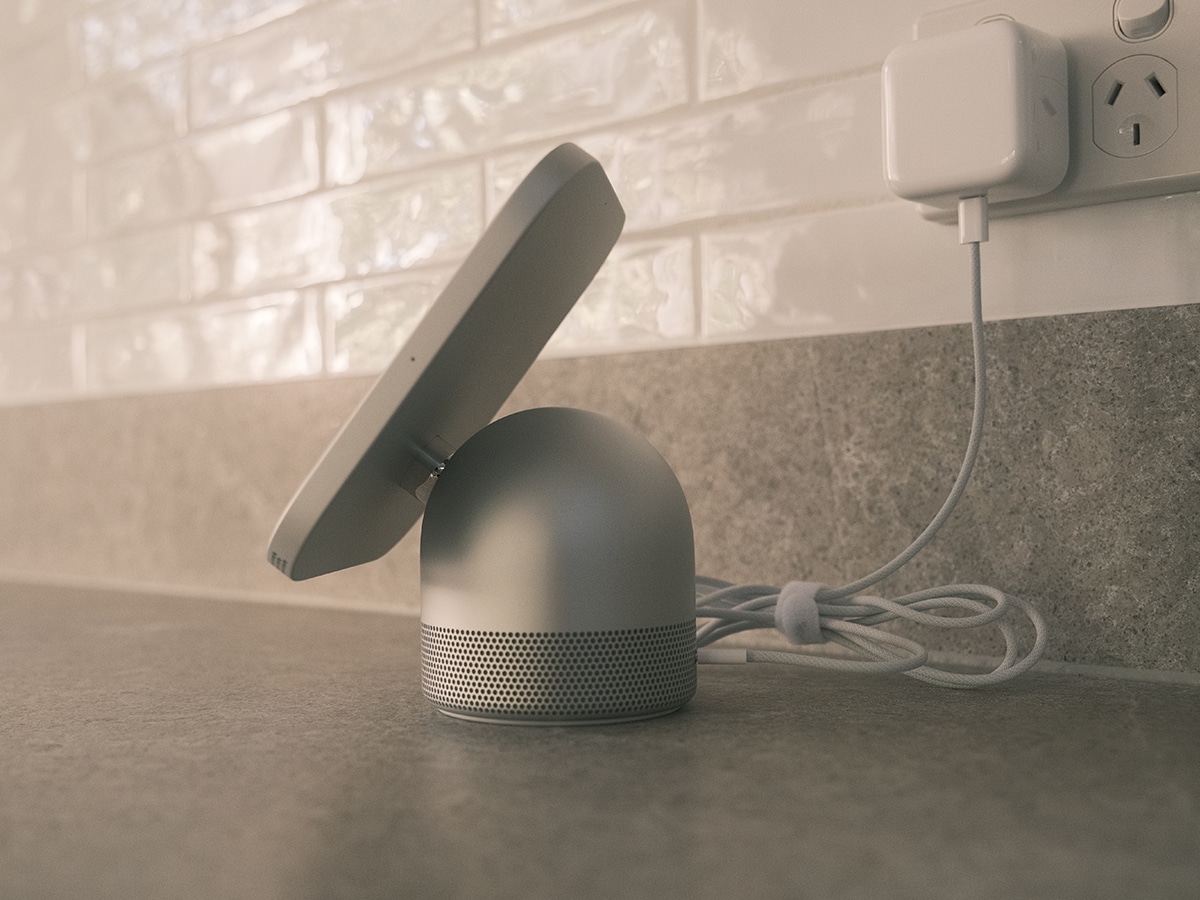
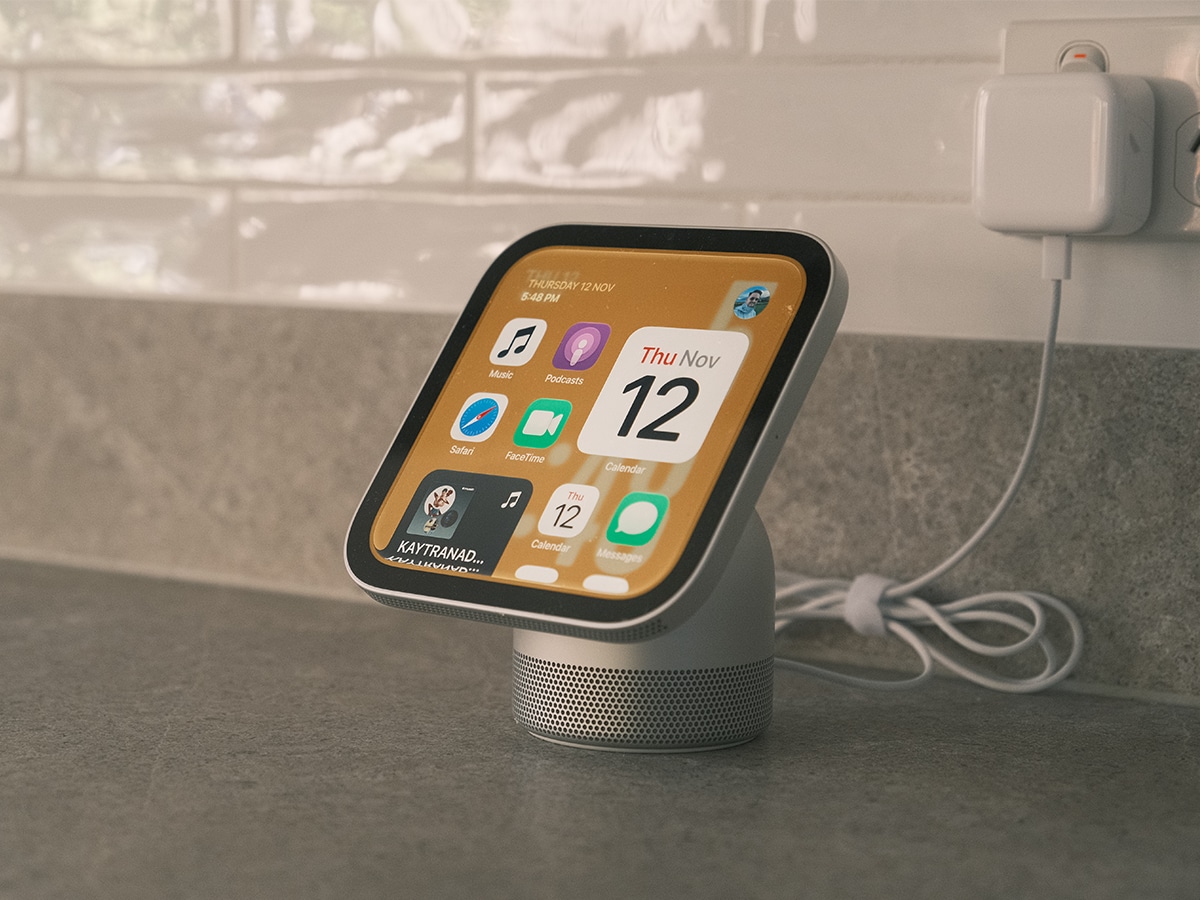
Setting the Apple HomeView on a counter for the first time, the immediate takeaway is how compact and unobtrusive it feels. Measuring just 5.73 inches (14.55 cm) wide and adjusting between 5.38 (13.67 cm) and 6.83 inches (17.35 cm) tall depending on tilt, the tabletop model anchors its screen to a hefty, 100 per cent recycled aluminium domed base via a stainless steel hinge. It’s heavy enough to adjust and angle the screen without holding the base, and it feels fluid and deliberate when you move it.
You can get the tabletop HomeView in four finishes (Silver, Starlight, Rose Pink, and Space Grey), and it includes a colour-matched 1.5-metre USB-C cable and power adapter in the box. Neither variant includes a battery, meaning permanent wired power is mandatory.
If you typically mount things in your hallways, entryways, or dedicated smart home control points, Apple also offers HomeView (Wall Mounted) in Space Grey and Silver. Rather than sitting on a domed base, it pairs with a trio of purpose-built mounts from Schneider Home (sold separately alongside the required cable and power adapter):
- Power Mount USB-C Wall Connector: Self-installed option with an attached cable.
- Power Mount AC Wired: Hardwired mount for a flush installation with no visible cords.
- Power Mount PoE Wired: Hardwired mount delivering Power over Ethernet and direct wired data.
Liquid Retina Display and Distance-Adaptive UI
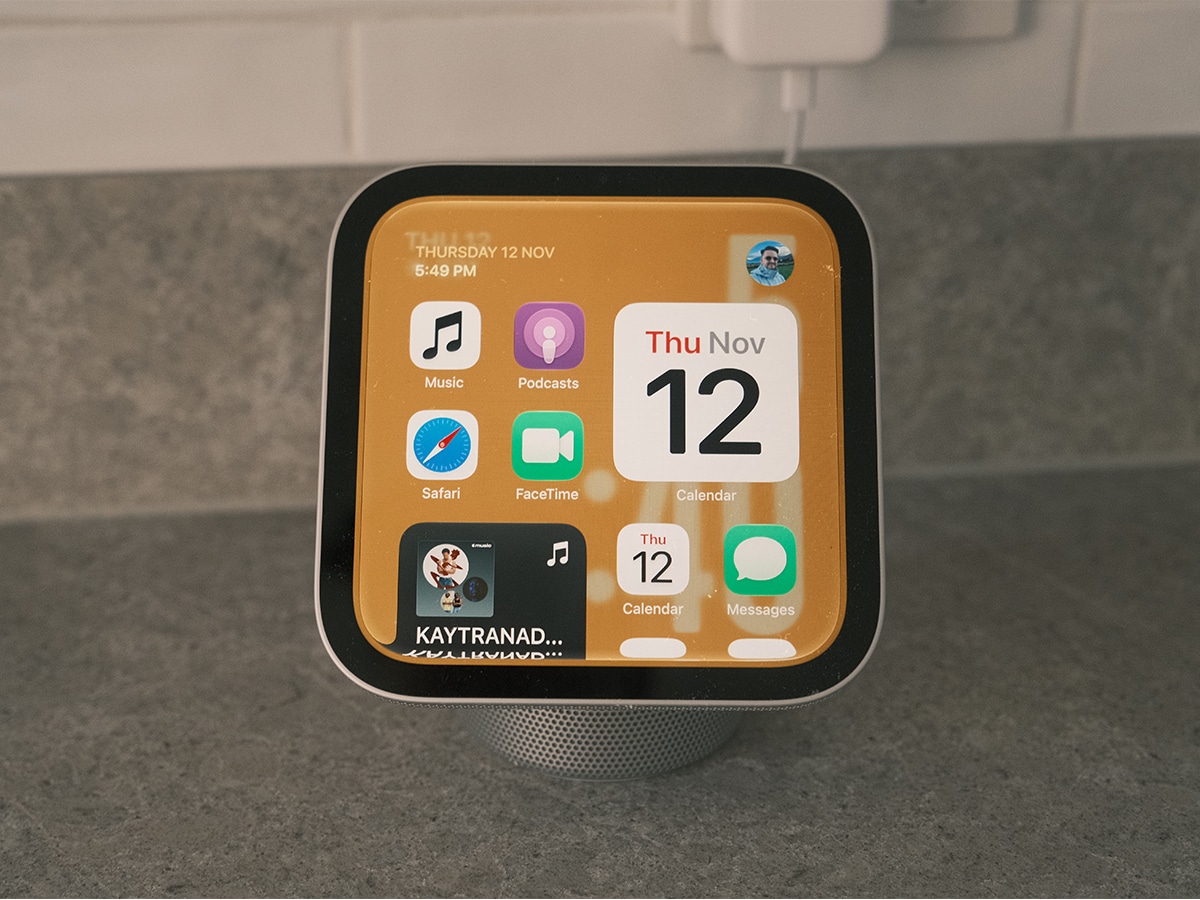
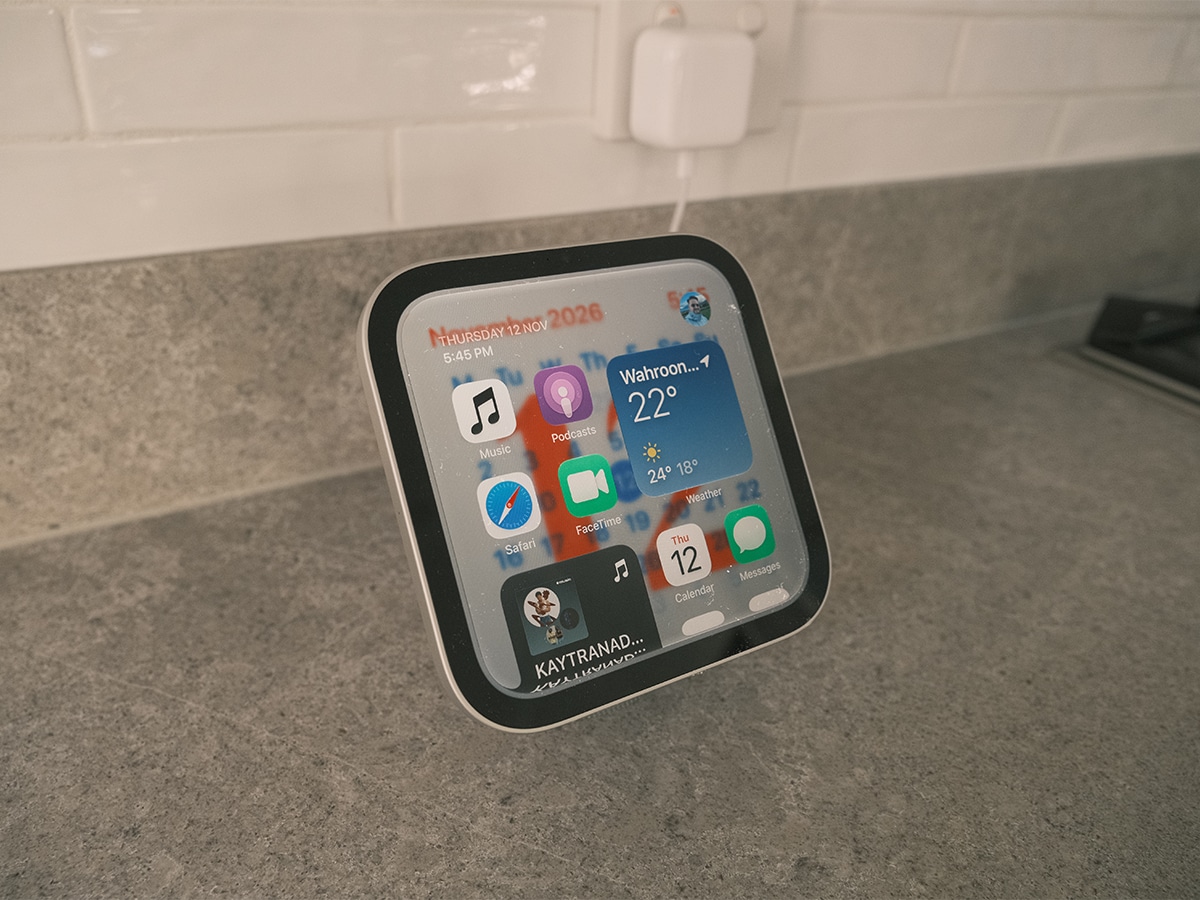
While 7 inches (6.98 inches diagonally, accounting for rounded corners) may sound modest on paper, the 1:1 square aspect ratio gives HomeView a generous canvas. The LED-backlit IPS panel runs at a crisp 1088 x 1088 resolution (220 ppi) with an oleophobic coating that does a decent job of shrugging off kitchen smudges.
The real standout is the display’s dynamic range. I have my review unit placed in a sunlit kitchen, where the True Tone and auto-brightness features regularly push the panel up to its peak 500 nits so recipes and camera feeds remain legible. When viewed at night, HomeView can dial its backlight down to just 0.3 nits, the lowest display brightness Apple has ever offered. Placed on a bedside table, it eliminates the harsh backlight glow that plagues conventional smart displays in pitch-black bedrooms. To me, it’s an upgrade over the iPhone Duo that I’ve been using in StandBy mode until now.
To make that 7-inch screen legible from across a room without cluttering the interface, Apple built a clever distance-adaptive UI. When you’re standing across the living room, HomeView presents clean, large-scale typography, such as today’s high and low temperatures or basic Live Activities. Walk closer to the display, and the interface transitions to reveal richer, more granular details such as hourly weather breakdowns, interactive controls, and expanded Siri responses.
You can tailor the resting state using 12 customisable faces, ranging from Shared Albums and curated Memories to interactive art like Flow (which reacts dynamically to your physical movement), Fade (which shifts shadows like a sundial), Snoopy animations, and utilitarian Modular dashboards.
Sound Quality and Multiroom Entertainment
It’s compact, but the HomeView punches well above its weight in sound quality. Apple engineered a split acoustic architecture: two custom full-range drivers sit behind the display to keep vocals and dialogue crisp, while a down-firing woofer and two force-cancelling passive radiators reside inside the domed base to deliver genuine low-end weight without vibrating the countertop.
There’s an internal accelerometer that even detects the display’s physical tilt angle, feeding data to Apple’s computational audio engine to optimise loudness and bass response in real time.
My current benchmarks for sound quality are the Google Nest Hub (2nd generation), Amazon Echo Dot Max, Apple HomePod mini 2, and the original HomePod (2nd generation). The Spatial Audio with Dolby Atmos tracks sound noticeably wider and more dimensional than you would expect from a single tabletop unit, but they still can’t compete with the HomePods or Echo Dot Max. Still, the HomeView comfortably outperforms the HomePod mini 2 and the Google Nest Hub (2nd generation) by a considerable margin.
Note that if you opt for the Wall Mounted version, you lose the base’s down-firing woofer and passive radiators. It relies instead on two custom drivers tuned specifically for on-wall acoustics.
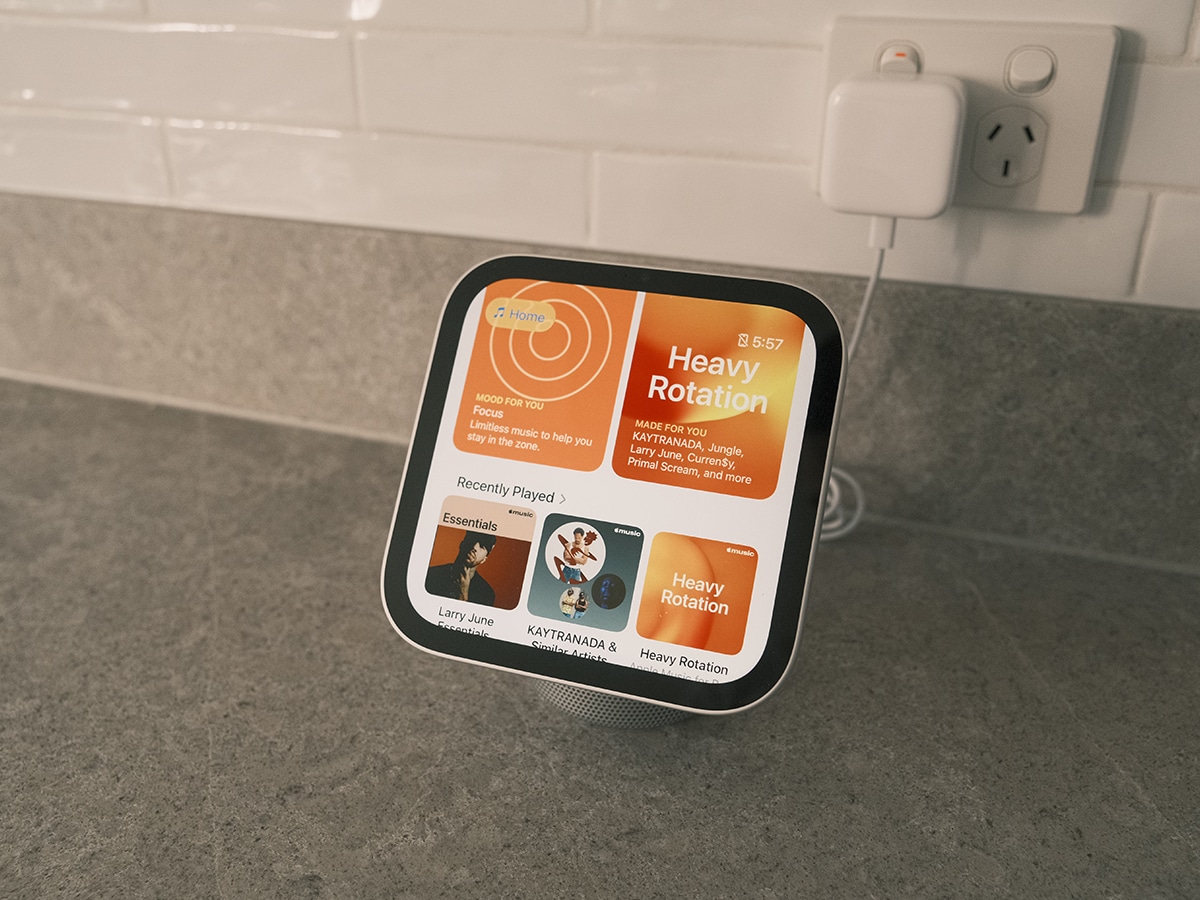
Entertainment integration is seamless as we’ve come to expect. You can stream Apple Music with animated album art and real-time lyrics, catch up on Podcasts and Apple News+, or watch video content. Walking in the door while listening to a podcast or FaceTime call on your iPhone, simply holding your phone in front of the HomeView screen triggers Handoff, transferring playback or the active call straight to the display. Pairing HomeView with HomePods, HomePod minis, or AirPlay speakers also unlocks synchronised multiroom audio across the house.
A18 Performance, Siri AI, and Multi-User Controls
Under the hood sits Apple’s A18 chip, delivering responsive touch navigation and powering Siri AI (available in beta on HomeView software version 27.2).
Using natural language understanding and broad world knowledge, Siri AI handles conversational queries (from asking for family pasta recipes to checking show release dates) and features on-screen awareness. If you’re following a recipe in Safari and realise you are out of an ingredient, you can ask Siri for substitutes on the spot, or ask it to save an address visible in an incoming message directly to a contact card.
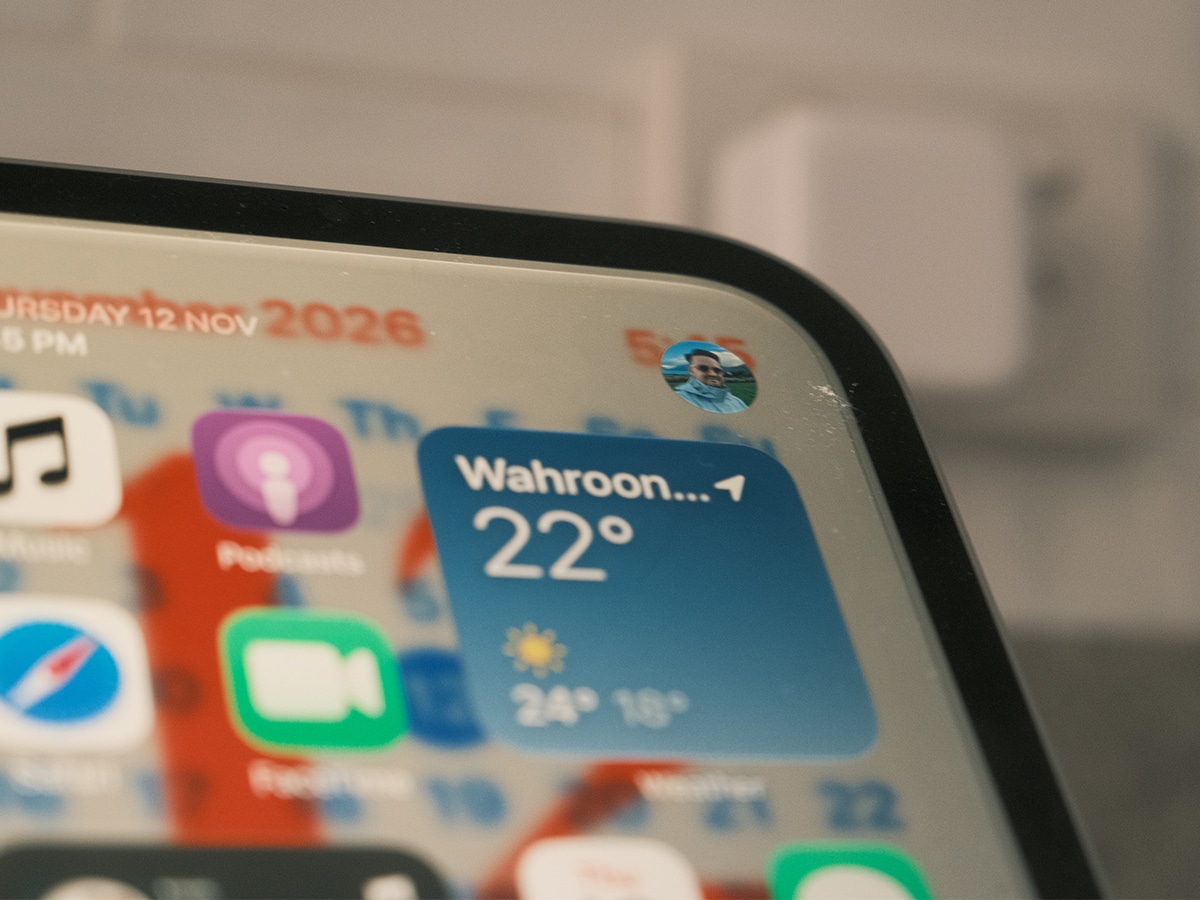
Because HomeView sits in shared family spaces, Apple has built a thoughtful multi-user privacy architecture. Using the 12MP camera and four beamforming microphones, HomeView can recognise up to six individual household members by their faces and voices.
Once HomeView recognises you, it pulls your personal Messages, Calendar, Reminders, and Find My locations in real time from your paired, recently unlocked iPhone or iPad on the same local Wi-Fi network. None of your private data is stored locally on the HomeView hardware, ensuring that other family members or guests cannot snoop through your schedule when you leave the room.
Most importantly, all biometric recognition happens inside hardware Secure Exclaves on the A18 chip, an isolated compartment that neither the operating system nor Apple can access.
 1/5
Everyday Utility: Cooking, FaceTime, and Smart Home Hub
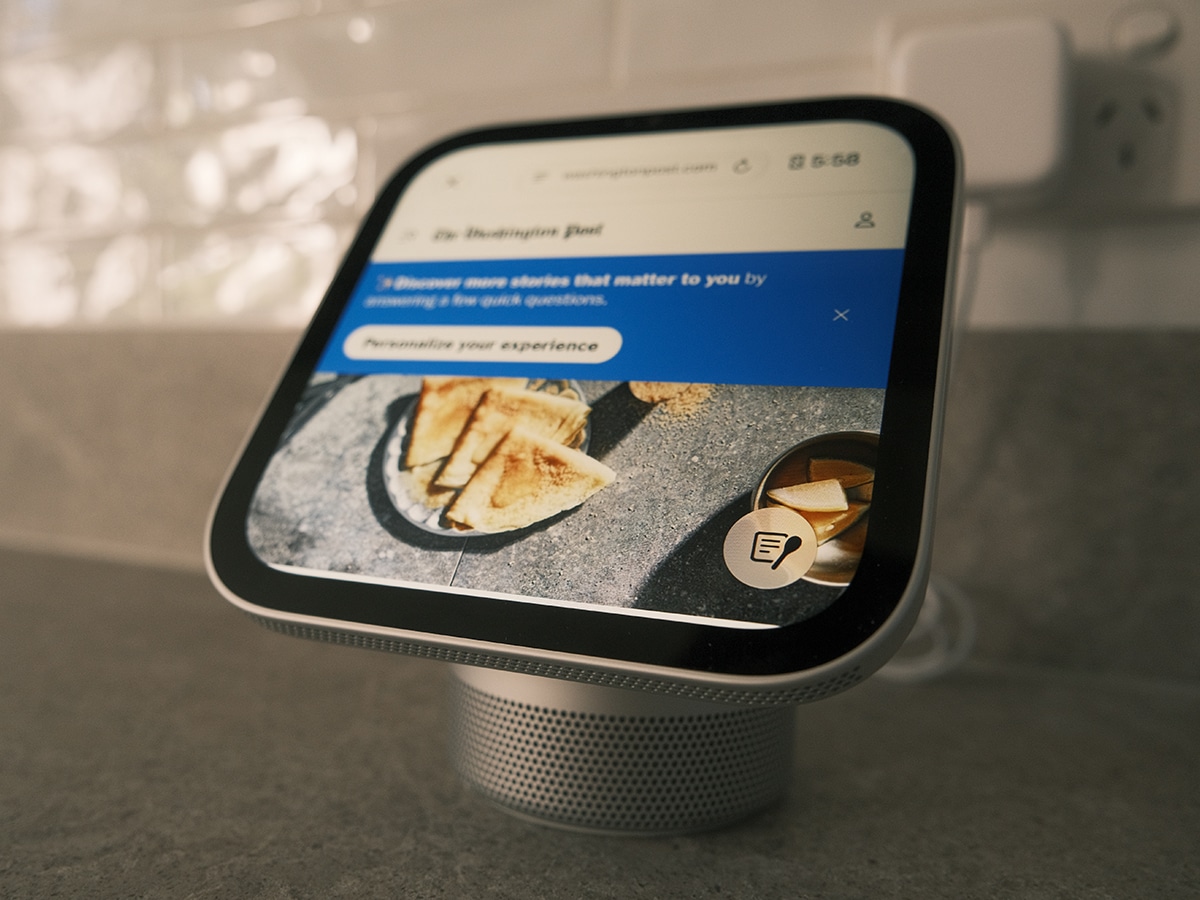
Like the iPhone Duo, the HomeView is a completely new product, so it does take a little time to familiarise yourself with it if you want to get the most out of the device. I spent most of my time in the first week using it as I did with my Google Nest Hub. Here, HomeView shines brightest in the kitchen. Browsing a recipe in Safari (or handing one off from your iPhone) surfaces a dedicated cooking button in the bottom-right corner. Tapping it strips away web clutter to a clean ingredient checklist and step-by-step instructions, with inline, one-tap timers that track live on-screen via Live Activities.
Communication tools are equally well integrated. The 12MP Center Stage camera keeps you framed during hands-free FaceTime calls even as you move around the kitchen prep bench, while Intercom lets you broadcast voice announcements to specific rooms, HomePods, or family members’ iPhones and Apple Watches. Find My also works natively on screen, letting you ping misplaced AirTags or check when family members are arriving home for dinner.
I also set up my HomeView as a central Home Hub for HomeKit and Matter accessories. HomeView puts whole-home control within arm’s reach. The Home Modular face provides one-tap widgets for lights, thermostats (including Adaptive Lighting and Adaptive Temperature), and door locks, while the Home Camera face can livestream up to nine security camera feeds simultaneously. With an iCloud+ subscription and a paired Apple Intelligence device, HomeKit Secure Video clips even generate natural-language descriptions and searchable summaries right on the dashboard. Rounding out the hardware is Sound Recognition, which alerts your personal devices if it hears a smoke or carbon monoxide alarm, alongside built-in temperature and humidity sensors (though Apple notes sensor accuracy can dip during prolonged, high-volume music playback).
Man of Many’s Verdict on the Apple HomeView
Apple HomeView is the missing link Apple’s smart home ecosystem has needed for years. It’s also far more than an entry-level iPad on a stand. The combination of the distance-adaptive Liquid Retina screen, record-low 0.3-nit nightstand dimming, and punchy tabletop acoustics makes it feel genuinely at home whether it’s sitting on a kitchen island or beside a bed.
It’s not without a few calculated ecosystem constraints. Requiring permanent wired power tethers it to a wall outlet, and unlocking the best parts of Siri AI, like personal context requests across Messages and expressive voices, requires an Apple Intelligence-capable iPhone or iPad to be active on your home network. Prospective buyers eyeing the Wall Mounted variant should also factor in the separate cost of Schneider Home mounts and power cables, the cost of installation, and the absence of the tabletop model’s dedicated woofer.
Even with those caveats, HomeView nails the fundamentals of a shared family display. By keeping personal data off the device via A18 Secure Exclaves while delivering hands-free cooking, multi-camera monitoring, and room-filling Spatial Audio, Apple has built a smart display worthy of the centre of the home.
FAQs
No. Neither the tabletop Apple HomeView nor the Wall Mounted version includes an internal battery. Both models require continuous wired power via USB-C (or hardwired Schneider Home mounts for the wall-mounted model).
The tabletop model features an adjustable stainless steel hinge, a recycled aluminium domed base housing a down-firing woofer and dual force-cancelling passive radiators, and includes a colour-matched 1.5-metre USB-C cable and power adapter in the box. The Wall Mounted model omits the base woofer, relying instead on two custom drivers tuned for wall acoustics, and requires separate purchases for compatible Schneider Home wall mounts, cables, and adapters.
HomeView uses Secure Exclaves on the A18 chip to process facial and voice recognition locally, preventing the operating system or Apple from accessing raw camera or microphone data. Once recognised, your personal Messages, Calendar, and Reminders stream in real time from your paired, unlocked iPhone or iPad on the local network rather than being stored on the HomeView device itself.
General world knowledge questions, smart home controls, and onscreen recipe assistance work directly on HomeView running software version 27.2. However, personal context queries, such as checking when a package is arriving or pulling details from your Messages and Calendar, require a paired Apple Intelligence-enabled iPhone or iPad on the same Wi-Fi network.
Using the dedicated Home Camera face, Apple HomeView can livestream up to nine compatible HomeKit or Matter video feeds simultaneously, allowing you to monitor entryways, yards, and rooms on a single screen and unlock smart doors with a tap.
Why Trust Man of Many?
At Man of Many, our consumer technology reviews are guided by independent hands-on journalism. We test smart home products inside the home. For this review, author Ben McKimm integrated the Apple HomeView into his daily routine across the kitchen and living area for a full week of continuous testing.
Evaluation focused across core pillars:
- Display Legibility and Adaptability: Testing the 7-inch Liquid Retina panel’s True Tone calibration under harsh midday kitchen sunlight, verifying the 0.3-nit minimum brightness in dark bedroom conditions, and evaluating the responsiveness of the distance-adaptive interface.
- Acoustic Performance: Benchmarking the tabletop model’s full-range drivers, down-firing woofer, and passive radiators across Spatial Audio tracks, podcasts, and multiroom AirPlay playback with HomePod speakers.
- Siri AI & Multi-User Recognition: Testing far-field voice pickup across noisy kitchen environments, verifying facial and voice switching accuracy across household profiles, and evaluating Safari cooking mode and onscreen awareness.
- Smart Home & Privacy Architecture: Stress-testing live multi-camera streaming on the Home Camera face, HomeKit and Matter automation responsiveness.
Apple provided the product in this article on a loan basis to make this review possible. Man of Many maintains complete editorial independence. Apple was given no preview of this review prior to publication and had no commercial influence over our editorial verdict.






















Comments
We love hearing from you. or to leave a comment.