

Updated:
Readtime: 15 min
Every product is carefully selected by our editors and experts. If you buy from a link, we may earn a commission. Learn more. For more information on how we test products, click here.
The new Apple TV 4K (ADU$449) asks one BIG question: Does a dedicated streaming box still justify a spot under your TV?
We live in an era where every modern OLED and Mini-LED panel comes preloaded with its own smart TV operating system, so it’s a question worth asking. Now that I’ve spent the past week putting the fourth-generation Apple TV 4K through its paces in my home, I have an answer.
If the previous model established itself as the class leader for snappy navigation and picture quality, smart TV platforms have spent the last few years closing the gap with native Dolby Vision, AirPlay 2, and built-in voice assistants. But with this new fourth-generation device, Apple has delivered an update that looks to reassert its dominance over the often sluggish built-in TV software. Backed by the 3nm A19 chip, built-in far-field microphones for hands-free control, a Find My-equipped Siri Remote with Precision Finding, and an exclusive quad-HomePod surround-sound architecture, it promises to turn the streamer from a simple media player into a command centre.
I’ve spent the past week living with the new box as my primary entertainment hub, testing how the A19 handles everything from heavy Apple Arcade titles to high-bitrate AV1 streams, seeing whether the new far-field mic array can hear me over a movie, and I even put the new Siri AI through its paces on movie night.
But before we dive into the full review, let’s look at what we’re dealing with here. Visually, the box retains its sleek, fanless black unibody, but the internal overhaul is where things get serious. It’s not like the previous-generation device was a slouch, but the A19 chip brings a 50 per cent faster CPU and doubles GPU performance. However, it’s the dedicated AV1 hardware decoder that future-proofs this device, enabling high-bitrate HDR content streams with less data strain. The Siri Remote now houses an internal speaker and Precision Finding so you never lose it between the couch cushions again. Most of all, I wanted to test out the expanded four-speaker surround sound setup, which connects to matching pairs of HomePods mini 2 and HomePods (2nd generation).
30-Second Apple TV 4K Verdict
Pros:
- A19 silicon delivers 50% faster CPU speeds, 2x graphics performance, and fluid tvOS animations.
- Dedicated AV1 decoding ensures efficient playback of high-bitrate HDR10+ and Dolby Vision.
- Three built-in far-field microphones enable hands-free voice control without touching the remote.
- Hardware-level Secure Exclaves process voice requests locally.
- Upgraded Siri Remote integrates Find My with Precision Finding and an audible speaker.
- Exclusive quad-HomePod surround sound pairs front and rear stereo channels and calibrates them.
Cons:
- Price is ludicrous.
- Siri AI personal context requires a separate Apple Intelligence-enabled iPhone or iPad in the home.
- Multi-speaker surround sound demands strict matching speaker pairs (front and rear).
- Remote Precision Finding requires an iPhone 17 or later, iPhone Air, or iPhone Duo.
- No HDMI 2.1 cable is bundled in the retail packaging.
Should You Buy the Apple TV 4K?
Yes. If you value a fluid, ad-free streaming interface, reference-grade Dolby Vision and HDR10+ visual output, and tight integration with Apple Fitness+, Apple Music, and smart home cameras, this remains the definitive streaming device on the market. Just ensure your pockets are deep enough (it’s expensive!), and that your household has the requisite Apple Intelligence devices if you intend to lean on conversational Siri AI. Link up front and rear HomePods for a seriously impressive, great-value-for-money listening experience, too.
Apple TV 4K Technical Specifications
| Specification | |
| SoC / Silicon | Apple A19 chip (up to 50% faster CPU, up to 2x faster GPU performance) |
| Video Decoding | Hardware-accelerated AV1 decoder, HEVC, AVC, 4K High Frame Rate HDR |
| HDR Support | Dolby Vision, HDR10+, HDR10, HLG |
| Audio Formats | Dolby Atmos, 5.1/7.1 Dolby Digital surround sound, Spatial Audio, Lossless Audio |
| Surround Sound | Quad HomePod home theatre surround sound (front/rear matching pairs), Whole Room Audio |
| Voice Interface | Three built-in far-field microphones with hands-free “Hey Siri” support |
| Audio Privacy | On-chip Secure Exclaves on A19 for isolated microphone processing |
| Remote Control | Siri Remote (4th gen) with aluminium enclosure, touch clickpad, USB-C, Find My with Precision Finding & speaker |
| Smart Home | Built-in Home Hub, HomeKit Secure Video local processing, Matter support, Camera Captions |
| Operating System | tvOS (with Siri AI beta support via Apple Intelligence device pairing) |
| Environmental | 100% recycled gold & tin in PCBs, 80% recycled aluminium thermal module, 100% fibre packaging |
Design, Hardware, and the Upgraded Siri Remote
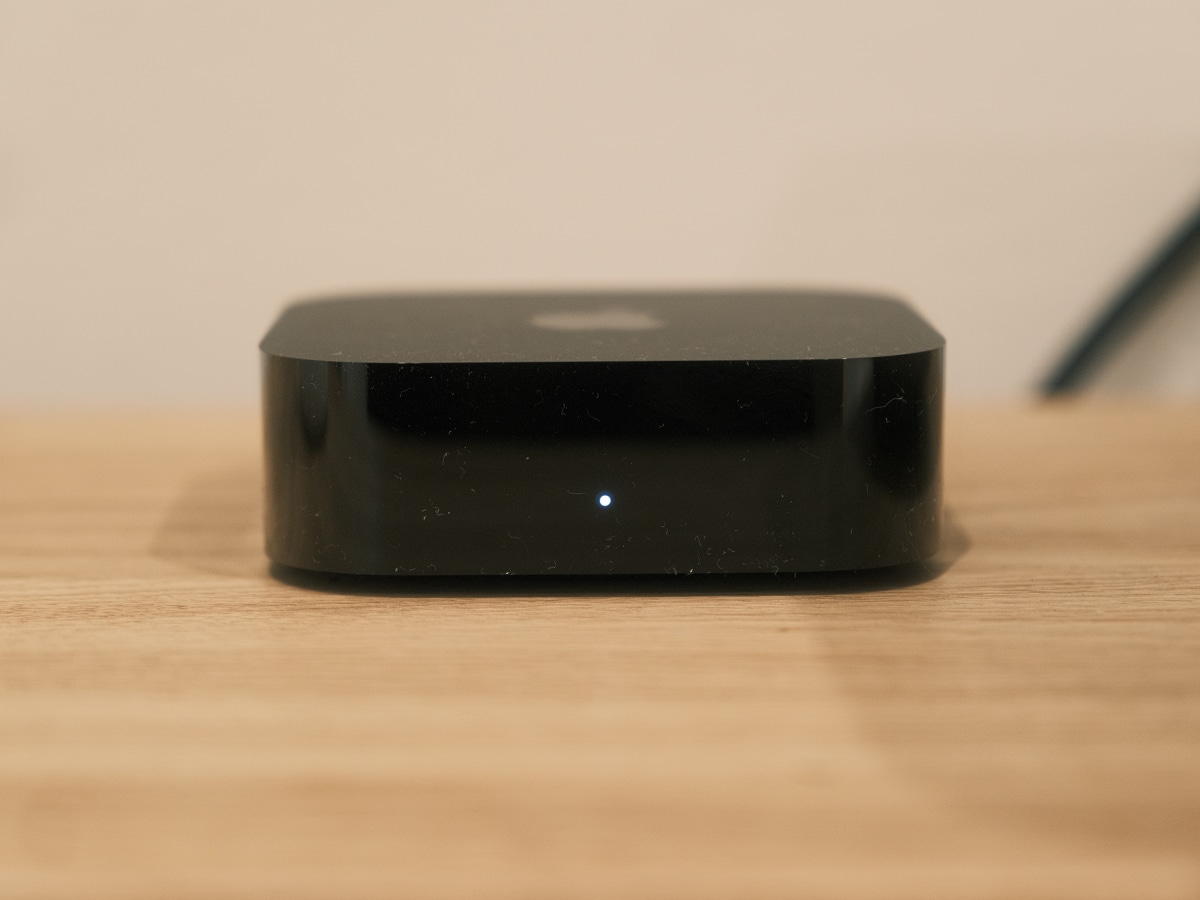
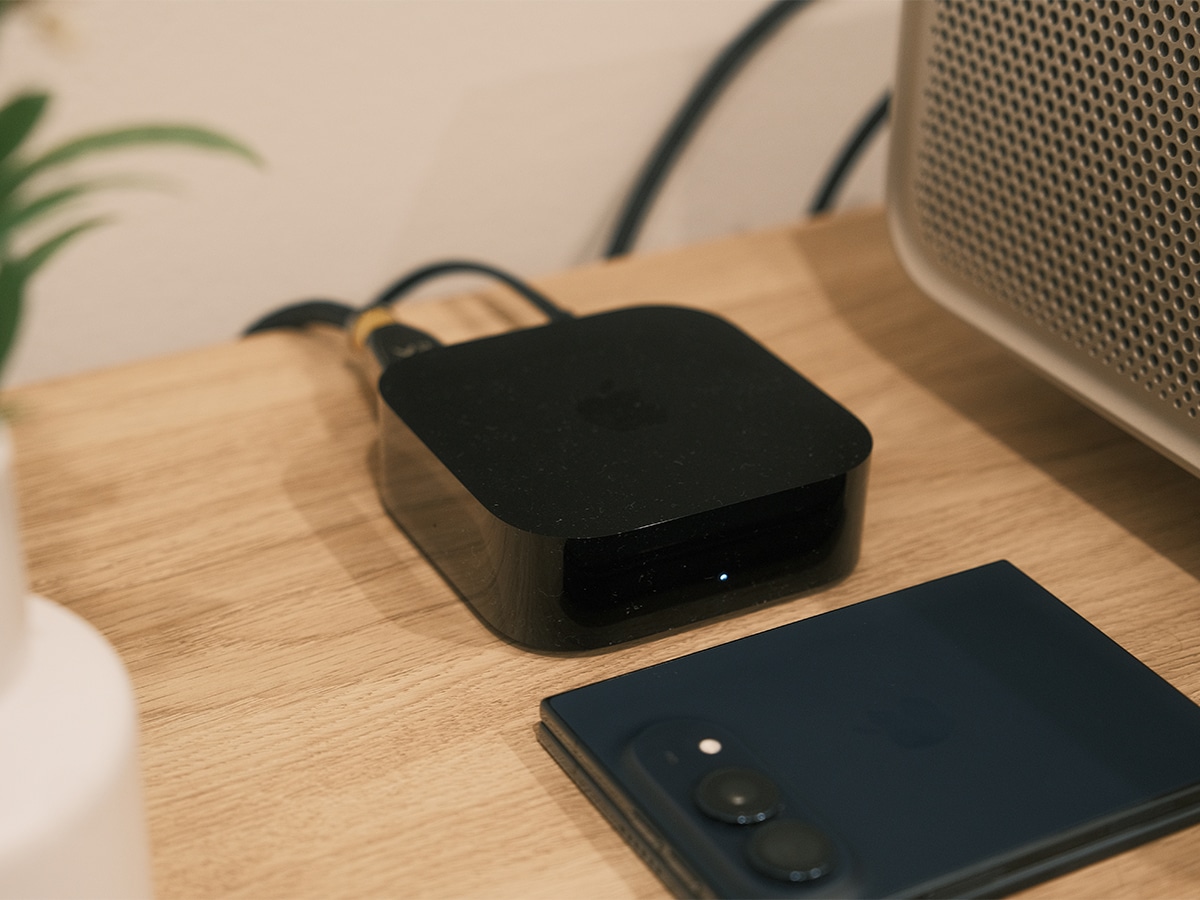
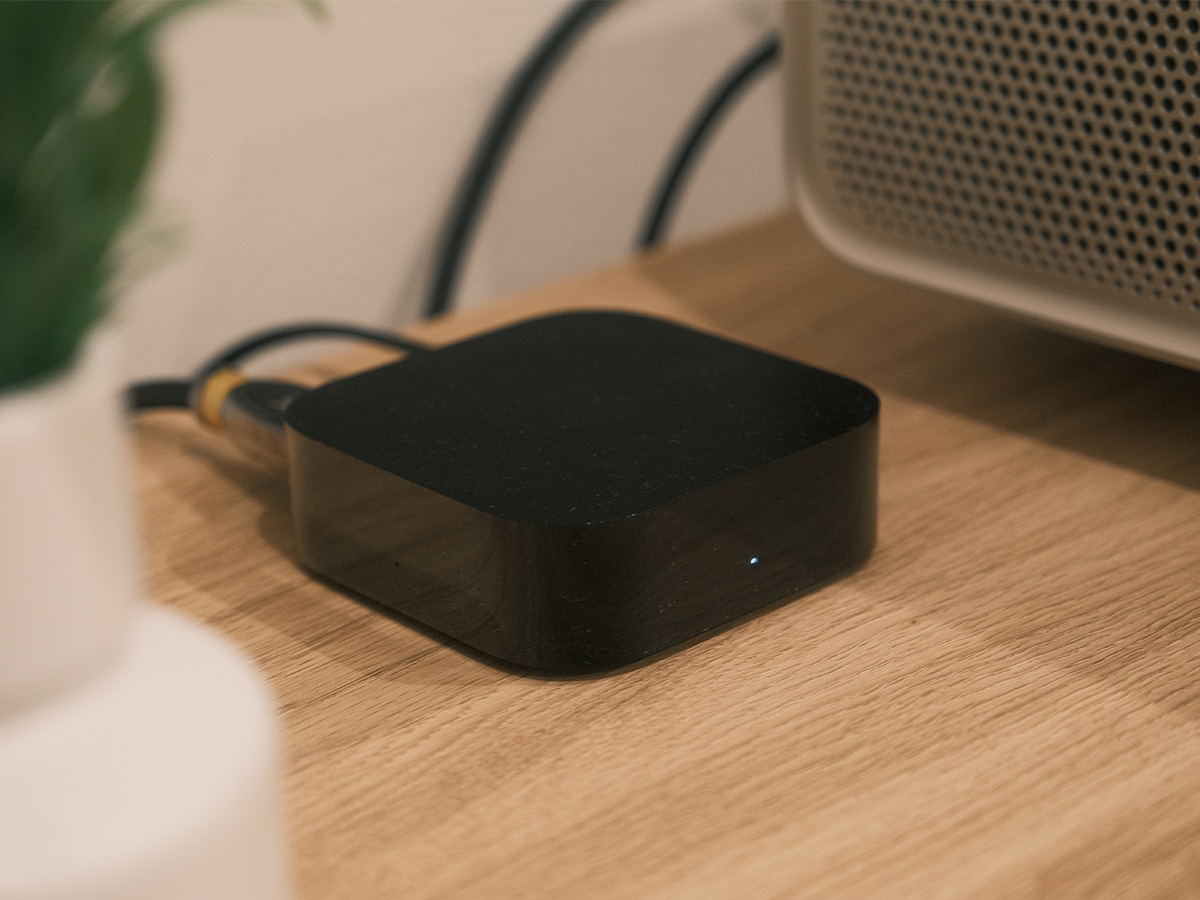
Unboxing the fourth-generation Apple TV 4K, it stays true to the minimalist aesthetic. It’s still the same old compact, matte-black puck that’s understated enough to tuck beneath any television set or into an AV cabinet. To get a little technical for a second, Apple has engineered an updated thermal module crafted from 80 per cent recycled aluminium that lets the device run completely silent with fan-less operation during heavy 4K gaming sessions. So, it’s not entirely similar.
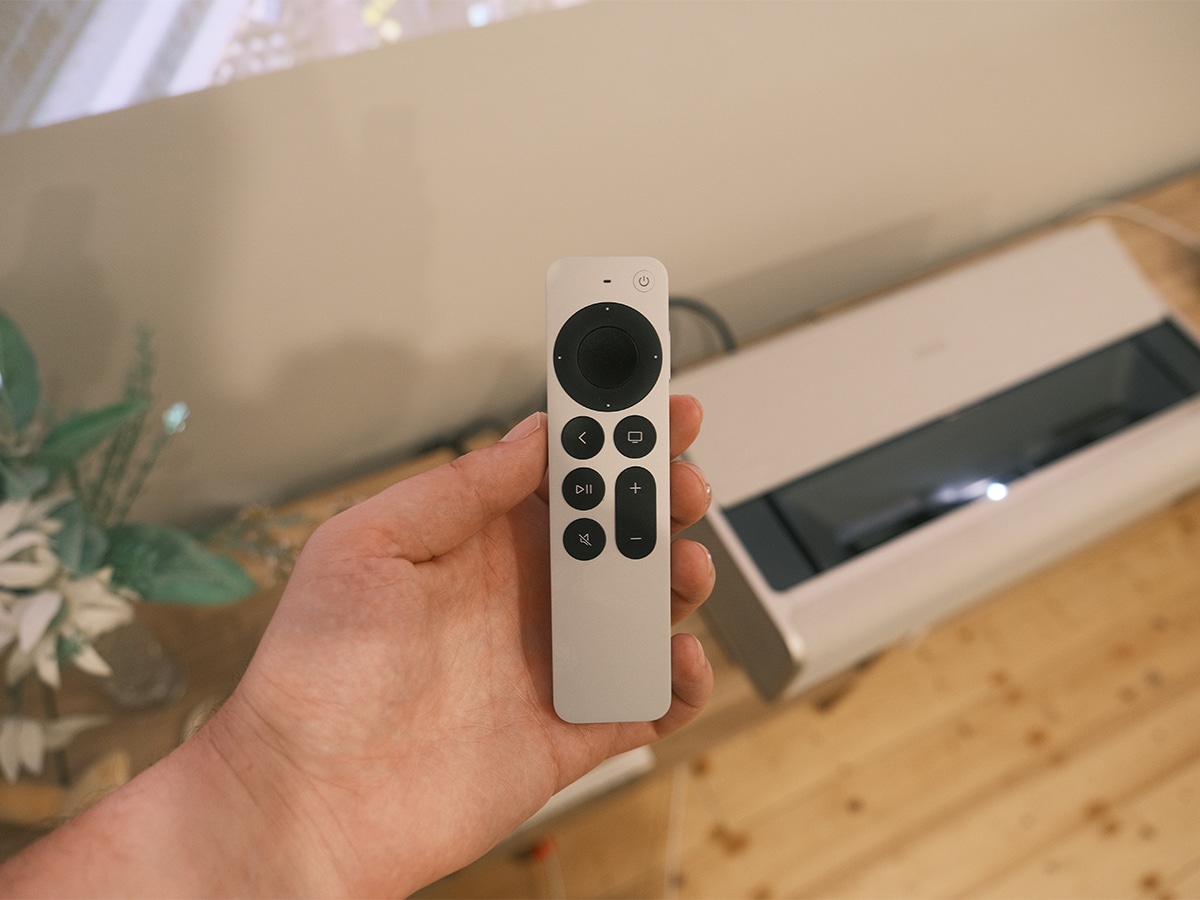
The real leap forward in design is the overhauled Siri Remote. Retaining its solid, one-piece recycled aluminium body, it addresses the single biggest complaint of living room entertainment: losing the remote in the couch cushions. The new remote now features fully integrated Find My hardware complete with an internal speaker and Precision Finding.
I have a tendency to lose the remote in my sofa bed, but when the remote inevitably slipped behind cushions and into the metal core, opening the Find My app on an iPhone provided directional, centimetre-accurate guidance straight to its location. Triggering the internal speaker produces a sharp, audible chime that easily cuts through the cushions. Look, it’s not a reason to upgrade if you have the previous-generation device, but I appreciated it nonetheless.
Let’s also mention the physical controls, which remain the gold standard for media navigation. The circular clickpad offers five-way directional clicks for precise, frame-by-frame scrubbing, while the touch-sensitive capacitive surface lets you fluidly swipe through wide content carousels.
A19 Performance, AV1 Decoding, and Picture Quality
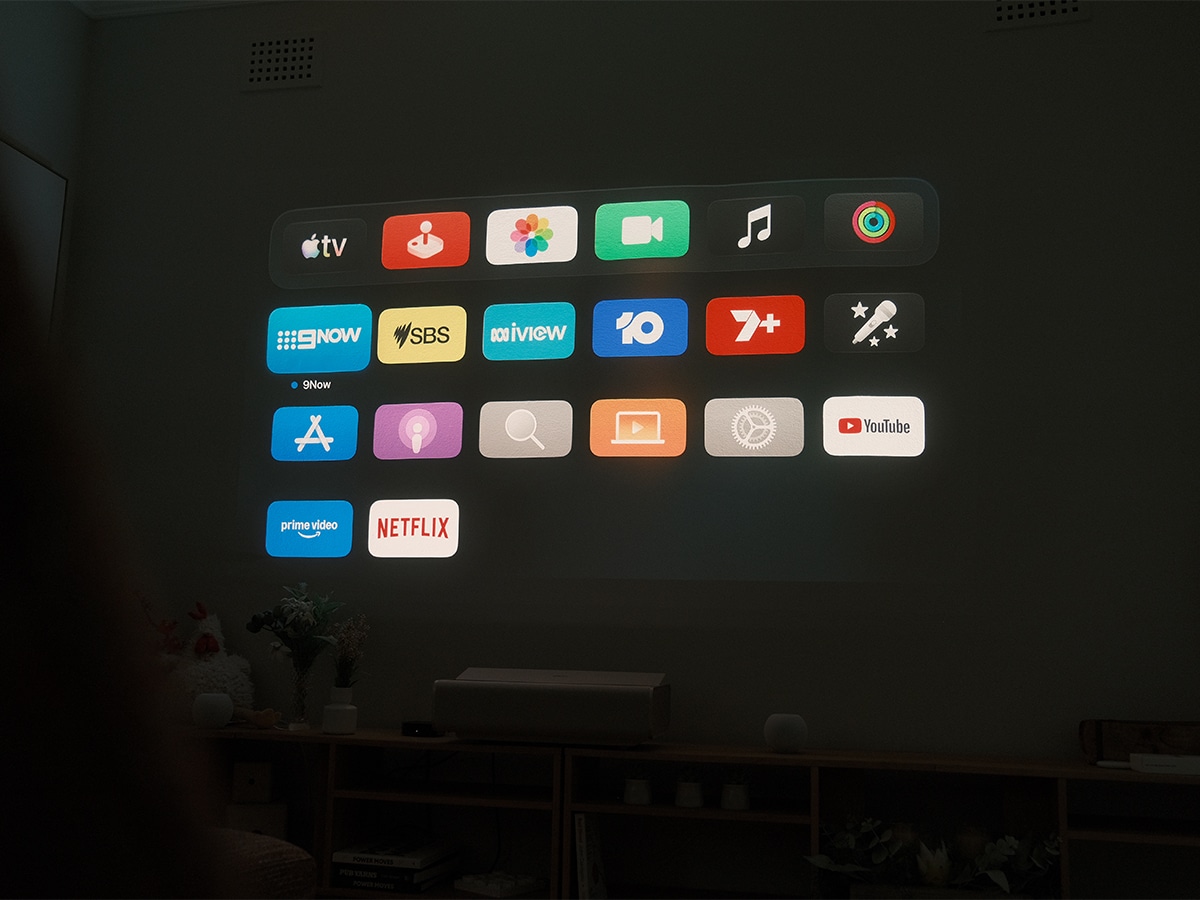
This is far from a budget streaming dongle. These devices often suffer from stuttering menus and home-screen advertisements. That’s really where a bunch of your coin goes when you buy the Apple TV 4K, which operates more like an iPhone. The new A19 chip delivers up to 50 per cent faster CPU speeds and double the graphics performance of the third-generation box. It’s not something you notice immediately, and I’m not sure it’s reason enough to upgrade, but navigating tvOS feels instantaneous. Apps launch without hesitation, multitasking transitions are smooth, and poster art loads instantly when you walk away from the TV.
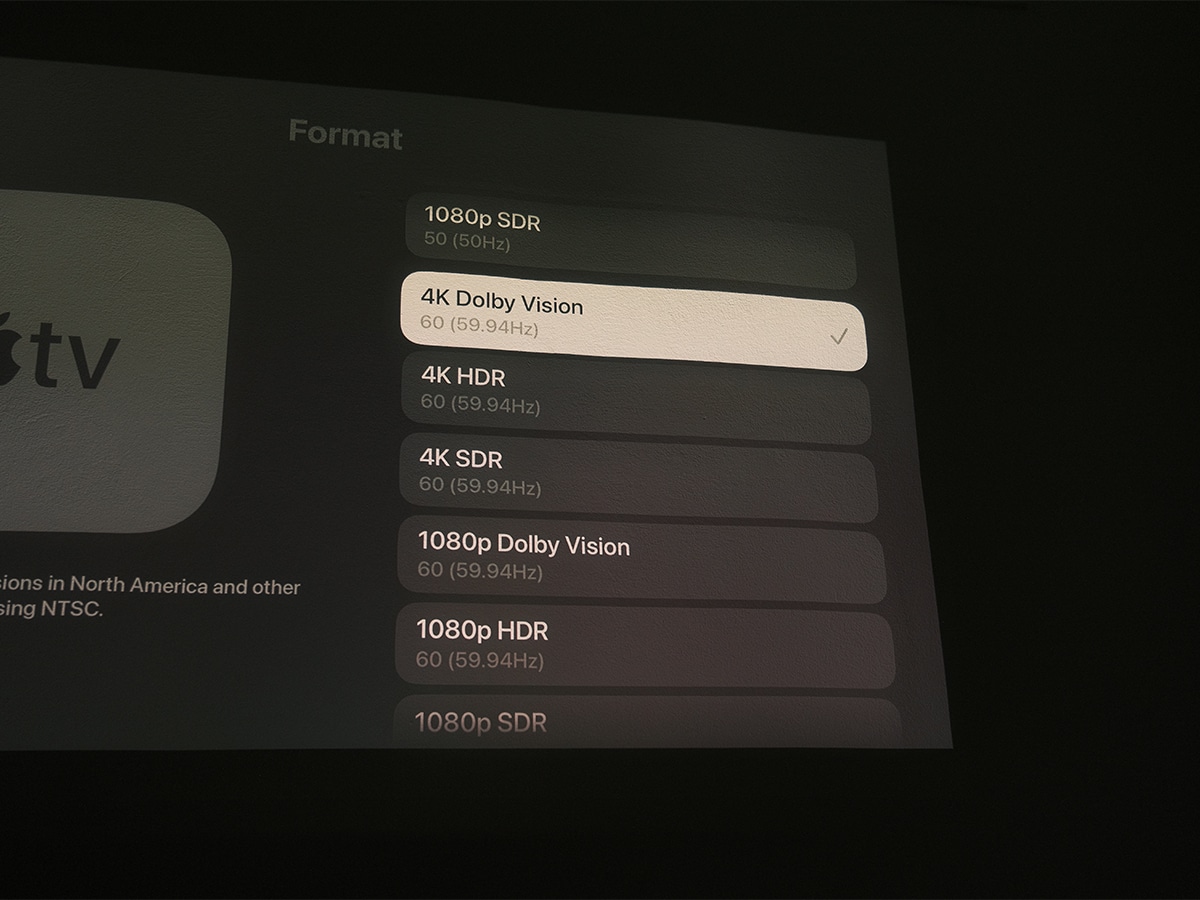
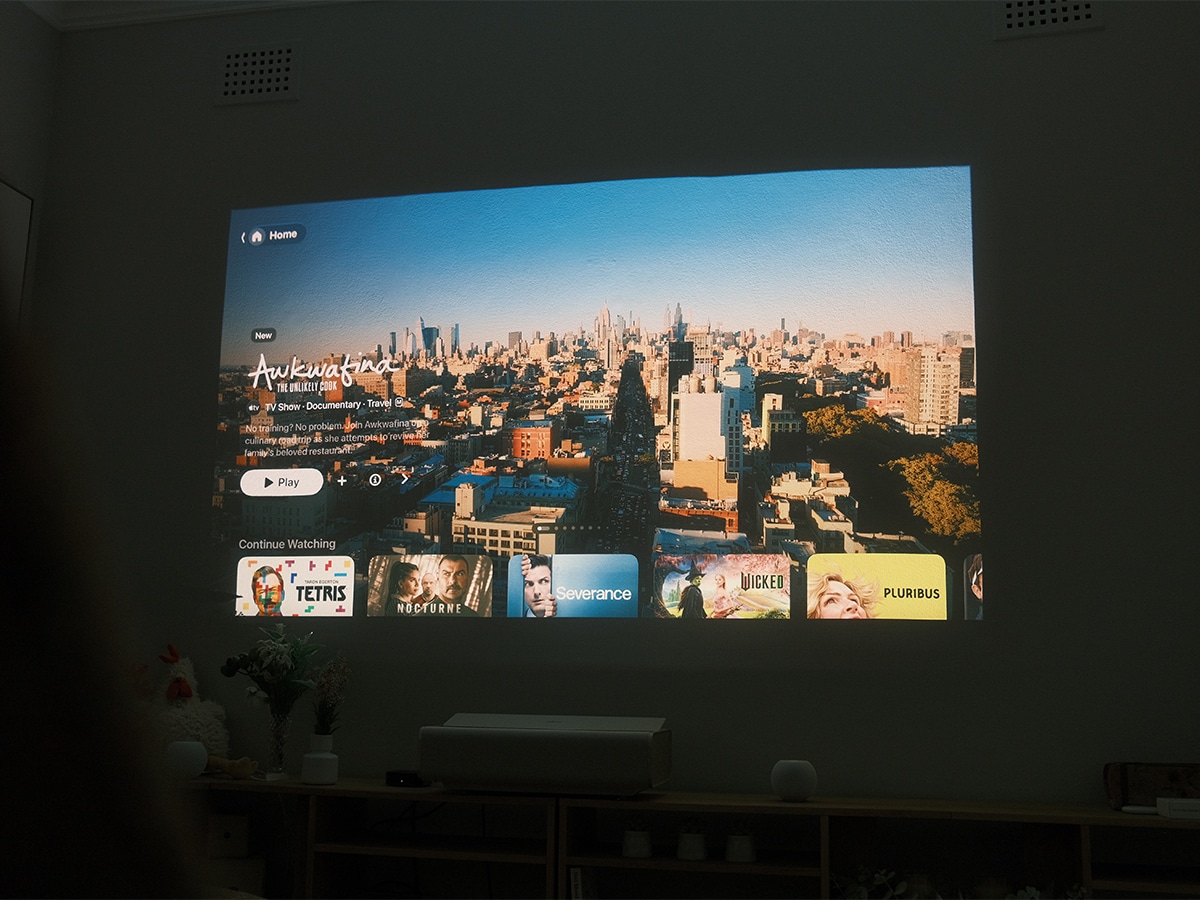
Cinephiles have been ahead of the game here, but the rest of us will come to appreciate the generational leap for video made here with AV1 decode thanks to the A19 chip. With major streaming platforms transitioning their high-bitrate 4K HDR streams to the open-source AV1 codec, the new Apple TV 4K decodes these streams efficiently. Visual fidelity is maintained, with support for both dynamic HDR standards (Dolby Vision and HDR10+), ensuring your television dynamically maps tone curves on a scene-by-scene basis, regardless of whether you’re watching on an LG OLED, a Samsung Neo QLED, a Sony Mini-LED, or an XGIMI Aura 2 UST projector like I am.
There’s also the usual integrated high-performance 4K upscaler that continues to clean up legacy 1080p and 720p content effectively, smoothing out macroblocking and sharpening edge contrast without introducing artificial ringing artifacts. Finally, High Frame Rate HDR support also ensures that live sporting events through supported broadcast apps maintain pristine motion resolution.
Four-Speaker HomePod Surround Sound
This is reason enough for many ecosystem die-hards to upgrade. Apple TV has supported wireless stereo audio via two HomePods for several generations, but the fourth-generation model introduces full Home Theatre Surround Sound using four HomePod speakers.
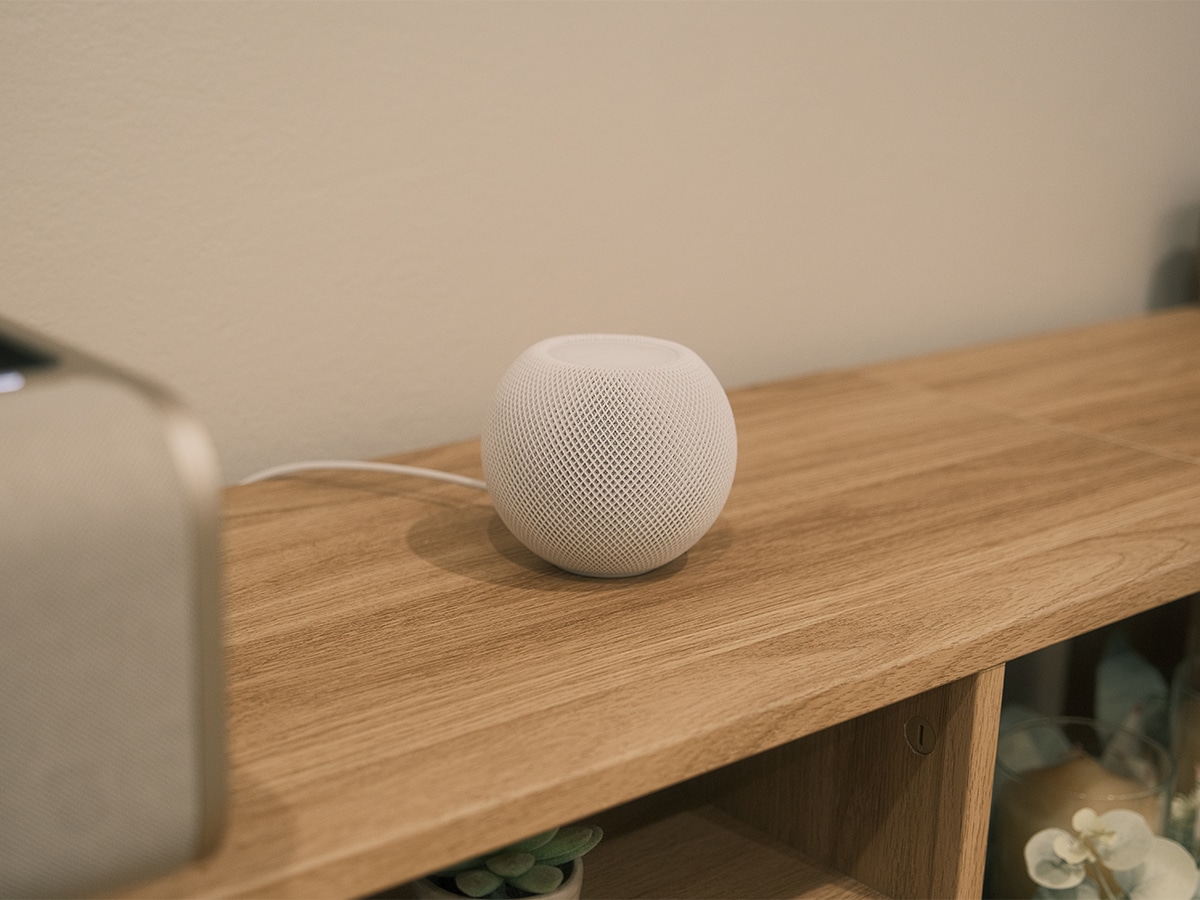
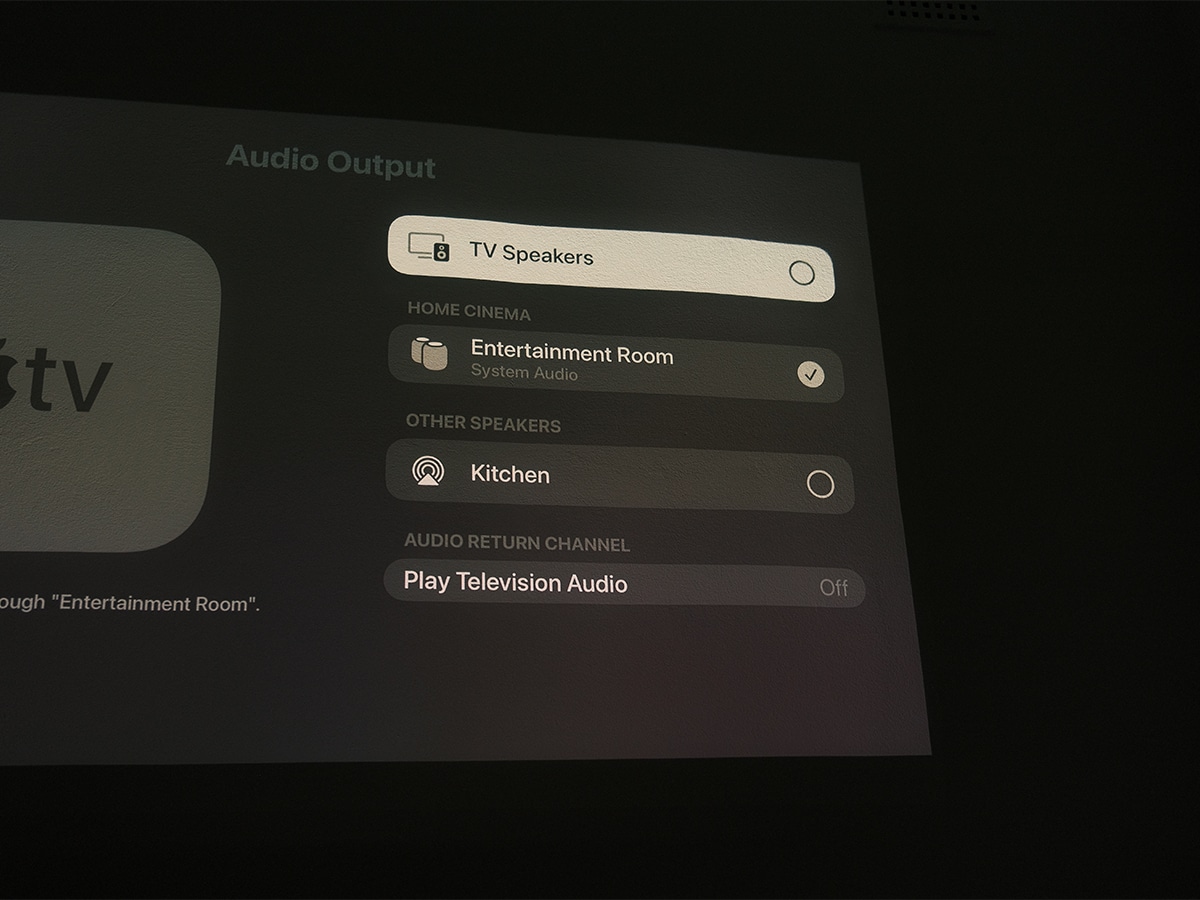
The setup allows you to combine two front speakers and two rear speakers using matching pairs of HomePod (2nd generation) or HomePod mini 2 units. Here for my testing, I only deployed two HomePod mini 2s up front beside the television, but I could have moved them to the back and added two full-size HomePods to the front for an even more immersive experience.
It couldn’t be easier to set up. No manual distance measurements, sound-level meters, or messy speaker-wire runs are required. Once positioned, the Apple TV 4K triggers an automated acoustic calibration routine where the TV emits specialised audio chirps. Each HomePod listens to these reflections to pinpoint its exact spatial location within the room, automatically adjusting timing delays, channel levels, and Dolby Atmos height virtualisation to match your physical space.
The resulting soundstage is expansive. Watching action set pieces mixed in Dolby Atmos, overhead effects and ambient panning feel convincingly anchored around the perimeter of the room. For casual listening or parties, Control Center features a quick toggle for “Whole Room Audio,” which switches the speakers from discrete directional surround sound into an all-encompassing, omnidirectional profile that disperses balanced sound evenly across the entire space.
Hands-Free Control, Microphones, and Secure Exclaves
The biggest hardware addition to the Apple TV unit itself is an array of three far-field microphones embedded directly into the chassis.
Whether your hands are greasy with popcorn or the remote is on the other side of the room, you can issue voice commands directly to the room. Using beamforming algorithms, the three-mic array picks up words and commands even over film soundtracks and ambient room noise. Phrases like “Hey Siri, pause,” “Hey Siri, skip back thirty seconds,” or “Hey Siri, turn on subtitles” register instantly.
Voice data captured by the far-field microphones is routed directly into the A19 chip’s Secure Exclaves. This isolated hardware enclave processes the audio securely on-device, ensuring that neither tvOS, third-party apps, nor Apple itself can access or store raw voice recordings.

Siri AI, Content Discovery, and Personal Context
Software intelligence also takes a significant leap forward with the introduction of Siri AI in this model. Powered by natural language understanding and broad world knowledge, Siri on tvOS 27.2 moves past rigid command syntax into natural, conversational dialogue.
Content discovery is where this shines. Rather than searching by exact titles, you can search contextually: “Hey Siri, I’m in the mood for an atmospheric 90s sci-fi film,” or “Hey Siri, find nature documentaries my family would like.”
Siri responds with a full-screen interactive interface that lets you refine results by adding criteria like specific production studios or narrower subgenres.
While you’re watching content, Siri can also serve as an on-demand trivia companion. “Hey Siri, where was this filmed?” “What year is this supposed to be?” or “When is the next season coming out?” surfaces unobtrusive cards on screen without covering up the video playback.
The most powerful facet of Siri AI is Personal Context, which links with an Apple Intelligence–enabled iPhone or iPad in the household. By recognising the distinct voices of up to six family members, the Apple TV connects with that specific user’s personal device on the local network. This unlocks contextual requests that cross-reference private communications. You can say, “Hey Siri, play the trailer for that movie dad texted me about,” or “What was that comedy episode my brother told me to watch?” and Siri surfaces the exact media from your Messages threads onto the big screen.
Man of Many’s Verdict on the Apple TV 4K
The fourth-generation Apple TV 4K solidifies its position as the undisputed king of living room streaming hardware. By combining the processing power of the A19 chip with a dedicated hardware AV1 decoder, Apple has future-proofed this device for the next wave of high-bitrate streaming media while maintaining the cleanest, fastest, and most ad-free interface on the market.
Sure, the Find My-equipped Siri Remote and built-in far-field microphones aren’t reason enough to upgrade, but they address everyday usability pain points in ways that genuinely improve the user experience. The hands-free microphone array feels like a natural evolution rather than a gimmick, made palatable by the A19’s local Secure Exclaves privacy architecture. But above all else, the ability to build a four-speaker Dolby Atmos home theatre using HomePods for under AUD$2,000 all-in makes this a genuinely compelling alternative to traditional soundbars.
There are minor caveats to consider. The full potential of Siri AI’s personal context features is strictly tethered to having Apple Intelligence–capable iPhones or iPads within the household, and setting up the quad-speaker audio array requires purchasing matching pairs of HomePods. However, if you want 4K Dolby Vision picture quality, Dolby Atmos audio, and seamless integration across your entire digital ecosystem, the new Apple TV 4K remains an essential living room centrepiece.
FAQs
The fourth-generation Apple TV 4K introduces the A19 chip (offering up to 50% faster CPU performance and 2x faster GPU speeds), a dedicated hardware AV1 video decoder, and three built-in far-field microphones for hands-free “Hey Siri” voice control backed by Secure Exclaves. The Siri Remote now features an internal speaker and Find My support with Precision Finding, and tvOS exclusively supports a four-speaker Home Theatre Surround Sound setup using matching pairs of HomePods.
The new Apple TV 4K allows you to pair four HomePod speakers (HomePod 2nd generation or HomePod mini 2) to create discrete front and rear stereo soundstages. The front two speakers and rear two speakers must be matching models (for example, two 2nd-gen HomePods in the front and two HomePod mini 2s in the rear). During setup, the Apple TV emits acoustic tones to calibrate timing, volume, and room reflections automatically.
General world knowledge and content discovery searches work directly on the Apple TV 4K running tvOS 27.2 beta. However, personal context features (such as asking Siri to find shows or movie trailers recommended to you in Messages) require the homeowner and users to have an Apple Intelligence-enabled iPhone or iPad connected to the local network.
The three far-field microphones route audio directly into dedicated Secure Exclaves built into the A19 processor. This hardware-isolated environment processes voice queries locally, ensuring that raw audio data cannot be accessed by the tvOS operating system, third-party applications, or Apple servers.
Find My audio chirping works via the Find My app across compatible Apple devices. However, directional Precision Finding requires a paired device equipped with modern Ultra Wideband hardware, specifically an iPhone 17 or later, iPhone Air, or iPhone Duo running the latest iOS software (excluding iPhone 17e).
Why Trust Man of Many?
At Man of Many, our consumer technology reviews are built entirely on rigorous, independent hands-on journalism. We evaluate every product in real-world living spaces rather than relying on manufacturer claims. For this review, author Ben McKimm integrated the fourth-generation Apple TV 4K into an active home entertainment environment as the sole streaming source across a week of continuous testing.
Evaluation focused on primary pillars:
- Hardware and Streaming Performance: Benchmarking A19 UI navigation, testing App Store and Apple Arcade game responsiveness, and verifying hardware-accelerated AV1, HEVC, and Dolby Vision playback stability across variable network bandwidths.
- Acoustics and Spatial Calibration: Testing the three-microphone far-field array against loud audio playback, measuring wake-word accuracy, and evaluating the four-speaker HomePod surround sound system’s acoustic calibration and Dolby Atmos separation.
- Ecosystem Integration & Siri AI: Assessing hands-free voice commands, remote-free navigation, Find My Precision Finding accuracy with the Siri Remote, and verifying the personal context capabilities of Siri AI across multiple user accounts.
The product seen in this review was provided by Apple on a loan basis. Man of Many maintains complete editorial independence. Apple was given no preview of this review prior to publication and had no commercial influence over our editorial verdict.























Comments
We love hearing from you. or to leave a comment.