


Updated:
Readtime: 15 min
Every product is carefully selected by our editors and experts. If you buy from a link, we may earn a commission. Learn more. For more information on how we test products, click here.
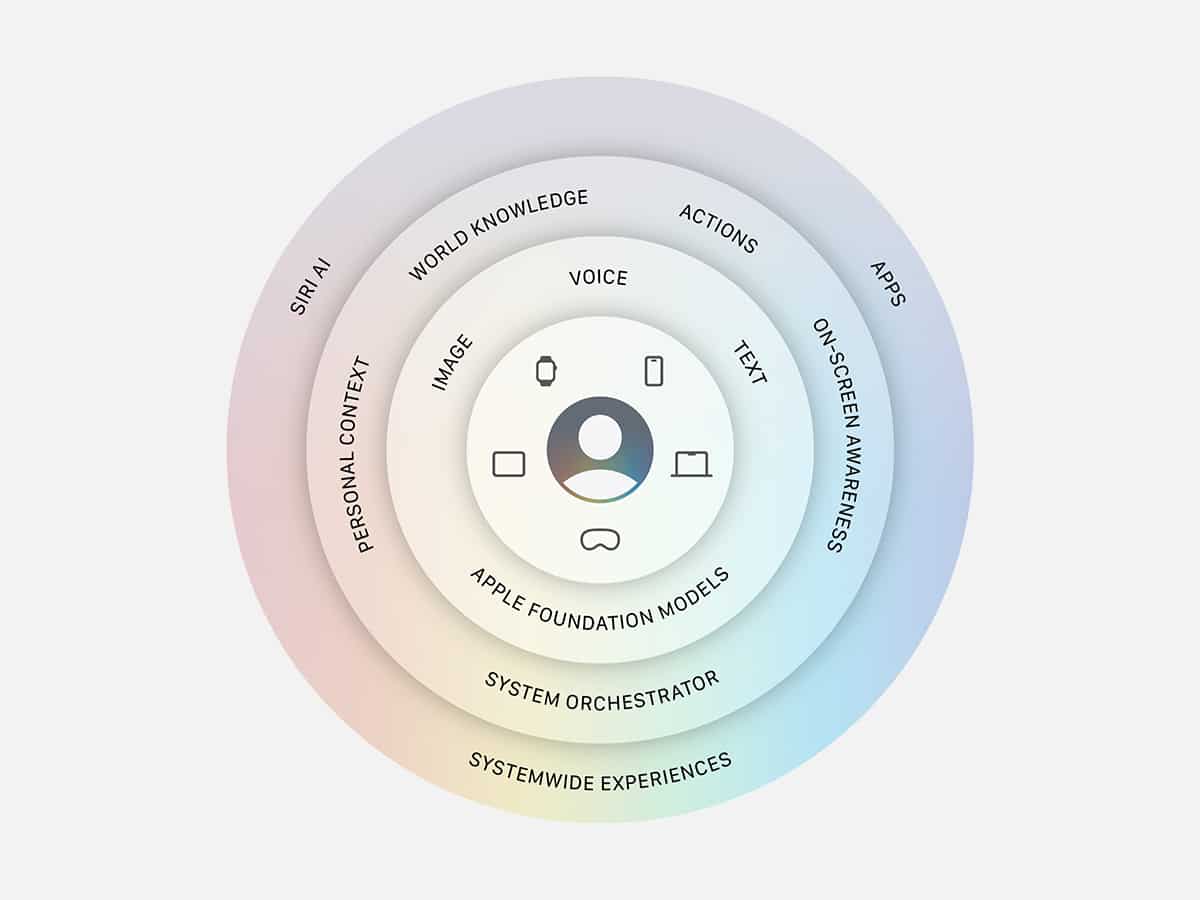
Siri AI is here, officially announced at Apple’s WWDC 2026. While the internet loves a pile-on, especially after the brand “false-started” its AI rollout years ago, this conference delivered the simple-to-use, genuinely useful artificial intelligence that we had been looking for. With the introduction of iOS 27 and macOS 27, Cupertino has laid the groundwork for its flagship hardware to intelligently process data, context, and user intent. It seems we’re moving past the era of your smartphone surviving as a passive list of isolated applications and into a system governed by interconnected, system-wide intelligence.
The centre of this new shift is the total reconstruction of Apple’s decade-old voice assistant, Siri. Now officially designated as Siri AI, the system has evolved from a reactive (often frustrating) voice-to-search utility into a context-aware operational layer. It’s not quite at the level of a Claude, but Apple is slowly turning the iPhone into an agentic tool. It’s now capable of actively reading your screen, securely indexing your personal history, and autonomously executing complex cross-app commands.
Here at Man of Many, we’ve spent the last few hours following the keynote, parsing Apple’s technical developer documentation to cut through the keynote rhetoric. If you want to understand how these new software features will actually alter your daily workflow (and why European users are currently being locked out of the mobile rollout entirely due to global regulatory clashes), here are the 10 core Siri AI features and structural changes you need to know.
1. Dedicated Application and Cross-Device Timeline
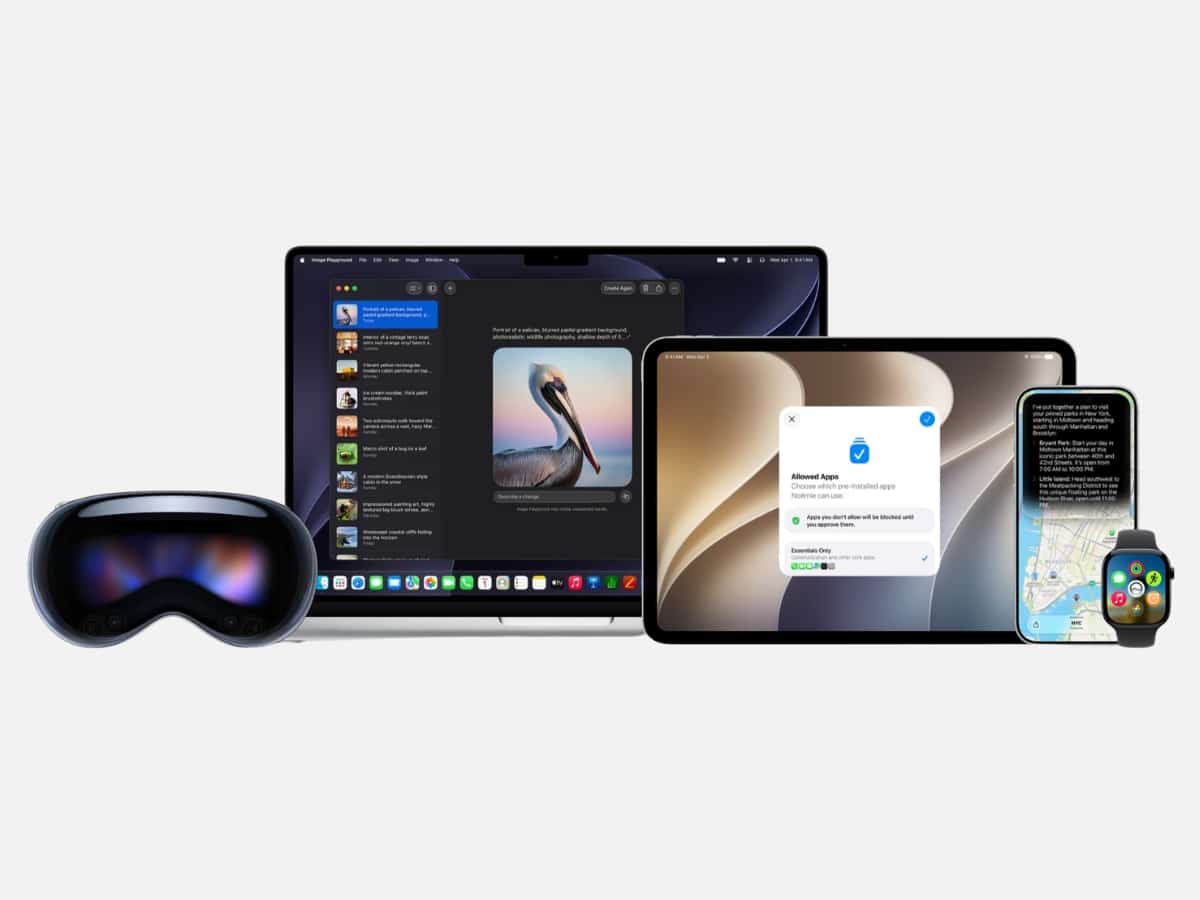
Siri AI is no longer a transient user interface element that vanishes the moment you tap elsewhere on the screen. The assistant now operates through a dedicated system application that supports both text and voice input. Crucially, this app uses iCloud to privately synchronise your entire conversational history across your ecosystem. This architectural change solves the persistent “short-term memory loss” that has plagued voice assistants for years, giving Apple a massive competitive advantage over ChatGPT and even Google’s Gemini.
Previously, every Siri request existed in a vacuum. If you closed your phone or switched apps, the context was instantly wiped. You couldn’t easily reference a query you made five minutes ago, let alone yesterday. So by anchoring Siri to a dedicated application and syncing the data via iCloud, Apple treats your interactions as a continuous timeline rather than forgettable requests. This allows for genuine, asynchronous, back-and-forth dialogue.
This cross-device memory is Apple’s competitive advantage in AI, as it essentially turns Siri from a reactive search bar into an ongoing digital workspace. You can initiate a complex, multi-step research or scheduling query while typing on your Mac at work (“Find me highly-rated boutique hotels in Tokyo under $300 a night”). Then you can close your laptop, walk to the train, open the Siri app on your iPhone, see the exact text cards and multimedia results your Mac generated, and simply say, “Book the second one for October 12th using my Apple Card.” The assistant remembers the exact context of the Tokyo itinerary, allowing you to pick up the thread right from your iPhone or Apple Watch.
Because Apple owns the entire hardware stack (phone, watch, tablet, laptop), they’re uniquely positioned to offer an unbroken, context-rich AI experience that siloed competitors like ChatGPT or Gemini struggle to replicate natively across devices.
2. True Screen Awareness
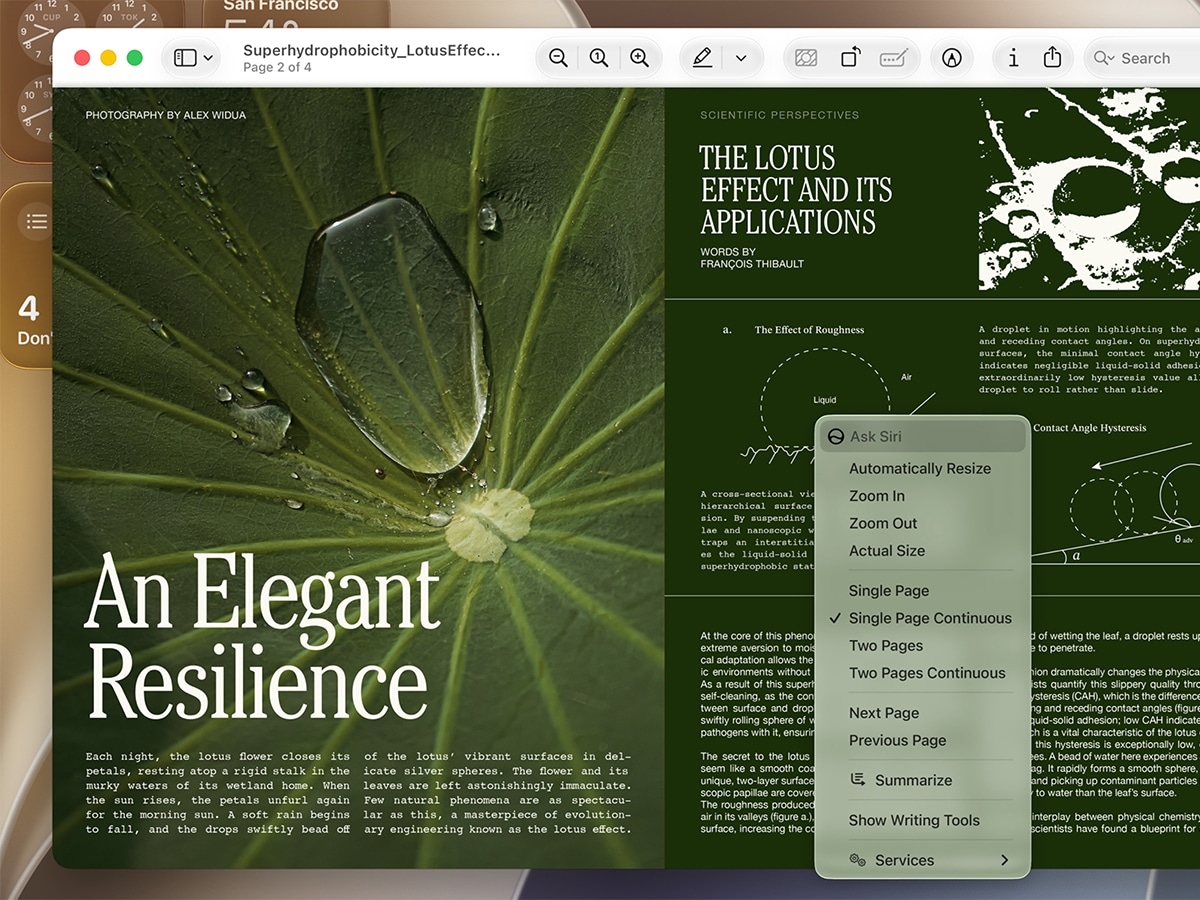
This is the most immediate quality-of-life upgrade you will notice daily, effectively allowing Siri AI to read and interpret the semantic structure of your active application window or webpage. It sees exactly what you are looking at on your device.
Previously, your phone operated with a massive boundary between reading information and taking action. If you found a restaurant menu in Safari or a friend texted you an event flyer, you had to manually highlight text, copy it, open a secondary application like Maps or Calendar, and paste the details into a new entry.
Siri AI reduces this friction by treating your screen as an active, interconnected workspace. While looking at a flight confirmation email, a digital flyer, or a website, you simply ask the assistant, “Add this place to my calendar” or “Draft a message to Scott with this address.” Siri AI extracts contextual metadata directly from the display, automatically parses text, and executes the task across your apps in the background. Because the assistant understands the layout of what is happening on your screen in real time, it bridges the gap between passive browsing and what many understand as “AI.”

3. Deep Personal Context Integration
Up until now, voice assistants have been completely blind to the personal contents of your device, treating you like a stranger every time you trigger them. Siri AI changes this by connecting the dots across your traditional applications to build a map of your personal context.
Previously, locating a specific detail meant jumping between multiple apps and manually digging through logs to give the assistant context. If you needed a booking code or a buried suggestion, you had to exit your current task, open Mail or Messages, search, and scroll through old threads to find it. The device held all the information, but you had to act as the manual data processor to pull those fragments together.
Siri AI bypasses these boundaries by searching across messages, emails, photos, and more to find exactly what you need in the moment. For example, you can ask the assistant to find a restaurant recommendation a friend messaged you about, surface a hotel confirmation number from an old email, or instantly pull up photos with friends and family from a recent trip. It synthesises these scattered pieces of data into a single, cohesive response, and then shares it with you.
Because Apple is also extending this understanding of personal context to third-party apps when developers integrate with Spotlight, the capability goes far deeper. This turns Siri AI into a smart personal layer that actually understands your daily life, giving it native access to personal information that standalone chatbots cannot touch without completely breaking your device’s security sandbox.
4. System-Wide Writing Tools
While reading your screen and tracking your personal context, Siri AI gathers information differently. The new Writing Tools alter how you communicate with it. The assistant is now baked directly into the core operating system’s text rendering engine, acting as an on-the-fly copyeditor across every single text input field on your phone.
Until now, using an AI to refine your text required a clunky manual loop. If you wanted to proofread a long email, change the tone of a message to a colleague, or summarise a dense document, you had to copy the block of text, exit your active application, open a separate chatbot interface, paste it in, write a prompt, copy the output, and then navigate back to paste it into the original field. It was an inefficient workflow that made generative text feel like an external gimmick rather than a fluid feature of the keyboard.
Siri AI eliminates this back-and-forth by delivering native text manipulation anywhere you can type, across both Apple utilities and third-party apps. You can highlight your text right where it sits and instruct Siri AI to rewrite, proofread, or summarise it instantly. The tool can automatically shift an email’s tone from casual to professional, catch complex grammatical errors while adapting to your typical punctuation styles, or condense a massive multi-page document into high-level bullet points.
5. Siri Mode and Upgraded Visual Intelligence
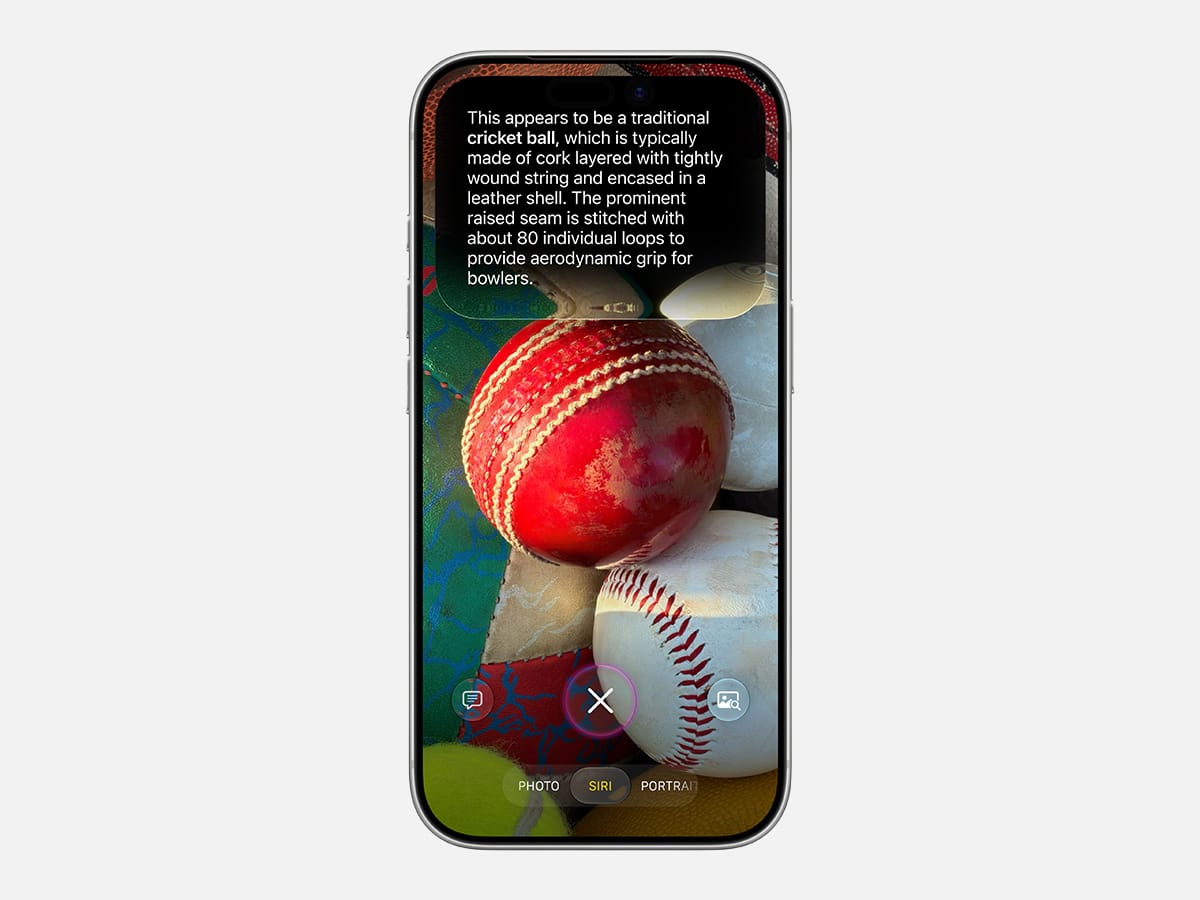
While the system’s designed to handle data already living inside your apps, the new Siri Mode in the Camera app expands how the assistant interacts with the physical world around you. By rolling out an upgraded Visual Intelligence experience, Apple is turning your physical camera hardware into a real-time visual input layer for Siri AI.
Before this update, using your iPhone to gather context about your physical surroundings required a disjointed, fractured workflow. If you wanted to extract information from a real-world document, a concert poster, or a sign in front of you, you had to capture a photo, launch a third-party visual search tool, upload the image, and wait for an external server to process it. The camera acted purely as a capture utility, disconnected from the assistant’s immediate execution pathways. However, Siri AI removes this multi-step loop by embedding visual recognition natively into the system camera.
When you drop into Siri Mode, the camera transforms live environmental objects into immediate digital actions. Pointing your device at a physical event flyer lets the assistant instantly parse the typography, extract the relevant details, and draft an unbroken calendar invite. The lens can also analyse complex math equations written on a page to deliver an interactive, step-by-step mathematical breakdown on your display, or scan documents to let you execute system commands right from the viewfinder.
Because third-party apps are sandboxed from your core operating system, they’re restricted to outputting web links or static text blocks. Siri AI bridges the gap between visual data and native system triggers, meaning a single real-world camera scan can instantly update your calendar, reminders, or messages in the background.
6. Natural Language Automation and Dynamic Shortcuts
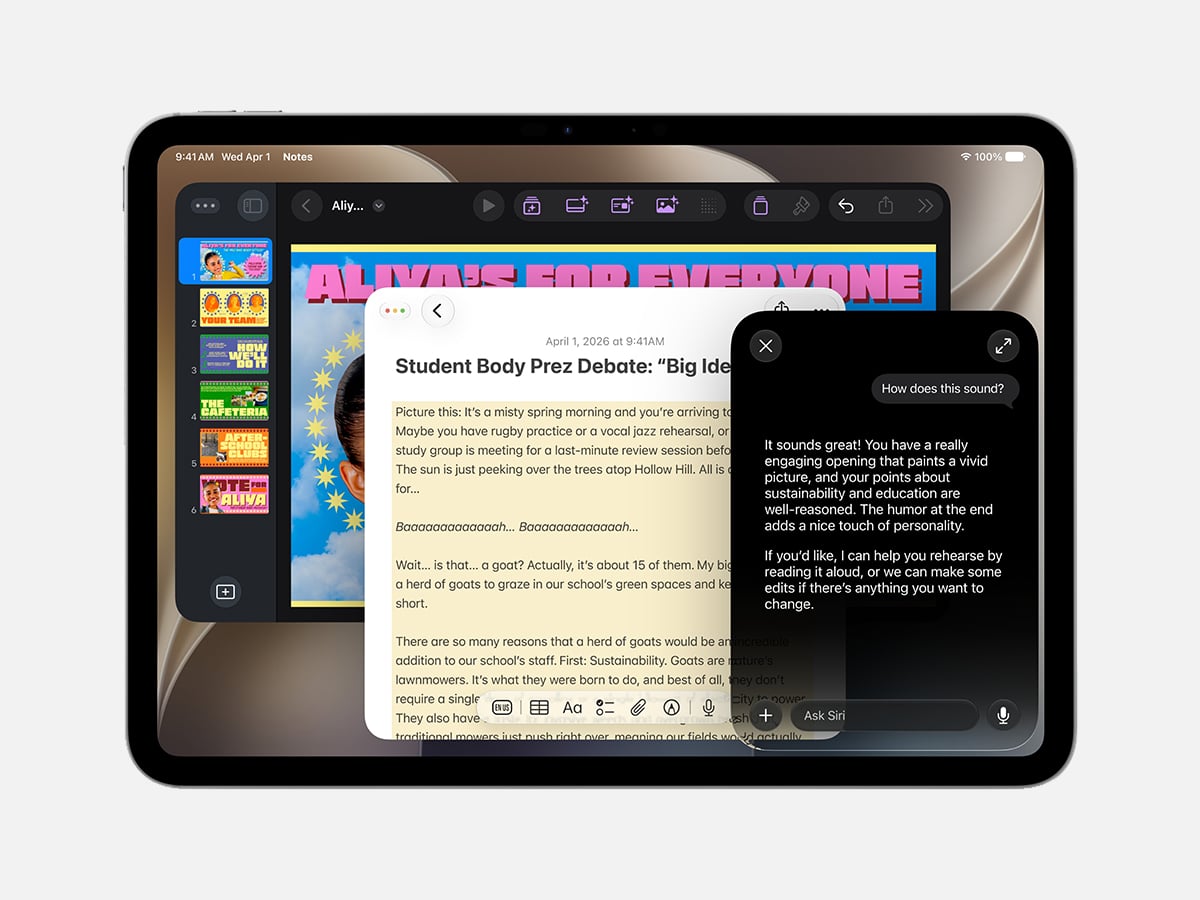
Beyond handling immediate, text-and-voice commands, Siri AI introduces Natural Language Automation to overhaul the operating system’s custom macros. Until now, it required you to manually piece together scripts block by block, but now the assistant uses generative intelligence to instantly translate a casual, spoken, or typed description into a fully functional Shortcuts configuration.
Unlocking the true power of system automation has historically felt like a chore reserved strictly for power users. Setting up complex routines meant wrestling with a visual scripting interface, manually mapping conditional-logic pipelines, and trying to force separate applications to communicate.
Because the initial friction was so high, the vast majority of users left custom macros completely untouched, leaving their workflow optimisation on the table.
Siri AI has now broken this technical bottleneck by managing the logic architecture for you. You can now construct sophisticated, cross-application workflows simply by explaining what you want your phone to do, e.g., you can instruct the assistant to set a morning alarm each evening based on the next day’s Calendar schedule, automatically open your favourite productivity apps in a specific window layout on your Mac, or turn on your porch lights at night the moment a food delivery notification arrives. Because Siri AI has deep, native access to your hardware preferences and background notifications, it can stitch together contextual triggers that standalone chatbots cannot.
7. Agentic Security and Automated Password Upgrades
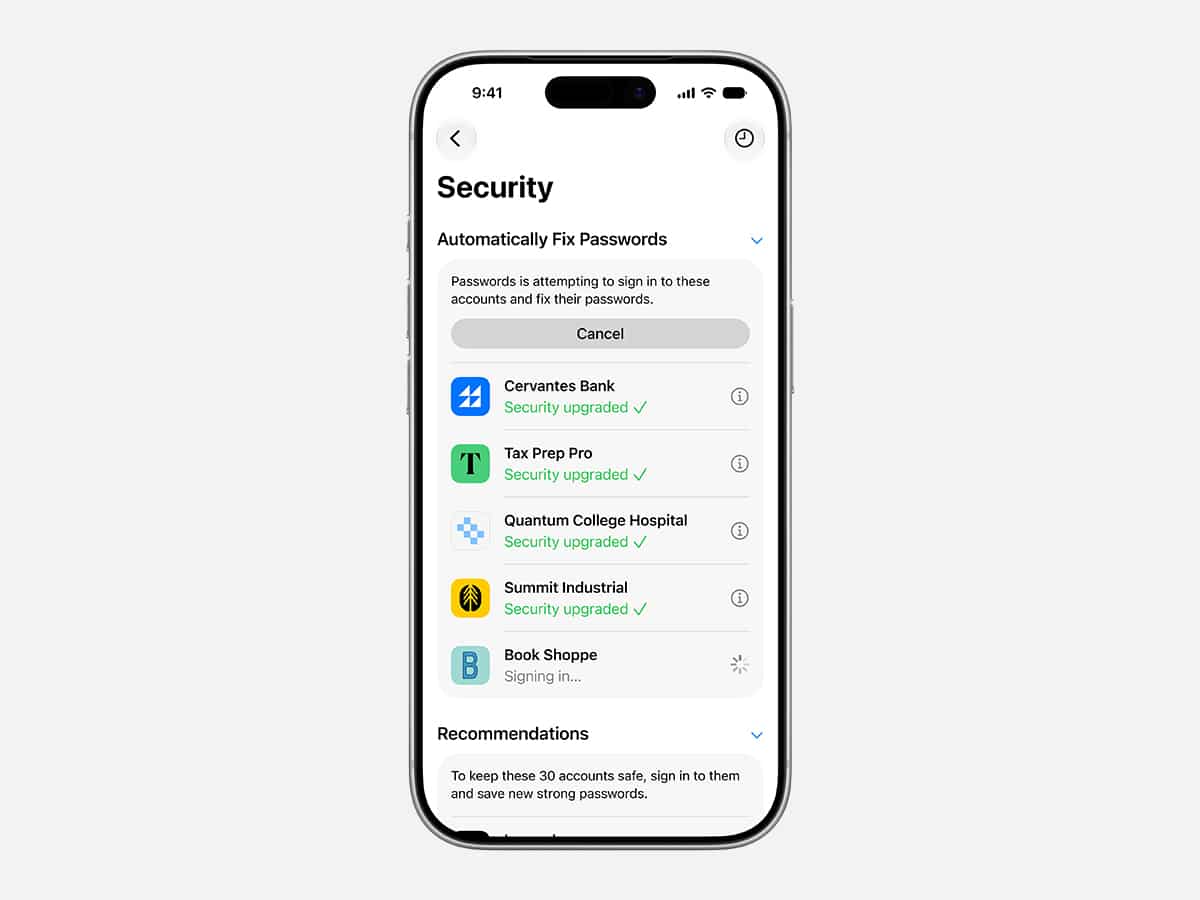
The system’s ability to execute tasks on your behalf now extends into device utility with an upgrade to the Passwords app. By combining Apple Intelligence with the Safari rendering engine, the system can now act as an autonomous security agent, navigating the web to upgrade weak or compromised credentials without your manual intervention.
When a data breach occurs or a password audit flags a vulnerable account, fixing the issue traditionally requires you to open your password manager, copy the old string, open a browser, log into the targeted website, hunt down its specific security settings menu, generate a new key, and save the changes back to your vault. Because this repair loop involves so much manual friction, most users ignore security warnings entirely. Siri AI removes this friction by doing it for you with biometrics as the foundation.
When the system identifies an eligible weak account, you can simply authorise the change, and the Passwords app will automatically log in to the website, navigate the credential-change pipeline, generate a cryptographically secure alternative, and update your vault.
8. Proactive Call Context
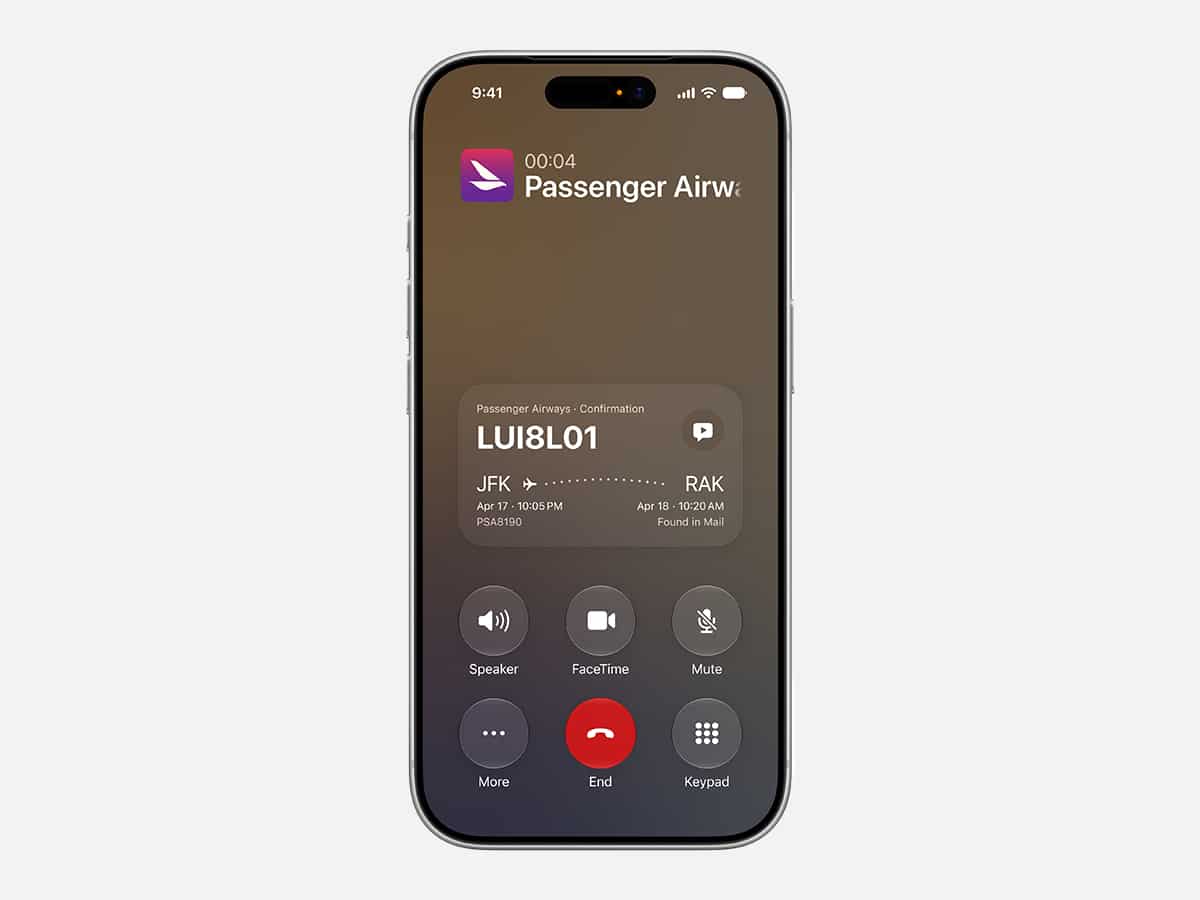
Ecosystem awareness also moves into live communication through a new Phone app utility called Call Context. Rather than forcing you to dig for reference material while mid-conversation, the system uses on-device intelligence to anticipate the data you will need the moment you initiate or receive a call from a business entity. If you call an airline to adjust a flight or a hotel to alter a booking, you’re routinely asked for a multi-digit confirmation code or reservation number. This forces you to put the call on speaker, exit the dialer, open your email or text logs, run a manual keyword search, and scrub through threads while keeping the agent on the line.
Call Context completely eliminates this scramble by processing your intent before you even speak. The Phone app scans who you are calling, references your local indices, and immediately surfaces relevant metadata (like a booking confirmation code from an old email or a PDF receipt) directly on your active call screen.
9. Agentic Web Monitoring and Generative Safari Extensions
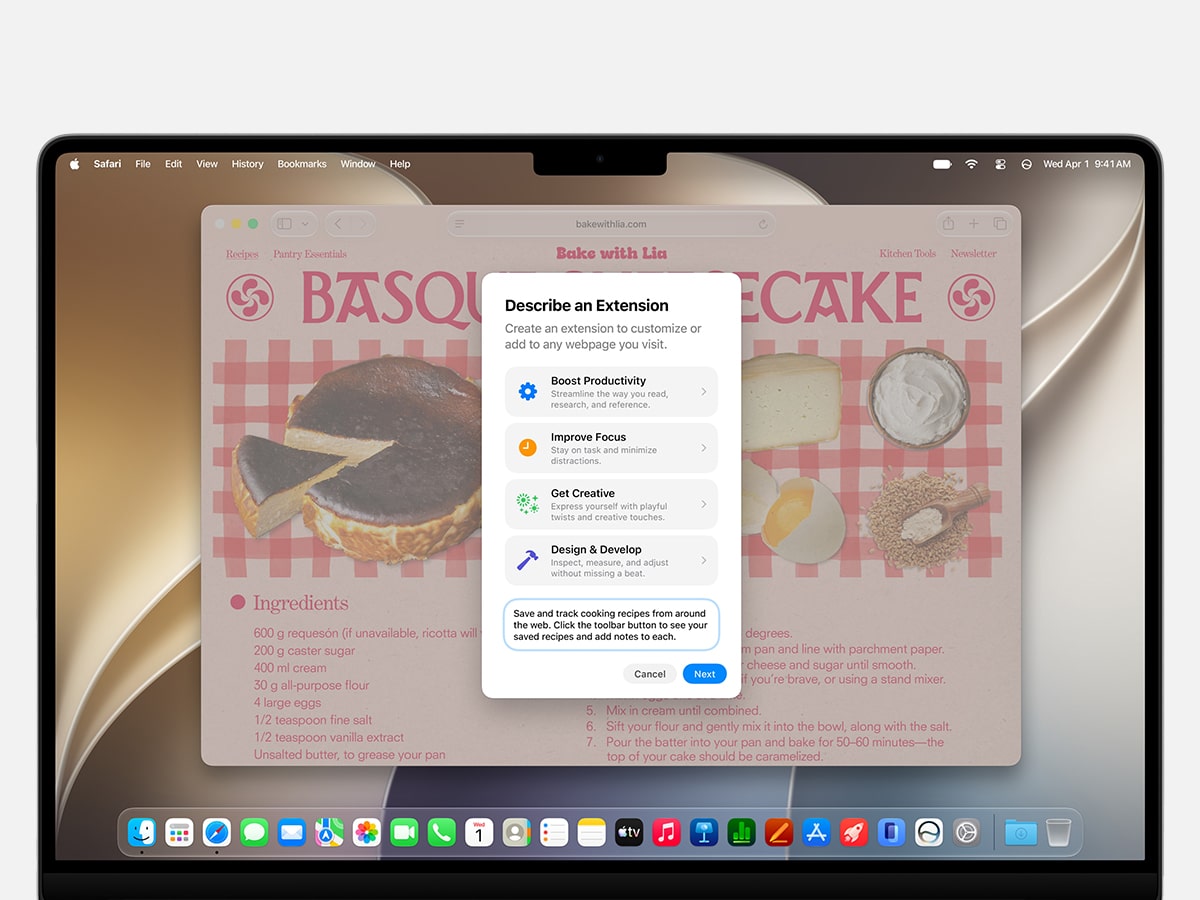
Safari receives a major architectural overhaul, transforming the browser from a static window reader into an automated background monitor. Next to smarter organisational features like automated tab grouping by topic, the introduction of Notify Me and Describe an Extension allows users to customise and automate their web browsing experience with simple natural-language prompts.
Keeping tabs on the web has historically treated browsing as a purely manual, active state. If you are waiting for a sold-out tech product to restock or keeping track of a fluctuating flight price, you have to constantly revisit the tab, refresh the page, or rely on complex, third-party web-scraping utilities that often break when a site updates its layout. Similarly, tailoring your browsing experience meant hunting through a curated store for pre-made extensions.
Siri AI reframes this relationship by letting you deploy background tracking directly from the address bar. Activating the Notify Me feature instructs Safari to actively monitor a targeted page or layout box for specific structural modifications, immediately sending you a system notification the second a price drops or a purchase button changes from grey to active. If you need a hyper-specific tool to alter your browsing environment, the Describe an Extension engine lets you explain the utility you want in plain text, prompting the system to generate a custom Safari extension tailored to your workflow on the fly. This approach gives Apple a clear usability edge by turning the browser into a programmable canvas.
Because generative intelligence is tightly integrated with Safari’s core framework, it can safely build local extensions and track real-time visual changes behind the scenes, shifting web research away from repetitive manual checking and into an automated pipeline.
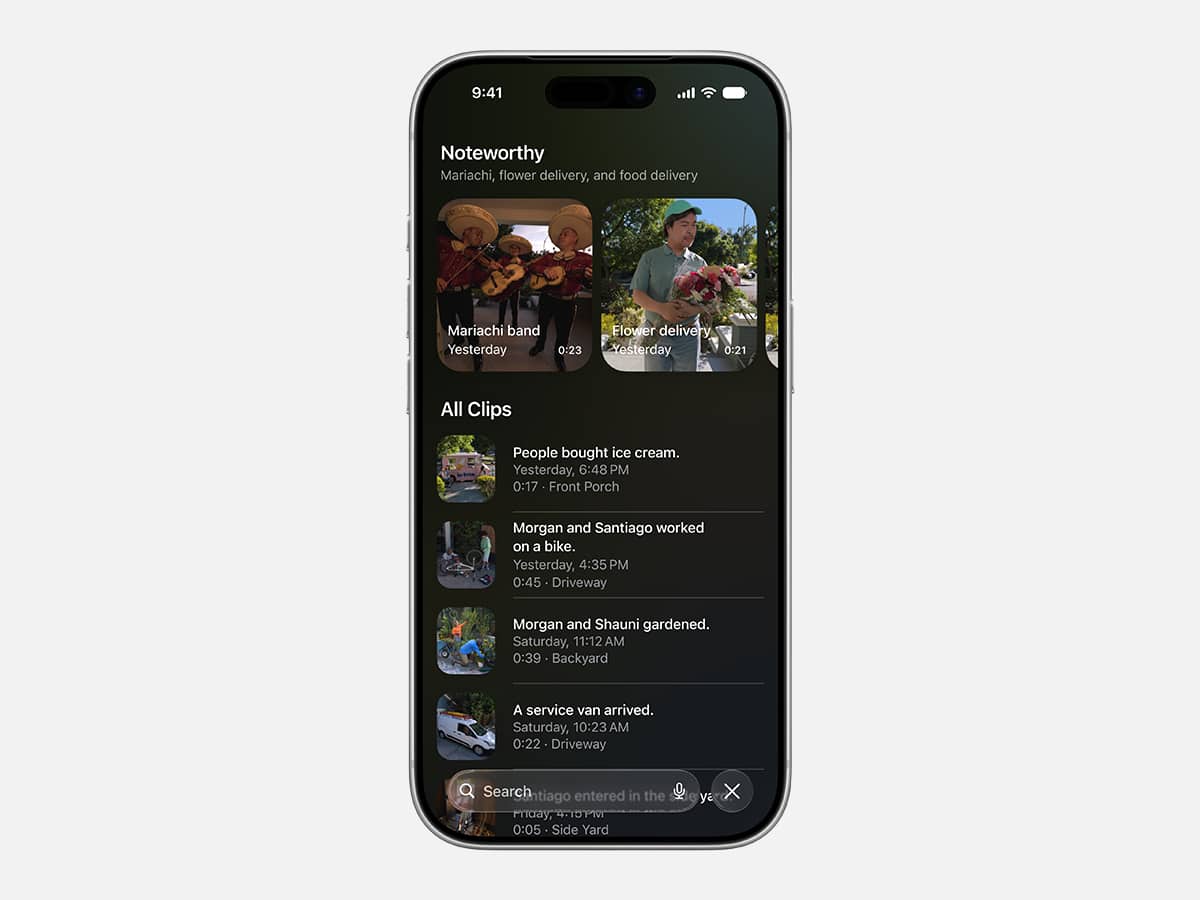
10. Natural Language Search for HomeKit Secure Video
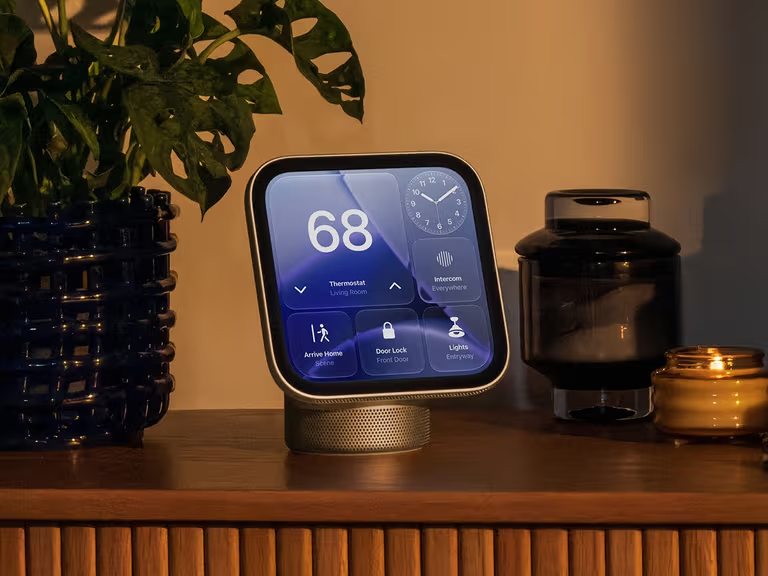
The final pillar of this ecosystem overhaul lands inside the smart home via an intelligence update to the Home app. Designed specifically for HomeKit Secure Video users, the platform leverages on-device computer vision and natural language processing to change how you interact with your residential security camera feeds.
Smart home security hardware has long suffered from severe notification fatigue. Typically, a security camera setup routinely bombards your lock screen with dozens of separate, fragmented motion alerts triggered by wind, passing cars, or pets. If you actually need to locate a specific event (like verifying when a courier dropped off a parcel), you’re forced to manually scrub through hours of timeline logs, guessing the approximate timestamp based on a series of identical thumbnail images.
The updated Home app fixes this fatigue by batching related accessory alerts into a single, dynamically updating activity notification on your display, while introducing a comprehensive visual search index.
Instead of scrolling through video blocks frame by frame, you can tap into the app and type a natural-language description of what you are looking for, such as “Show me when a delivery truck pulls into the driveway” or “Find video of the dog running into the backyard.”
The system analyses the semantic metadata of your security footage locally, instantly isolating and surfacing the precise video sequences that match your text description.



























Comments
We love hearing from you. or to leave a comment.