

Updated:
Readtime: 8 min
Every product is carefully selected by our editors and experts. If you buy from a link, we may earn a commission. Learn more. For more information on how we test products, click here.
- Safari natively monitors web pages for price drops and restocks.
- Describe an Extension generates custom Safari tools on the fly.
- The Passwords app autonomously upgrades weak credentials across the web.
- Mac and Vision Pro hardware provide a massive EU Siri loophole.
- Communication Safety now actively blurs graphic gore in your messages.
It’s true that Apple’s WWDC 2026 keynote delivered the massive headlines, but the real meat of any software cycle is always buried deep within the fine print. Beyond the main stage demos for iOS 27 and macOS 27, Cupertino quietly rolled out a list of system refinements, background AI triggers, and surprising layout changes that didn’t get top billing.
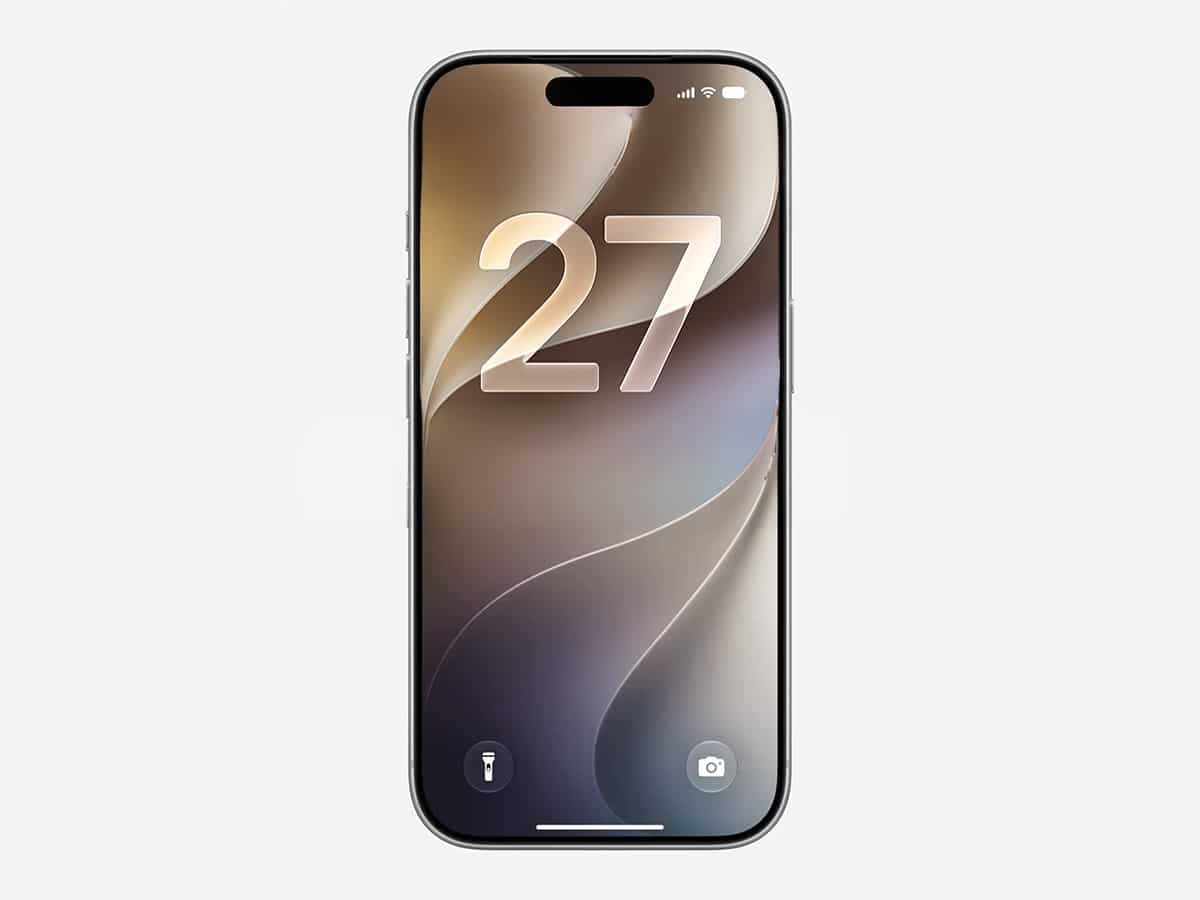
We focused heavily on the marquee Siri AI interactions at launch, but the official documentation reveals an ecosystem-wide push to make daily tasks more autonomous. From deep-level privacy updates to automated web browser monitoring, Apple is building an operating system layer that does the tedious, manual heavy lifting on your behalf. However, there’s also a handful of visual changes coming, including updates to liquid glass that add new levels of customisation.
We’ve deep dived the initial Newsroom releases and technical developer updates to pull out the lesser-known, hidden features you actually need to know about. As a bonus, we’ve also unpicked a couple of satisfying user interface tweaks that will immediately change how your home screen looks.
1. Agentic Password Upgrades
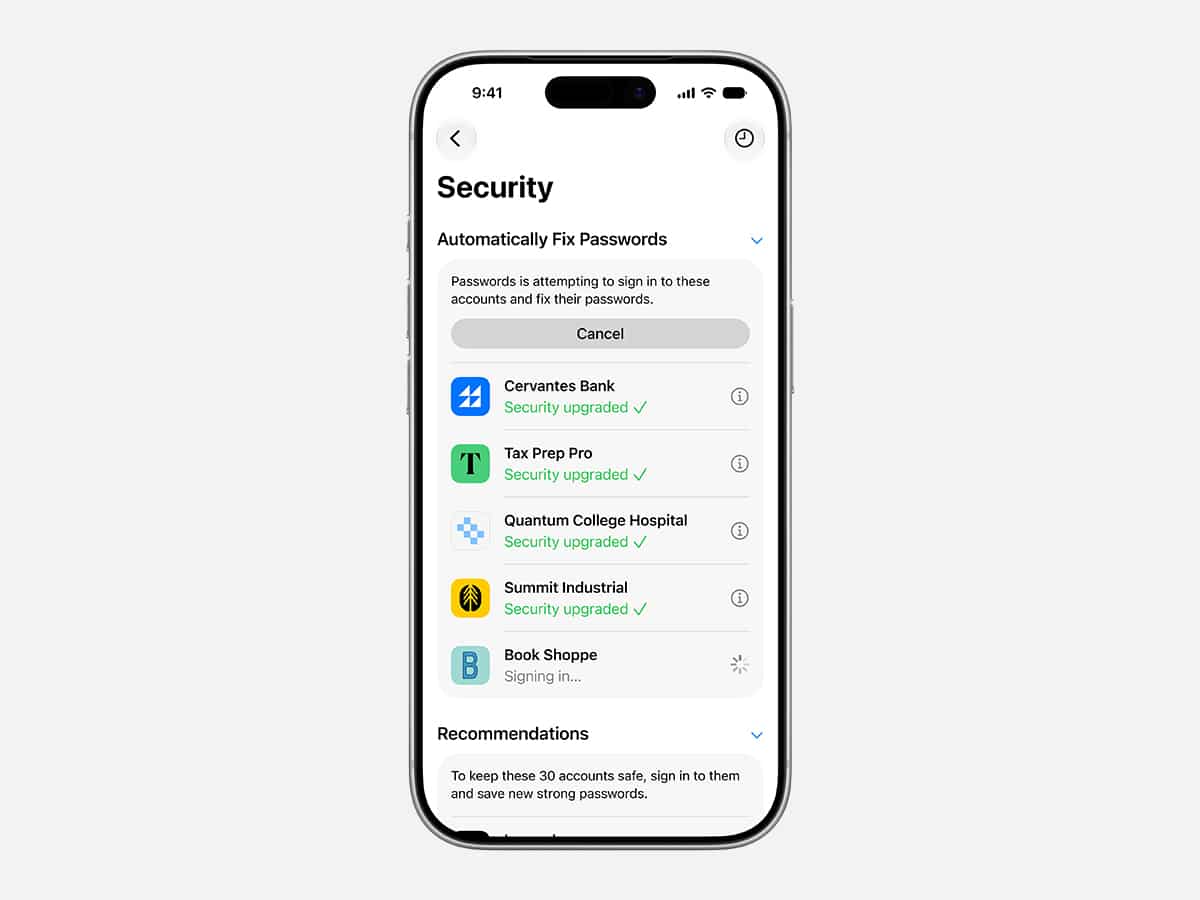
Managing digital security has long been hampered by a bottleneck in manual maintenance. Apple is removing that friction by giving the Passwords app the ability to act as an autonomous security agent. When a password audit flags a vulnerable account, the system uses Apple Intelligence and Safari to securely navigate the website in the background, sign in, and automatically upgrade your account to a strong password with just a single tap.
2. Siri AI EU Loophole for Mac and Vision Pro
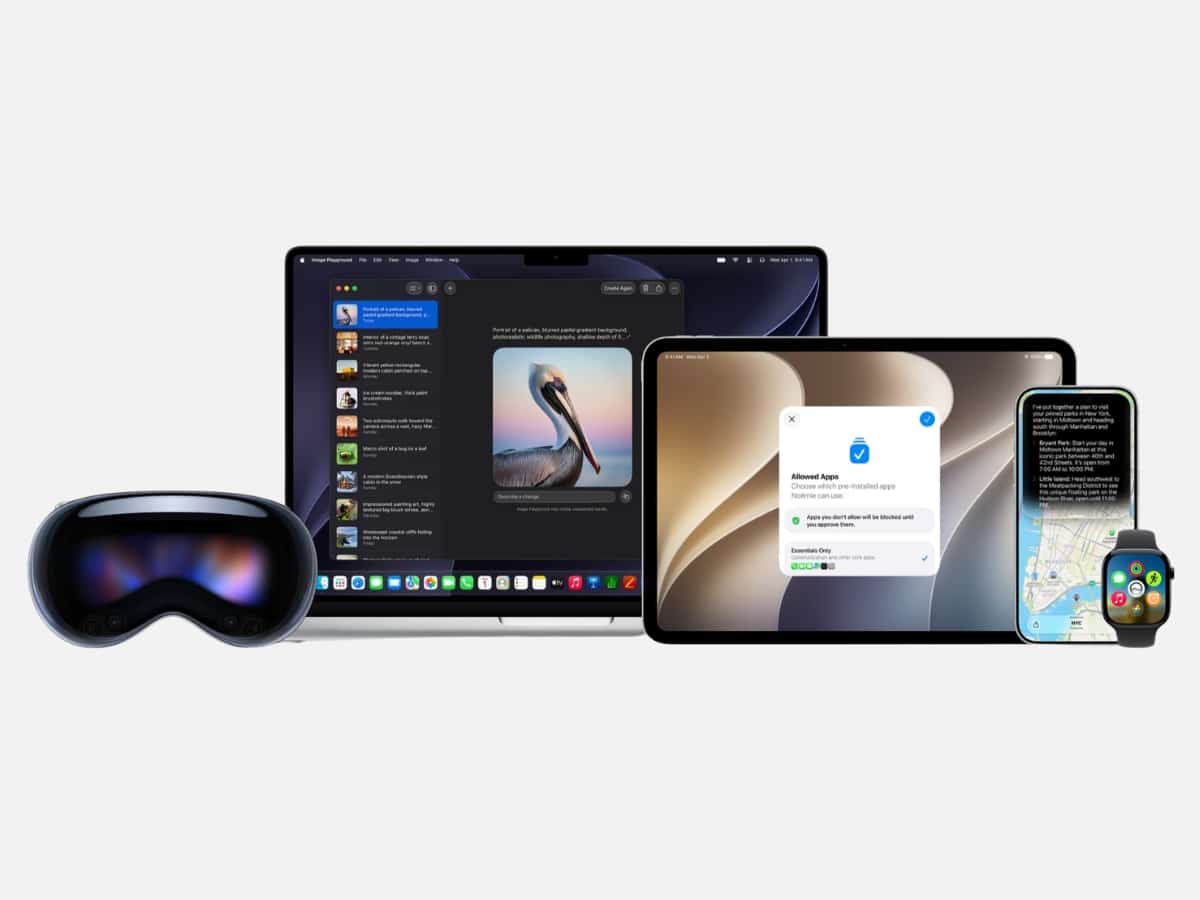
While Apple’s regulatory standoff with the European Commission keeps Siri AI locked out of iPhones and iPads across Europe due to the Digital Markets Act (DMA), the fine print contains a massive silver lining for power users. Because computers and spatial headsets fall under different regulatory definitions than mobile devices, Apple officially confirmed that Siri AI will be fully accessible to EU users at launch on macOS 27, visionOS 27, and watchOS 27.
3. Generative ‘Extend’ and ‘Spatial Reframing’ in Photos
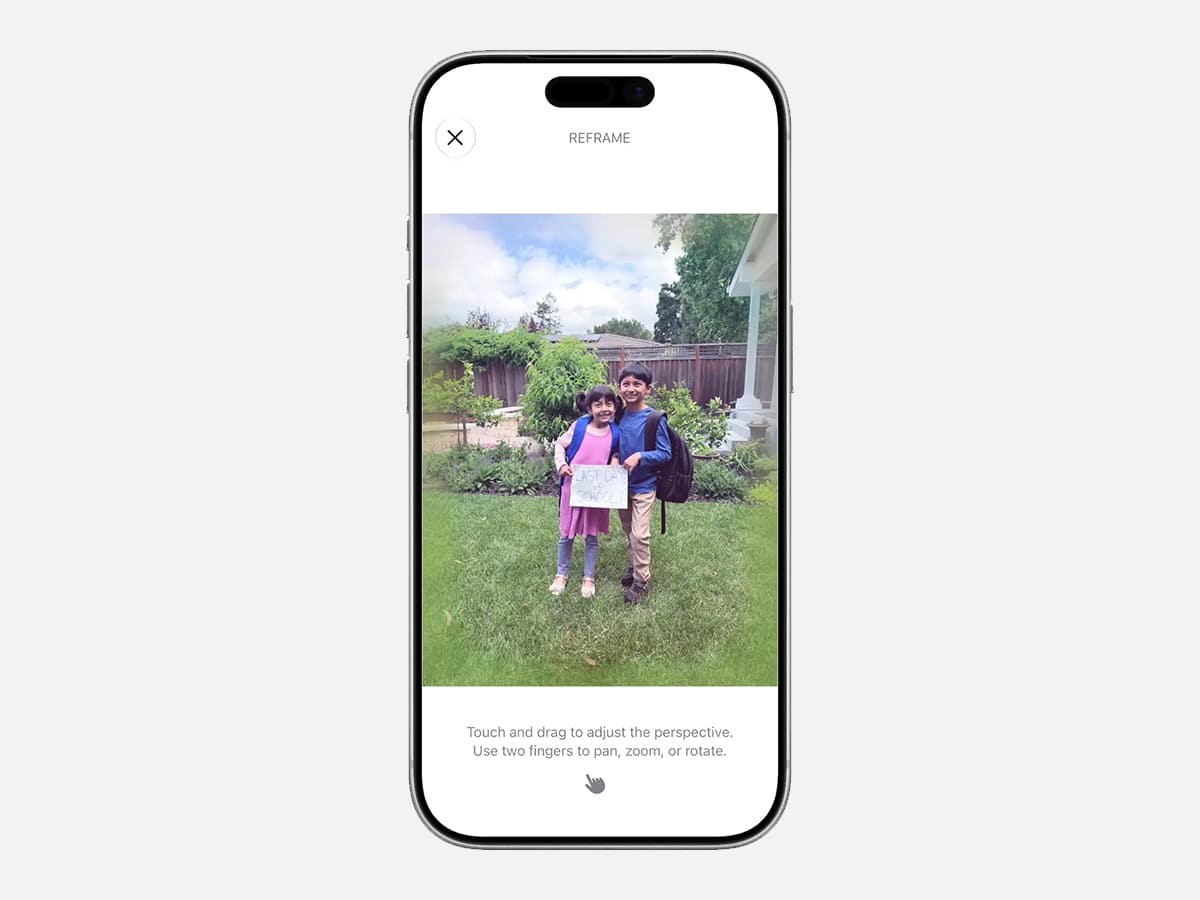
The publicised “Clean Up” tool took home the presentation glory, but the Photos app hides two vastly superior generative capabilities. There’s a new Extend feature that utilises on-device foundation models to intelligently generate realistic background data well beyond your camera’s physical frame, allowing you to straighten a crooked horizon without cropping. Next to it, Spatial Reframing lets you touch and drag a photo to mathematically alter the lens perspective after it’s taken, generating new content only where the perspective has shifted.
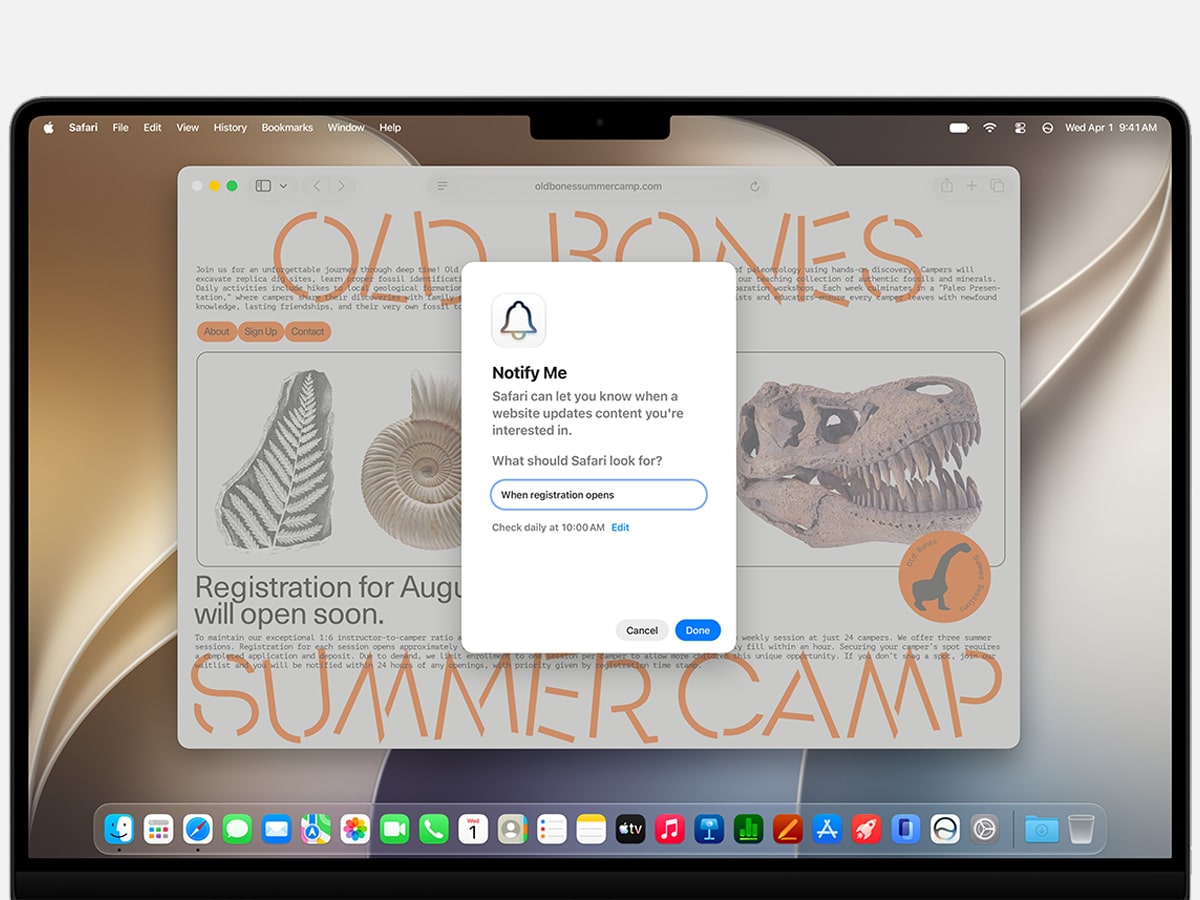
4. Safari’s ‘Notify Me’ Background Tracker
Safari is receiving a major architectural lift that transforms the browser from a static window reader into an automated background monitor. When you activate the new Notify Me feature, it tells Safari to actively monitor a targeted web page for specific changes (like a highly anticipated product restock or a sudden price drop). When the system detects the shift, it automatically pings your desktop or phone with a notification so you can take immediate action. That’s great news for sneaker resellers, but also for those Black Friday discounts that you’re always hunting down for a restock.
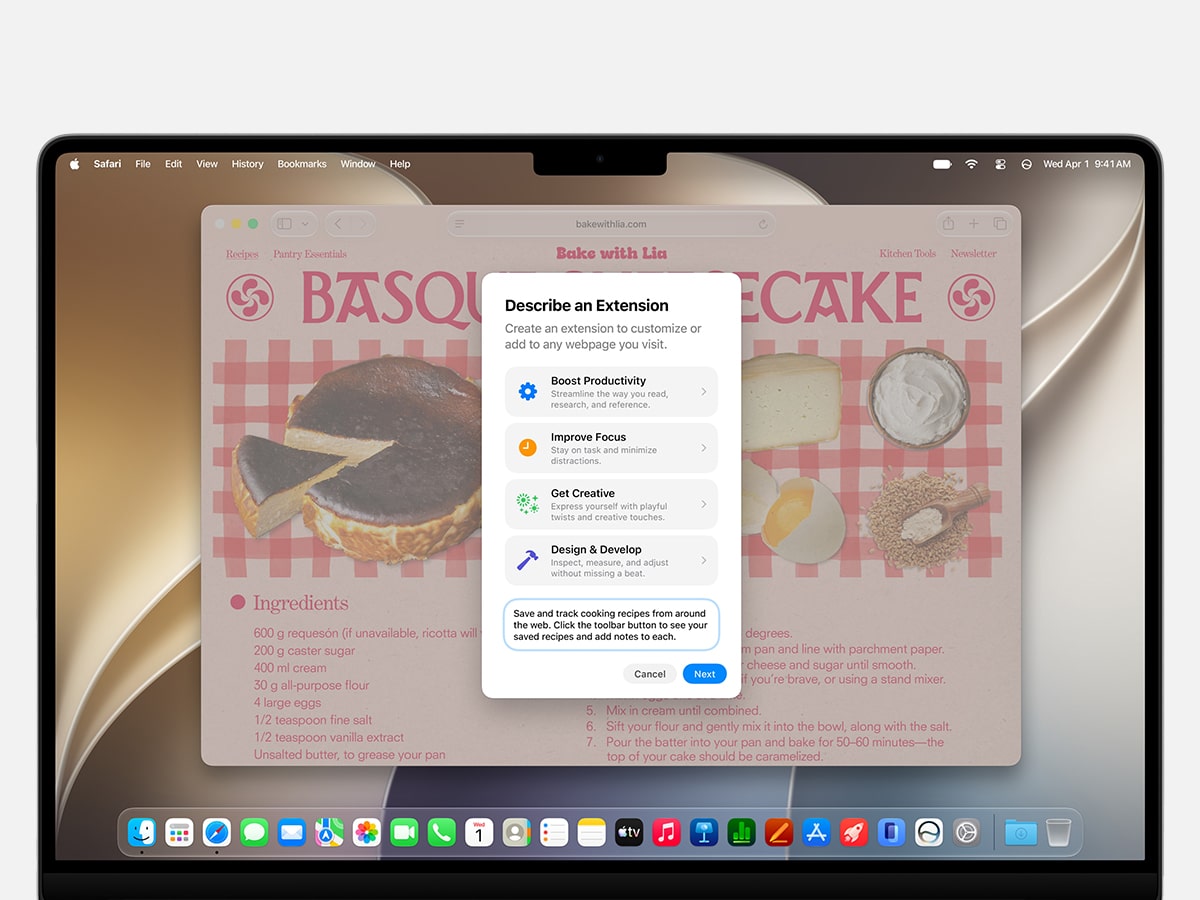
5. Describe an Extension in Safari
If you need a hyper-specific tool to alter your browsing environment, you no longer have to hunt through a curated digital storefront. Safari now features a Describe an Extension engine that allows you to explain the exact utility you want in plain text. The system’s generative intelligence will instantly build a custom Safari extension tailored to your workflow and drop it directly into your toolbar, like a button that automatically saves and rates recipes.
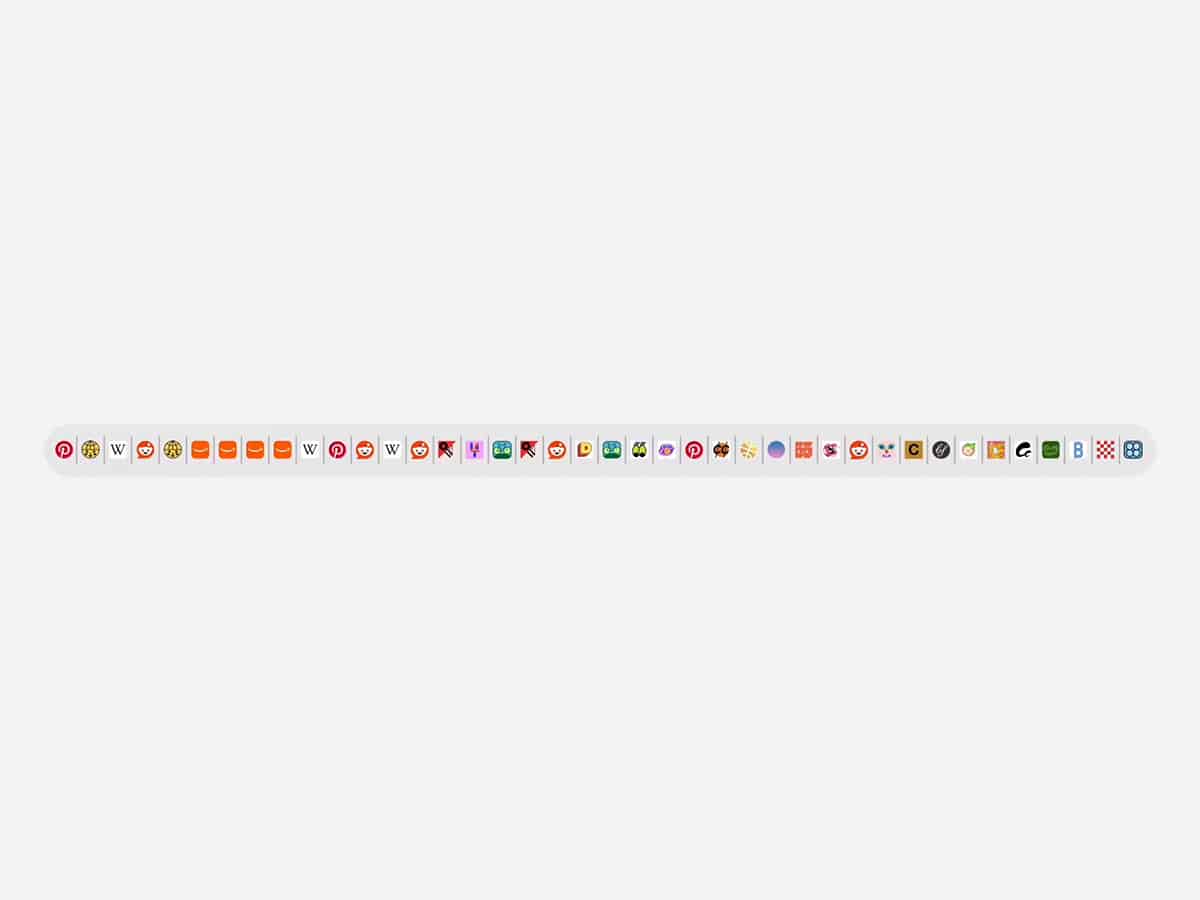
6. Automated Safari Tab Organisation
Tab hoarders are finally getting a native quality-of-life fix. Rather than forcing you to manually sort through all of your digital clutter, Safari now utilises Apple Intelligence to silently group your open tabs into relevant topics in the background. If you’re researching a weekend trip, the browser will automatically pull all your flight, hotel, and itinerary tabs together into a single travel-planning topic as you browse.
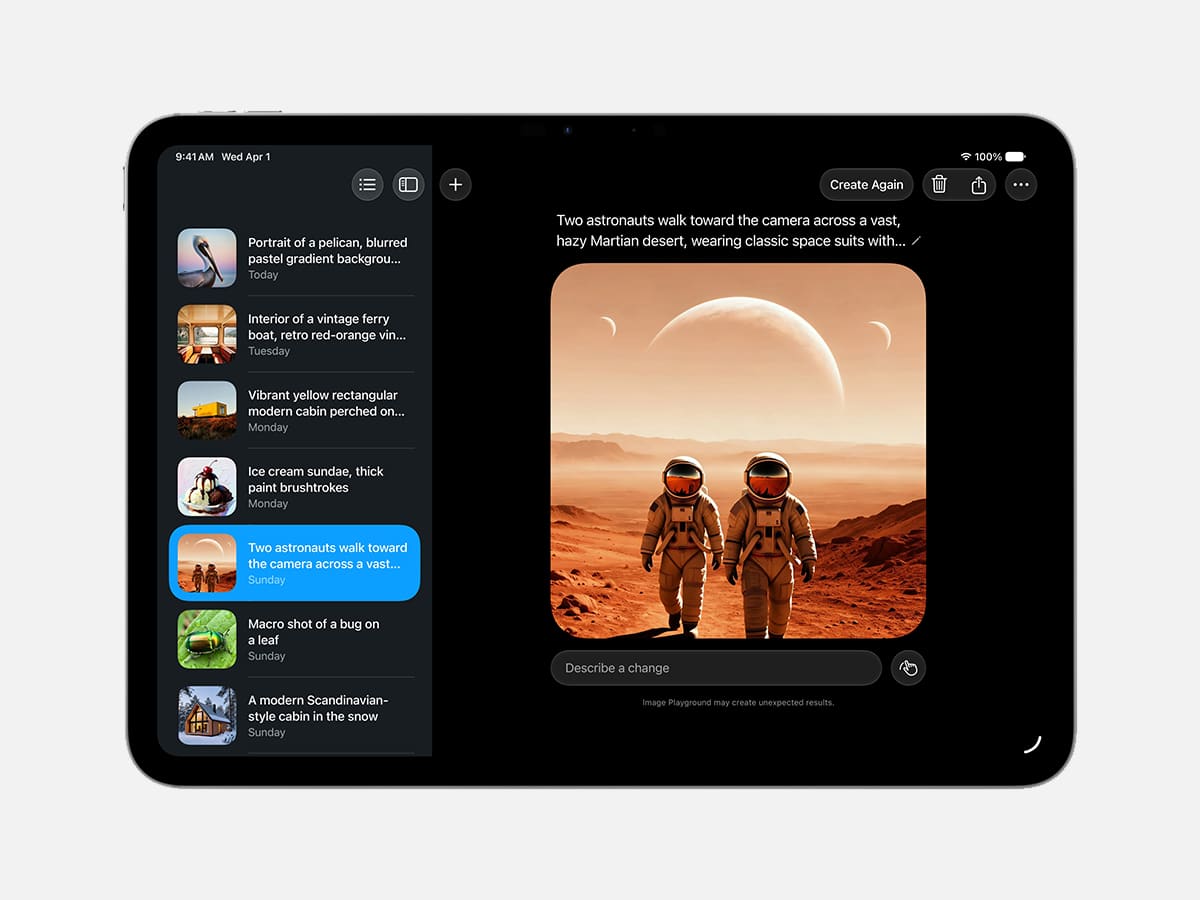
7. SynthID Invisible Watermarking
With massive generative capabilities comes strict data tracing. Hidden directly inside the metadata of any image altered or created by Apple’s new Image Playground is an invisible digital watermark powered by SynthID. Apple is deploying this background label to ensure that any photo generated in a photorealistic style can be instantly identified by external platforms, drawing a firm line between raw photography and AI-generated content.
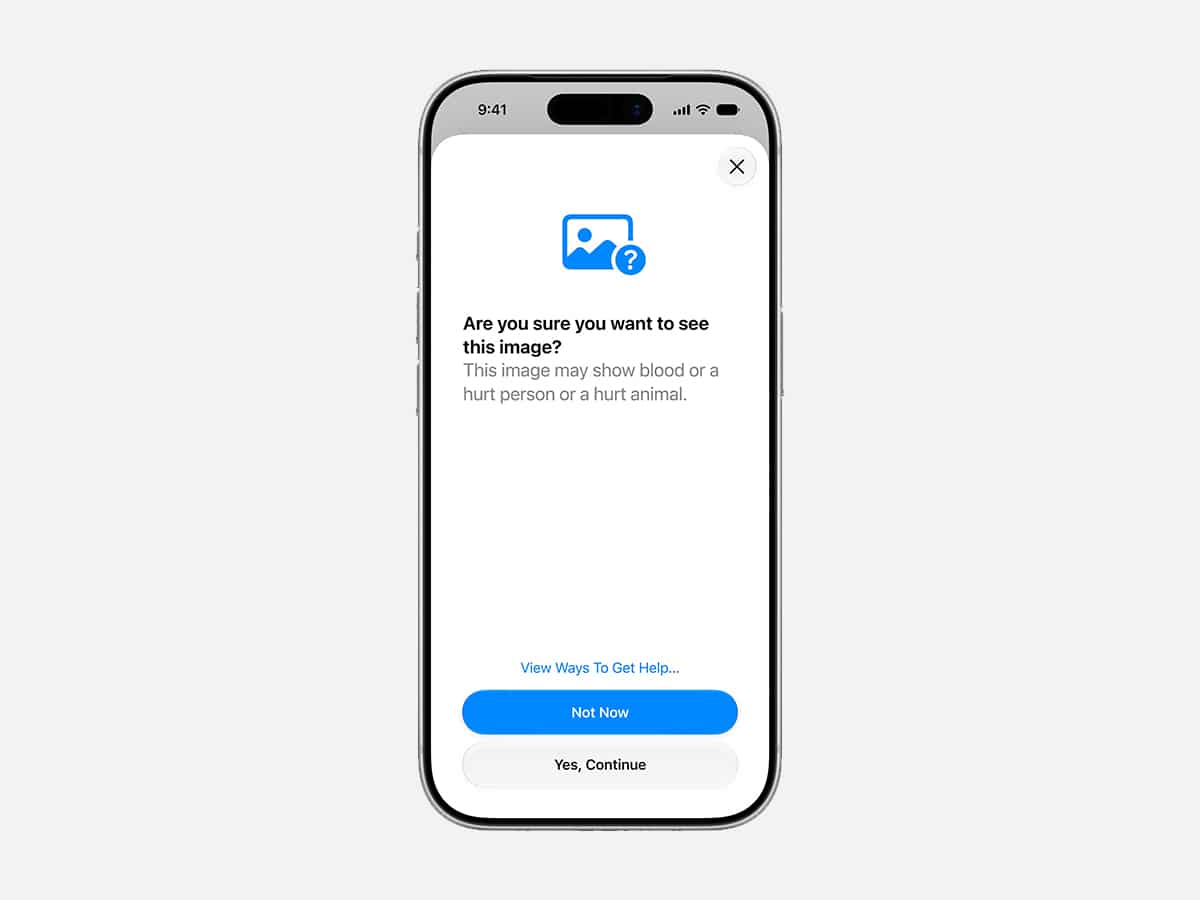
8. Communication Safety’s Advanced Filtering
Apple is tightening its native safety parameters to give parents significantly more granular control over family devices. The system’s built-in Communication Safety protocols (which are enabled by default for accounts under 18) have expanded well beyond basic nudity detection. The device’s local computer vision engine now actively scans incoming and outgoing media to instantly intervene and block graphic gore or violent content in shared images and videos.
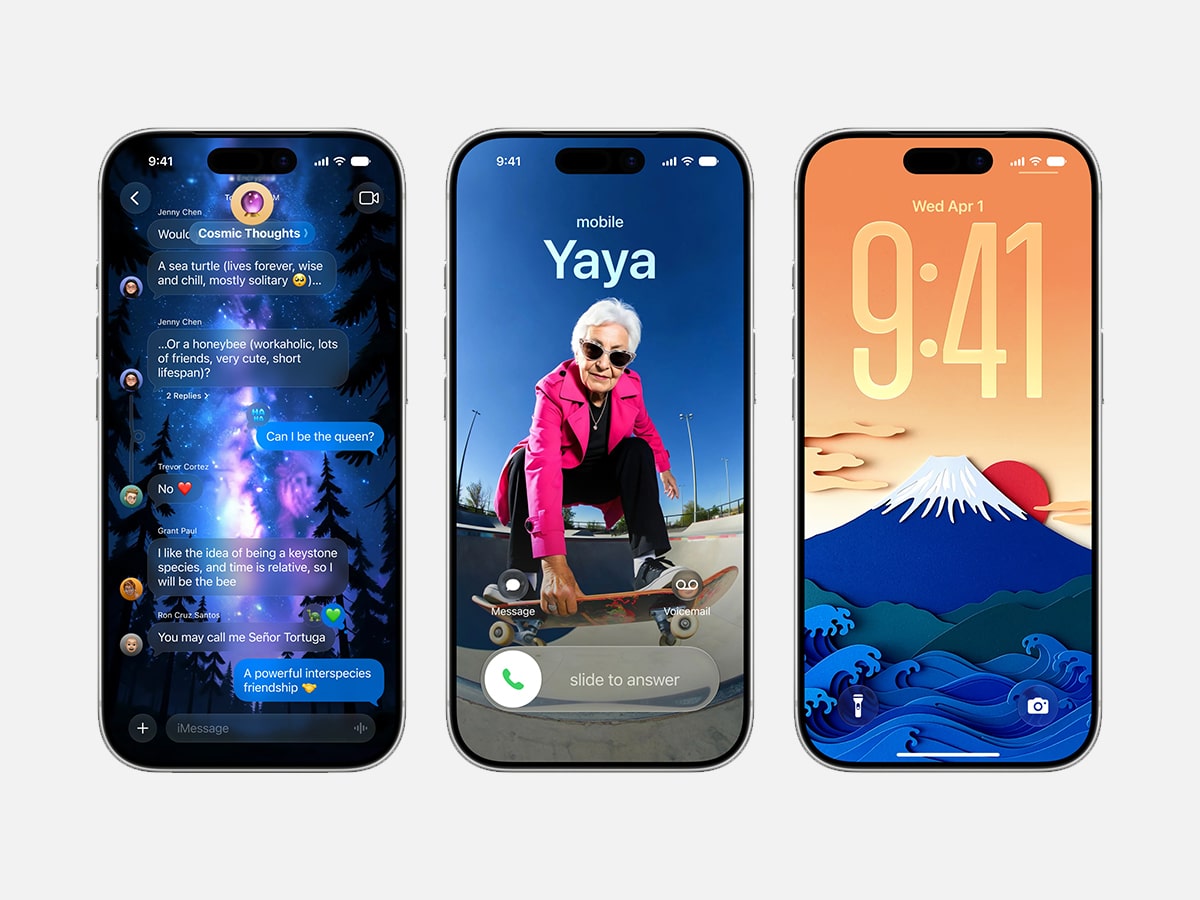
9. Generative Contact Posters and Lock Screens
We can’t even remember the last time that we opened the Image Playground app, but it isn’t just a tool for generating funny pictures in your group chats anymore. The brand has integrated the generative model directly into the operating system’s core customisation menus. You can now use the engine to generate personalised Lock Screen wallpapers and Contact Posters on the fly, with the system automatically adjusting the aspect ratio so your creations perfectly fit a portrait layout without awkward cropping.
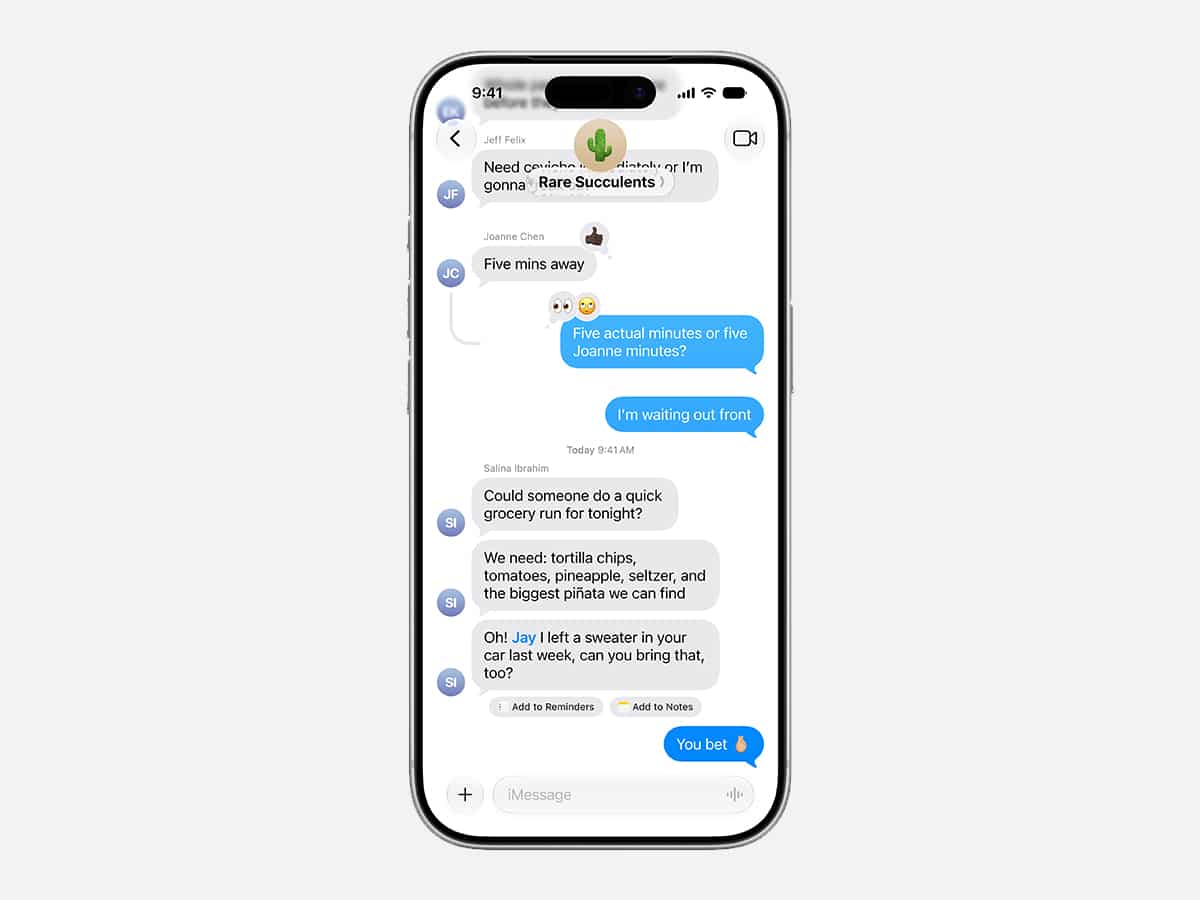
10. One-Tap Contextual Messaging Actions
The Messages app is getting significantly better at reading the room. Apple Intelligence now scans the context of your text conversations to offer immediate, one-tap suggestions for follow-up actions. If a friend texts you a date and an address, Messages will instantly offer a button to add it to your Reminders or Notes. If they ask for photos from a recent trip, the app will recognise the keywords and immediately surface the best images of specific people and locations from your library.
Bonus: Small Aesthetic Tweaks That Make a Big Impact
While the heavy lifting this year was focused on AI and backend architecture, Apple’s design team quietly slipped in two satisfying UI changes for power users who care about their home screens.
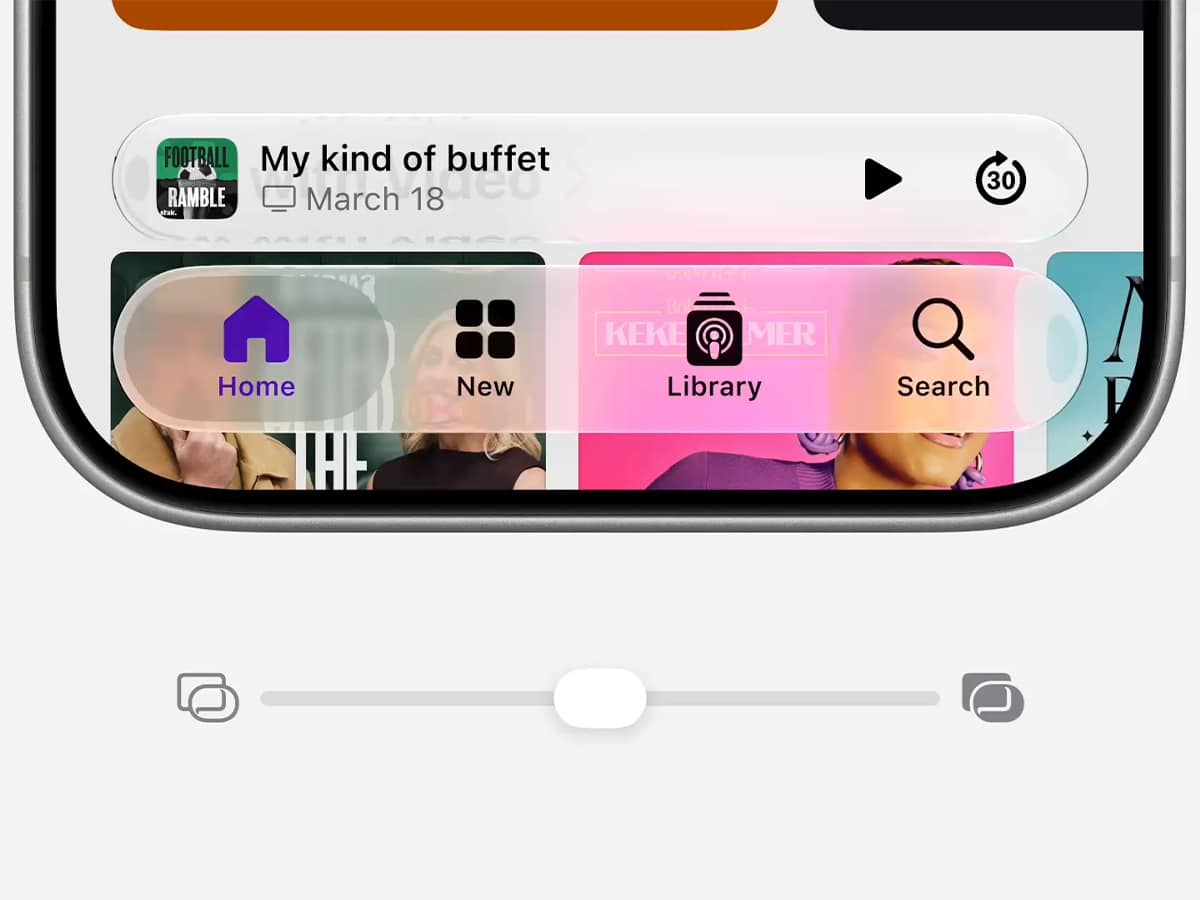
Liquid Glass Transparency Slider
The brand is quietly walking back its controversial Liquid Glass design language. Tucked deep into the system’s appearance settings is a manual opacity slider designed to fix ongoing contrast and legibility quirks. Rather than forcing a single translucent baseline that routinely tanks text readability under direct sunlight, you can now manually adjust the depth of the frost effect to ensure text remains crisp against bright wallpapers.
Multi-Layer App Icon Refraction
First-party application icons are getting a graphics-based rendering update to play nicer with custom themes and background configurations. Instead of standard flat imagery, iOS 27 introduces an advanced pipeline that separates an icon’s background matrix from its foreground design elements. By injecting simulated layers of light refraction, home screen icons now sport a subtle, tactile depth that shifts perspective as you tilt your device, making specific utilities drastically easier to recognise at a quick glance.

























Comments
We love hearing from you. or to leave a comment.