


Updated:
Readtime: 5 min
Every product is carefully selected by our editors and experts. If you buy from a link, we may earn a commission. Learn more. For more information on how we test products, click here.
Key Takeaways
- Apple Wallet will soon let users create passes from physical cards with barcodes or screenshots of digital cards.
- New Wallet passes can be shown on iPhone or Apple Watch, with frequently used passes pinned to the Apple Watch Smart Stack.
- Apple Pay is getting a redesigned online and in-app checkout with easier card switching and more payment details where supported.
- Tap to Share will let customers connect with participating merchants, share details and view basket items in real time.
- Apple Cash bill splitting is coming to US users only, using Apple Intelligence to scan receipts and split costs.
Apple Wallet is great until you’re standing at the checkout, swiping past the wrong card, an old boarding pass, and the three loyalty passes from when you lived in another state.
That’s one of the everyday problems Apple appears to be tackling with iOS 27. As part of its next major software update, Apple is adding new Wallet and Apple Pay tools designed to make cards, passes and payment options easier to find when you need them in the moment, meaning no more accidentally paying for the groceries on your “emergencies only” card or trying to scan a movie ticket to get on the train.
Related: 10 Ways Apple’s New ‘Siri AI’ Will Actually Change How You Use Your iPhone
Apple Wallet Will Turn More Cards Into Digital Passes
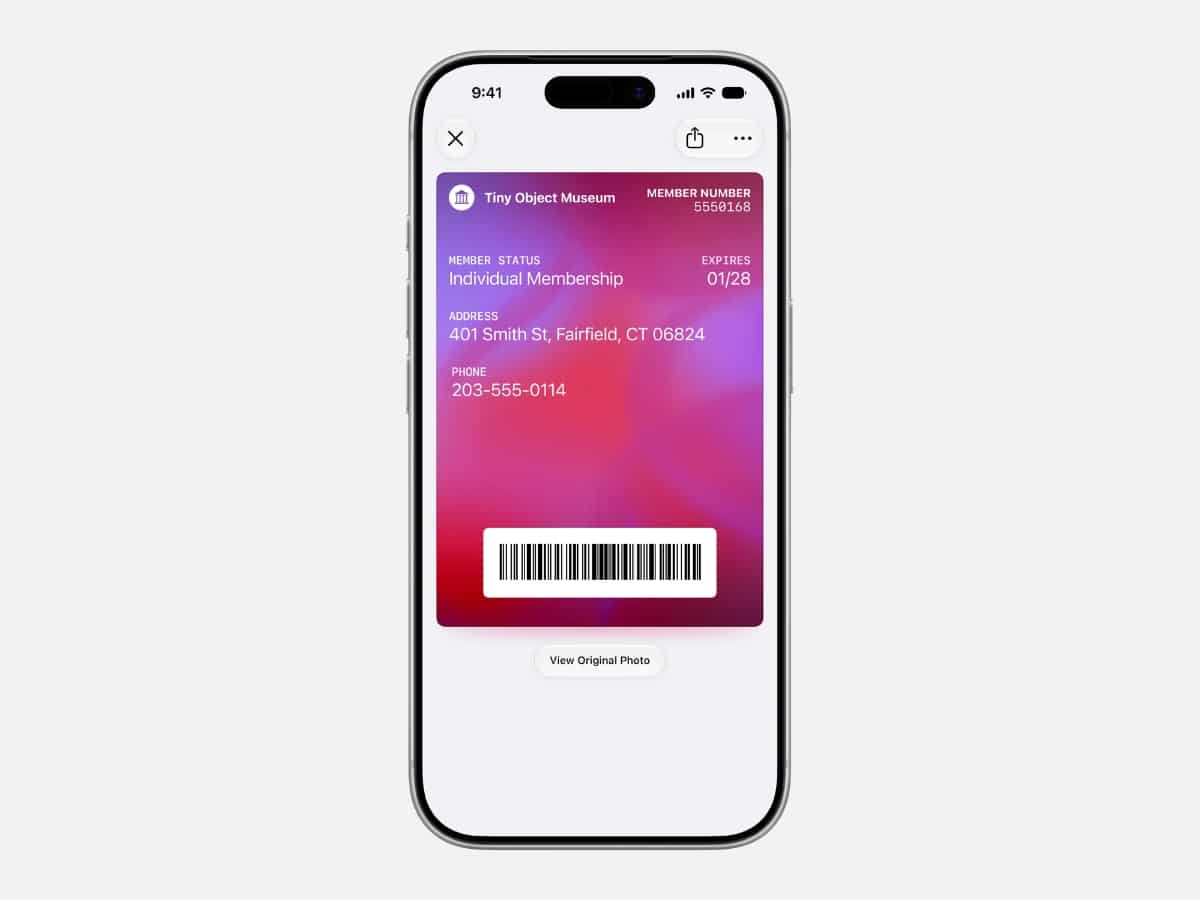
The biggest everyday change in iOS 27 is pass creation. iPhone and Apple Watch users will be able to create and store passes in Apple Wallet from physical cards, including loyalty and membership cards.
Apple says you’ll be able to point your iPhone camera at a physical card with a barcode, or use a screenshot of a digital one, and save it to Wallet.
Once added, those passes can be shown as a barcode or QR code from an iPhone or Apple Watch. They can also be pinned to the Smart Stack on Apple Watch, allowing users to reach their most frequently used passes without digging through the full Wallet stack.
It’s probably the most useful feature here because it deals with the cards people forget, lose or leave buried in screenshots. If your Apple Wallet already holds more cards than you know what to do with, this should make finding exactly what you need a little easier.
Related: 10 Hidden iOS 27 Updates You Missed at WWDC 2026
Apple Pay Gets a Cleaner Checkout Flow
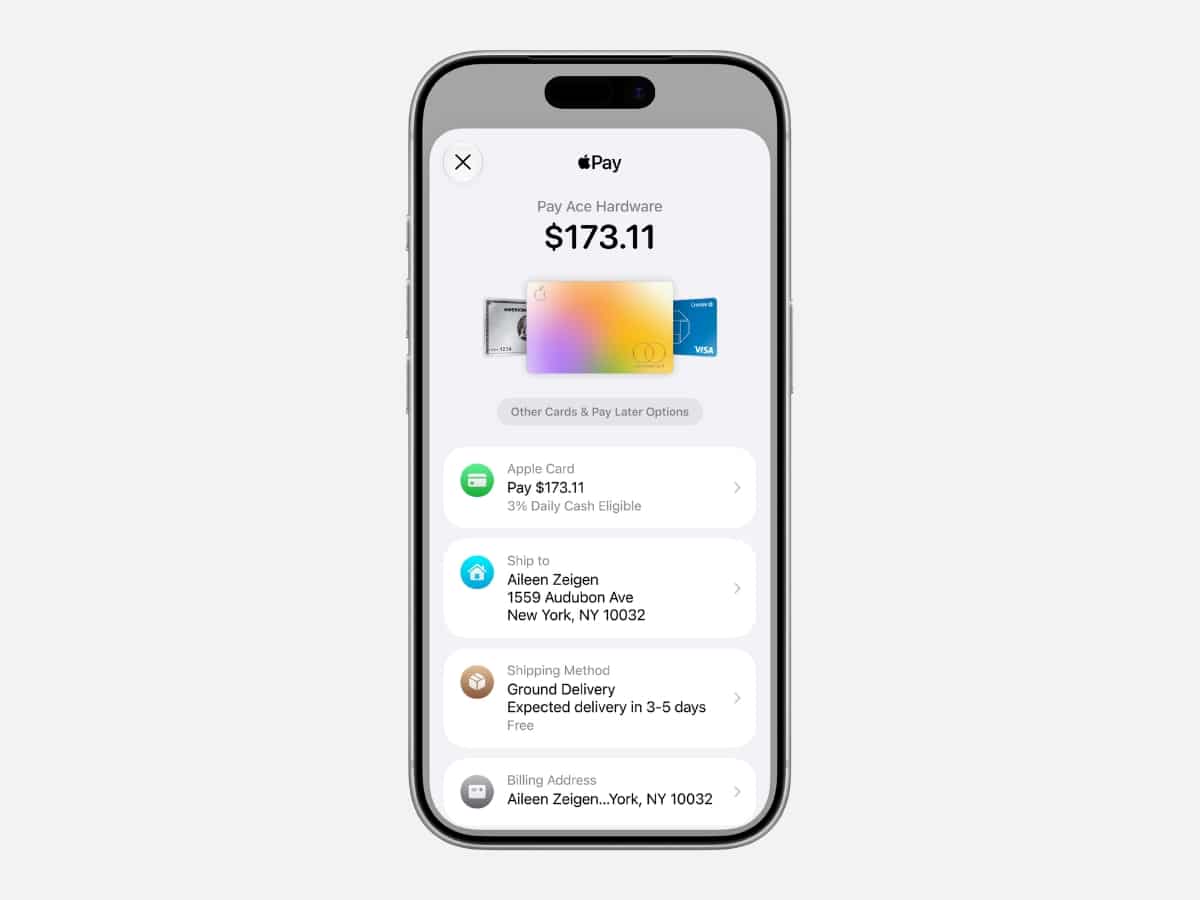
Apple Pay is also getting a redesigned checkout experience for online and in-app payments. The updated design will let users swipe between cards and, where supported, see details such as rewards balances, debit account balances and pay-later options.
The cleaner checkout flow is designed to help users choose the payment method that best suits the purchase. Apple frames the update as part of a broader services push, with Eddy Cue, Apple’s senior vice president of Services, saying it reflects the company’s “commitment to creating experiences that truly make a difference in people’s lives.”
“We’re excited to bring powerful new features and intelligence to hundreds of millions of users across Apple services, making their experiences even more useful and fun,” said Cue.
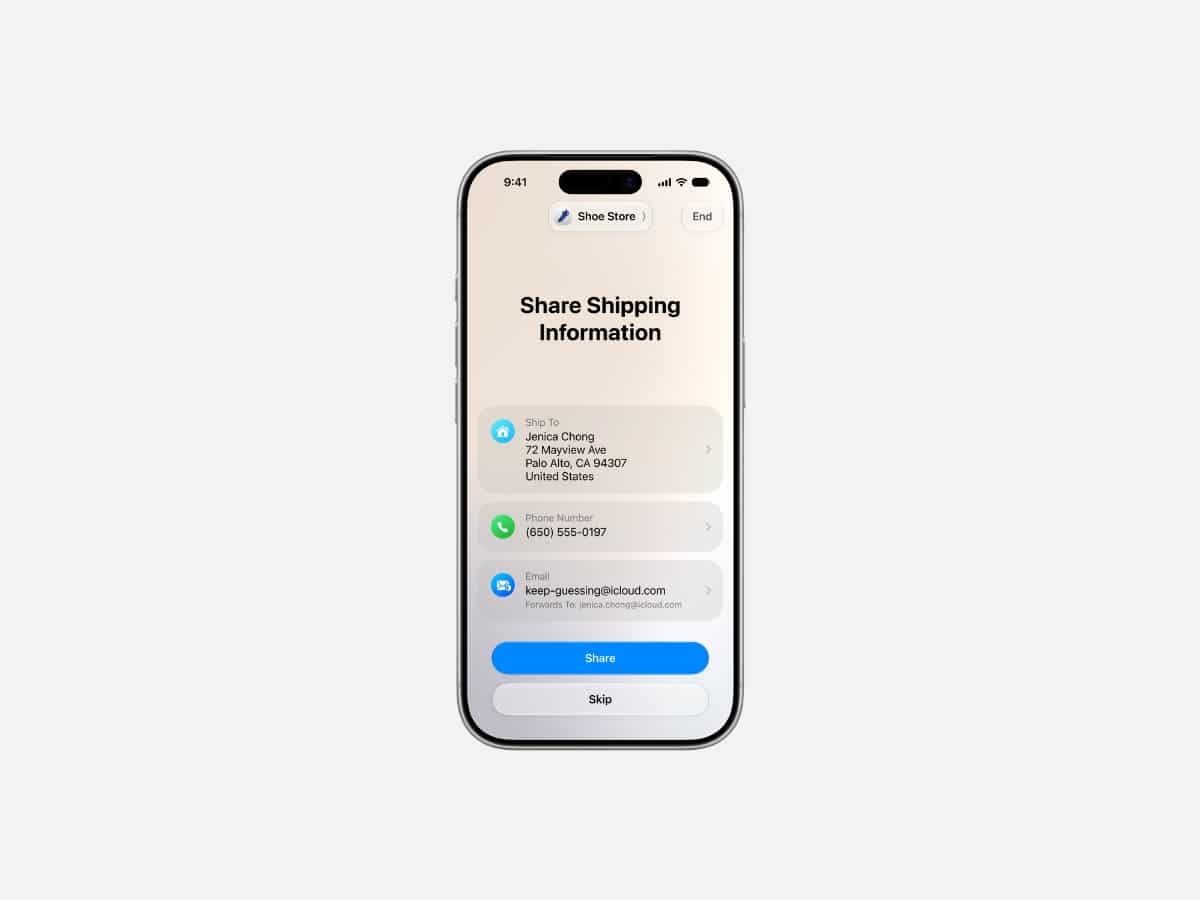
Tap to Pay on iPhone is also getting a new Tap to Share feature. With a tap, customers will be able to connect to a participating merchant’s iPhone and securely share information such as email addresses, contact details, shipping addresses and loyalty rewards information.
Customers will also be able to view items in their basket in real time and check whether sales and discounts have been applied before paying with Apple Pay, all in the updated interface.
Hotel Keys Expanded and Splitting Bills In the US
Hotel keys are also about to become more useful on your Apple devices. For participating hotels and resorts, Apple Wallet keys will expand beyond room and amenity access to include more trip details, timely activity updates and services available during your stay.
In the US, Apple is also tying Wallet more closely to Apple Cash, with receipt-based bill splitting powered by Apple Intelligence. The feature is only available in the US on eligible devices, and allows users to scan a receipt or use a photo of a bill, select the items they ordered, calculate tax and tip, then pay friends back through Apple Cash.
A More Useful Apple Wallet
With iOS 27, Apple Wallet is becoming more than a place to pay. With iOS 27, it’s being pushed deeper into the small admin around checkout: loyalty cards, screenshots, hotel keys, basket visibility and merchant information.
Apple’s updates promise fewer loose cards, fewer buried screenshots and less fumbling when you need to pay. Because there’s nothing worse than hearing a faint sigh from the person behind you, waiting for you to tap and just go already!

























Comments
We love hearing from you. or to leave a comment.