

Updated:
Readtime: 7 min
Every product is carefully selected by our editors and experts. If you buy from a link, we may earn a commission. Learn more. For more information on how we test products, click here.
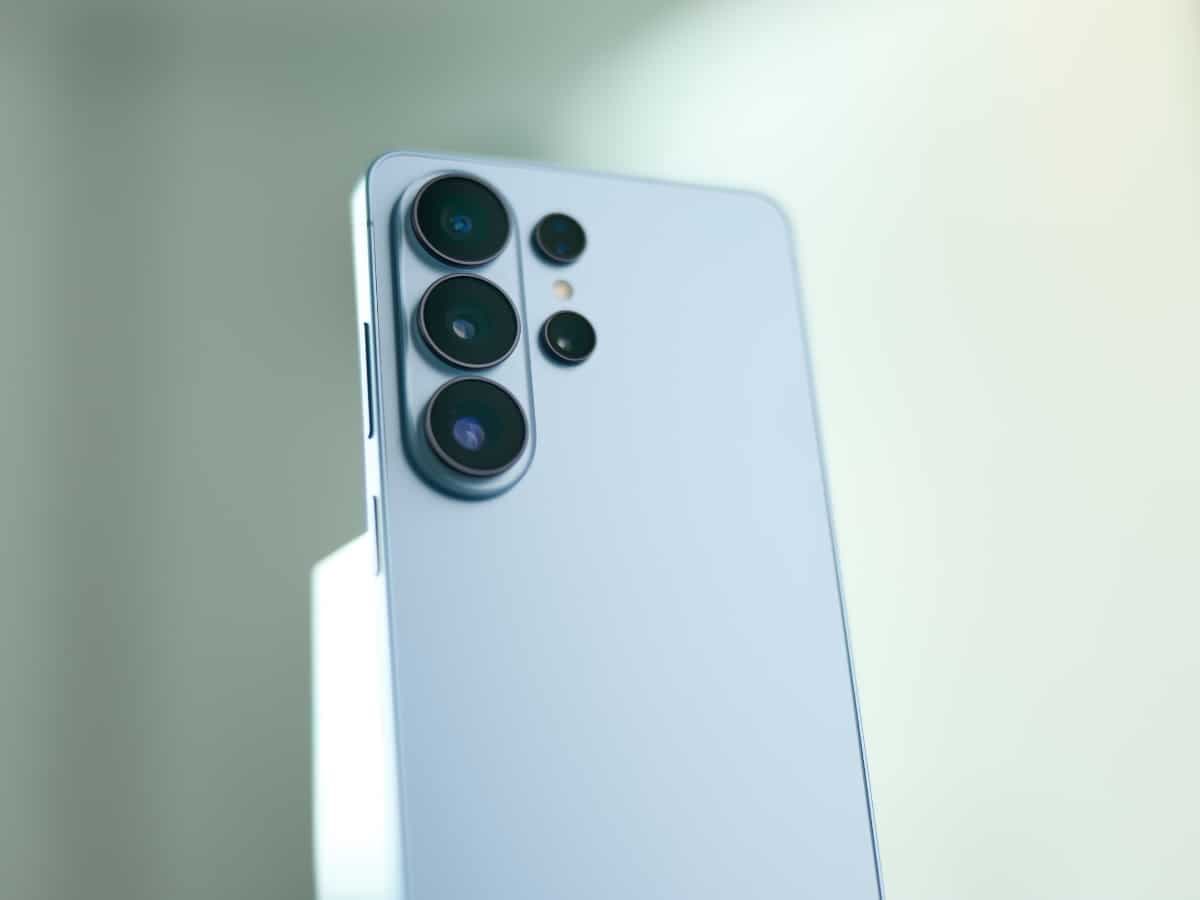
Overnight, Samsung unveiled its next-generation line of Galaxy S26 smartphones at the annual Unpacked soiree in San Francisco. Joining the devices were a bevy of accessories and add-ons, as well as the new Galaxy Buds4 and Galaxy Buds4 Pro (keep an eye out for my forthcoming review). However, the flagship Galaxy S26 Ultra, priced from AUD$2,199, predictably stole the show and clinched the title of the most feature-packed and high-end device the Korean tech giant has ever produced.
While this traditional candybar-style smartphone doesn’t have quite the same sense of novelty and wow factor as Samsung’s groundbreaking Fold and Flip devices, it’s an undeniably sophisticated and uber-premium offering with upgrades that make it a significant leap from its predecessor, the Galaxy S25 Ultra.
I’ve already had the good fortune to experience a brief hands-on encounter with the new Galaxy S26 Ultra, so here are the top five upgrades it introduces to the Samsung smartphone experience.
1. Privacy Display
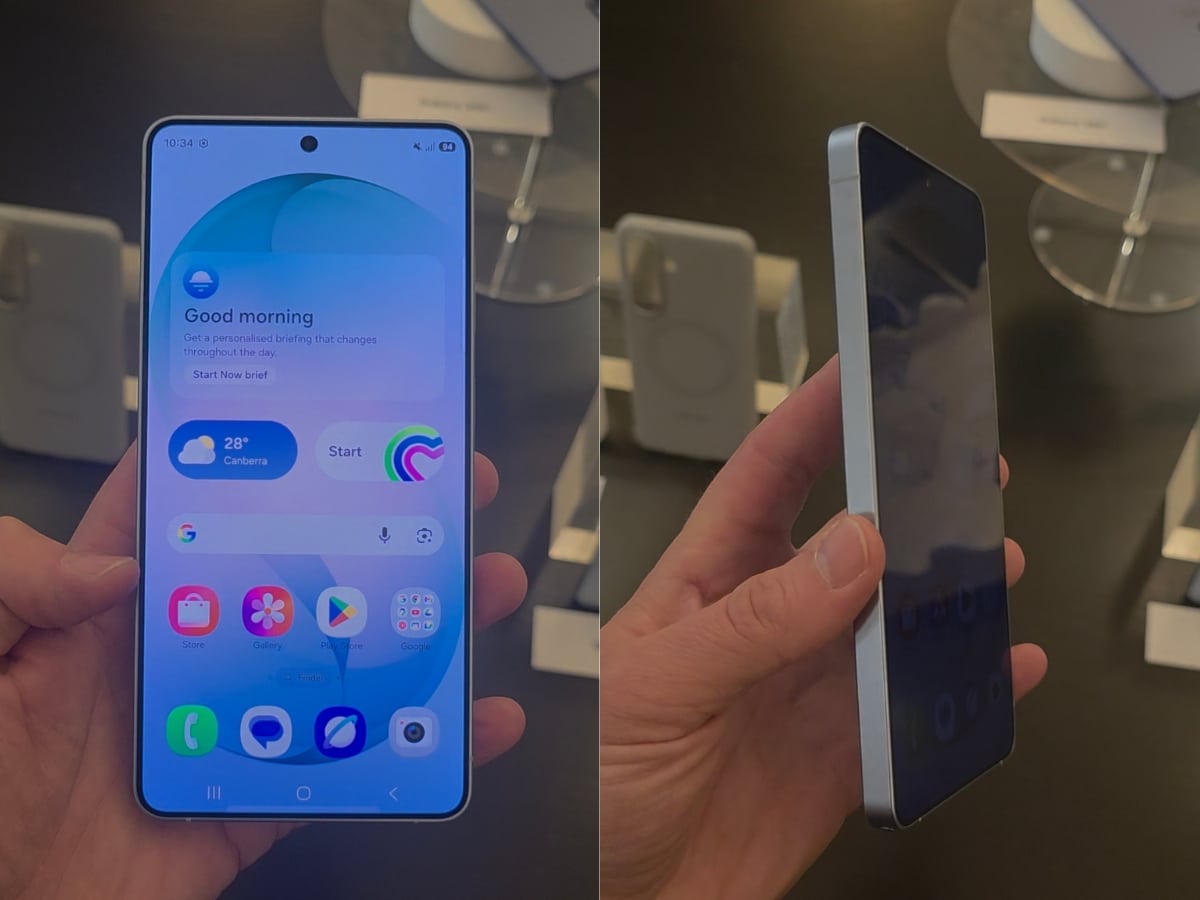
You know those people who use phone screen protectors that darken the screen when viewed from an angle, preventing anyone sitting near them from seeing what’s on their device? Well, these paranoid souls will love the Galaxy S26 Ultra as it has this functionality built right into the screen.
It works by controlling how pixels disperse light. While the display remains perfectly visible from a front-on angle, nosy neighbours will be left disappointed. You can easily toggle it on and off by swiping from the top of the screen to open the Quick Settings menu, and you can also customise when it turns on automatically. This includes while using certain apps, when entering PINs or passwords, or hiding notification pop-ups.
It’s undeniably impressive when you see it in person, and having such a practical upgrade is a welcome development in a smartphone cycle where improvements from one generation to the next are often incremental.
2. Call Screening
Similar to the iPhone Call Screening functionality introduced with iOS 26, the Galaxy S26 Ultra harnesses AI to keep scammers, unknown numbers, and real estate agents at bay.
If you get a call you’re not sure you want to answer or perhaps you want to simply can’t (e.g. your doctor calls to confirm an appointment but you’re in a meeting and picking up would be rude), you simply activate Call Screening and an AI assistant will answer the call, request key information, and relay it to you by text. You can then choose to pick up, decline the call, or type further questions you would like the assistant to ask the caller.
This may be one of those rare cases where Samsung wasn’t first to market with this functionality, but if it works as well as was demonstrated in the briefing I attended, it will come in very handy. In my line of work, I get a lot of calls, and this will be a welcome tool for filtering out the good from the scams.
3. Photo Assist
Full confession: I’ve never been one for editing my photos much (outside of adding a touch of brightness here and a dash of saturation there ), but that might change with the introduction of Samsung’s upgraded Photo Assist suite.
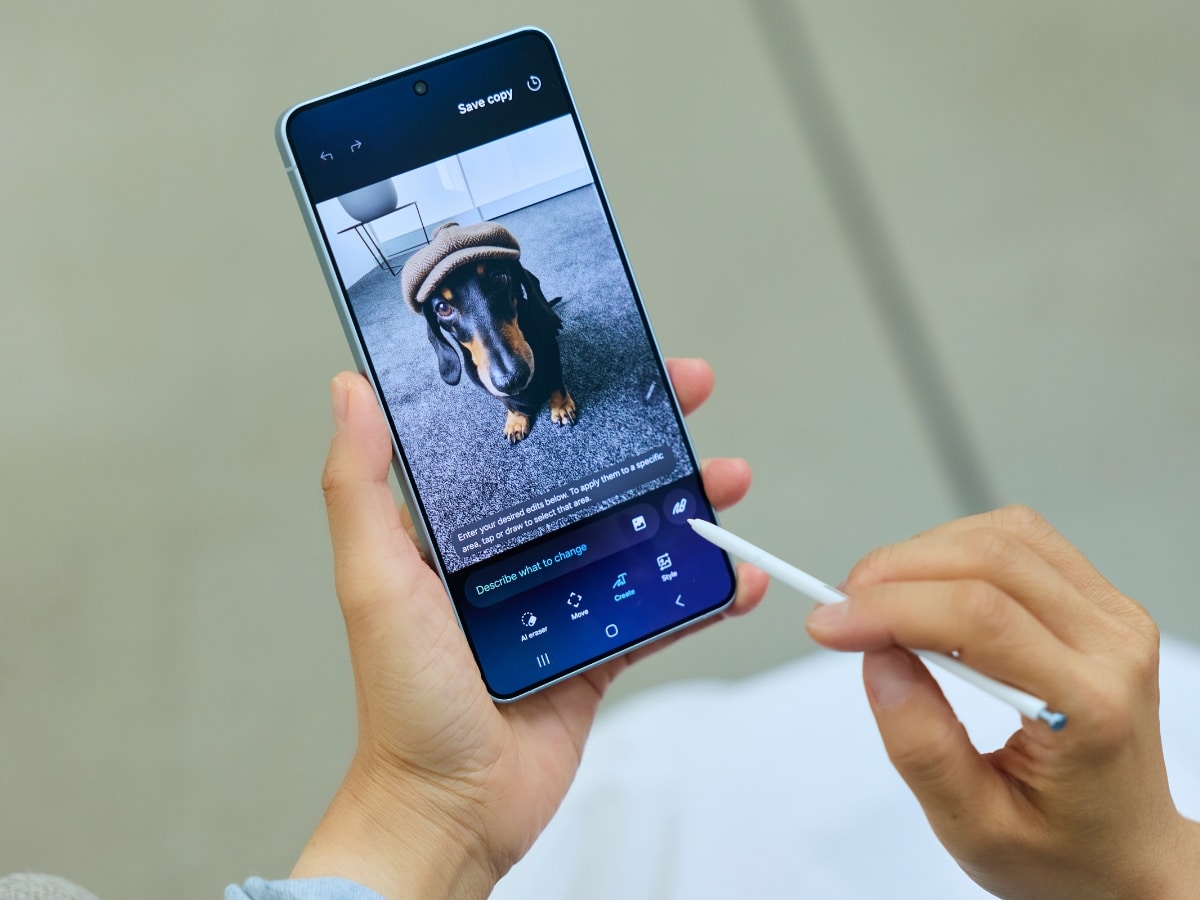
This AI-powered editing platform lets you simply describe what you want changed in a picture using your own words, and the phone handles the rest. For example, if you have a picture of a piece of cake, but the cake has somewhat fallen apart on its journey to your plate, you can simply ask Photo Assist to reassemble the cake, and it will do so seamlessly.
I saw this demonstrated in person, and while I imagine the results will vary, it has the potential to be the most effective (and fun) photo-editing functionality on a smartphone.
The Photo Assist suite still features previous functionality, such as the ability to circle objects to move or remove them from the frame before AI fills in the gaps (pretty seamlessly for the most part). The upgrade here is that you’re no longer restricted to only being able to make one edit before having to save said edit and return to your photo album to start the process all over again. It seems obvious, but you can now make one edit after another, review every step of the process, and choose which edits to keep or discard. It’s a welcome addition that streamlines the whole photo-editing process.
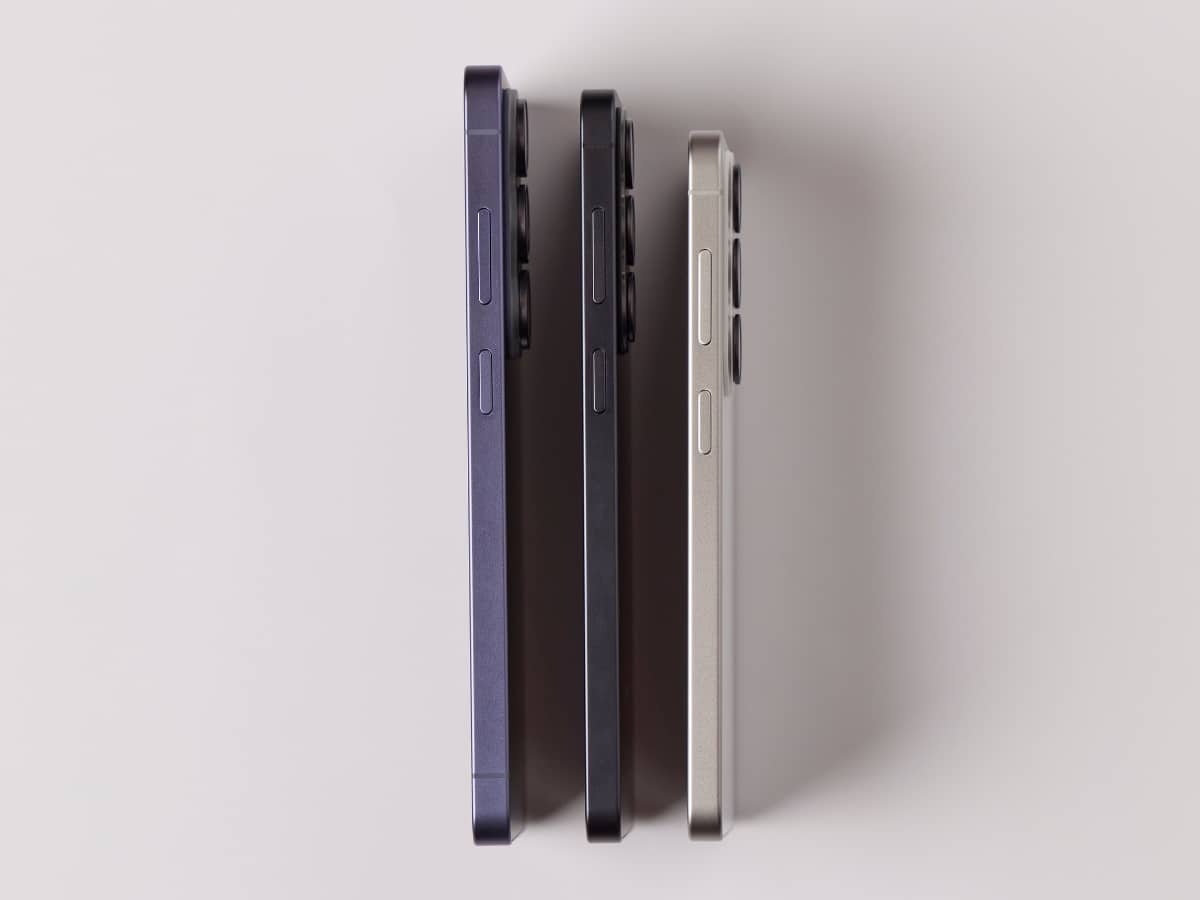
4. Slimmer & Lighter Build
On paper, the Galaxy S26 Ultra is marginally slimmer and lighter than last year’s Galaxy S25 Ultra, but in the hand, the difference is noticeable, particularly when it comes to the device’s thickness.
Weighing in at 4.0 g lighter and 0.3 mm slimmer, it feels like it has a little of the Galaxy S25 Edge in its DNA. Naturally, this premium standard-bearer for the Samsung smartphone stable doesn’t make the same compromises in battery life as that unusual device did, but it feels like another step on our journey towards razor-thin devices.
That said, given I’ve never found the S25 Ultra to be too bulky to slip in and out of my pockets, I can’t help but wonder if reclaiming that 0.3 mm for a little extra battery space would have been welcomed by the Samsung faithful.
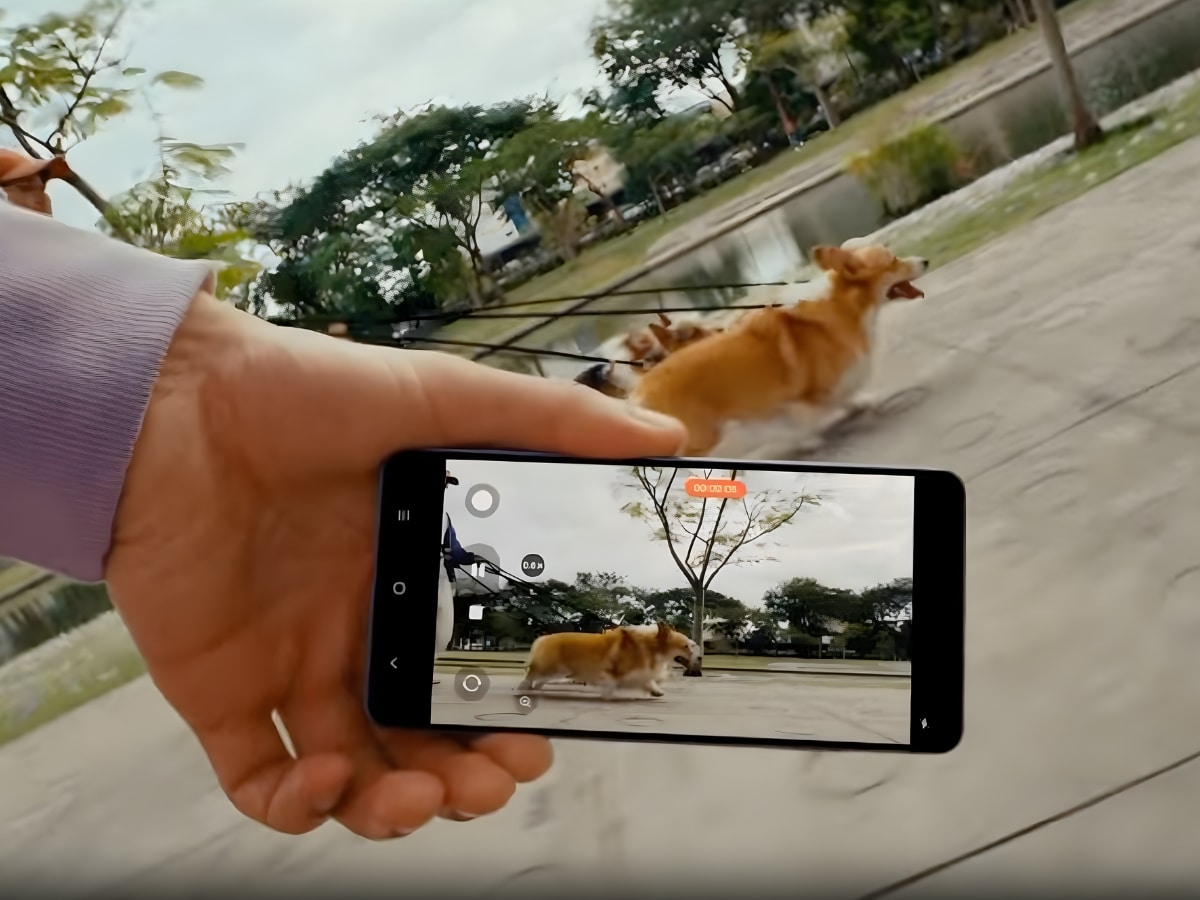
5. Video Stabilisation
Okay, the final inclusion on this list was pretty wild when I saw it demonstrated in person. Samsung has upgraded its Super Steady capabilities, adding a horizontal lock option designed to ensure consistent framing and smooth visuals no matter how fast or bumpy the action.
It sounds pretty straightforward, but every technology has its limits, right? Well, I saw someone activate this feature and then start turning the Samsung Galaxy S26 Ultra in a counter-clockwise rotation. Around and around it went, and yet the video output remained rock-solidly locked, delivering a landscape-oriented video with only the slightest of wobbles here and there. Naturally, your framing would probably only be pushed to this kind of unweildy limit if you were literally tumbling down a mountain to your doom, but it was impressive nonetheless.
Availability
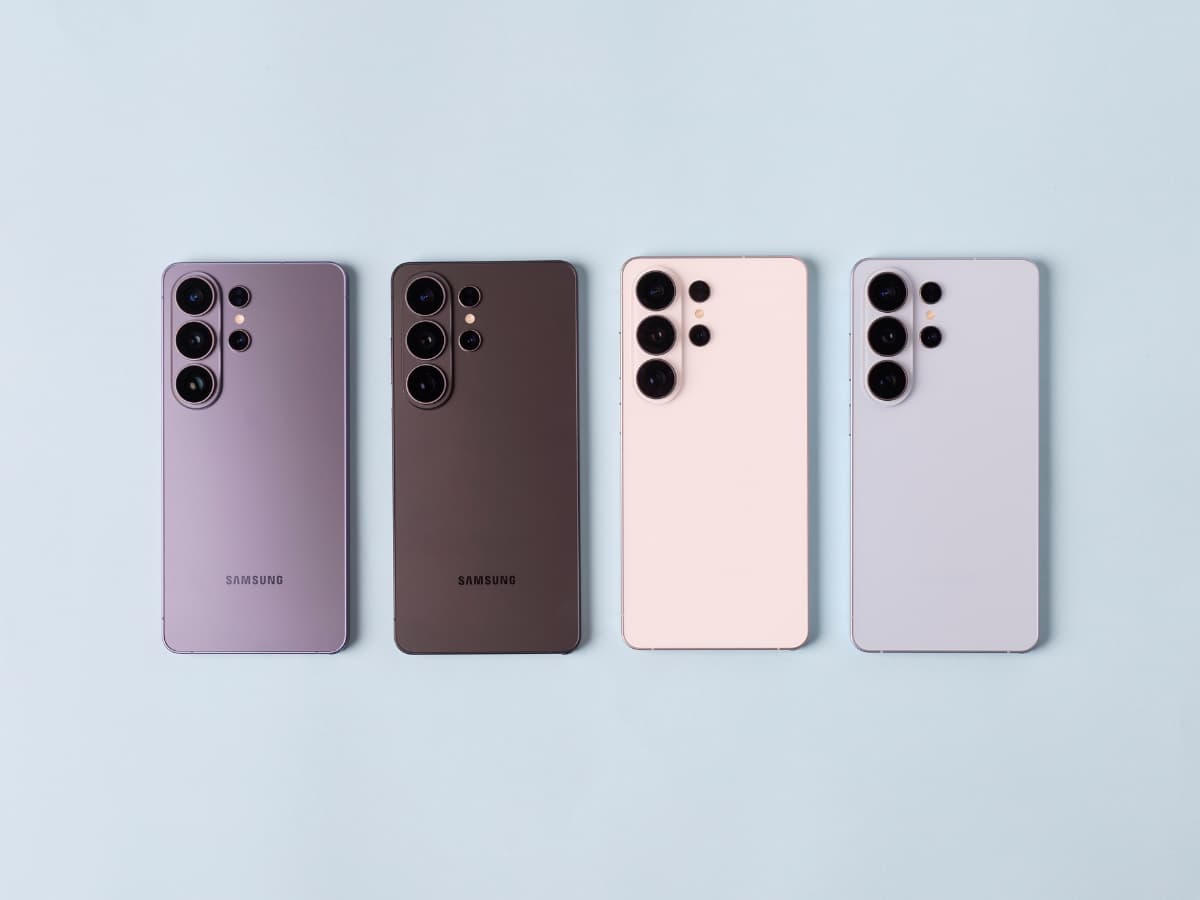
Pre-orders for the Samsung Galaxy S26 Ultra are now open, with the device hitting shelves on March 11. Pricing starts at AUD$2,199, and it’s available in Cobalt Violet, White, Black, and Sky Blue, as well as Pink Gold and Silver Shadow, which are exclusive to the Samsung website. Plus, it comes in 256 GB, 512 GB, 1 TB configurations.
To discover more about the Galaxy S26 Ultra and the rest of the Galaxy S26 range and accessories, visit the Samsung website via the link below.




















Comments
We love hearing from you. or to leave a comment.