

Updated:
Readtime: 10 min
Every product is carefully selected by our editors and experts. If you buy from a link, we may earn a commission. Learn more. For more information on how we test products, click here.
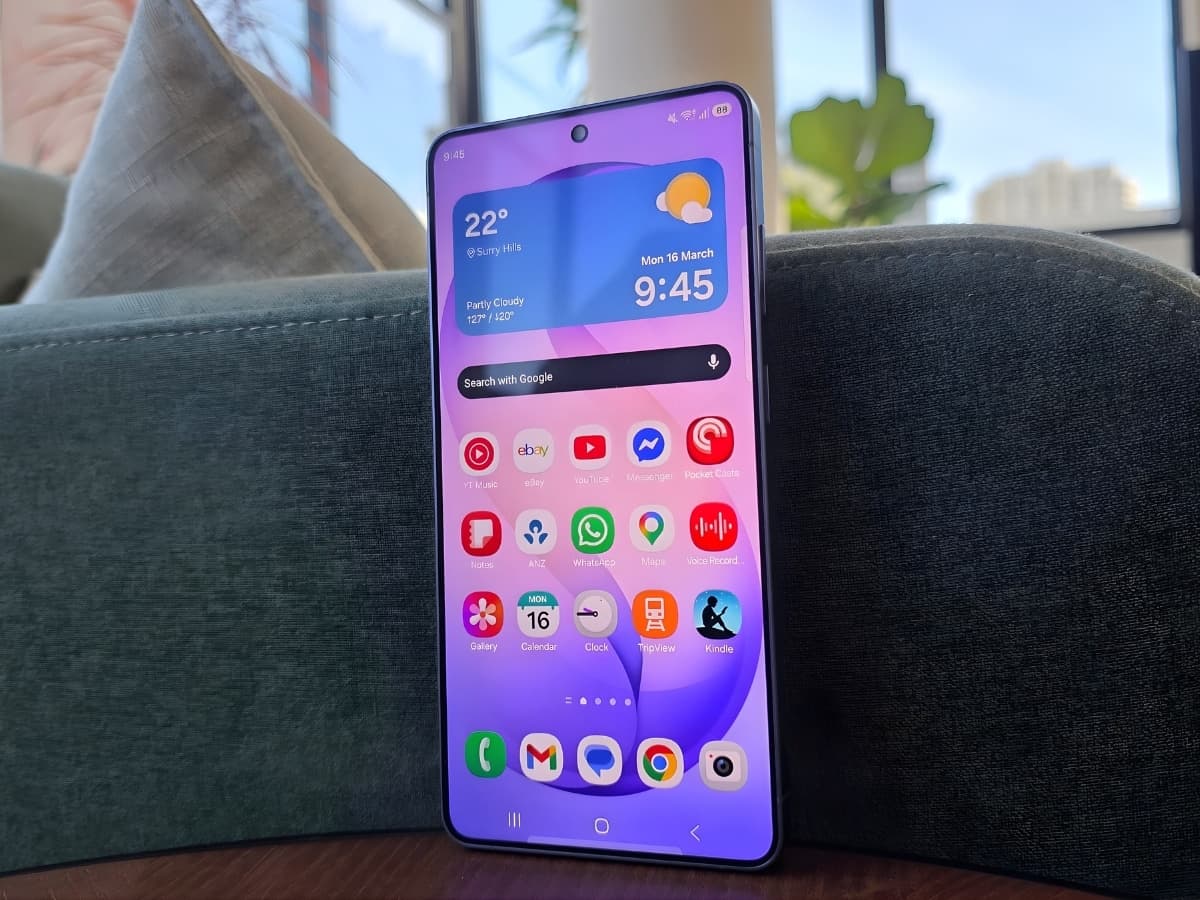
Samsung’s new Galaxy S26 Ultra flagship feels like something of a throwback. It reminds me of a time when smartphone brands would take bold steps forward from one release to the next, rather than serving up the incremental improvements that so often pass for upgrades these days. Each new phone would introduce genuinely useful new features, via both hardware and software, to create an experience that made it worth upgrading from the previous year’s model.
With the new Privacy Display, Now Nudge functionality, a significantly enhanced photo and video offering, and AI integration that’s actually pretty useful (at times), the S26 Ultra harkens back to those days. I think it can fairly be described as the most significant non-folding smartphone upgrade Samsung has released in years.
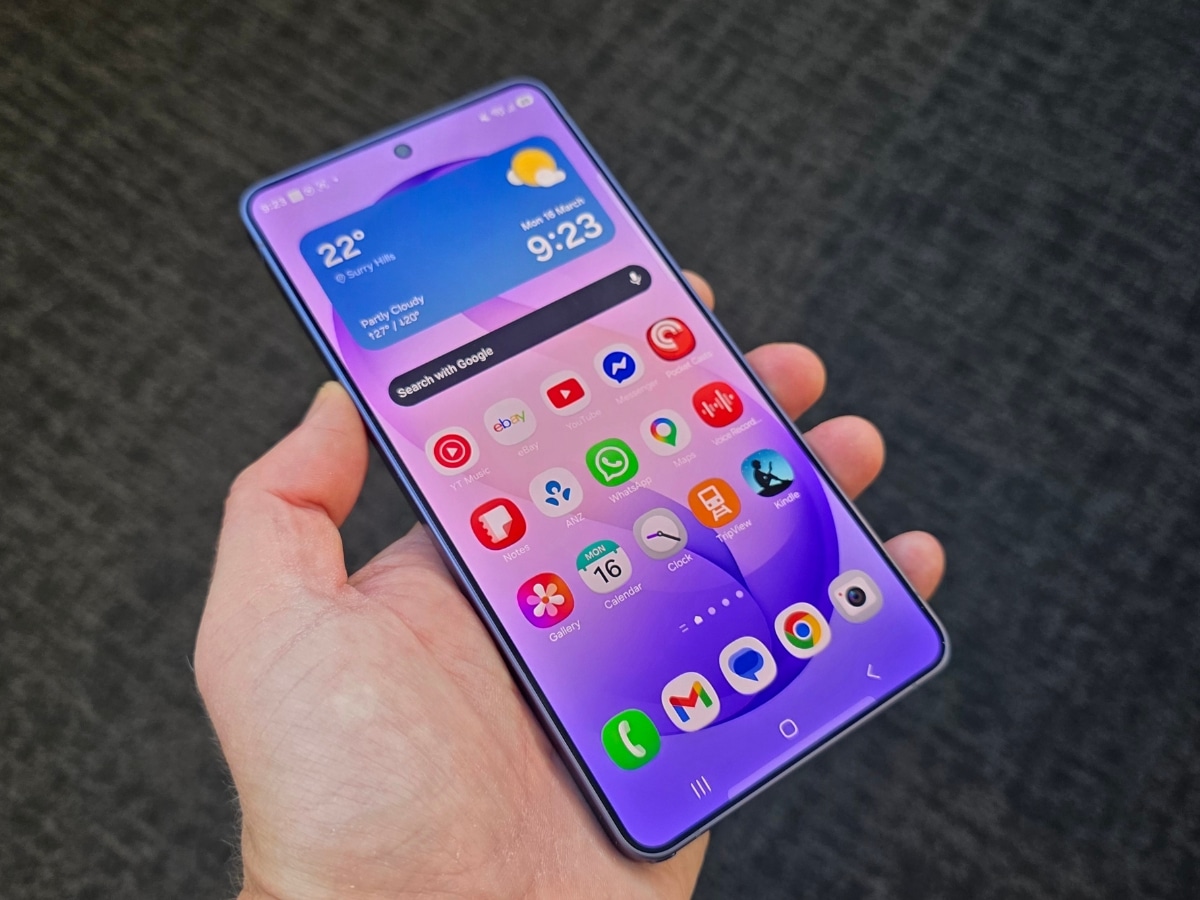
Of course, the S26 Ultra still features the kind of uber-premium build quality one would expect (now presented in an ever-so-slightly lighter and thinner form factor), and it sees the return of the S-Pen, which also appears to have been placed on a diet. With the exception of slightly curvier edges, you’d be forgiven for mistaking the S26 Ultra for its predecessor, particularly when you slap a case on it. But for those who’re more interested in the good stuff that’s packed inside their phone, rather than showing off a fancy new exterior, the S26 Ultra is a compelling proposition.
Privacy Display
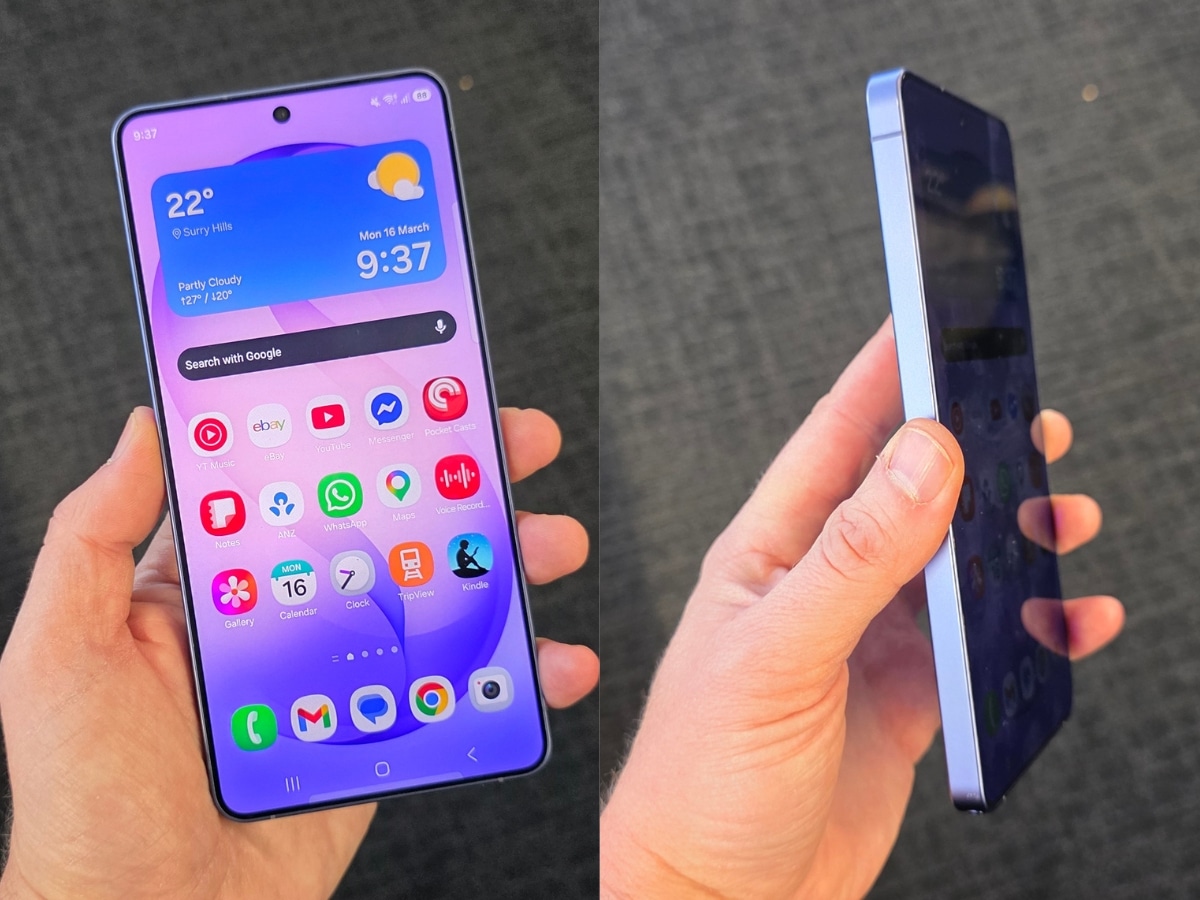
The new phone’s signature feature is undoubtedly its Privacy Display. This is a nifty new piece of hardware that limits the viewing angles of your 6.9-inch screen, making it harder for anyone nearby to catch a glance at your phone. It does this by deactivating certain pixels, and it can be easily toggled on and off from the quick settings panel. You can have it preset to only activate under certain conditions.
For example, I have it set to trigger when I enter one of my banking apps and also to hide my notifications. That’s right, you can have it apply to specific parts of the screen while the rest of it remains unaffected. There’s also a toggle for “maximum privacy protection,” which intensifies the Privacy Display’s effect, but this does cause the screen to look considerably washed out. I found the regular setting effective enough anyway.
It’s worth noting that having the Privacy Display activated, even without the “maximum” effect, does slightly reduce the brightness of the S26 Ultra’s display. However, it’s still an excellent feature that should give people peace of mind when using their device in public.
Now Nudge
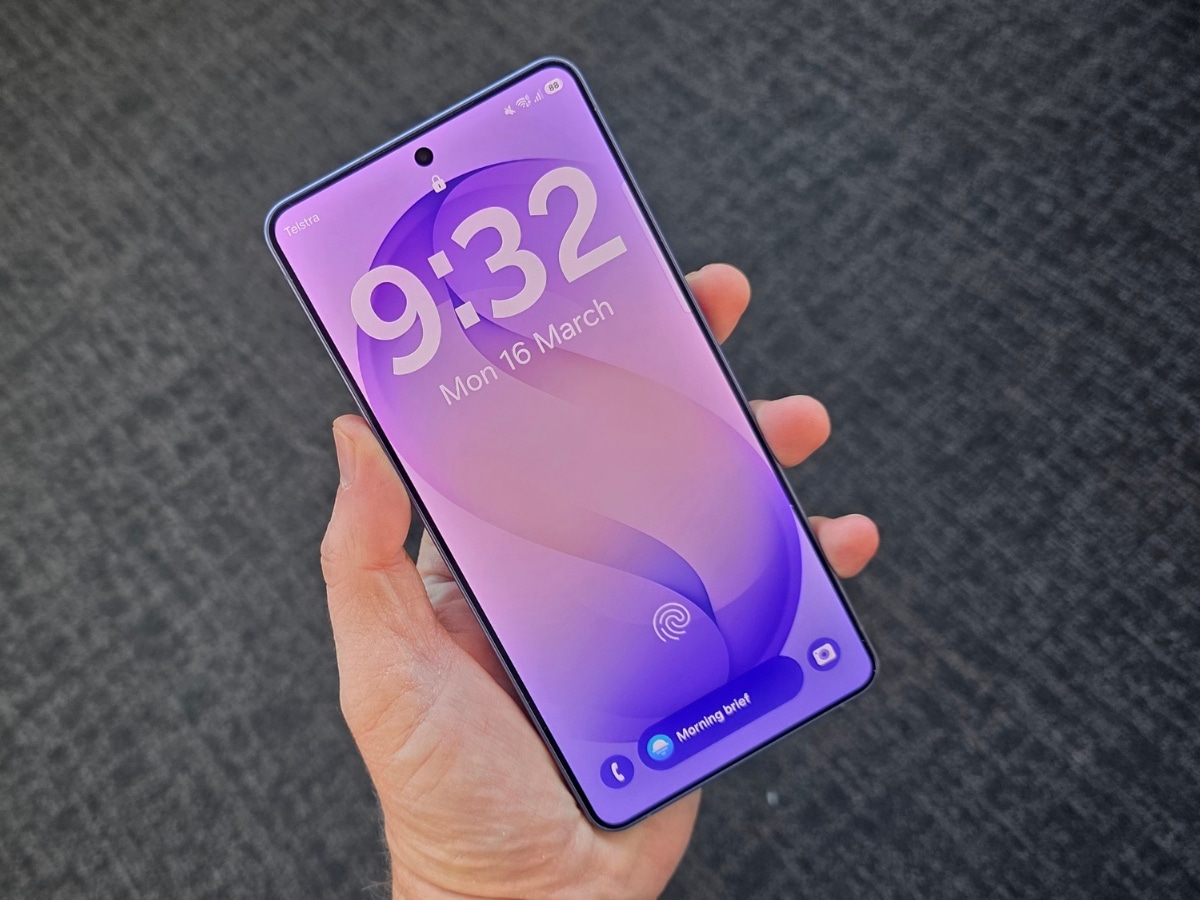
Shifting our focus from new hardware to new software, another standout feature offered by Samsung’s latest flagship is the Now Nudge functionality, which collates information from a range of apps and pre-empts what you might want to do next, suggesting actions based on what’s on your screen and your content across apps and services. It’s quite handy when it works.
For example, a recent hangout with some friends at a dog park resulted in an excessive number of photos capturing our various pooches getting up to no good. Amongst all the snaps of wide-eyed canine insanity as various tennis balls met grisly ends were some quite nice photos that captured the dogs looking more composed. When one of my mates messaged me in our group chat a few days later to ask if I could share the more presentable images captured that day, a Now Nudge pop-up suggesting I “share photos” appeared, making the whole process that much easier.
Now, it’s never been that much of a hassle to manually send photos, but it’s a handy function nonetheless. I imagine Now Nudge will become even further integrated with time and future updates, and it does make the whole process of navigating your phone less fiddly.
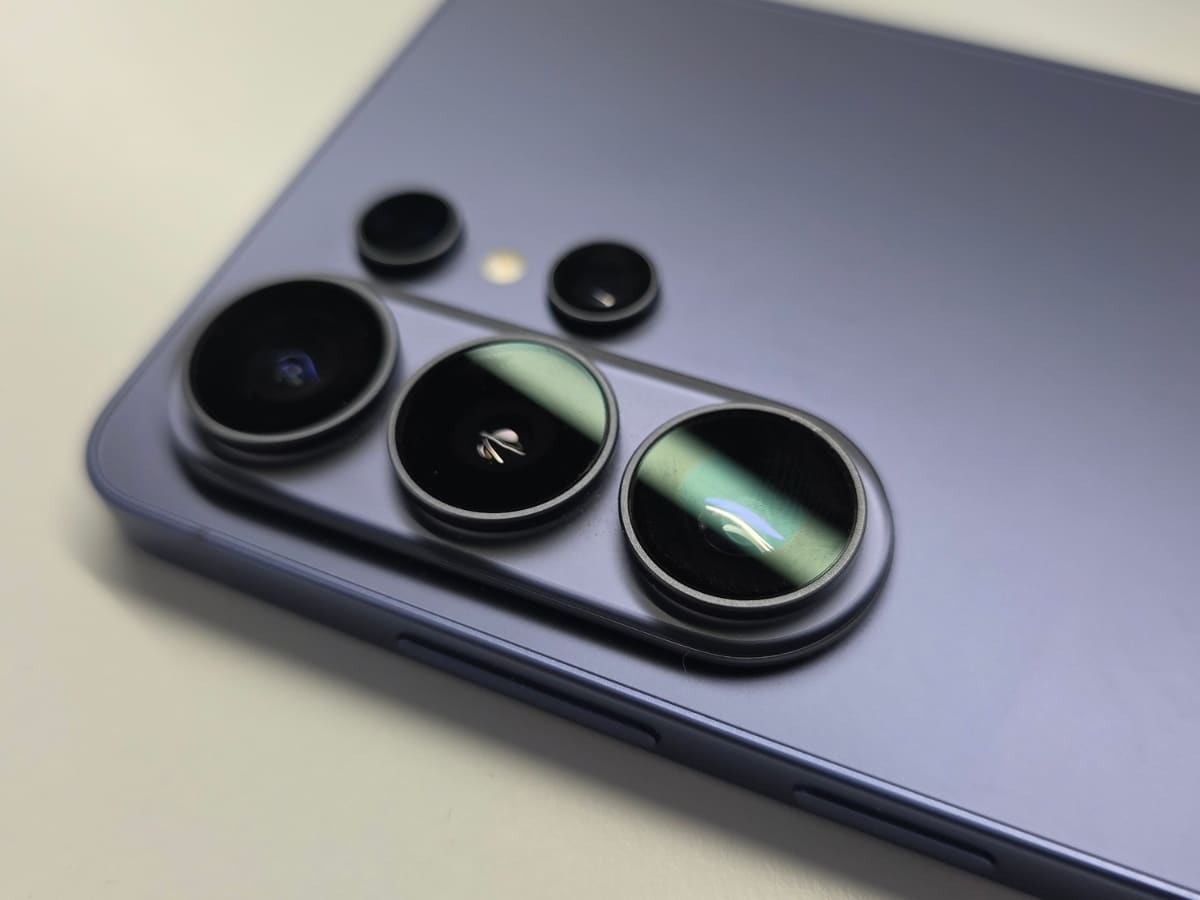
Photo & Video
Another big boost from previous generations is the S26 Ultra’s photography and videography offering, both in terms of the cameras themselves and the AI image enhancement that you can use to touch up or completely reimagine your photos after the fact.
Samsung has been trying to push this AI functionality for a few years now, but this time it feels like it has made some big leaps forward. As is always the case with AI, results can vary, and you may find yourself needing multiple attempts to get what you’re after. However, in my experience this time around, it was far more in tune with my aims and often nailed it on the first try. You can also now just type simple instructions into the editing program, rather than having to fiddle around with a range of different tools.
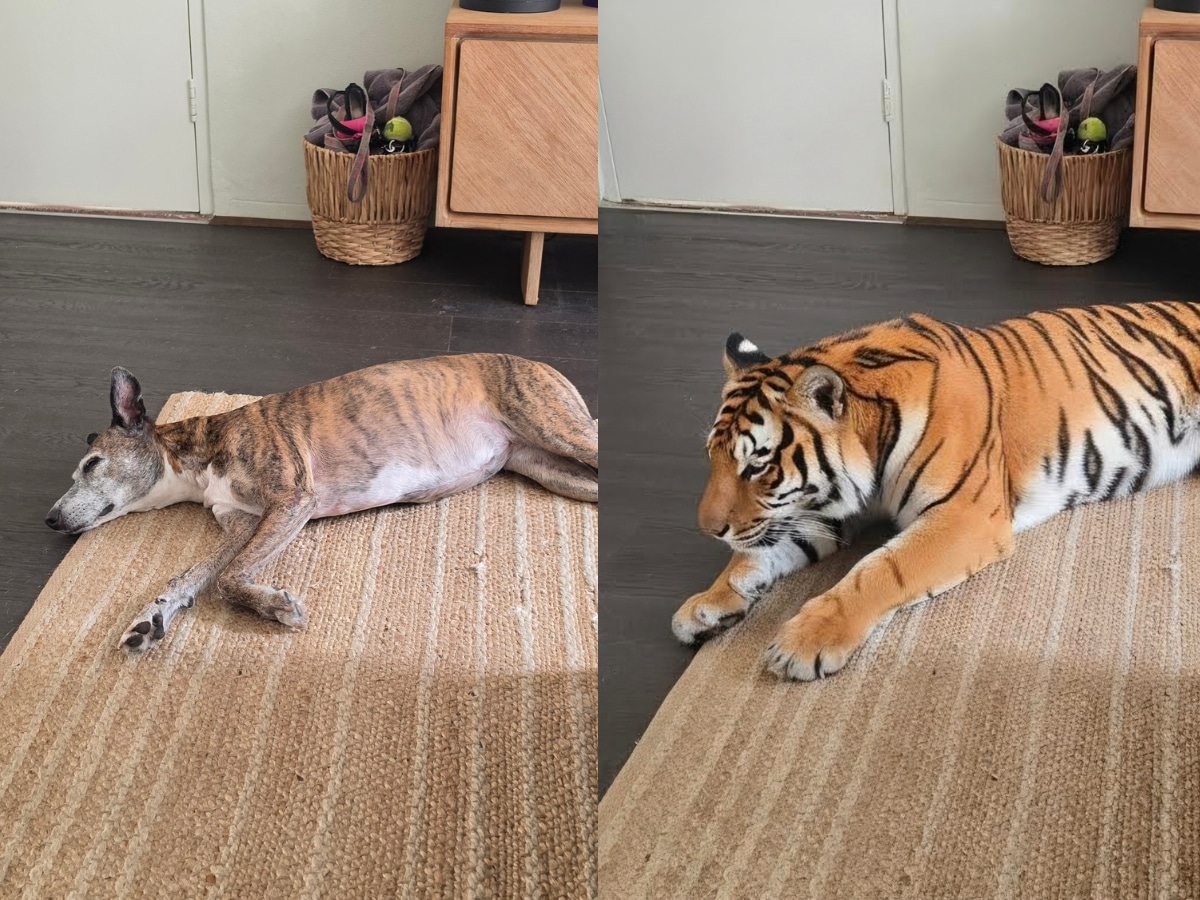
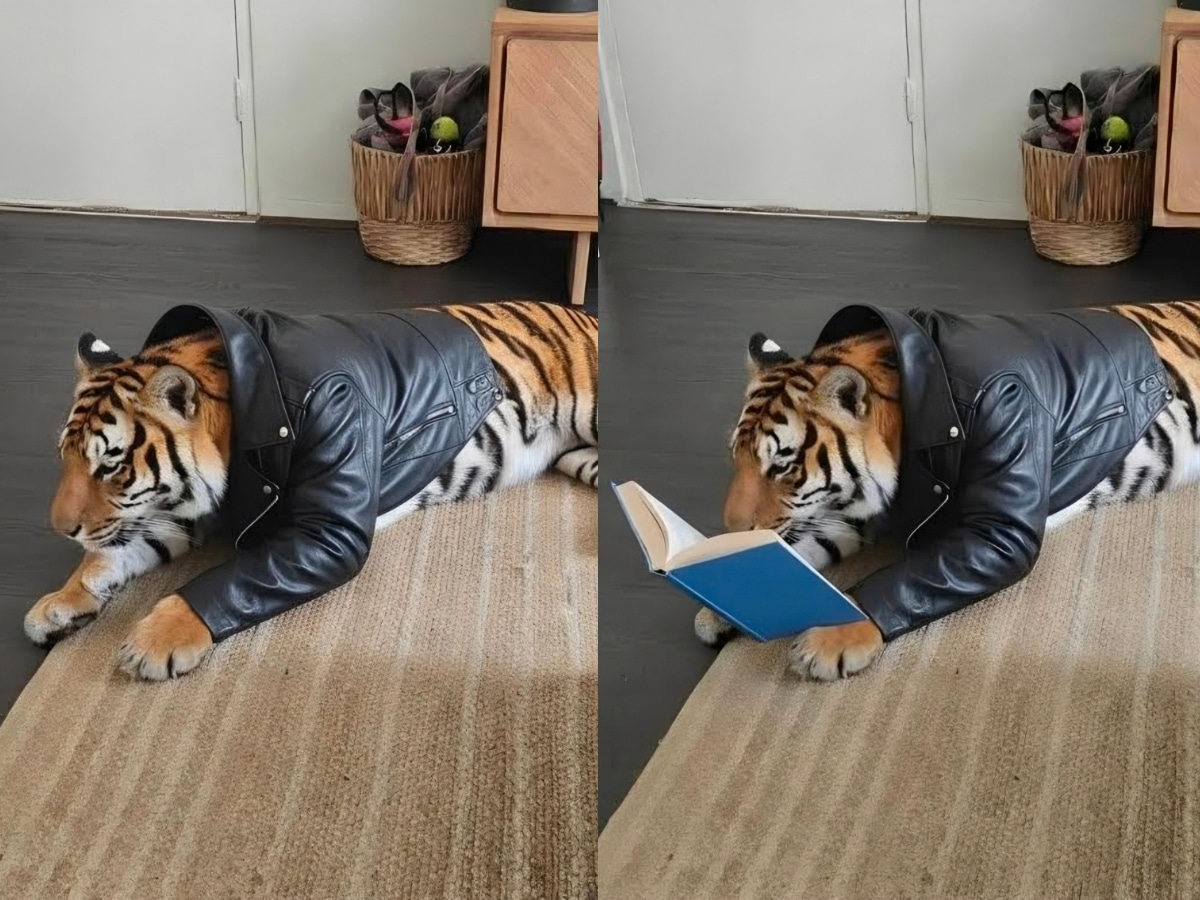
As an example, I took a picture of my dog sleeping on the rug. I instructed the AI to change her into a tiger – she’s pretty stripy anyway. I then asked it to give the tiger a leather jacket. And finally requested that the tiger be made to read a book.
While this is a pretty trivial exercise, it demonstrates the kind of changes this software is capable of, which would be very handy in touching up photos or tweaking them so they’re exactly what you want. They’re all watermarked as AI-edited images, of course, although it’s a watermark that can easily be cropped out, but that’s another matter.
As for the cameras themselves, these remain of a very high standard, with the low-light photography seeing particular improvement, thanks to the 200-megapixel main camera’s aperture having been upsized to capture more light. Samsung’s overall photo offering has always been formidable, and nothing has changed here.
More interesting is the video setup’s new “horizontal lock” functionality. Toggle this on to hold videos in their selected orientation regardless of how you move the camera once recording starts. You can spin the phone in circles after shooting starts, and the resulting video will convince you the camera was stationary the whole time. It’s staggering.
This level of stabilisation gives the videos a slickness and serenity that you may not always want (sometimes you want that raw edge), but for those who want to capture professional-looking videos right from their phone, the horizontal lock could be a game-changer.
Call Screening
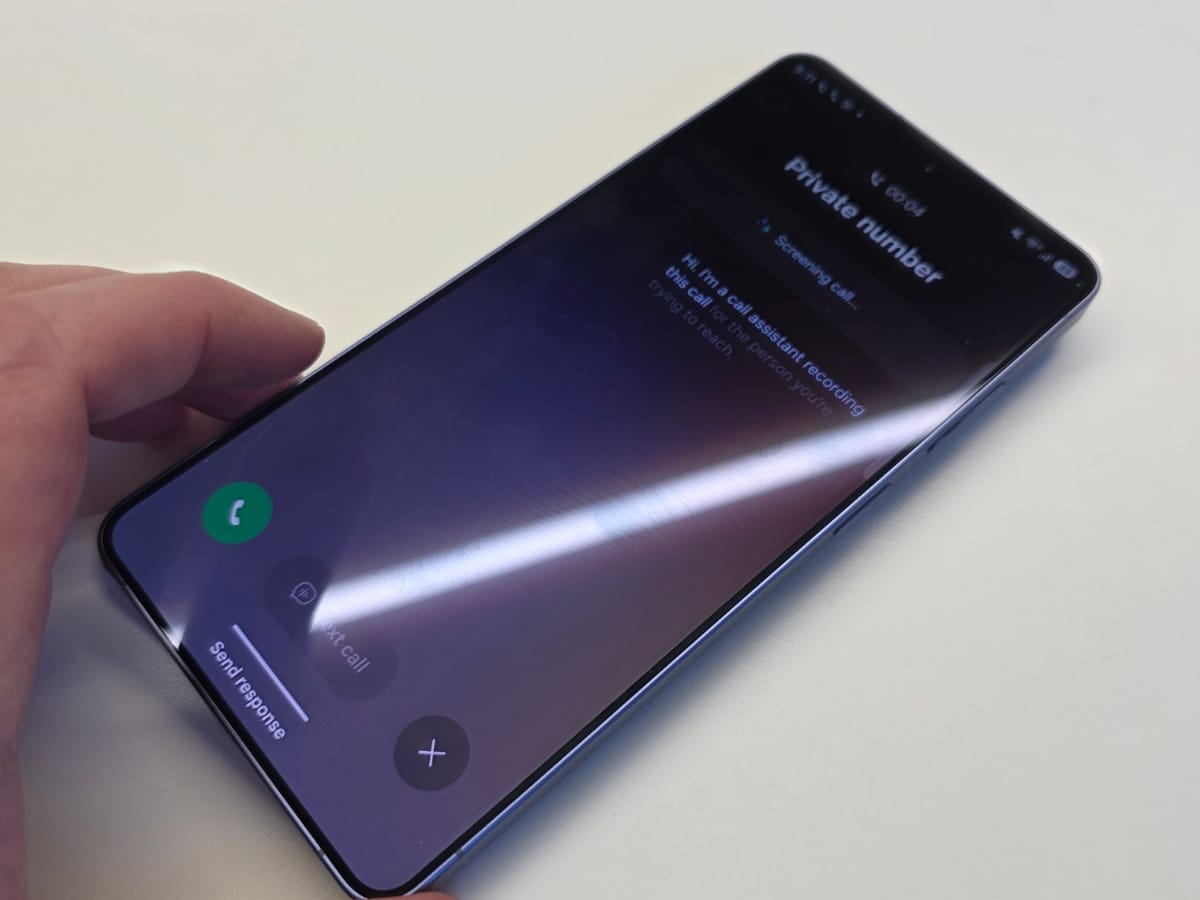
One final standout feature that I’m very happy to see make its way to Samsung’s new flagship is Call Screening. As someone who works in media and receives unsolicited phone calls all the time, this AI agent that can answer unknown numbers and find out what they’re after is very handy indeed.
The way it works is that when someone calls you, you simply activate the agent from your locked/home screen. The agent will answer the call and ask who is calling and why. The caller’s answers will then appear on the screen. At that point, you can choose to accept or decline the call, or you can type further questions for the AI to ask of the caller.
It’s a very handy functionality, although it does feel somewhat rude at times. I wouldn’t recommend using it on friends or family unless you want to get the cold shoulder at your next social gathering. I should note that I’m aware of a similar functionality that was introduced with iOS 26, but it’s still a welcome addition here.
Design & Build Quality
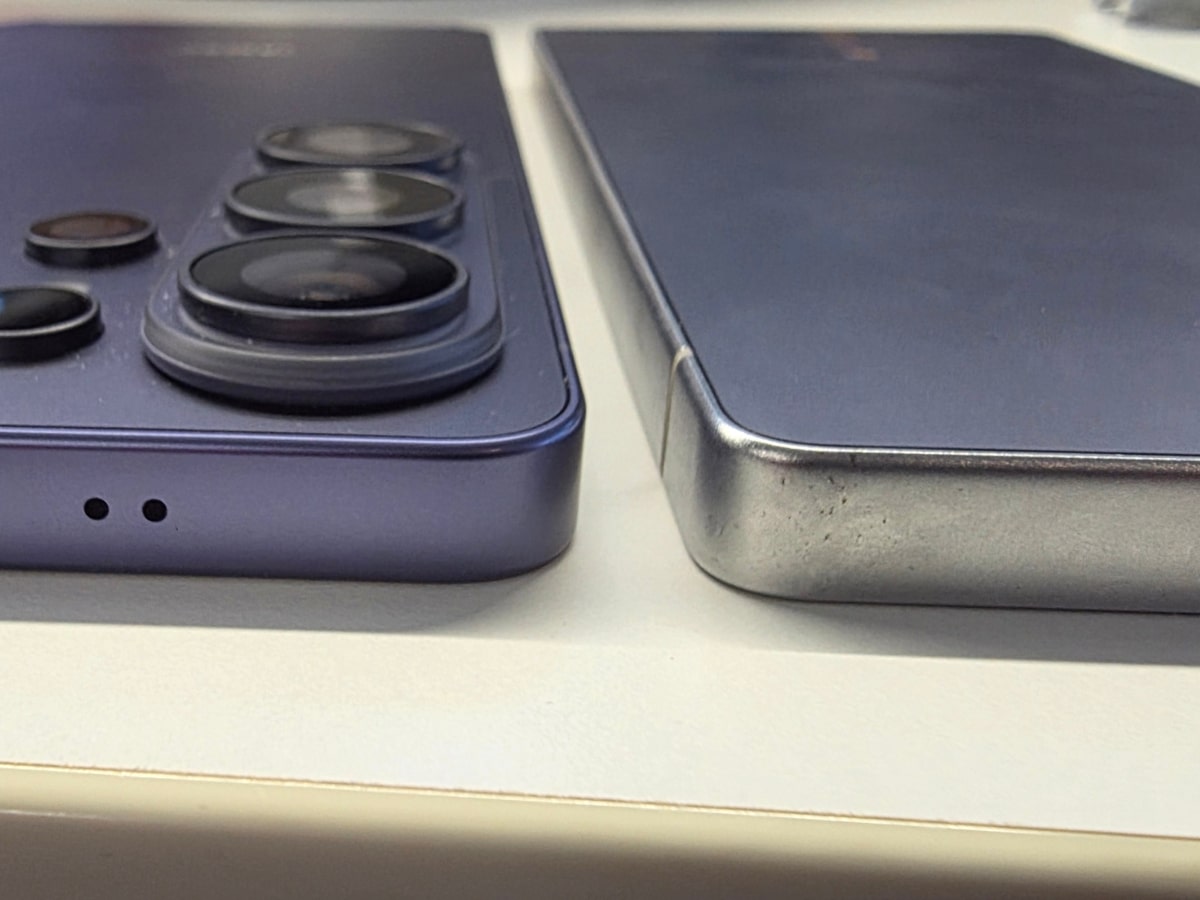
As mentioned at the outset, the S26 Ultra shares much of its design with last year’s S25 Ultra. It’s 4.0 g lighter and 0.3 mm slimmer, which you can actually notice when you hold the devices in each hand, but will that 0.3 mm make a difference when slipping it in and out of your pocket? I’d wager not. In fact, I’d be willing to bet most people would prefer the thickness had remained the same in exchange for a slight upgrade in battery life (more on that in a moment).
Another downgrade is that the phone’s trio of camera lenses now sit on a platform that protrudes from the body of the phone. That means placing your phone on a flat surface and trying to type on it causes some pretty awful rocking back and forth. It’s bad enough that you’ll probably just avoid it in general. Of course, this will no longer apply once you put a case on it, but it’s something to consider.
Battery Life
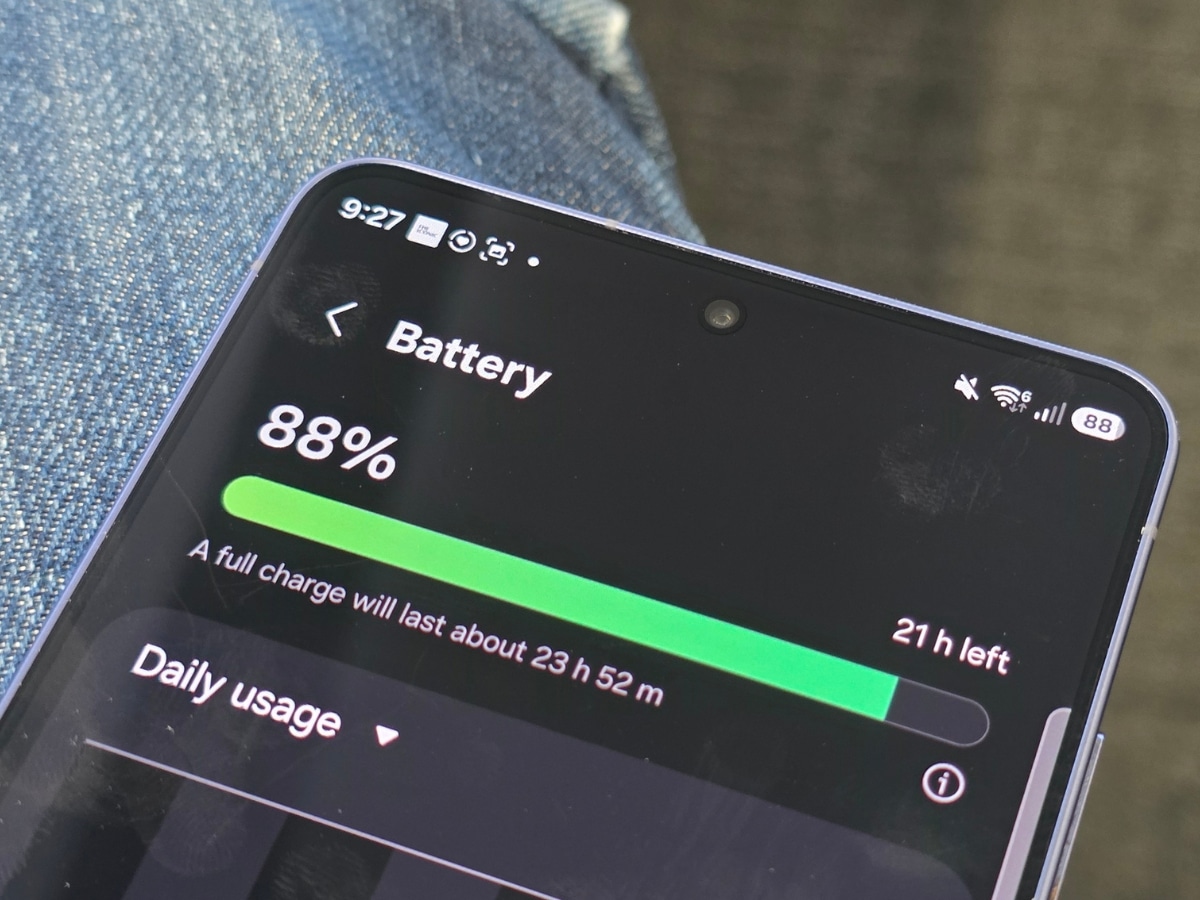
Despite my statement above that I’d take a bigger battery over a slimmer build, there is nothing wrong with the device’s battery life as it stands. In fact, I found the battery performance to be excellent, frequently reaching the end of the day with 50 per cent still in the tank.
Could it be that I’m finally getting over my smartphone addiction? Probably not. I think Samsung’s battery optimisation is just getting that good.
Many of Many’s Verdict on the Galaxy S26 Ultra
For my money, Samsung’s Galaxy S26 Ultra is the best non-folding Android smartphone out there. With prices starting at AUD$2,199 ($50 more than its predecessor at launch), it’s certainly not cheap, nor does it have the same wow factor as the Samsung Galaxy Z Fold7, but it features more than enough bells and whistles to make it easy to recommend.
If you’re sick of that creeping feeling of paranoia as people peep over your shoulder, like the idea of AI functionality that’s genuinely useful (fun, too), and would like to capture truly excellent photos and videos, the S26 Ultra is a strong choice.
NOTE: The author of this article, Rob Edwards, was provided the Samsung Galaxy S26 Ultra for the purposes of this review. All reviews remain independent and objective. Samsung was not shown this review before publishing, and we received no money for posting the review. For more information on how we test products, view our editorial guidelines here.



















Comments
We love hearing from you. or to leave a comment.