


Updated:
Readtime: 6 min
Every product is carefully selected by our editors and experts. If you buy from a link, we may earn a commission. Learn more. For more information on how we test products, click here.
- Apple’s latest child-safety tools are now available across iOS 27, iPadOS 27 and macOS 27, giving parents more control over websites, communication and screen time.
- New features include Ask to Browse, expanded Communication Safety protections, Time Allowances and a redesigned Screen Time experience.
- To use the updated Screen Time features properly across a family, all devices in the Family Sharing group need to be running Apple’s latest software.
Parental controls are supposed to make managing your kid’s devices easier. The problem is figuring out how to use them in the first place without it becoming another job on top of raising a family and everything else you’re juggling.
Apple is making it easier with the latest updates to iOS 27, iPadOS 27 and macOS 27, which introduce a new suite of child-safety tools covering everything from unfamiliar websites and violent imagery to app limits and daily screen time.
Rather than forcing every parent to dig through another settings menu, we’ve done the homework for you. Here’s a breakdown of what the new child-safety features do, why you might want to use them for your kids, and what you need to know before turning them on.
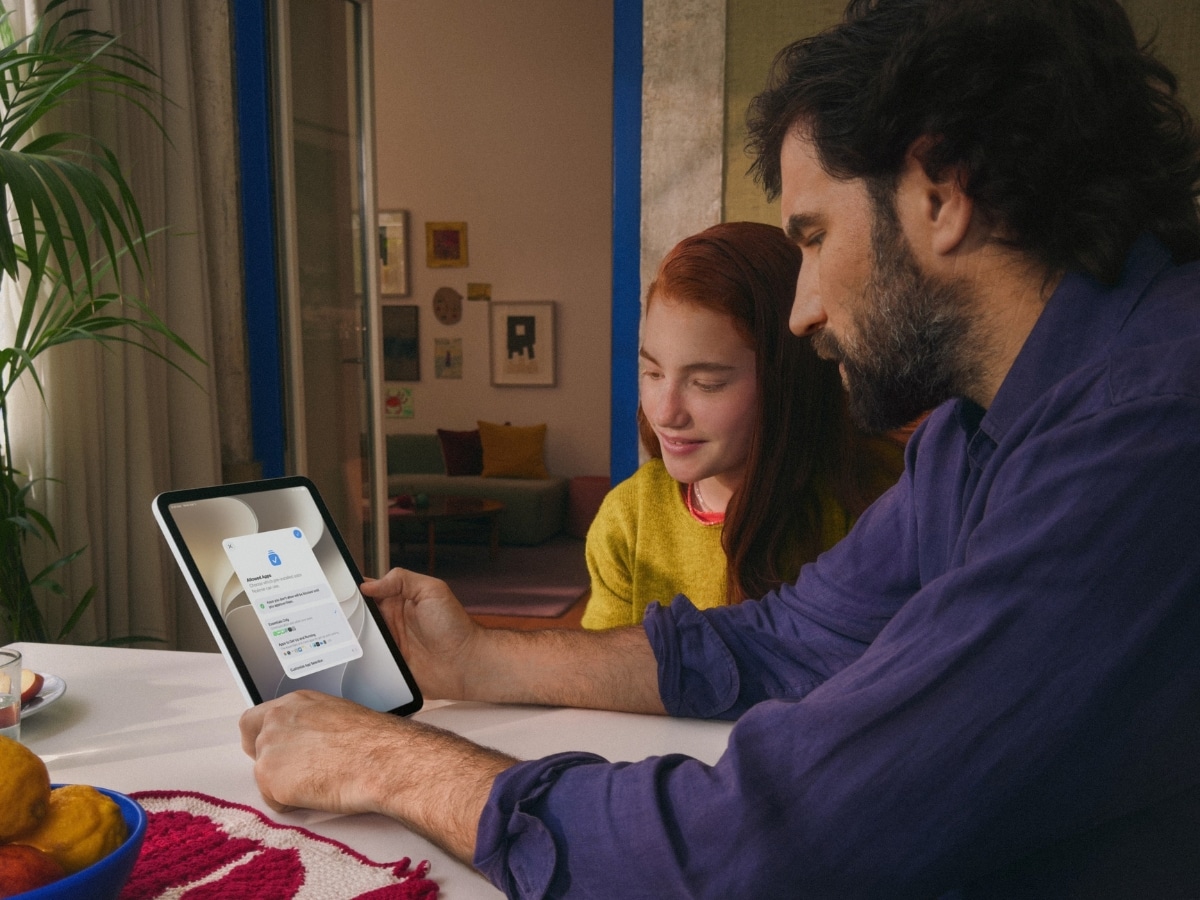
Before You Start, Set Up Family Sharing
Apple’s parental controls work through a child account connected through Family Sharing, which lets parents manage Screen Time and other restrictions from their own device.
There’s just one important catch with this latest update: compatibility. Apple says every device in the Family Sharing group needs to be updated to iOS 27, iPadOS 27, macOS 27, watchOS 27 and visionOS 27 to use the new Screen Time experience. Not sure how many kids are running around with an Apple Vision Pro, but I’m sure they’re out there.
In other words, updating your own iPhone might not be enough if another device in the family is still running older software. Older iPhones may not support iOS 27 either, so it’s worth checking whether your child’s device can actually make the jump before you start.
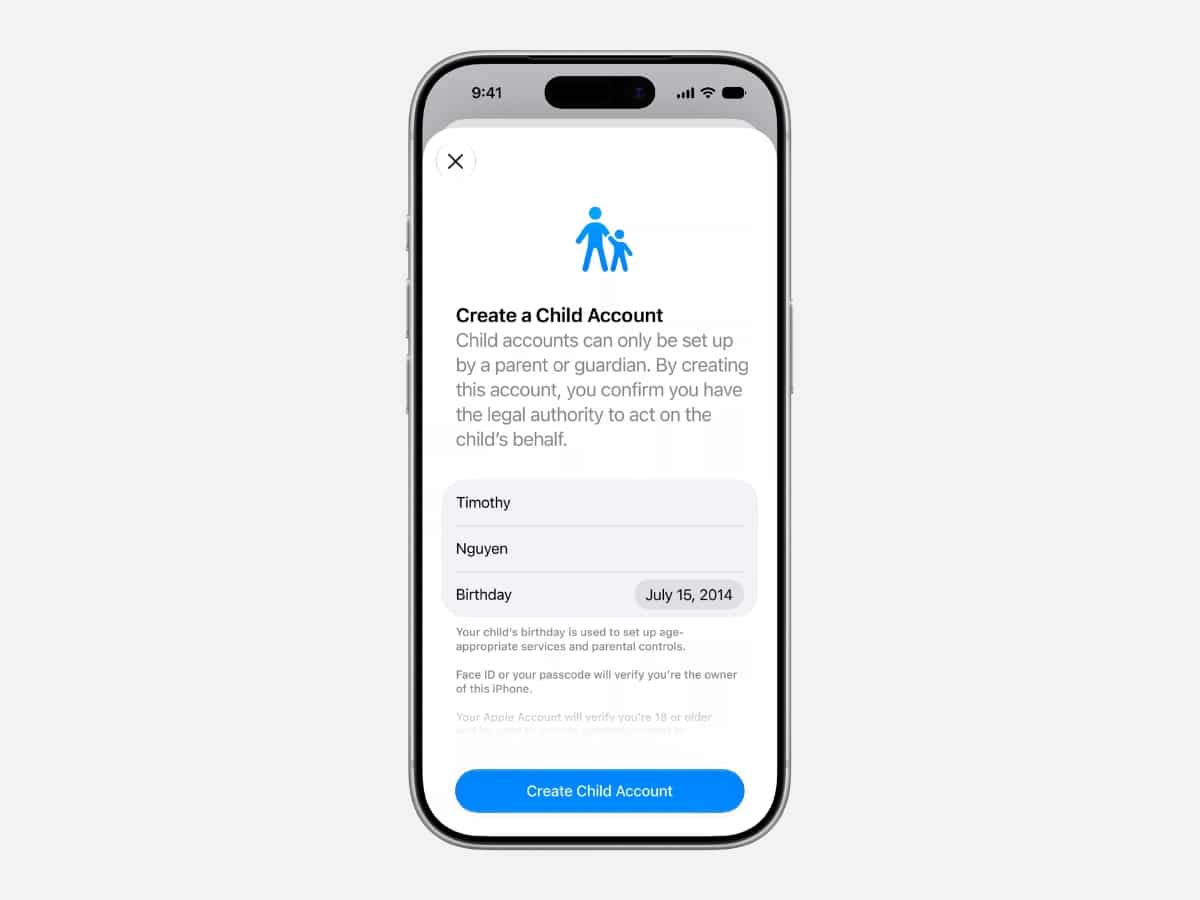
Setting Up A New Child Account Is Easier
Apple has simplified the setup process for new child accounts, so parents can start with a recommended set of essential apps rather than handing over a completely unrestricted device and working backwards.
It’s a small change to the setup process, but a useful one if you’re weighing up the pros and cons of getting your child their first iPhone or iPad. Instead of configuring every app individually, you start with a controlled base and adjust from there.
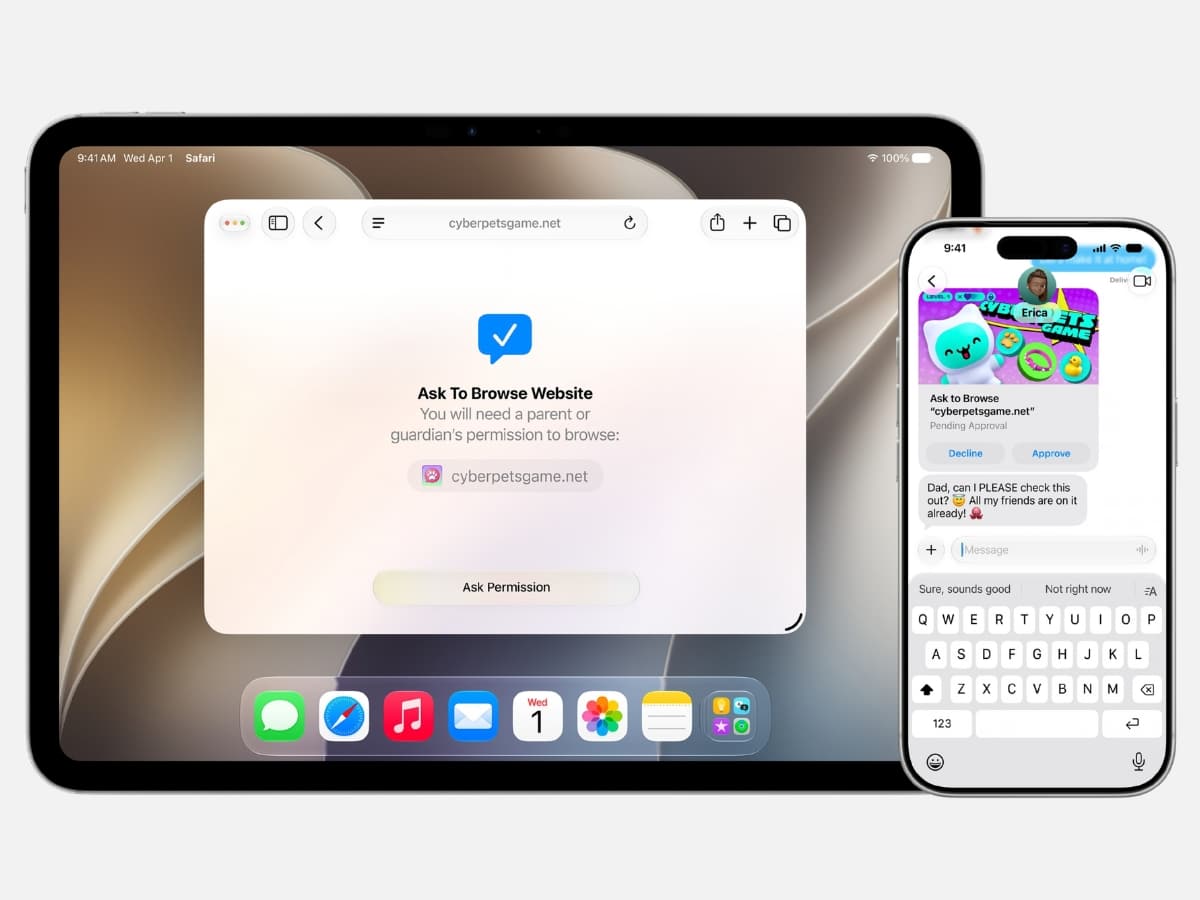
Ask To Browse Lets You Approve New Websites
This new feature is definitely the easiest one to explain and understand. When enabled, Ask to Browse allows parents to require approval before a child visits a new website in Safari. If your kid follows a link you have never seen before, they can send a request straight to your phone, giving you a chance to check the coast is clear before you allow them access.
It’s a far more practical approach than relying entirely on blanket, Net Nanny-style web filters, especially for older kids who still need some freedom to use the internet properly.

Communication Safety Now Covers Gore And Violence
Apple’s Communication Safety system could already step in when it detected nudity in shared images and videos. With this new update, those protections now extend to gore and violent content as well. The system can now intervene before children see this kind of material in shared images and videos, including during live FaceTime calls.
It’s a welcome layer of protection, but it doesn’t guarantee harmful content will never get through. For parents already using Communication Safety, the update expands the kinds of potentially harmful material the system can flag before children see it.
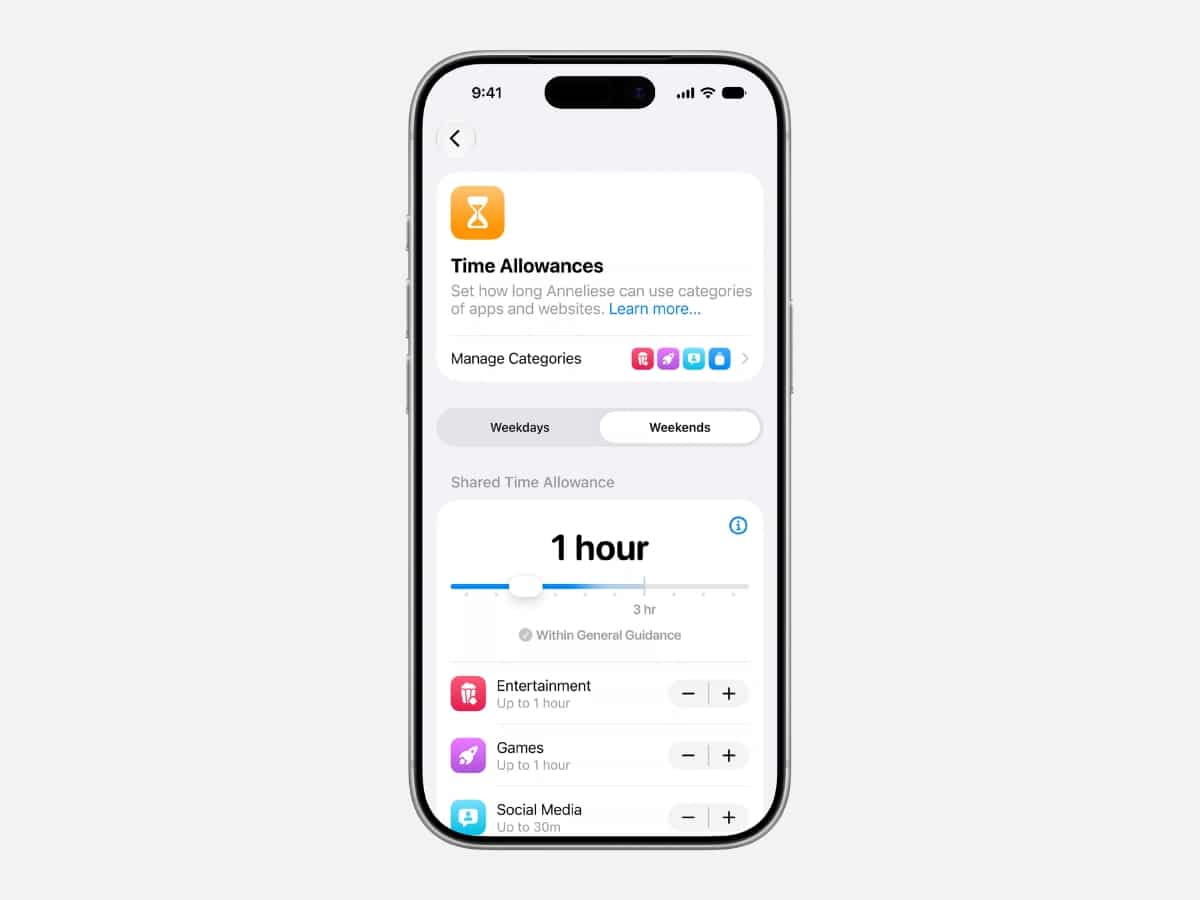
Time Allowances Make Screen Limits Easier To Set
If the kids manage to twist your arm for a little more screen time, these new updates make that allowance much easier to manage.
Rather than setting limits app by app, parents can manage time across broader categories such as Social Media, Entertainment and Games. Apple also provides age-based guidance as a starting point, informed by online-safety and health experts.
You can still adjust those recommendations yourself, but while the kids yell for one more episode of Bluey, you’re no longer starting from a blank page, guessing whether 30 minutes, an hour, or three hours makes sense.
Time Allowances should also come in handy for parents who want to limit overall gaming or social-media use without micromanaging every individual app.
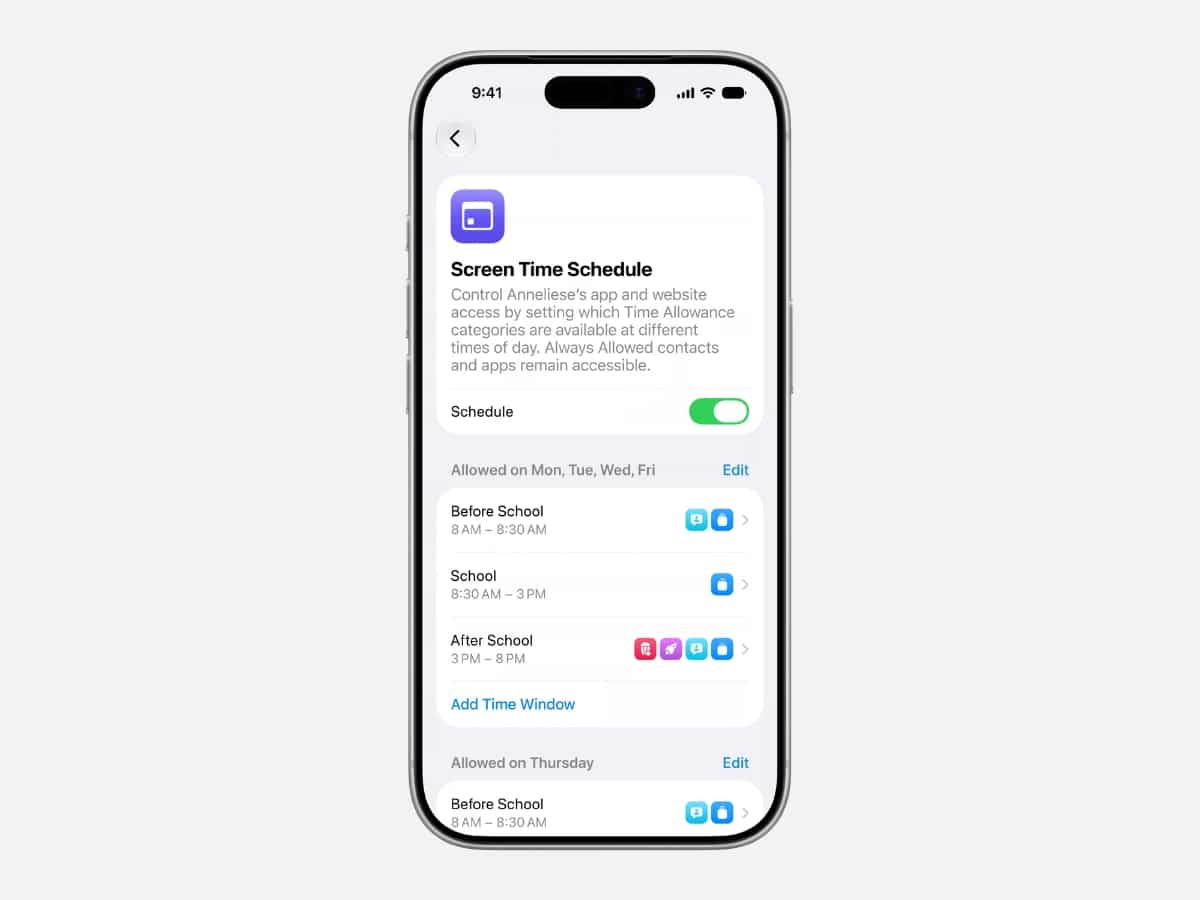
You Can Build Different Rules For Different Times Of The Day
Screen Time also lets parents create different schedules for different parts of the day or the week ahead.
You can set stricter rules during school hours, then make more apps available after dinner or across the weekend. Parents can decide which apps are available during those times, with easy controls to loosen or tighten access based on your family’s needs.
It’s a far more realistic way to manage devices than treating every day like it follows the same routine.
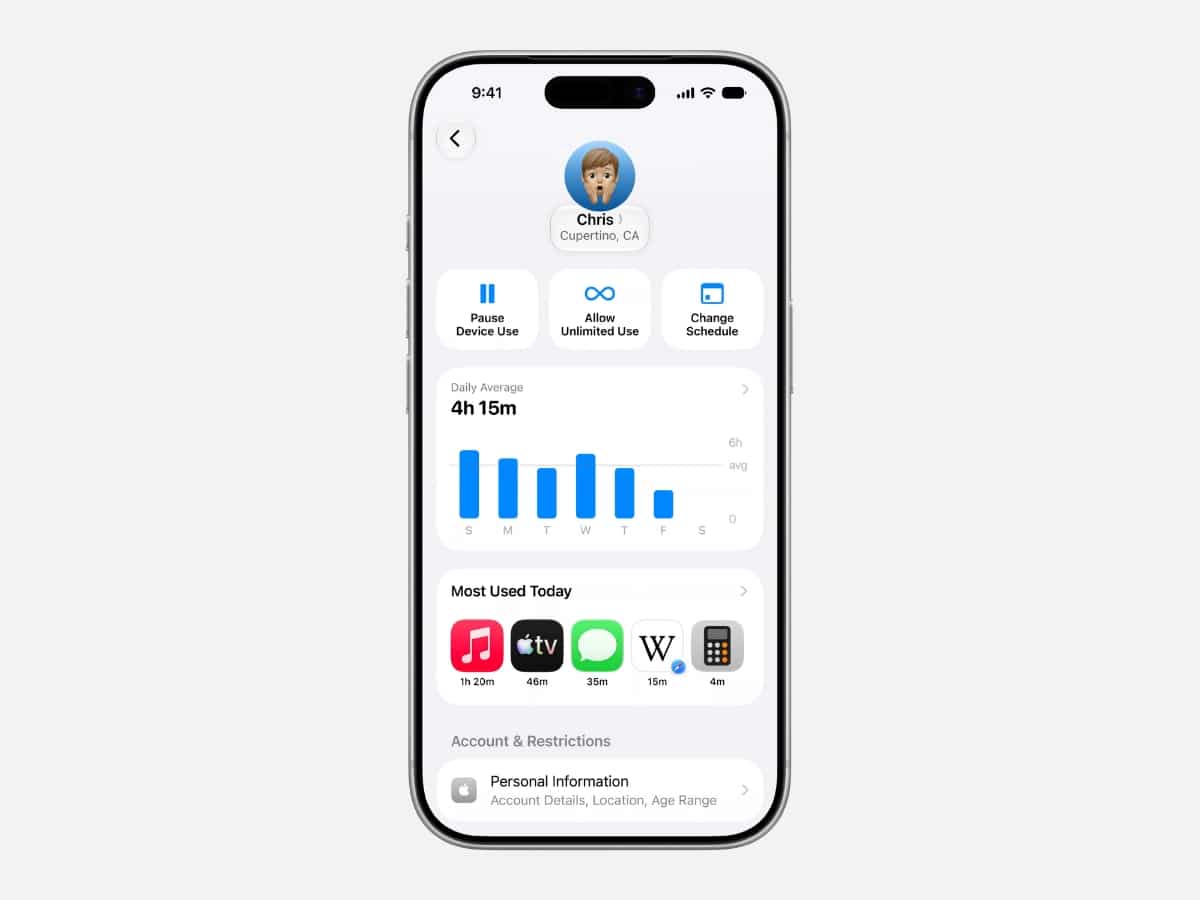
Screen Time Is Now Easier To Manage At A Glance
The redesigned Screen Time experience brings all the digital parenting features together. Parents can quickly see how much time their child spends on their device and which apps take up most of it, then make adjustments without digging through a sandpit of settings.
Apple says parents can also make even faster changes on the fly, like extending access or adjusting restrictions when needed.
That might be the most useful change of all. Parental controls only work if they’re manageable when real life gets in the way, and Apple seems to be putting more effort into making Screen Time easier to adjust as circumstances change.
Apple’s new child-safety features are now available in iOS 27, iPadOS 27 and macOS 27, with additional details and setup guidance on Apple’s dedicated child-safety website. For the rest of us, Screen Time is still there to remind us how much of last week we spent doomscrolling. And if you’re after more on the realities of modern parenting, Man of Many’s new Daddies podcast is now streaming online.
Related reads






























Comments
We love hearing from you. or to leave a comment.