

Updated:
Readtime: 13 min
Every product is carefully selected by our editors and experts. If you buy from a link, we may earn a commission. Learn more. For more information on how we test products, click here.
- Available to order now, starting from US$2,899 (AUD$4,599).
- Introduces the first native touchscreen and Dynamic Island to the Mac.
- Features a tandem OLED PROLED XDR display with 2,000-nit brightness.
- Powered by M5 Pro and M5 Max chips with Thunderbolt 5.
- Thinner, lighter aluminium chassis delivers up to 24 hours of battery life.
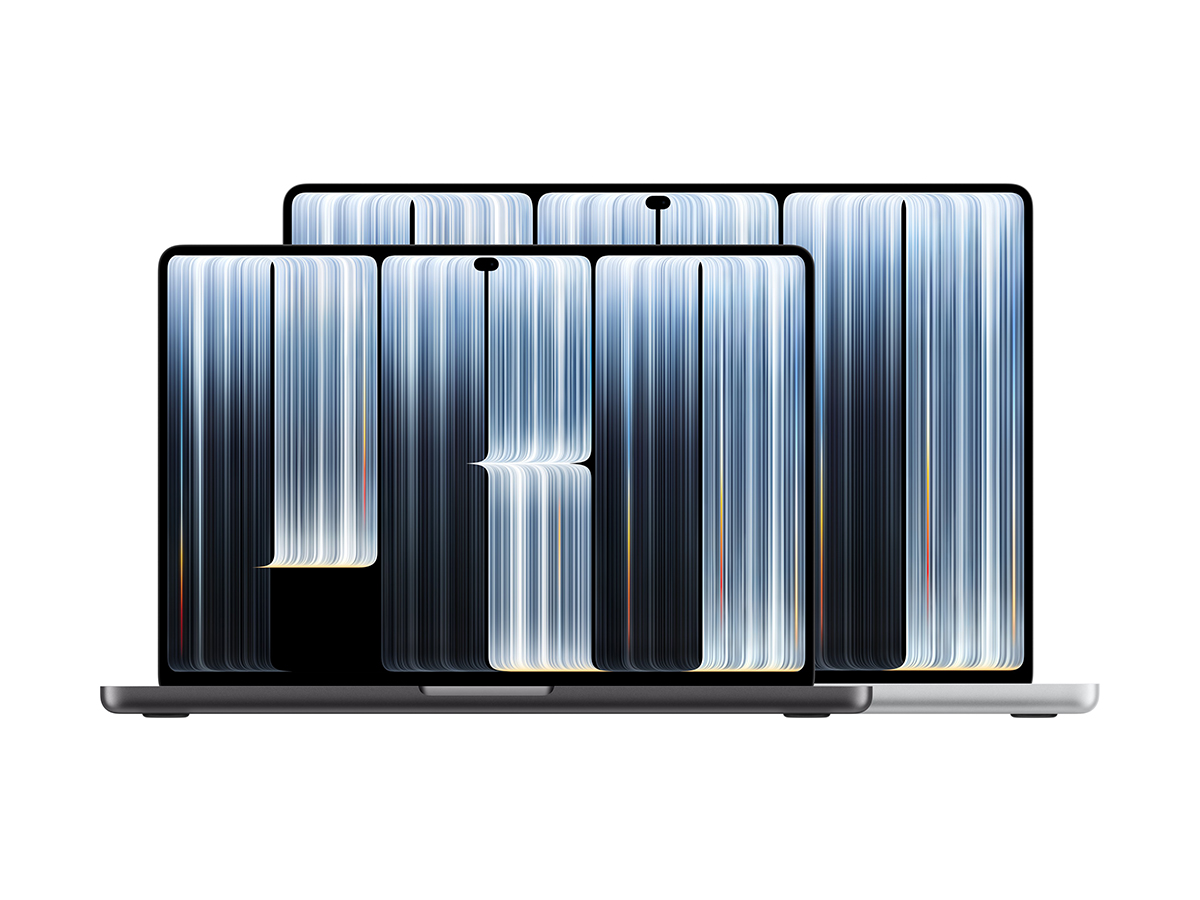
Apple’s blockbuster week of hardware announcements has reached its climax at the “Pro and Tell” event, following the OLED iPad mini launch, the desktop M6 iMac, and yesterday’s M6 MacBook Pro. Today, the company took the covers off its most radically re-engineered laptop devices in years: the 14-inch and 16-inch MacBook Pro with touchscreen PROLED XDR Displays. Pre-orders open today, 28 October 2026, ahead of in-store retail availability on Friday, 6 November, with prices confirmed to start from USD$2,899 (AUD$4,599) for the 14-inch model and from USD$3,399 (AUD$5,499) for the 16-inch variant.
It’s the cherry on top of a year of firsts for new CEO John Ternus, who released the brand’s first foldable in the iPhone Duo, before the new smart home hub HomeView, and now the reversal decades in the making: the Mac now has a touchscreen. But they’ve done it in the most Cupertino way possible, building the touch sensors directly into an all-new tandem OLED panel that pushes 2,000 nits of full-screen brightness across both HDR and SDR content. You’ll also notice how the camera notch has been retired in favour of the Dynamic Island, while internal compute makes the leap to M5 Pro and M5 Max silicon, packed inside an enclosure that’s nearly a millimetre thinner and almost a pound lighter.
However, we know that good things don’t come cheap, and with an entry price of USD$2,899 (AUD$4,599), Apple’s demanding a serious financial premium for its touch-enabled flagship laptop. While it likely won’t matter to video and photo pros who shoot open gate 6K and need the power, if we put that investment level into perspective, picking up yesterday’s base 1TB M6 MacBook Pro (AUD$3,199) alongside the new OLED iPad mini (AUD$1,099) totals AUD$4,298. That dual-machine setup saves you AUD$301 compared to purchasing this single PROLED notebook, giving you both a dedicated clamshell laptop and a handheld digital slate. But enough about the price, here’s what this new touchscreen MacBook Pro can do.
| MacBook Pro 14-inch (M5 Pro) | MacBook Pro 14-inch (M6) | MacBook Pro 16-inch (M5 Pro) | |
| Display Tech | 14.2-inch PROLED XDR (Tandem OLED) | 14.2-inch Liquid Retina XDR (Mini-LED) | 16.3-inch PROLED XDR (Tandem OLED) |
| Touch Support | Yes (Integrated Display Digitiser) | No (Trackpad & Keyboard Only) | Yes (Integrated Display Digitiser) |
| Peak Brightness | 2,000 nits (HDR and SDR) | 1,600 nits HDR / 1,000 nits SDR | 2,000 nits (HDR and SDR) |
| Camera Cutout | Dynamic Island | Display Notch | Dynamic Island |
| Processor | Apple M5 Pro | Apple M6 (12-core CPU / 12-core GPU) | Apple M5 Pro |
| Base Storage | 1TB SSD | 1TB SSD | 1TB SSD |
| Thunderbolt Standard | Thunderbolt 5 (3 ports) | Thunderbolt 4 (3 ports) | Thunderbolt 5 (3 ports) |
| Starting Weight | 3.0 pounds (1.36 kg) | 3.5 pounds (1.59 kg) | 4.0 pounds (1.81 kg) |
| Battery Life | Up to 24 Hours | Up to 24 Hours | Up to 24 Hours |
| Starting Price | from USD$2,899 (AUD$4,599) | from AUD$3,199 | from USD$3,399 (AUD$5,499) |
MacBook Pro’s New Touchscreen and Structural Hinge
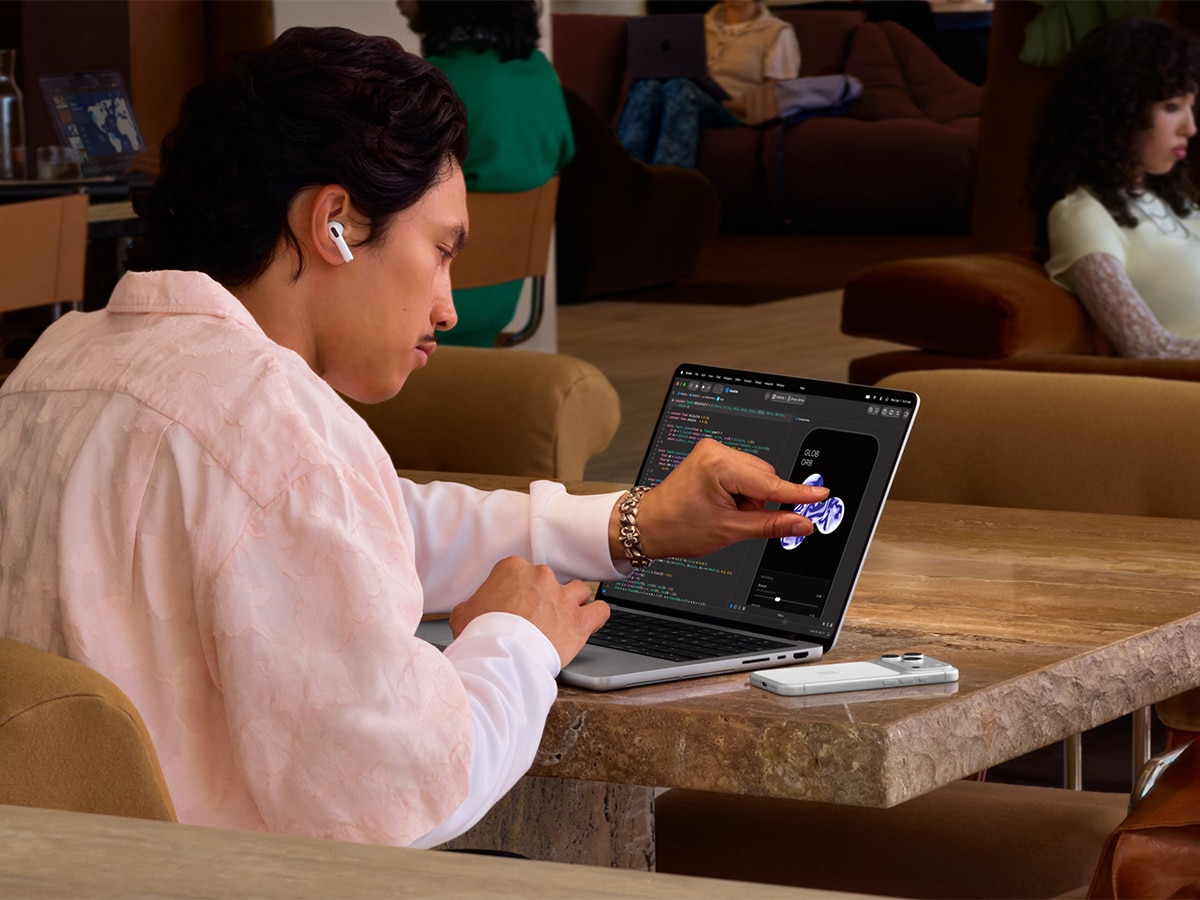
The new MacBook Pro with PROLED XDR Display features Touch for the first time, offering pros an intuitive way to interact with their software directly on screen. What makes this touchscreen special is that the touch sensor is integrated directly into the display panel rather than layered on top, reducing latency so taps, drags, and sketches register immediately. Everyday navigation lets you pinch to zoom in on photos, swipe through browser tabs, drag presentation slides across windows, double-tap window bars to fill the screen, and flick windows to tile them. However, it will really come into its own when you’re colour-grading on the go. Just note that it doesn’t support the Apple Pencil Pro.
To prevent screen movement during input, Apple re-engineered the display hinge with added mechanical friction and structural rigidity. The panel remains stable under direct finger pressure, avoiding display deflection. The brand has also integrated real-time video stabilisation into the camera pipeline, which electronically smooths the webcam feed during video calls if you tap the screen while speaking.
System-level translation ensures immediate software compatibility. Native applications are built around touch navigation, and macOS 27 translates touches into mouse clicks for legacy software. Updated system gesture APIs allow third-party developers to write custom touch controls. Optimised updates are rolling out for everyday tools like Notion, Canva, Zoom, and Microsoft Office, as well as professional software including Blender, Maxon Cinema 4D, Maxon ZBrush, Shapr3D, Adobe Lightroom, DaVinci Resolve, and Algoriddim djay Pro.
PROLED XDR Tandem OLED Display Architecture
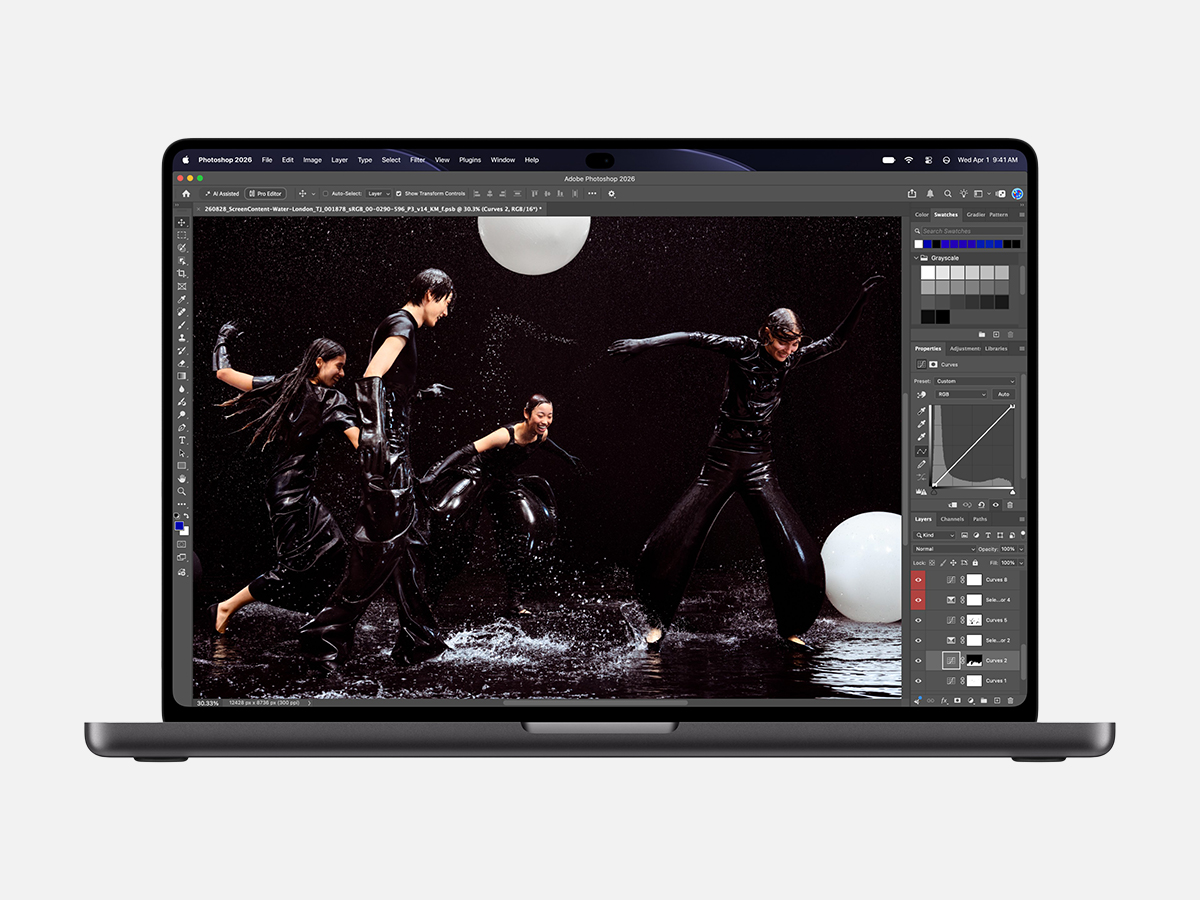
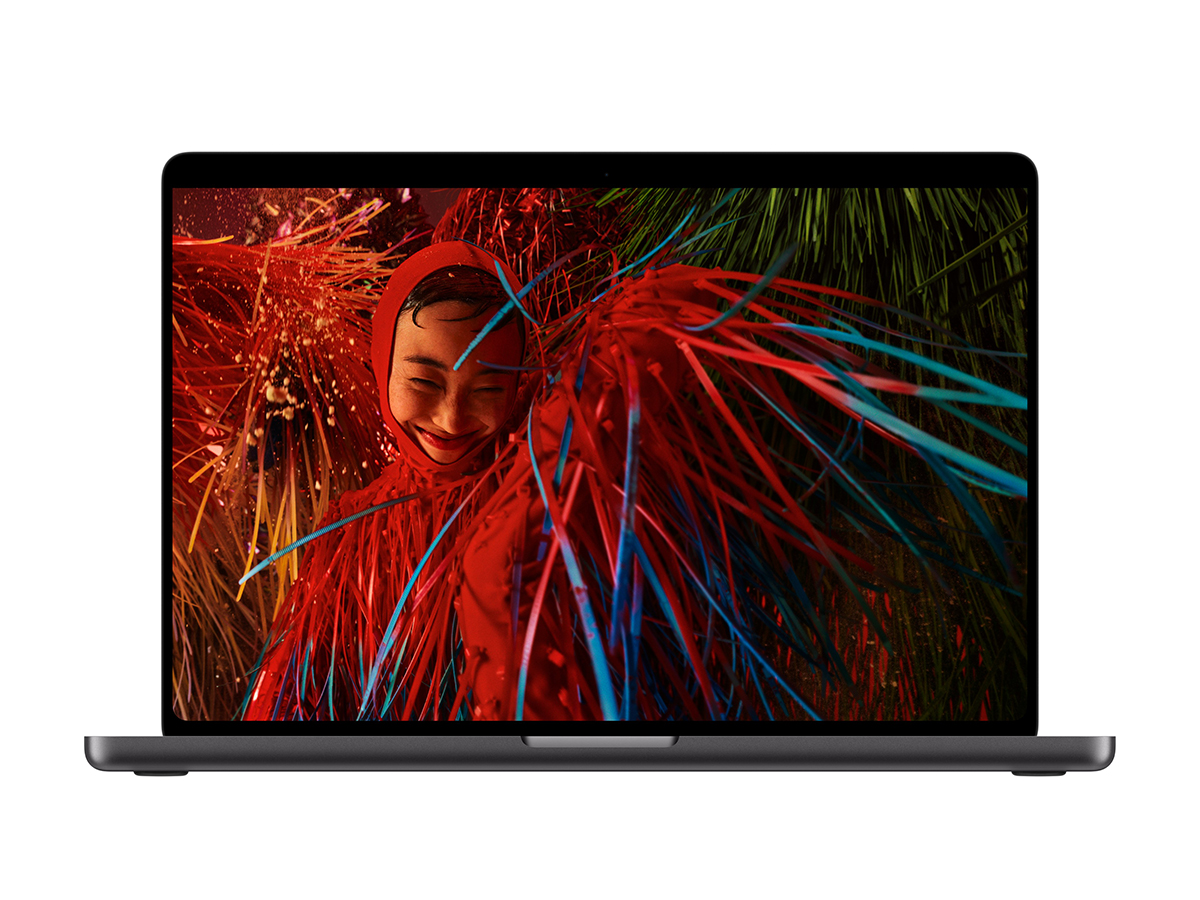
Both the 14-inch and 16-inch models replace mini-LED backlights with tandem OLED technology, branded as PROLED XDR. By stacking two separate OLED emission layers, the panel reaches 2,000-nit peak brightness for both HDR and SDR content. Because pixels turn off completely, the display delivers a 10,000,000:1 contrast ratio, rendering outstanding highlights and deep shadow details without haloing or backlight blooming.
Pixel uniformity is managed by a custom display engine that monitors and regulates individual pixel colour and luminance at sub-millisecond levels. The controller actively compensates for onscreen content, pixel usage over time, operating temperature, and ambient light conditions to preserve grayscale accuracy and reduce the risk of image retention.
ProMotion variable refresh rates scale dynamically from 10Hz for static power savings up to 120Hz for video playback and UI responsiveness.
Colour accuracy meets strict mastering targets too. The panel covers the P3 space, the full Adobe RGB gamut, and over 80 per cent of the ultra-wide Rec. 2020 colour gamut for wider reproduction across cyan and green spectrums. There are factory calibration processes that align luminance, white point, and colour gamuts into a single default profile. The cover glass features an antireflective coating, but you can configure it with a chemically etched nano-texture glass to scatter ambient light, and we’d recommend it.
Dynamic Island and macOS 27 Interface
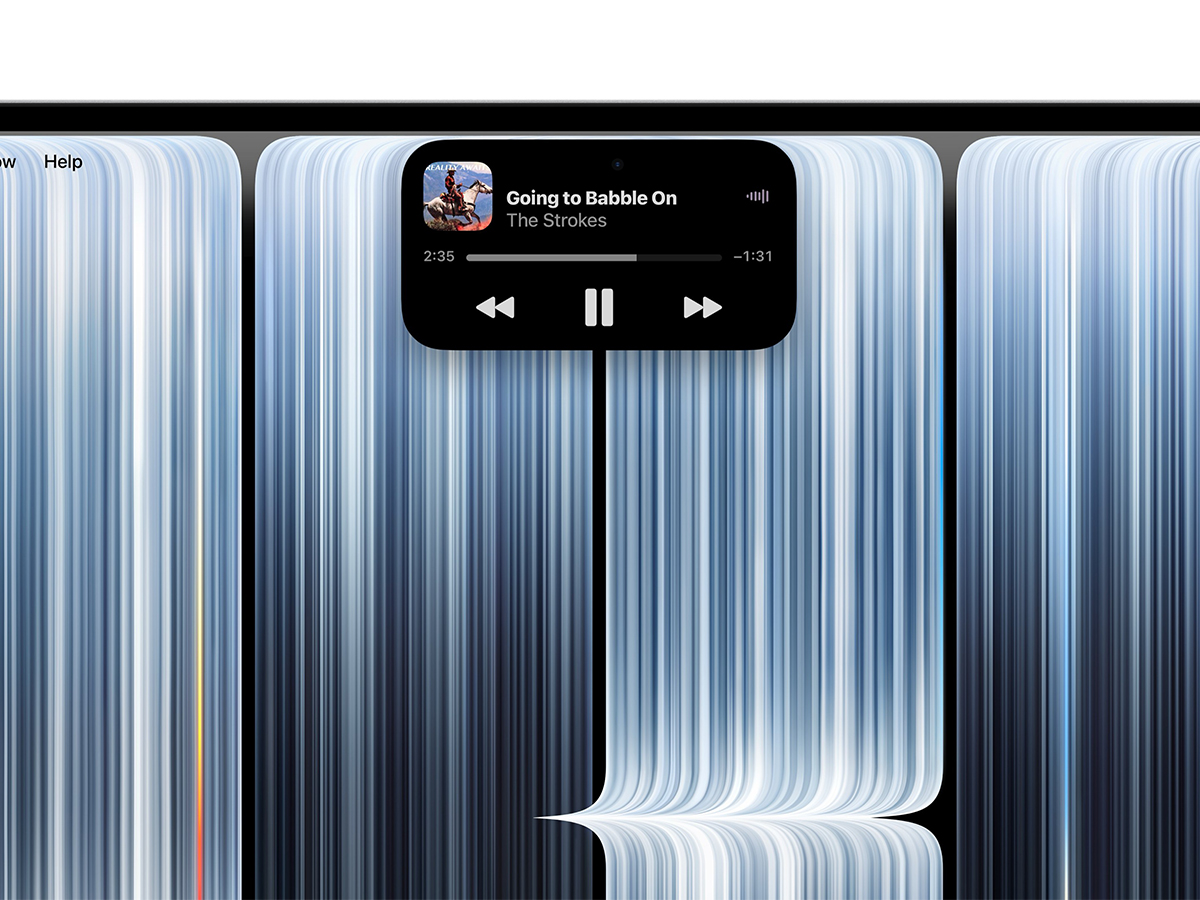
The display notch has been retired, replaced by the Dynamic Island. Sourced from the iPhone interface, the cutout expands contextually to surface timely updates without taking over your workspace. You can monitor Live Activities, track incoming AirDrop transfers, check background render timers, answer incoming calls, and control media playback directly from the hardware boundary.
The Dynamic Island also serves as the anchor for system search and artificial intelligence. When Siri AI is enabled, Spotlight search moves into the island, providing an integrated interface for natural-language queries and cross-app tasks. There is a dedicated keyboard shortcut that activates Visual Intelligence, allowing you to prompt Siri for immediate context about on-screen graphics, active source code, or open documents.
These visual upgrades arrive alongside macOS 27 Golden Gate. Beta users have been able to use the new adjustment slider in System Settings for a while, but it now lets everyone adjust the opacity of the Liquid Glass interface, setting translucency from ultraclear to fully tinted. Application icons have been redrawn for higher pixel densities, while Safari introduces automated tab grouping by project topic and background price-drop tracking for retail items.

M5 Pro and M5 Max Silicon Performance
There’s no baseline silicon here with the touchscreen MacBook Pro, and it’s been equipped exclusively with M5 Pro and M5 Max chips. Both processors feature upgraded shader cores, third-generation hardware ray tracing, and Dynamic Caching to maximise memory bandwidth allocation during heavy compute tasks. Every graphics core includes a dedicated Neural Accelerator to process machine learning operations directly within the GPU pipeline.
Compute throughput targets for intensive enterprise and creative applications. The M5 Pro accelerates heavy code compilation, DNA sequencing passes, and multi-stream 8K ProRes playback. Then, for high-end visual production, the M5 Max scales GPU core counts to handle real-time rendering in Blender, advanced node compositing, and large-scale audio production without bottlenecking.
On-device artificial intelligence represents the largest architectural jump. Supported by expanded unified memory allocations, M5 Max configurations can run large language models with hundreds of billions of parameters entirely on-device. This local inference bypasses cloud servers entirely, keeping proprietary databases, private codebases, and local automation agents secure within the local hardware environment. Though the question has to be asked about when the best time to move from MacBook Pro to Mac Studio is. Hopefully, we’ll find out.
Thinner, Lighter Chassis and Battery Longevity
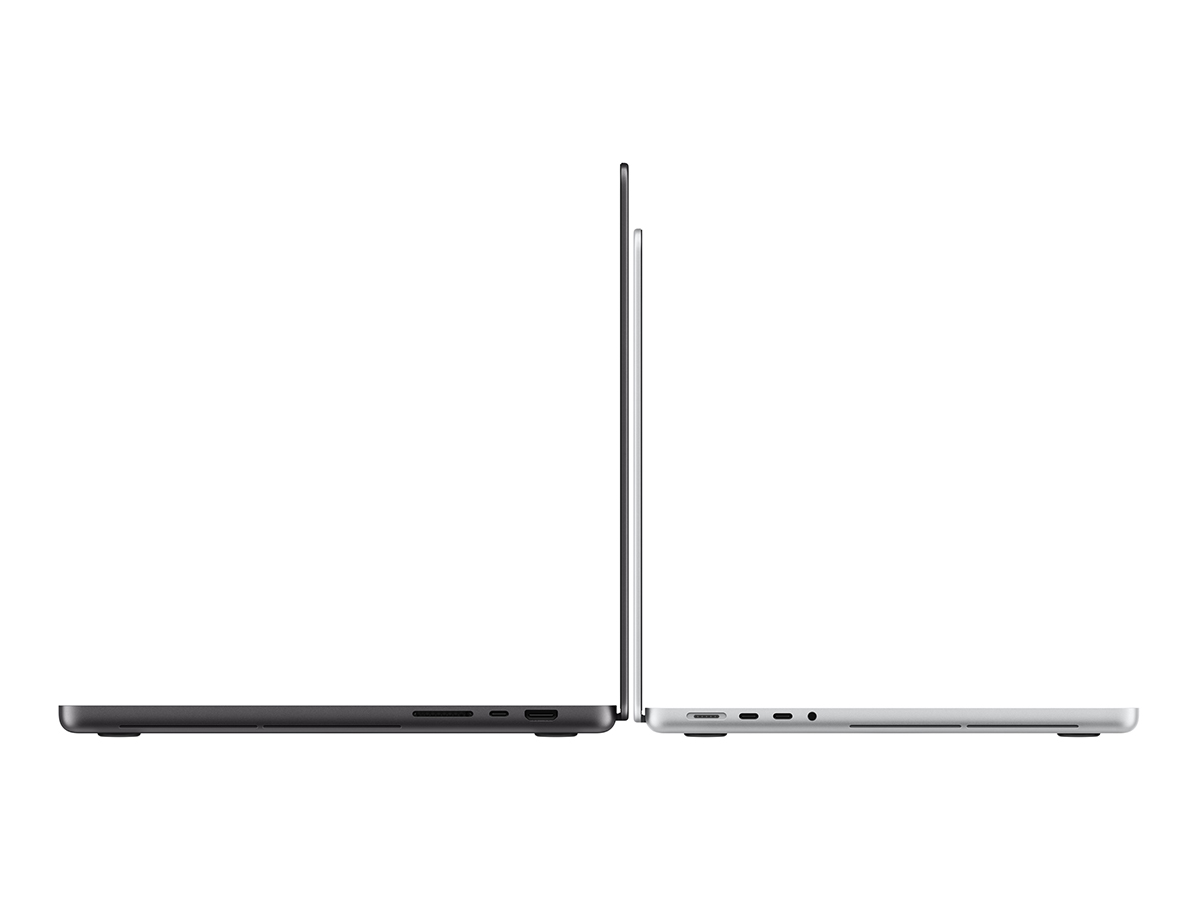
The compact profile of the tandem OLED display assembly allows for a thinner chassis. The 14-inch model drops 0.5 mm in thickness and sheds half a pound, weighing 3.0 pounds (1.36 kg). The 16-inch version reduces thickness by nearly one millimetre and cuts 0.7 pounds, bringing total chassis weight to 4.0 pounds (1.81 kg).
Narrower bezels permit larger active display areas without expanding the outer frame. The 16-inch screen diagonal expands to 16.3 inches, while the 14-inch chassis holds a 14.2-inch panel. Redesigned internal thermal layout expels hot air through the chassis vents, away from the OLED display, thereby preserving sustained clock speeds under extended loads.
Power efficiency remains consistent across both form factors. The machines deliver up to 24 hours of battery life on a single charge. When connected to a compatible high-wattage power adapter, fast-charging restores 50 per cent of battery capacity in 30 minutes.
Thunderbolt 5 and Multi-Display Expansion
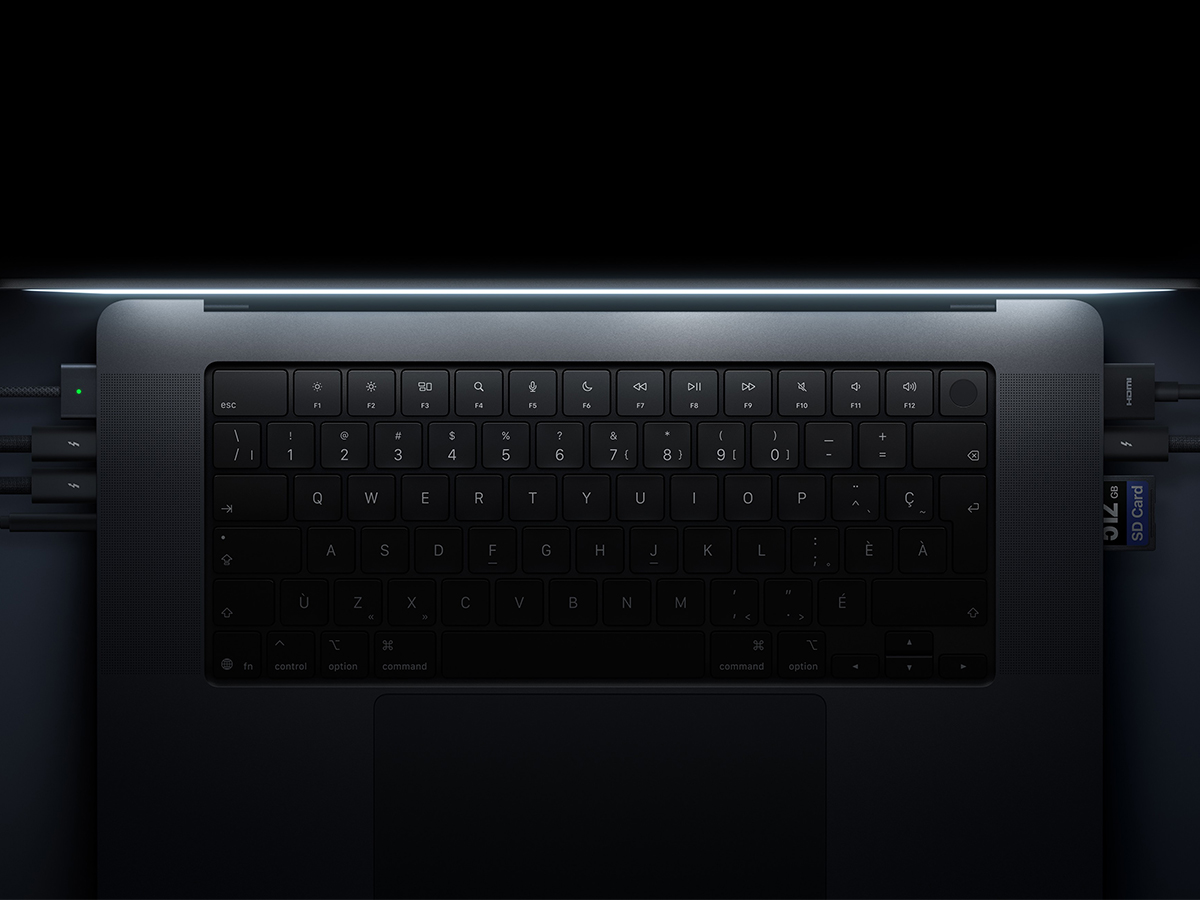
Data connectivity avoids the bandwidth constraints of older interfaces, and if you’re upgrading from an M1 series product, this will be one of the most noticeable changes. The new touchscreen MacBook Pro has three dedicated Thunderbolt 5 ports operating at bidirectional speeds up to 80 Gb/s, with Bandwidth Boost scaling data throughput to 120 Gb/s for high-speed storage arrays, external PCIe docks, and video capture hardware.
Because of these Thunderbolt 5 ports, the M5 Pro models drive up to three external displays alongside the internal panel, while systems configured with the M5 Max drive up to four external monitors simultaneously, allowing for five active displays when including the built-in screen.
Even with these Thunderbolt ports, the chassis retains an HDMI port, an SDXC card slot, a 3.5mm headphone jack (!!!), and a MagSafe 3 charging connection. Wireless networking is powered by Wi-Fi 7 and Bluetooth 6, while keyboard-mounted Touch ID handles biometrics.
Overhauled Audio System and Acoustic Profiles
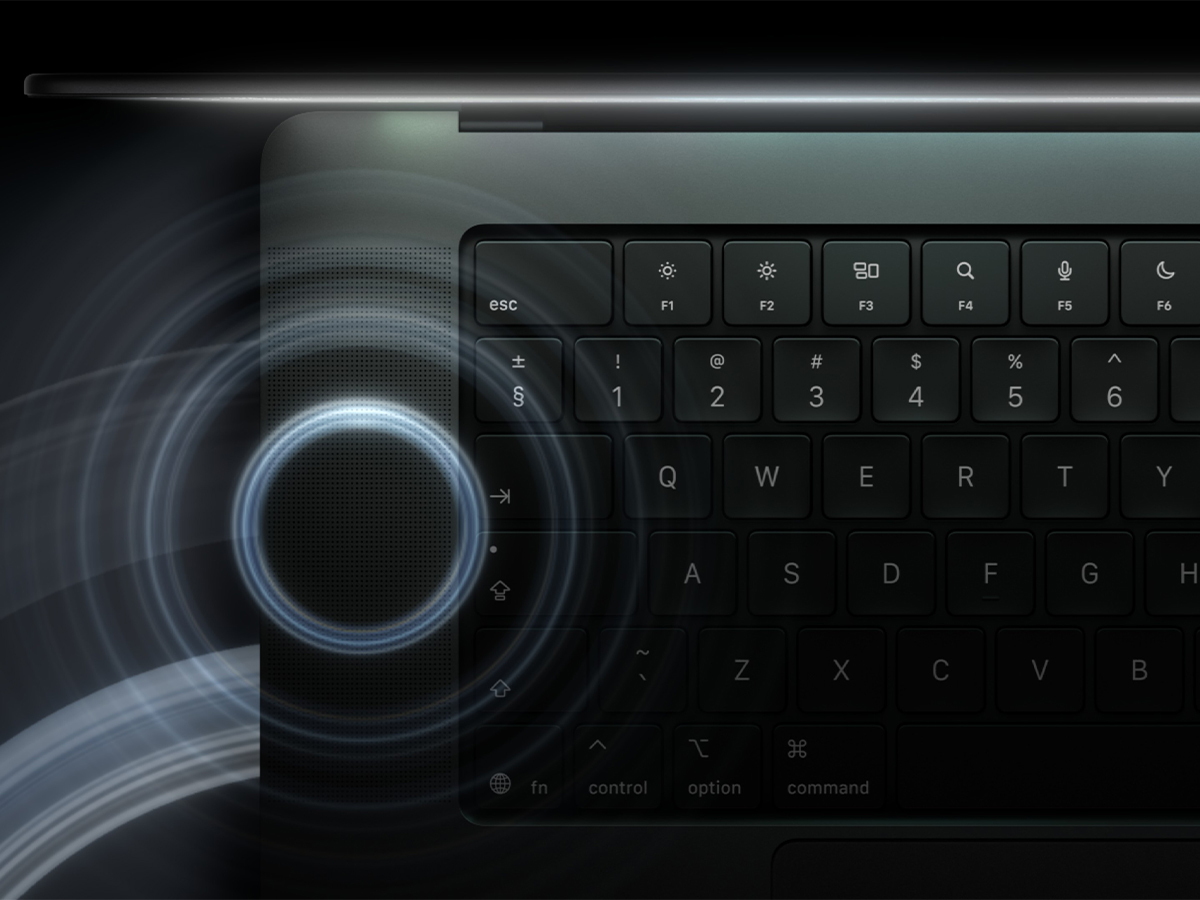
What’s also worth mentioning is the new internal audio system, which features an updated six-speaker mechanical assembly. You’ll find an all-new woofer layout delivers 50 per cent deeper bass output with force-cancelling driver alignment that minimises chassis resonance at high volumes. These work alongside new tweeters to control acoustic dispersion across the workspace, improving dialogue clarity and Spatial Audio separation during Dolby Atmos playback.
Voice capture relies on a studio-grade three-microphone array featuring directional beamforming and high signal-to-noise performance.
The brand has also implemented dedicated closed-lid audio calibration. When the laptop is shut, and an external monitor is connected to a desk, internal processing detects the clamshell state and automatically adjusts speaker equalisation, ensuring balanced audio output without muffled frequencies.
Studio Reference Modes and Genlock Synchronisation
This is what really sets the MacBook Pro’s new PROLED XDR screen apart from the rest of the lineup, and it helps explain why it’s so expensive. If you don’t know what any of this means, it’s probably a sign to skip the touchscreen MacBook and look at a regular M6 device. This new display provides field-ready calibration profiles for broadcast and production crews. Built-in genlock hardware synchronises the panel refresh rate directly with cinema camera shutters in your workflows, eliminating scan-line flicker and image artifacts when filming the screen.
Colour management includes the Apple Colour Matching Function 2026, which standardises visual calibration across the laptop display, iPhone 18 Pro, and Studio Display XDR.
Colourists can use the Apple Pro Display Calibrator utility to adjust white point and luminance targets, while calibrated DICOM reference modes support nondiagnostic medical imaging reviews and clinical research.
Configurations, Confirmed Pricing, and Peripheral Costs
Base retail pricing reflects the manufacturing costs of the tandem OLED display stack. The 14-inch model with M5 Pro starts at USD$2,899 (AUD$4,599). Meanwhile, the 16-inch M5 Pro kicks off at USD$3,399 (AUD$5,499). Upgrading to the M5 Max processor raises the 14-inch model to USD$4,499 and the 16-inch flagship to USD$4,799.
Like the lack of M6, the brand has eliminated entry-level storage limits on this series as well. Every PROLED XDR model ships standard with a 1TB SSD, with build-to-order options scaling up to 16TB of internal solid-state storage. Unified memory starts at 24GB on M5 Pro configurations and reaches 128GB on top-tier M5 Max chips.
Replacement or travel charging bricks are sold separately: the 70W adapter costs USD$59, the 96W brick is USD$79, the 140W charger is USD$99, and the World Travel Adapter Kit is USD$39.
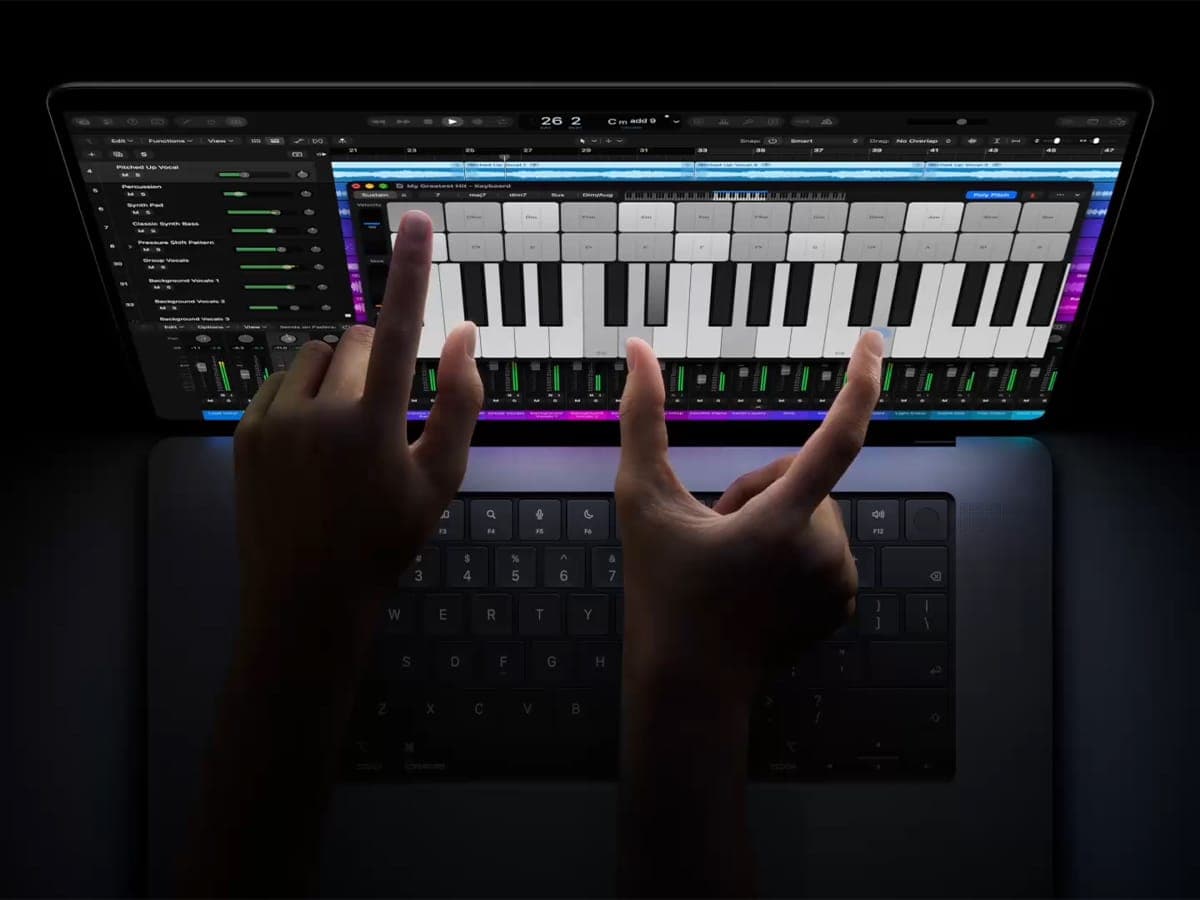
Creative workflows integrate with Apple Creator Studio, launching in November. In Logic Pro, the panel supports a Multi-Touch polyphonic keyboard with interactive chord triggers. Final Cut Pro enables direct timeline scrubbing, clip placement, and cut zoom controls, while Pixelmator Pro turns the screen into an interactive drawing surface. The subscription costs USD$12.99 per month or USD$129 annually (USD$2.99 per month or USD$29.99 per year for education), with three months included free with new Mac purchases.

Verdict
The arrival of tandem OLED panels and integrated touch input marks the MacBook Pro’s entry into a new hardware league. Pairing 2,000 nits of SDR and HDR brightness, 24 hours of runtime, and Thunderbolt 5 into a lighter, thinner frame produces a capable workstation for video editors, 3D artists, and touring audio engineers. It should also scare the likes of ASUS, whose ProArt laptop series owned this workflow for generations.
If you’re a user working on an Intel Mac or an older M1 or M2 Pro chassis, the gains in compute throughput, screen contrast, and tactile interaction are serious. The hardware provides native touch scrubbing in Final Cut Pro, zero blooming on dark timelines, up to 128GB of memory allocation, and the ability to run large language models locally on your desk.
However, the high purchase price does mean it’s mainly for true pros. Priced from USD$2,899 (AUD$4,599) for the entry-level 14-inch model, you’ll pay a heavy premium for this display technology and silicon that you might not fully exploit. Unless your regular workload requires HDR mastering, multi-monitor Thunderbolt 5 routing, or direct-to-panel creative input, buying the AUD$3,199 base M6 MacBook Pro or an ultra-portable M4 MacBook Air remains the more practical choice.























Comments
We love hearing from you. or to leave a comment.