

Updated:
Readtime: 12 min
Every product is carefully selected by our editors and experts. If you buy from a link, we may earn a commission. Learn more. For more information on how we test products, click here.
Not everyone wants to throw their smartphone in a drawer. Some people just want a nudge. Others want friction. A few want the option removed entirely. Over the past few years, more tech has started moving in that direction, not by adding features, but by stripping them back.
Beyond the headlines and hot takes, there are practical tools that make a difference. Here are the best calm tech options, starting with light-touch tweaks and ending with full physical lockout. You don’t have to climb the whole ladder. Most people won’t. But it helps to know what’s out there.
Built-In Screen Time & Focus Modes
Best for: Anyone who wants a low-effort reset before buying new gear
Before you spend a dollar, check what your phone already does.
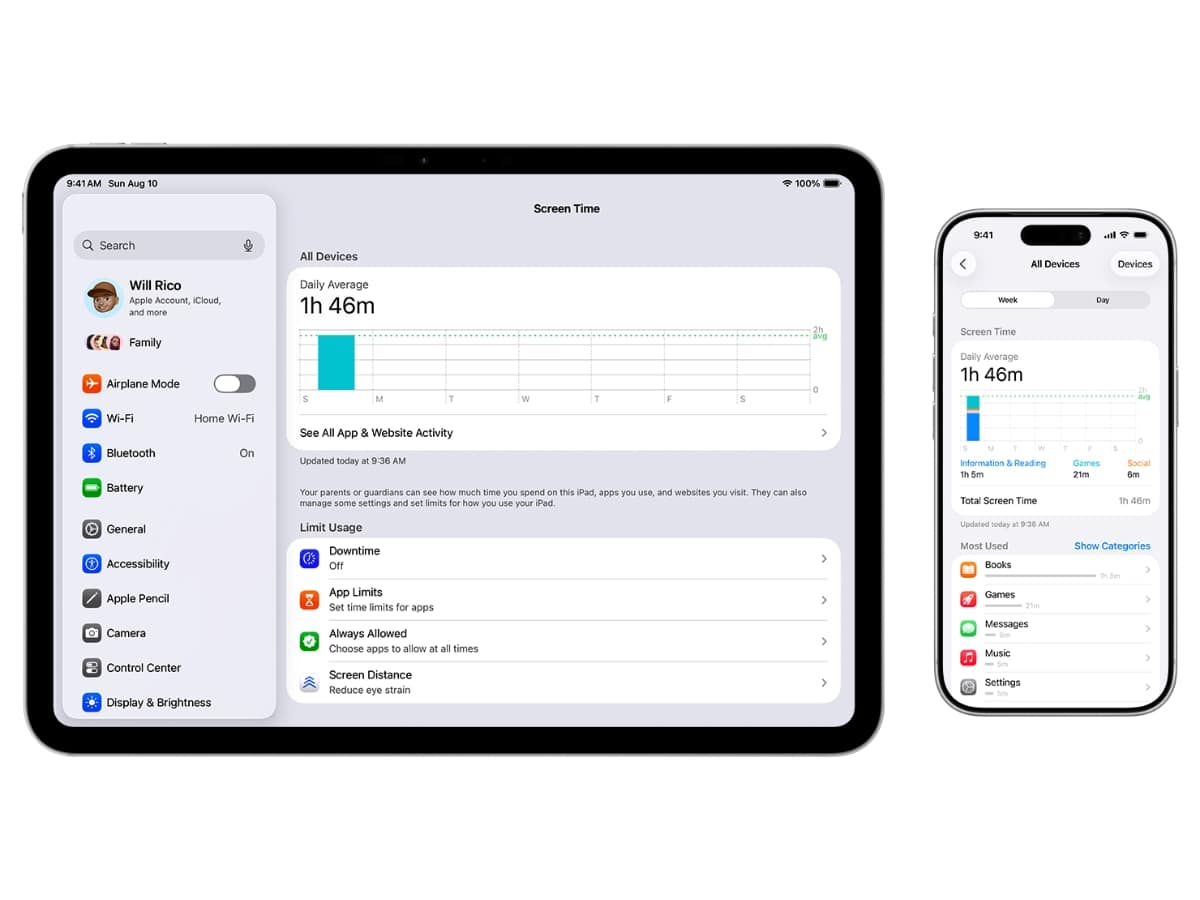
Both iOS and Android now include built-in screen time dashboards and focus tools that go far beyond basic timers. They track usage, pickups and app breakdowns, then let you apply restrictions without installing anything new.
If you’re running a recent iPhone, Apple’s Screen Time and Focus Modes are already baked in. On Android, Digital Wellbeing and Focus Mode serve the same purpose.
What You Get
- Daily and weekly usage reports
- App time limits
- Scheduled downtime windows
- Notification filtering during focus periods
- App category restrictions
You can, for example, silence social media between 9am and 5pm, limit Instagram to 30 minutes a day, or schedule downtime from 10pm so nothing but calls can get through.
There’s no subscription fee. No extra hardware. No new ecosystem to learn.
This is the lightest-touch option on the list. For some people, simply seeing that “five minutes” of checking has turned into 90 minutes a day is enough to shift behaviour. For others, the limits get extended and ignored. Either way, it’s the cleanest place to start.
App & Website Blockers
Best for: People who need friction across multiple devices
If built-in screen time tools are too easy to ignore, the next step is software that makes bypassing limits harder.
App and website blockers sit between awareness and removal. They don’t take your phone away. They interrupt access before it happens.
Freedom
- Price: From ~AUD $8/month (annual plan) or ~AUD $60/year
- Platforms: iOS, Android, macOS, Windows, Chrome
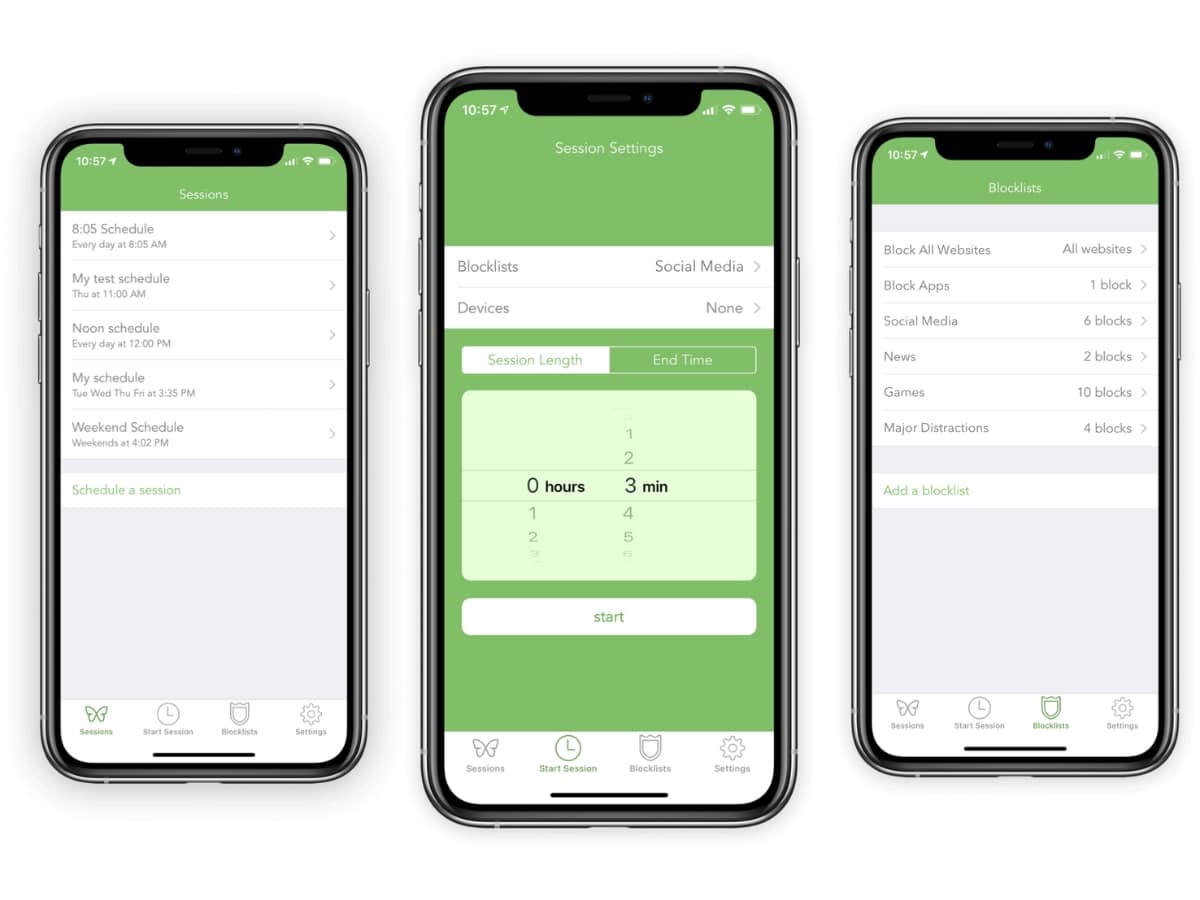
Freedom is one of the most established cross-device blockers available. It lets you block specific apps and websites on your phone and laptop at the same time, based on schedules you set in advance.
Key Features
- Block apps and websites across devices simultaneously
- Schedule recurring focus sessions
- Create custom blocklists (social media, news, specific URLs)
- Locked Mode to prevent mid-session overrides
- Syncs across desktop and mobile
You can set it to block Instagram, YouTube and certain news sites from 9am to 5pm every weekday. When the session starts, access is simply cut off.
Unlike basic screen time tools, Freedom can run across your entire digital setup, not just one device. That matters if you tend to shift from phone to laptop the moment one gets restricted.
Alternatives
- Cold Turkey – From AUD $59 one-time licence (Windows/macOS). Heavy-duty desktop blocker with near-impossible override settings.
- ScreenZen – Free with optional paid upgrades (iOS/Android). Adds short delays before apps open rather than blocking them outright.
- LeechBlock – Free browser extension (Chrome/Firefox). Simple site-specific time limits.
Blockers don’t eliminate temptation. They create a barrier. For many people, that pause is enough to break autopilot.
Minimalist Launchers
Best for: People who want a calmer phone without giving anything up
If the issue is how your phone feels rather than what it can do, start with the interface.
Minimalist launchers don’t remove apps. They strip back the visual noise that makes everything feel urgent. No bright grids. No notification badges screaming for attention. Just a cleaner surface.
Niagara Launcher (Android)
- Price: Free version available; Pro from ~AUD $12 one-time purchase
- Platform: Android
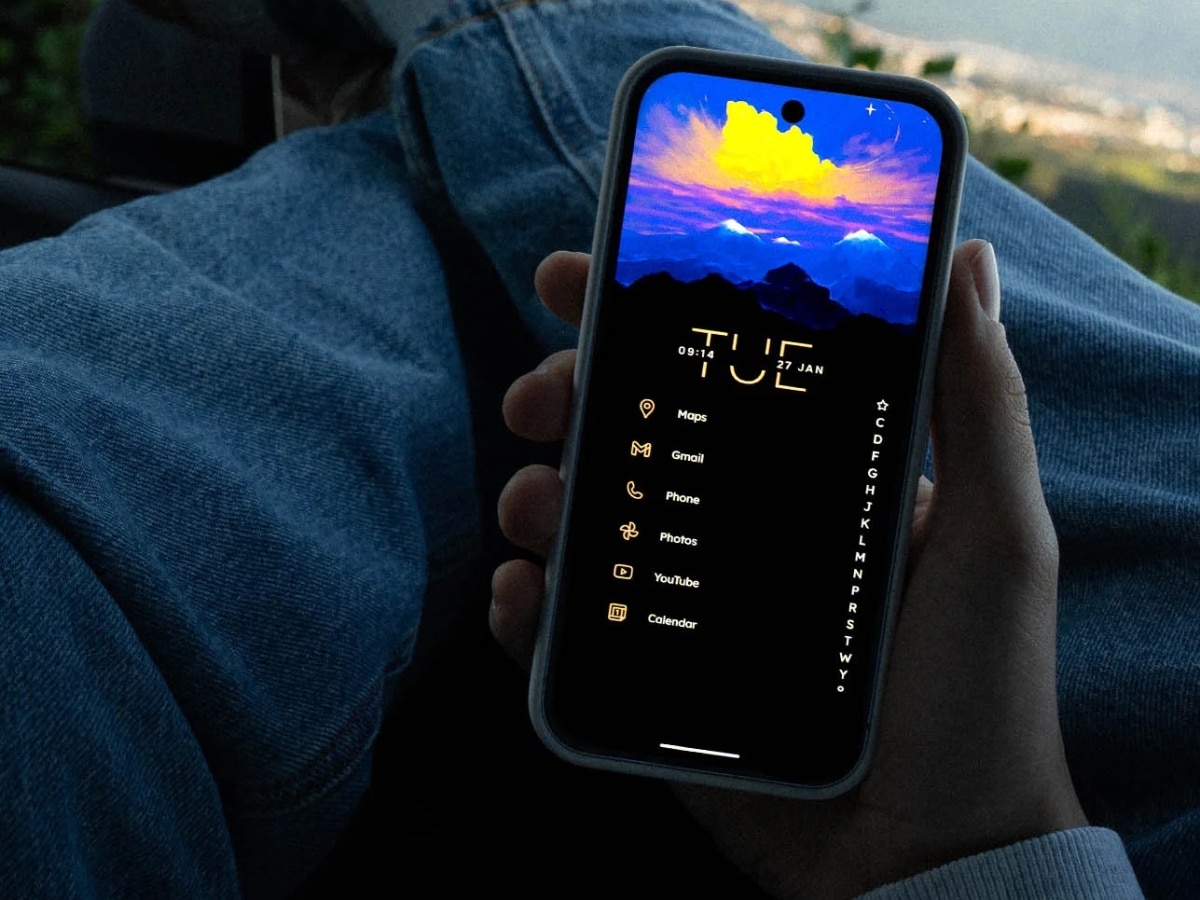
Niagara replaces the traditional app grid with a simple alphabetical list. Instead of rows of colourful icons, you scroll through text. The apps you use most sit front and centre, while everything else is tucked away without fuss.
Key Features
- Text-based app list instead of icon grid
- Favourites pinned at the top
- Minimal widget support
- Clean notification previews
- One-handed navigation design
It still runs full Android. Nothing is blocked. It just stops your home screen from feeling like a slot machine.
Alternatives
- Olauncher – Free (Android). Ultra-minimal, text-only launcher with no icons.
- Before Launcher – Pro upgrade available (prices vary). Prioritises essential apps and hides distractions.
- Ratio Launcher – Annual subscription after 7-day free trial (prices vary). Panel-based interface that restructures your phone into categories rather than icons.
- Greyscale Mode (built-in) – Free. Switch your phone display to black and white to reduce visual stimulation instantly.
These tools don’t change what your phone can do. They change how tempting it feels to do it.
Minimalist Phones
Best for: People who want a phone that won’t entertain them
If tweaking your smartphone isn’t enough, the next step is changing the device entirely.
Minimalist phones keep calls, texts, and core utilities but remove the browser, social media, and app store. The idea isn’t to go off-grid. It’s to stop carrying a slot machine in your pocket.
Light Phone III
- Price: From USD$699
- Display: 3.92-inch matte display
- Connectivity: 4G LTE
- Platform: Custom LightOS
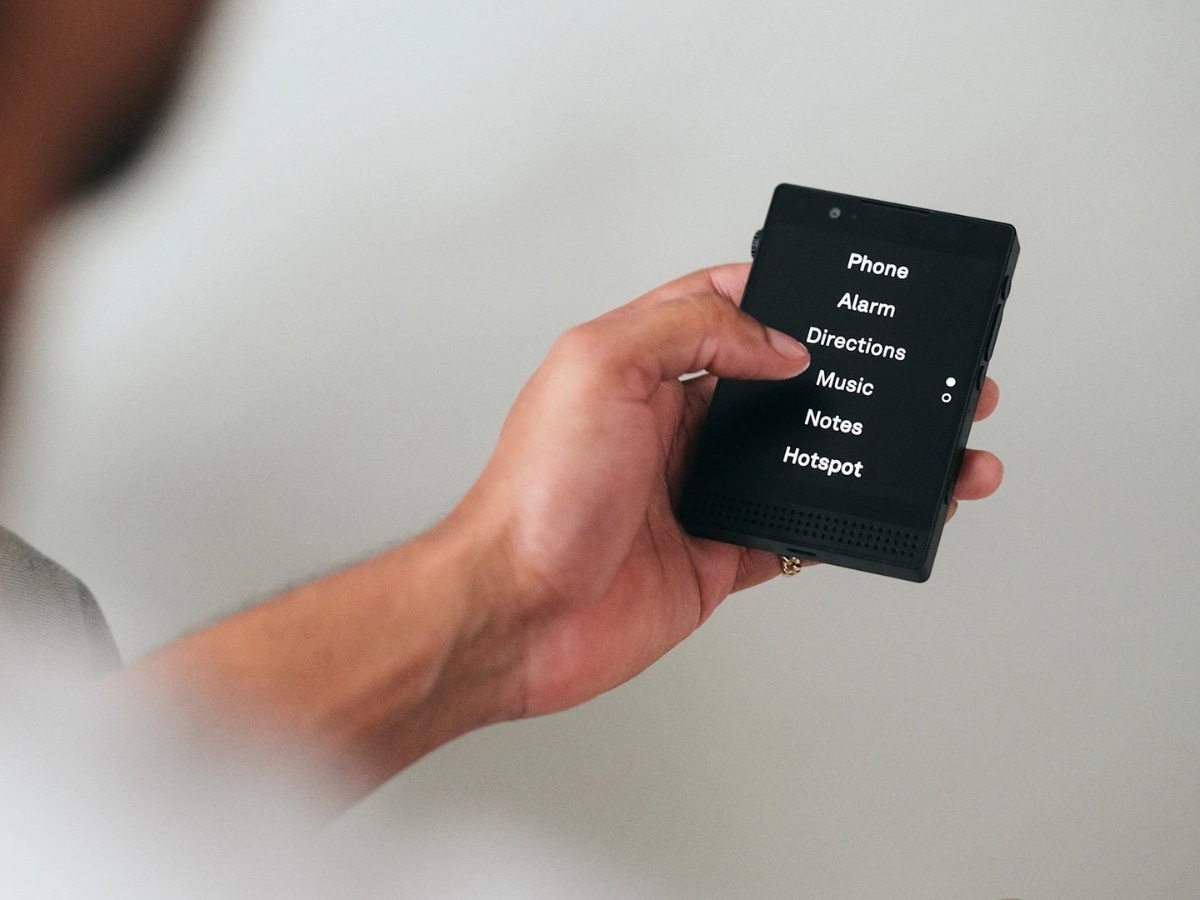
The Light Phone III is the cleanest expression of this idea. You get calls, SMS, navigation, alarms, music and podcasts. What you don’t get is a web browser, social media or an app store.
Key Features
- Calls and SMS only
- Basic turn-by-turn navigation
- Alarm, timer and calculator
- Music and podcast playback
- No social apps, no email, no browser
When you unlock it, you see a short list of tools, and that’s it. There’s nothing to scroll and nothing to “just check.”
It’s small, matte and deliberately plain. The battery easily lasts a day or more because it isn’t running a dozen background apps.
Alternatives
- Punkt MP02 – USD$299. Physical keypad, ultra-minimal interface focused almost entirely on calls and texts.
- Minimal Phone – USD$499. Android-based device stripped back to core utilities, with limited app support.
These devices won’t suit everyone. Quick searches and convenience apps disappear overnight. But if you’re serious about removing social feeds without removing your phone entirely, this is the category that makes it possible.
Dumb Phones
Best for: People who want the basics and nothing else
If minimalist phones still feel too capable, dumb phones take it back to fundamentals.
These are the classic call-and-text devices. No app store. No social feeds. No background notifications quietly pulling at you.
Nokia 105
- Price: Roughly AUD$60–$85.
- Display: 1.8-inch colour screen
- Battery: Up to several days on standby
- Connectivity: 4G models available
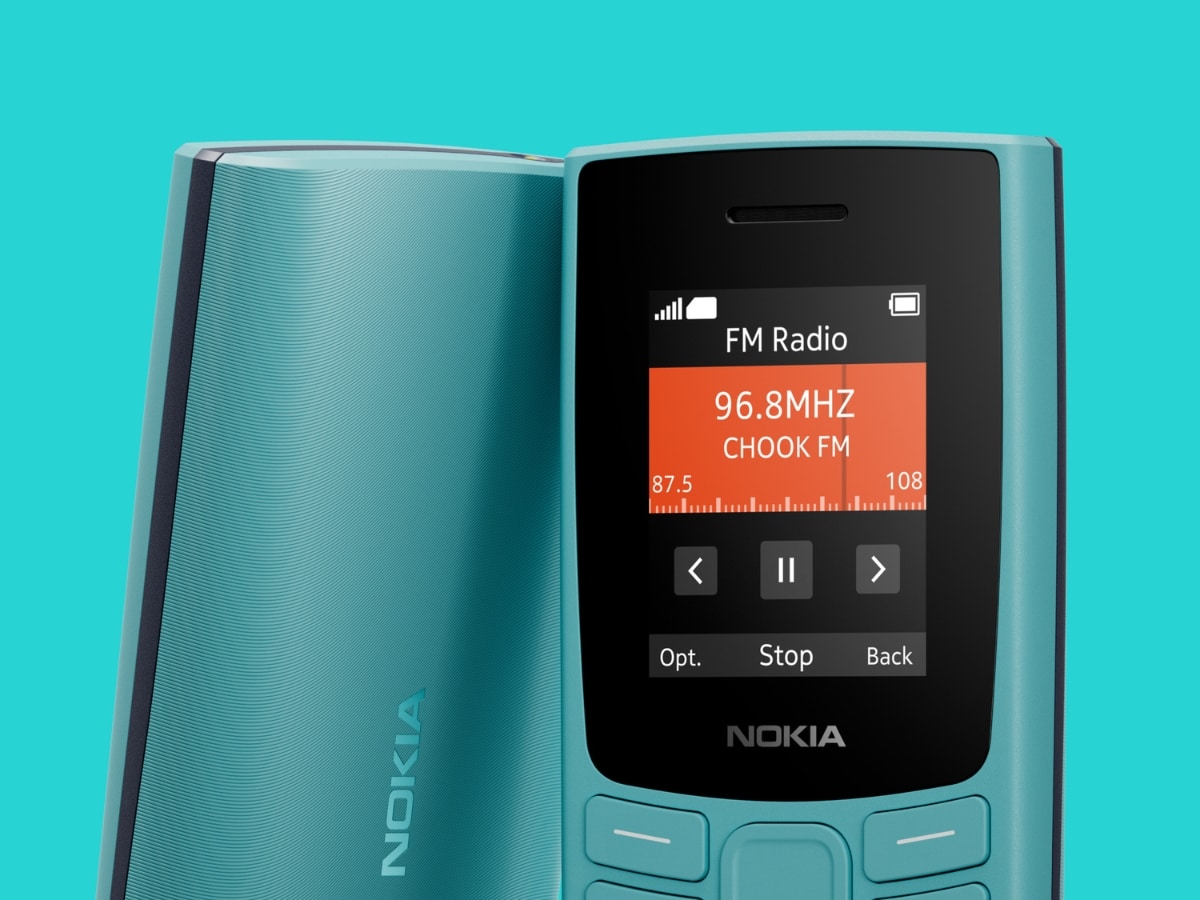
The Nokia 105 does exactly what you expect. It makes calls, sends texts, and runs a few basic utilities, like an alarm and a calculator. That’s it.
Key Features
- Calls and SMS
- Physical keypad
- Long battery life
- Durable, lightweight design
- No social apps
There’s nothing to scroll. No algorithm. No notifications demanding attention.
Alternatives
- Nokia 3310 (revival model) – ~AUD $80. Slightly larger screen, classic design, still limited to calls, SMS and simple tools.
- Opel TouchFlip 4G – AUD $169. Flip-phone design with physical buttons and limited smart features.
Messaging is slower. Navigation is limited or absent. Making you less likely to pick it up in the first place.
E-Ink Devices
Best for: People who want modern features without the visual pull
If you don’t want to lose apps entirely but you do want your phone to feel less addictive, change the screen.
E-ink phones swap bright, fast OLED displays for slower, paper-like panels. You still get messaging, calls, and, in some cases, full Android. What you lose is colour saturation, smooth animation and that endless-scroll gloss.
Mudita Kompakt
- Price: From USD$439
- Display: 4.3-inch E-ink screen
- Connectivity: 4G LTE
- Platform: Custom minimalist OS
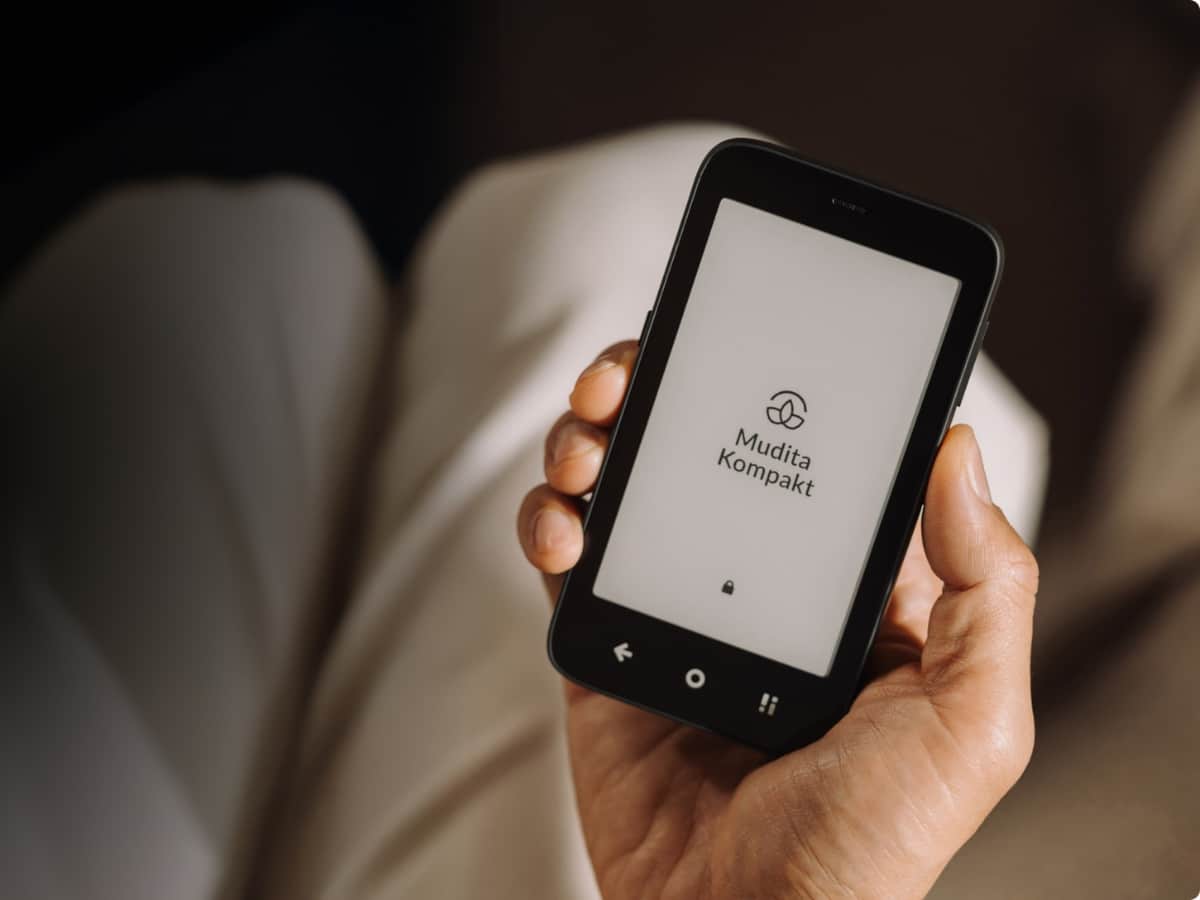
The Mudita Kompakt keeps things simple but not primitive. It supports calls, SMS and essential tools in a calm, monochrome interface designed to feel closer to paper than glass.
Key Features
- E-ink display with no bright colour
- Minimal UI and limited app ecosystem
- Calls and SMS
- Basic tools like alarms and calendar
- Long battery life compared to smartphones
Scrolling feels slower. Animation is almost non-existent. Video isn’t pleasant. And that’s deliberate. The device doesn’t remove functionality so much as remove the reward.
Alternatives
- Boox Palma – USD $295.98. Android-based E-ink device that supports apps, but with slower refresh rates that discourage long scrolling sessions.
- Bigme Hibreak Pro – USD$439. E-ink Android phone with broader app compatibility but reduced visual stimulation.
E-ink phones sit in the middle ground. You keep modern tools, but the screen stops trying to entertain you.
Single-Purpose
Best for: People who want one device, one job
Smartphones collapsed music players, notebooks, cameras and GPS into one device. Convenient, yes. But it also means every task happens inside the same distraction-heavy environment.
Single-purpose devices split those jobs back out.
Kindle Paperwhite
- Price: From AUD $299
- Display: 6.8-inch glare-free E-ink
- Battery: Up to 10 weeks per charge
- Storage: 8GB or 16GB
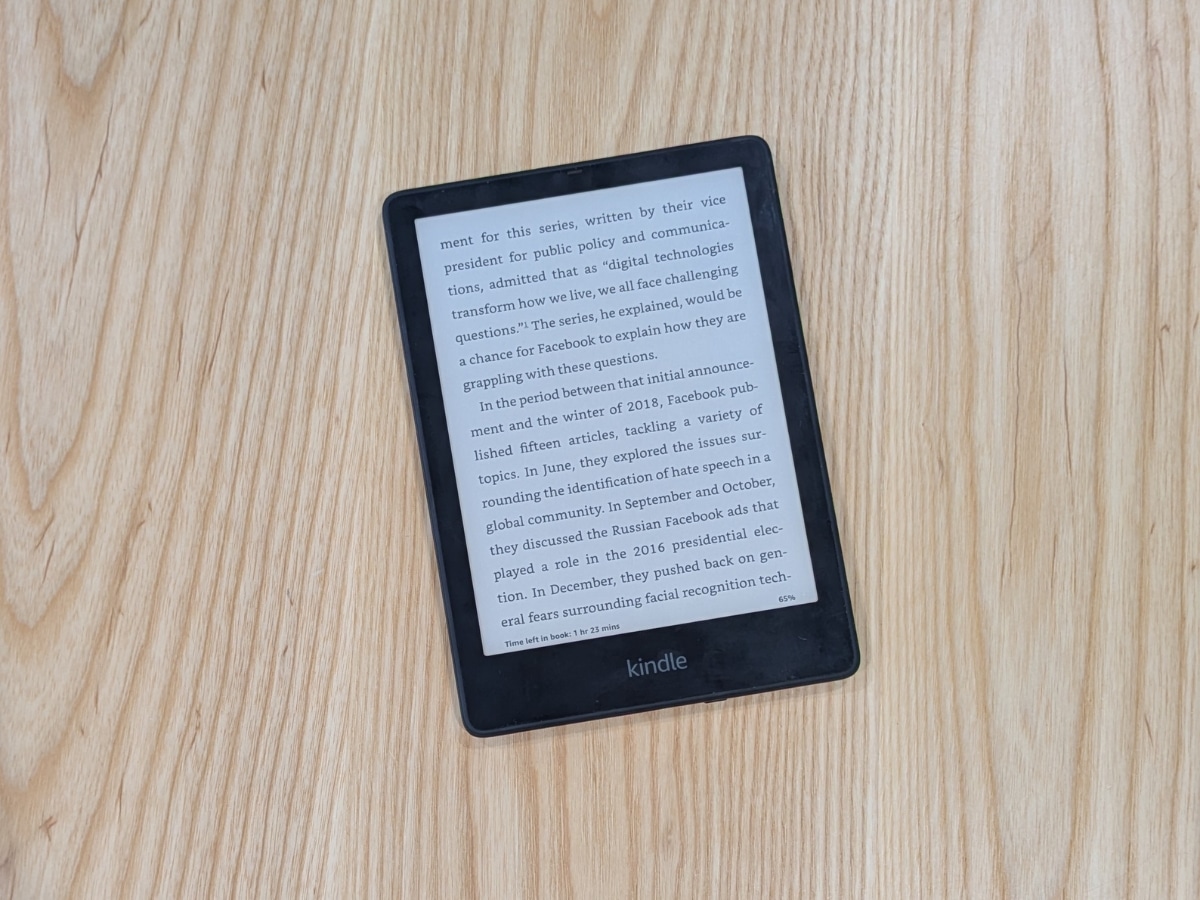
The Kindle Paperwhite is built for reading and little else. There are no push notifications, no social feeds and no apps competing for attention.
Key Features
- Glare-free E-ink display
- Adjustable warm light
- Waterproof design
- Weeks-long battery life
- Access to the Kindle Store and library syncing
It’s not completely offline, but it’s purpose-built. When you pick it up, you read.
Alternatives
- Kobo Libra 2 – USD$319.95. Similar E-ink experience with physical page-turn buttons.
- Freewrite Alpha – USD$497. A distraction-free writing device with a mechanical-style keyboard and no browser.
- reMarkable 2 – AUD $669. Paper-like tablet focused on handwriting, note-taking and reading PDFs.
You carry more gear, but each device does one job without competing for your attention.
Going Analogue
Best for: People who want certain parts of their day completely offline
If even distraction-light devices feel like too much, the simplest move is stepping out of the digital ecosystem altogether.
Going analogue doesn’t mean rejecting technology. It just means choosing not to run certain parts of your life through the same device that also holds your inbox and social feeds.
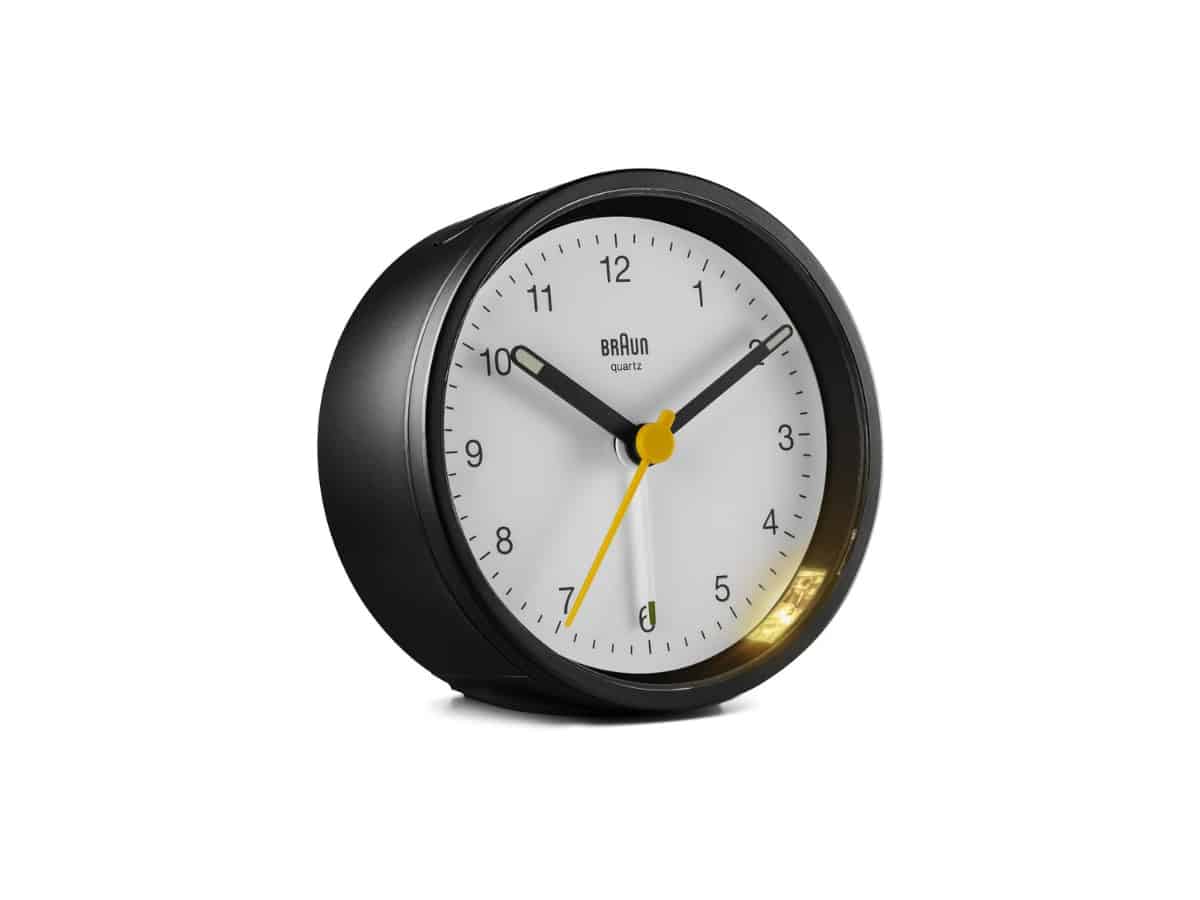
Braun Classic Alarm Clock
- Price: From AUD $65.95
- Power: Battery-operated
- Design: Compact, analogue dial
A standalone alarm clock does one important thing: it lets your phone stay out of the bedroom.
Key Features
- Simple analogue face
- Silent quartz movement
- Crescendo alarm
- No connectivity
No notifications. No temptation to scroll before bed. No checking emails before you’re even upright. And there’s plenty of options to choose from.
Alternative Analogue Options
Beyond the humble alarm clock, there are plenty of ways to go analogue.
- Moleskine Classic Notebook – From AUD $30. Replace digital notes with pen and paper.
- Wall Planner (any will do) – Physical calendar for visible scheduling.
- Read a book – Remove screens from reading entirely.
Each of these tools pulls a specific task out of your phone and gives it a physical home. Notes stay in a notebook. Your schedule lives on the wall. Reading happens on paper.
For some people, that separation is enough to change how the day feels.
Physical Lockouts
Best for: People who don’t want the option at all
If software limits aren’t enough and device swaps haven’t worked, the last step is removing access physically.
These tools don’t rely on willpower. Once they’re set, they hold.
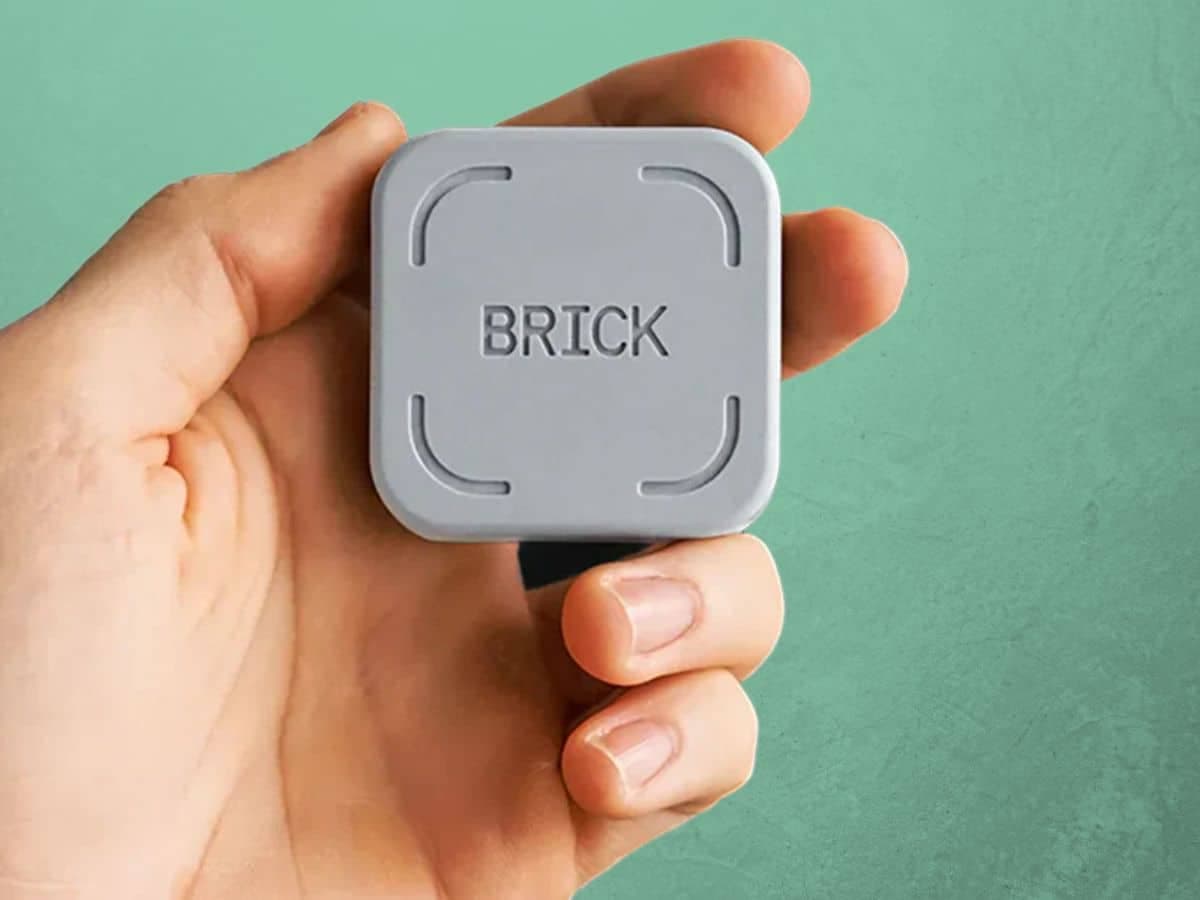
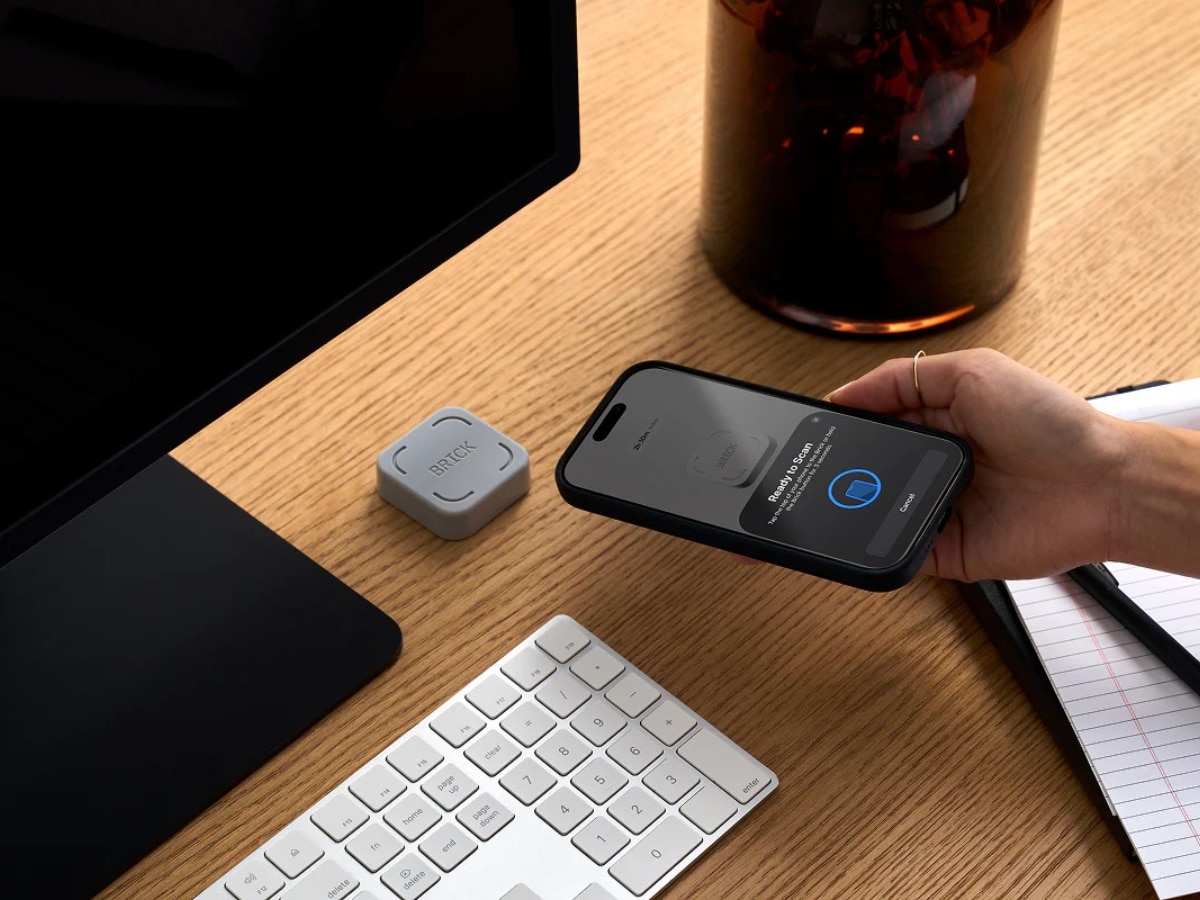
Brick
- Price: From AUD $93 (1 Brick)
- Compatibility: iOS and Android (via companion app)
- Unlock Method: Physical NFC tag
Brick works by linking selected apps to a small physical tag. If the tag isn’t nearby, those apps won’t open. To regain access, you physically tap the tag to your phone.
Key Features
- Block selected apps entirely
- Unlock via NFC tap
- Works alongside existing smartphone setup
- No recurring subscription
The idea is simple. If the object isn’t in your pocket, neither is the distraction.
Alternatives
- Unpluq Tag – From USD$65. Similar NFC-based system that locks apps until the physical key is tapped.
- Yondr Pouch – Pricing varies (event-based or bulk purchase). Physically locks your phone inside a secure pouch until unlocked with a base unit.
- Time-lock safe boxes – Small lockable boxes with digital timers that prevent access for set periods.
These aren’t subtle tools. They’re designed to remove negotiation entirely.
For some people, that’s what finally works.























Comments
We love hearing from you. or to leave a comment.