


Updated:
Readtime: 13 min
Every product is carefully selected by our editors and experts. If you buy from a link, we may earn a commission. Learn more. For more information on how we test products, click here.
NOTE: It feels like I have to add this at the top of most of my reviews these days, but we didn’t receive a dollar to post this review. Unlike many creators, we adhere to strict journalistic practices, so all sponsored content is clearly marked as such. We don’t write sponsored “reviews.” However, when a product is seeded (the only way we can bring these reviews to you for free), we disclose this information. We don’t show the brand the article ahead of the review, and we always appreciate the support!
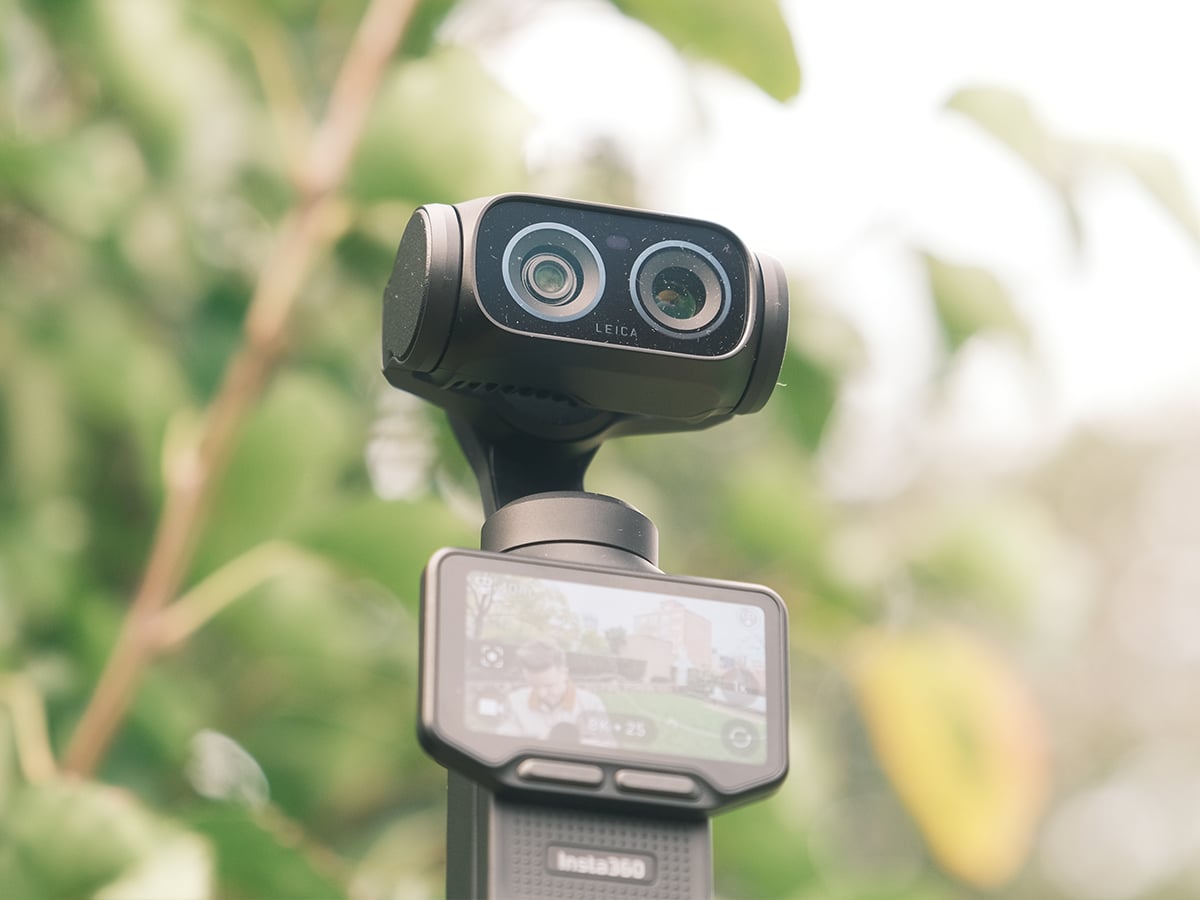
Since the launch of the DJI Pocket 3, the landscape of mobile filmmaking has felt quite stagnant, largely dominated by incremental updates that fail to push the boundaries of what a pocket-sized camera can achieve. We’ve watched industry giants rest on their laurels, offering slightly tweaked sensors or minor software updates, but rarely redefining the physical form factor itself. Well, that era of complacency ends today. I’ve been testing the new Insta360 Luna Ultra (from AUD$1,229.99), a flagship device co-engineered with Leica that combines professional imaging, 3-axis stabilisation, and flexible creative tools into one portable chassis, and I can confidently say the stagnation’s over.
Of course, I can’t evaluate the Luna Ultra in a vacuum without addressing the elephant in the room: the highly anticipated DJI Osmo Pocket 4P. DJI recently made waves with their own architecture, a new 20mm f/2.0 lens and flawless software workflow. However, my direct hands-on time with the Luna Ultra has found a difference in the design philosophies between the two brands. While DJI has leaned into safe, iterative refinements (like sticking to a fixed, rotatable screen and standard tracking suites), Insta360 has opted for a radical, modular rethinking of how we interact with pocket-sized gimbal cameras.
The battle for the ultimate mobile filmmaking rig ultimately comes down to optics, versatility, and sheer workflow efficiency. With the Luna Ultra boasting 1-inch 8K imaging, bespoke Leica Summicron lenses, and an advanced AI-powered tracking suite, it brings Insta360’s imaging expertise into a completely new category. Beyond the specs, there’s a massive regional headache for anyone considering DJI right now, given the ongoing regulatory and supply hurdles to its new releases in major markets like the United States. The Luna Ultra steps up as a globally accessible, fully supported alternative that outmuscles the competition on a hardware level, making it a tempting choice for creators. Let’s take a look at our full review.
Before diving into the full breakdown, here is a quick look at how the headline specs, field testing, and direct comparisons with the DJI Pocket 4P stack up in reality.
Insta360 Luna Ultra: Pros & Cons
| Pros | Cons |
| Groundbreaking 1″ 8K Sensor: Leica Summicron main optics completely outclass competitor resolution limits. | Premium Price of Entry: Starting at AU$1,229.99, it demands a significant investment. |
| True Dual-Lens Versatility: Secondary 1/1.3″ telephoto lens delivers 5 focal lengths and organic bokeh. | Lower Native Internal Storage: The 47GB of built-in space falls short of DJI’s native 107GB allotment. |
| Detachable OLED Screen: Industry-first modular design allows full wireless control from up to 20m away. | Slightly Slower Fast Charging: Takes 23 minutes to reach 80%, trailing DJI’s 18-minute mark. |
| Pro Production Workflow: Native support for ACES workflows and built-in hardware timecode. | Lower Stated Dynamic Range: Offers 14 stops of dynamic range compared to the 17 stops promised by the DJI Pocket 4P. |
| Deep Track 5.0 Intelligence: Extremely robust AI suite handles multi-subject group tracking flawlessly. | Professional workflow friction: No baked-in LUTs, no on-screen exposure compensation monitoring. |
Price and Availability
The Insta360 Luna Ultra is available starting today through the official online store and authorised retail partners like JB-HiFi. It’s offered in two colourways: Cosmic Black and Stellar White. Pricing and bundle configurations are broken down below:
- Standard Bundle (AUD$1,229.99)
- Includes the core Luna Ultra camera system.
- Comes with a Protective Cover, a Wind Guard, a 1/4″ Thread Handle, and a Wrist Strap.
- POV Bundle (AUD$1,385)
- Includes everything packed in the Standard Bundle.
- Adds the dedicated POV Head Tracker for hands-free shooting.
- Includes a specialised Neck Mount.
- Endurance Bundle (AUD$1,382)
- Includes everything packed in the Standard Bundle.
- Adds a premium, form-fitting Carry Bag.
- Includes an extended Battery Handle for long shooting days.
- Essential Bundle (AUD$1,383)
- Includes everything packed in the Standard Bundle.
- Adds a protective Carry Bag.
- Includes cinematic Black Mist filters for clean highlight diffusion.
- Vlog Bundle (AUD$1,422)
- Includes everything packed in the Standard Bundle.
- Adds a comfortable Crossbody Strap.
- Includes an Insta360 Mic Pro Transmitter and an individual Black Mist filter.
- Creator Bundle (AUD$1,549.99)
- Includes everything packed in the Standard Bundle.
- Adds a durable Carry Bag and an extended Battery Handle.
- Includes an Insta360 Mic Pro Transmitter for pristine audio capture.
- Includes the custom Wide-Angle Lens to expand your field of view.
The dedicated accessory lineup expands your creative choices even further:
- POV Head Tracker: For hands-free, immersive first-person capture.
- Black Mist Filters: To give your highlights a gorgeous, cinematic diffusion.
- Wide-Angle Lens: Magnetically snaps on to expand the field of view to an expansive 108°.
- ND Filters: For critical exposure control and natural motion blur in harsh daylight.
How it compares to the DJI Pocket 4 on price: DJI’s approach to the Osmo Pocket 4 is far more rigid, essentially forcing you into either a barebones standard kit (AUD$769) or their Creator Combo (AUD$959). Keep in mind that this is DJI’s base model, so we will have to wait and see whether the DJI Pocket 4P can undercut the Insta360 Luna Ultra on price when it’s released.
Design, Handling, and Storage
| Insta360 Luna Ultra Details | |
| Weight | Just over 200 grams |
| Battery Capacity | 1550 mAh |
| Internal Storage | Built-in 47GB usable space |
| Expandable Storage | Up to 1TB via microSD |
| Display Screen | Industry-first detachable 2″ OLED touchscreen |
| Remote Monitoring | HD transmission up to 20 meters |
| Stabilisation | 3-axis mechanical gimbal + Electronic Image Stabilisation (EIS) |
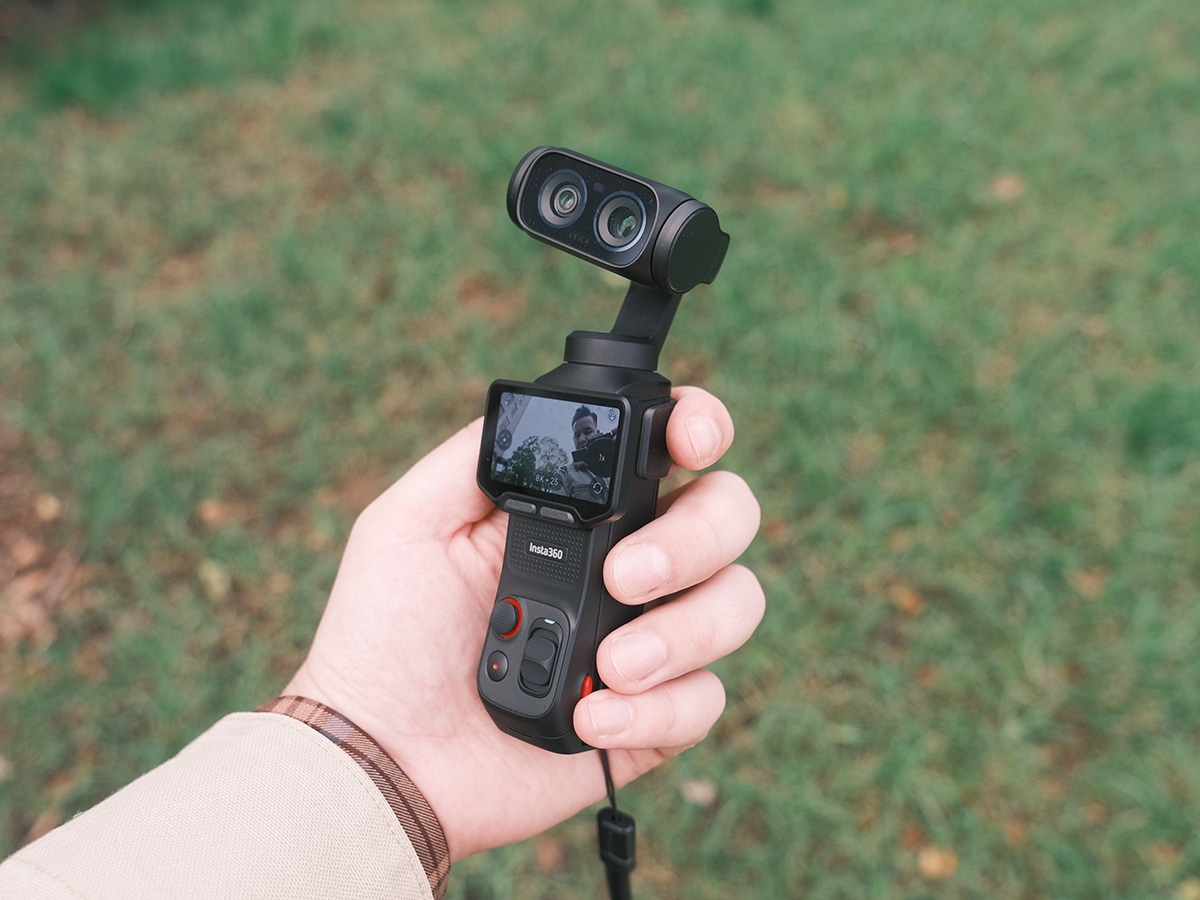
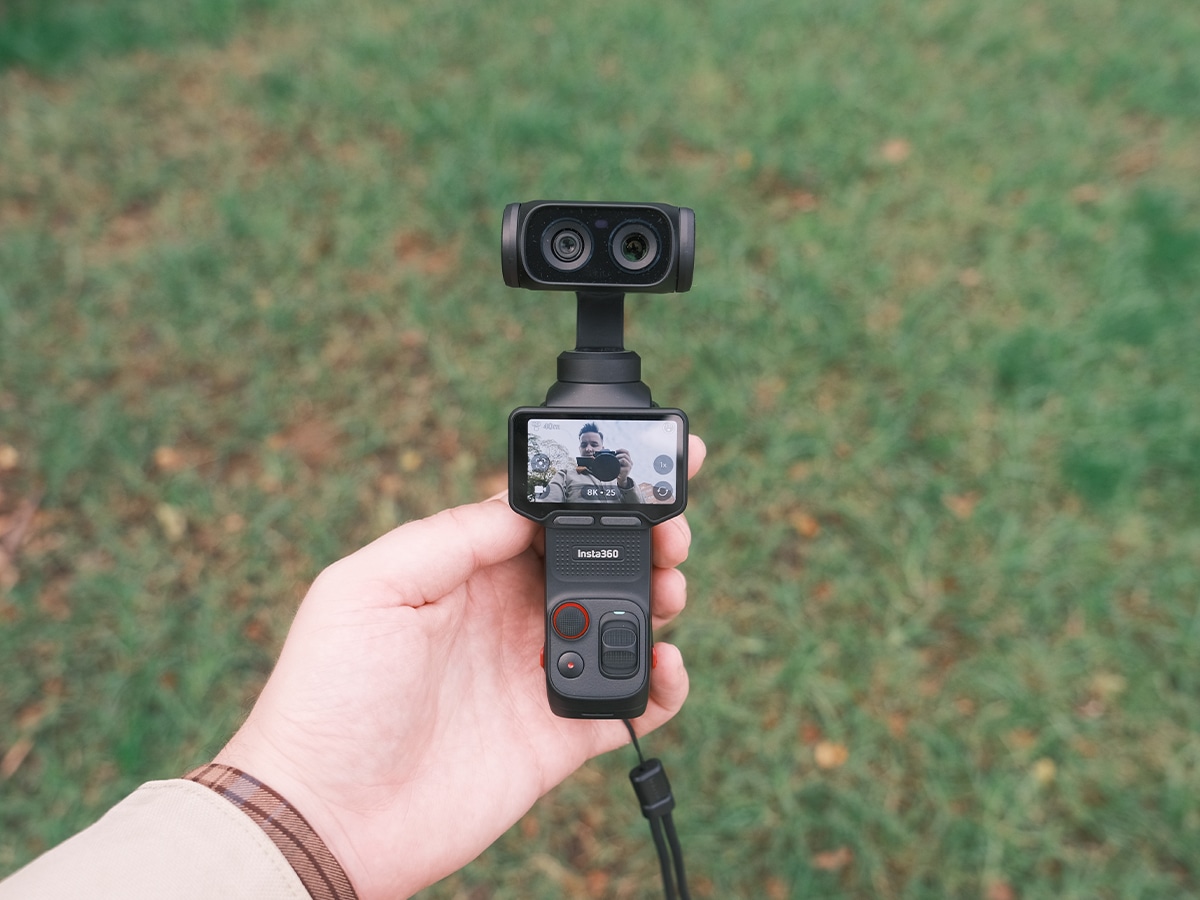
The Luna Ultra’s form factor is reasonably compact given the lenses’ size, and it matches the pocket-friendly weight of a modern smartphone at just over 200 grams.
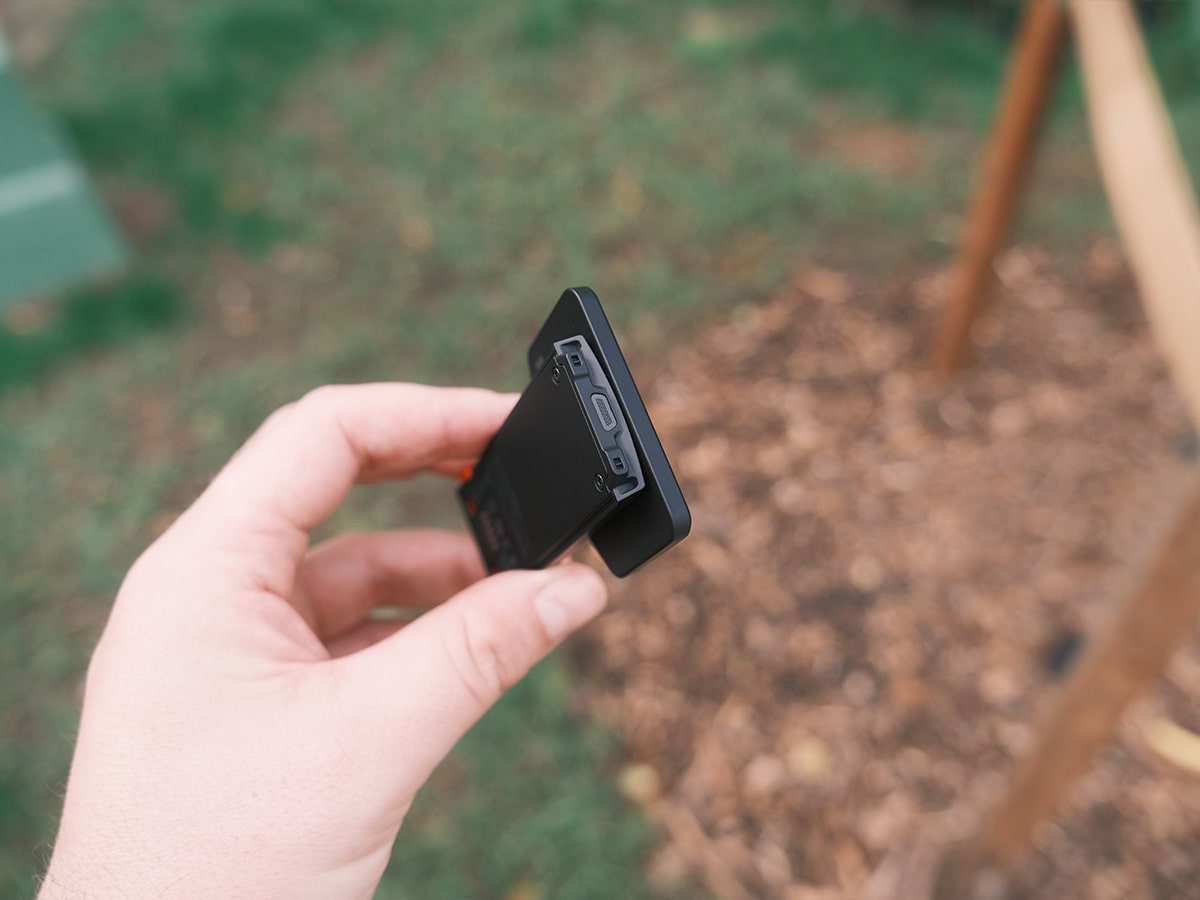
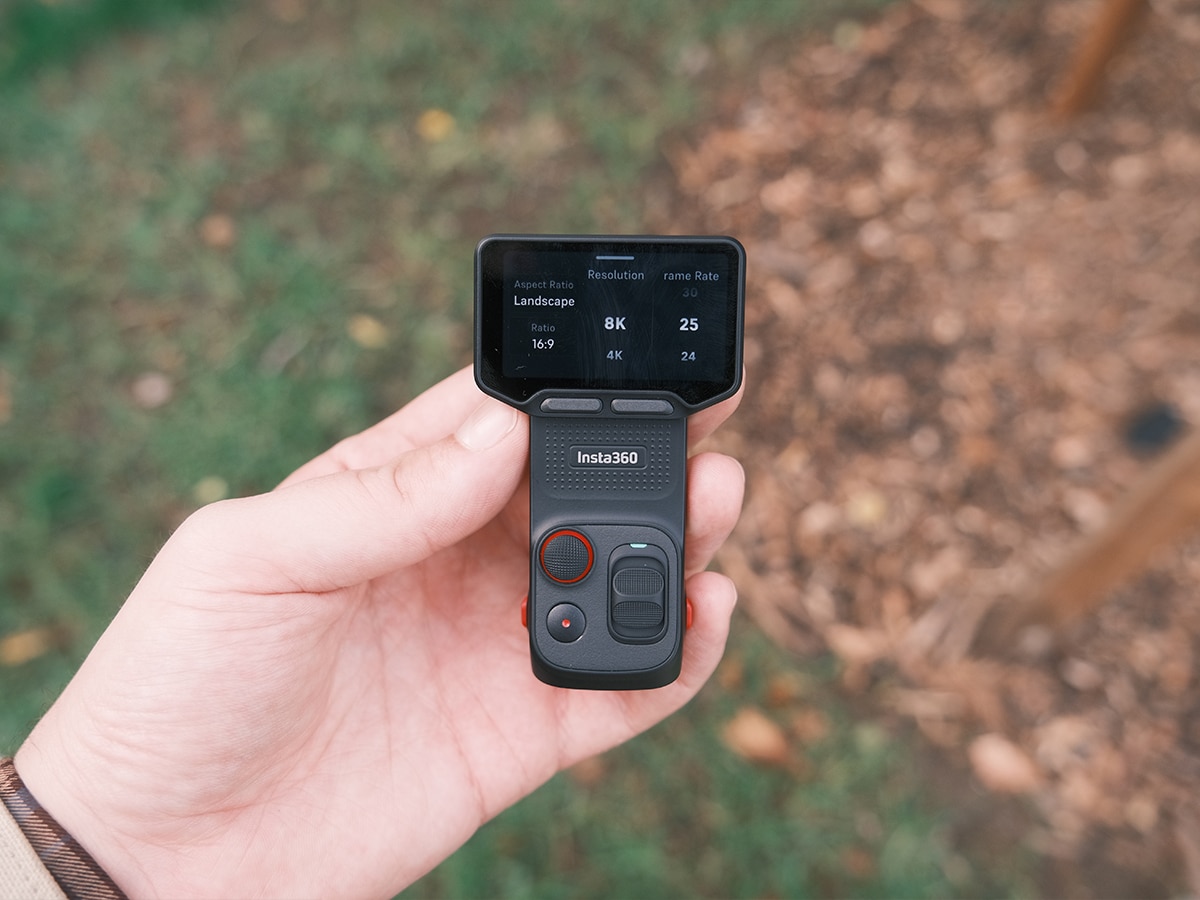
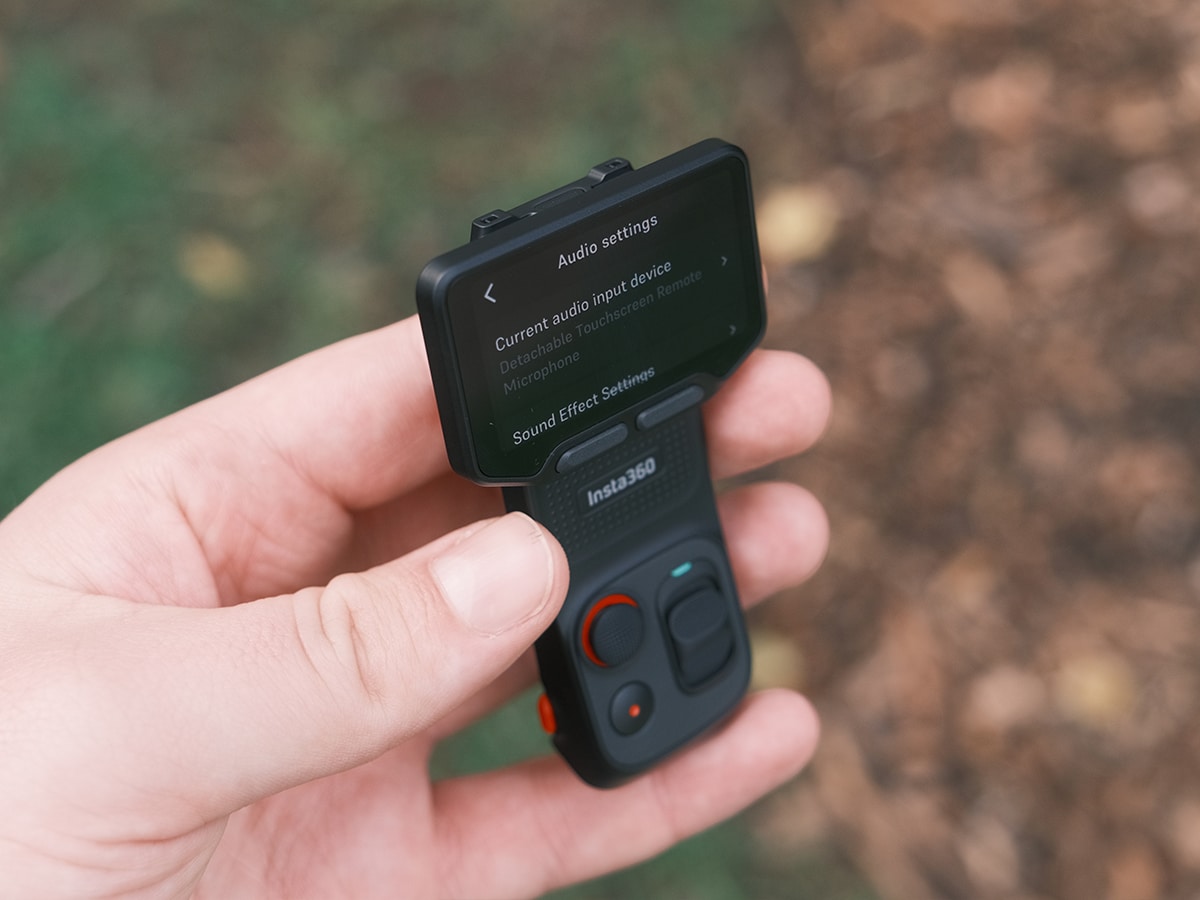
One of the standout quality-of-life improvements here is the industry-first detachable 2″ OLED touchscreen. While DJI stuck to a standard rotatable screen that stays locked to the handle with the Pocket 4P, I popped the Luna Ultra’s screen right off the body during solo shooting tests. This allowed me to monitor my shot and control the gimbal remotely via HD transmission from up to 20 meters away, completely transforming how I framed low-angle tracking shots.
When evaluating handling, it’s important to consider how each brand handles physical controls. DJI recently upgraded the Osmo Pocket 4 with an array of tactile inputs, and we expect most of these to carry over to the Pocket 4P. That includes the new 5D analog joystick that still feels more premium than what the Luna Ultra offers here. On the DJI, you can press the joystick centre to go back, double-press to recenter the gimbal, and triple-press to instantly flip the camera orientation. Flanking the joystick, DJI also added a Left Button dedicated to zooming and a highly programmable Right Custom Button. By default, this custom button uses a single tap to switch between photo and video modes, a double tap to cycle through gimbal modes, and a triple tap to lock or unlock the gimbal head.
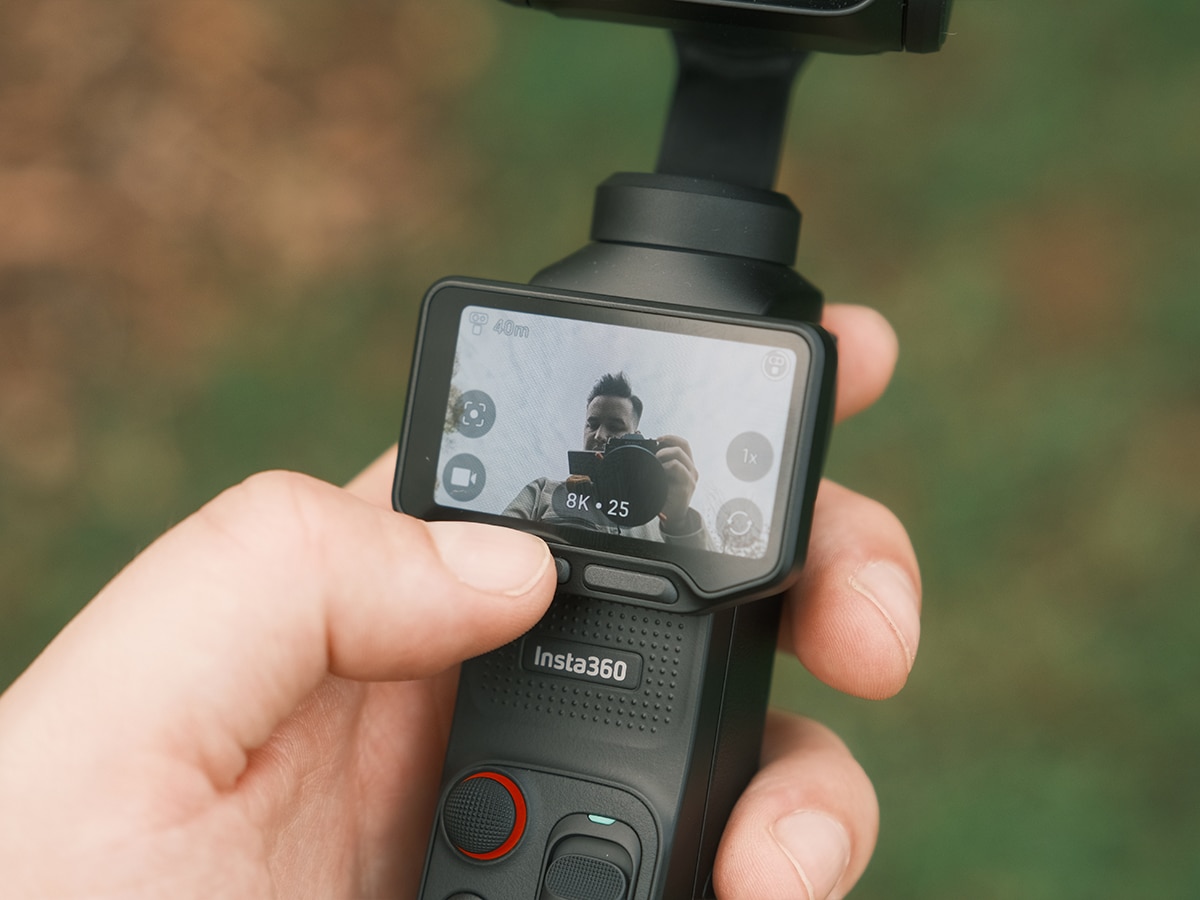
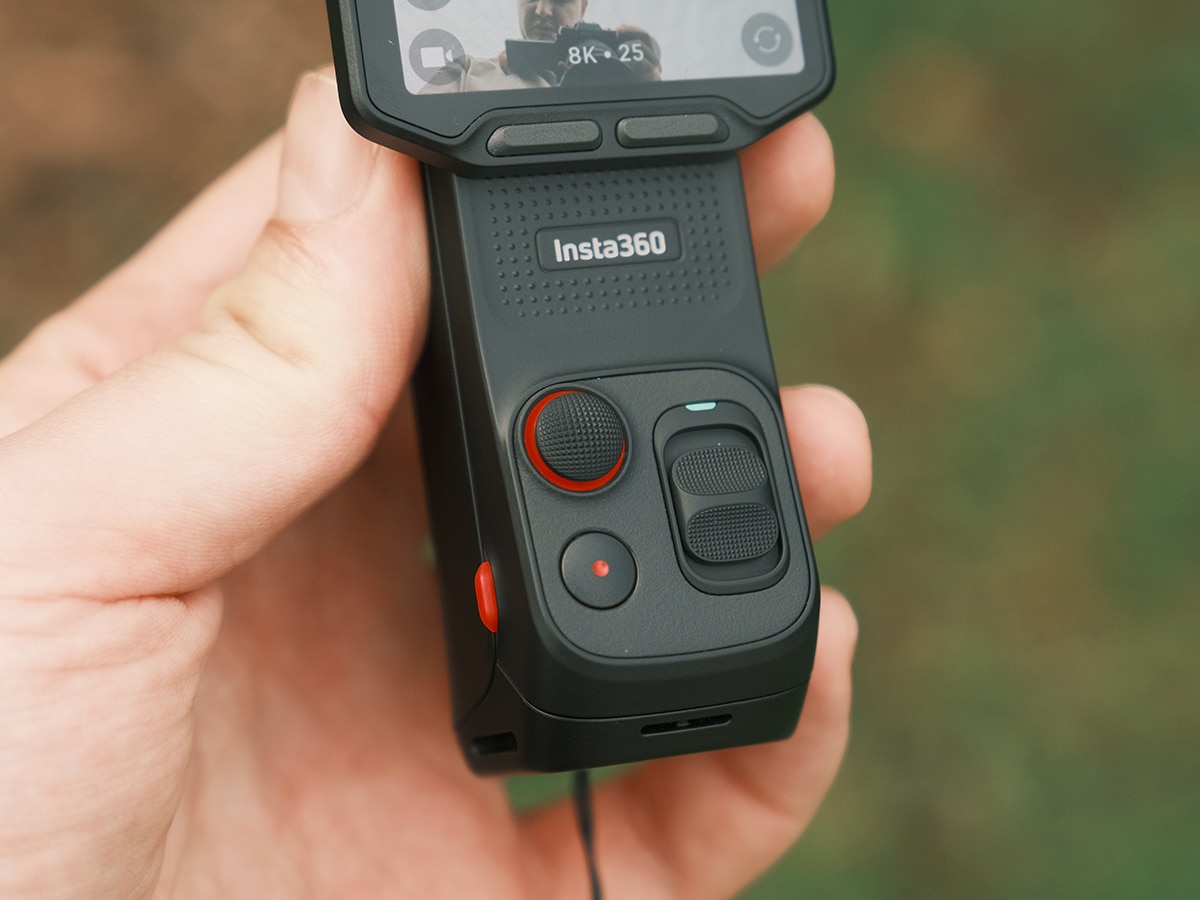
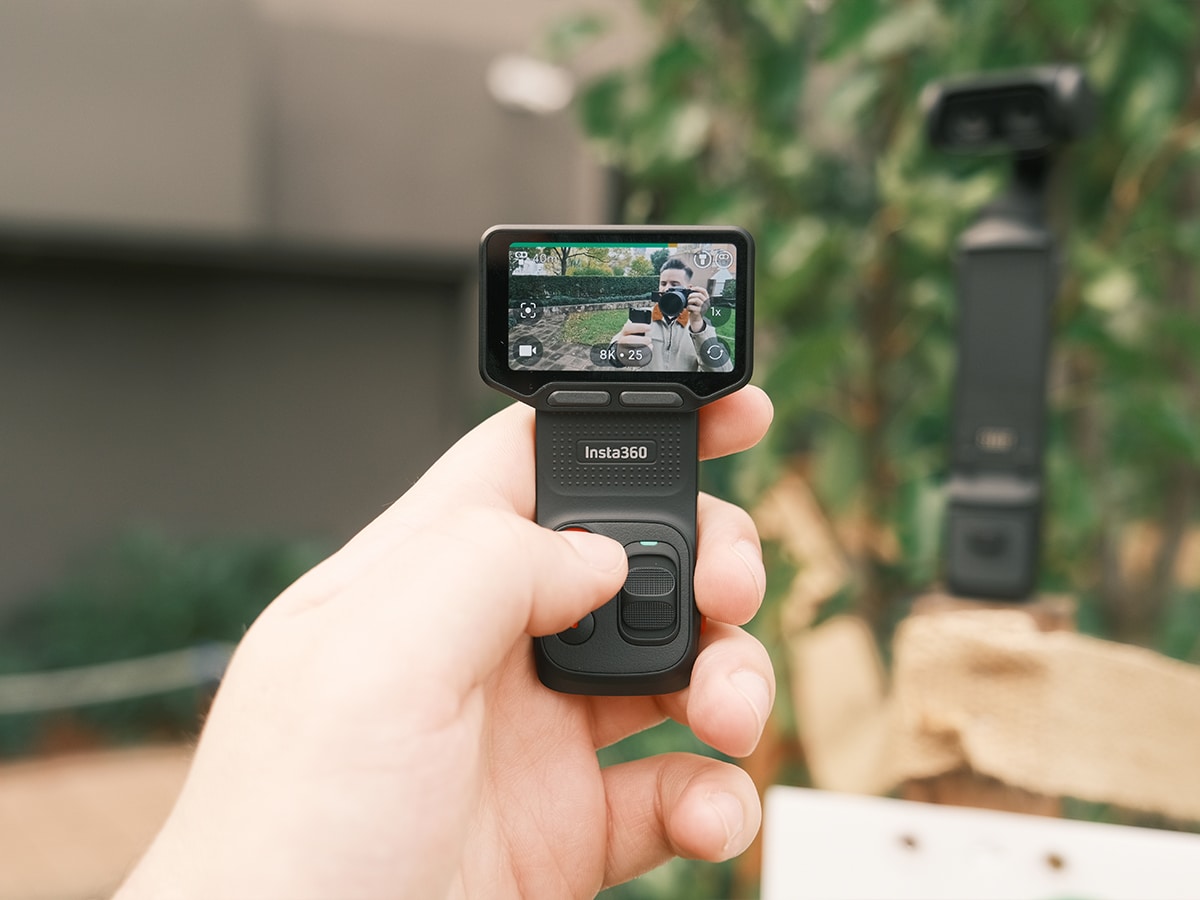
It’s a similar story here on the Luna Ultra. Here’s exactly how the physical controls and button functions operate on the Luna Ultra, based on my hands-on testing:
- Multi-Function Joystick: Positioned right next to the shutter button and outlined in red, this allows for fluid, manual panning and tilting of the 3-axis mechanical gimbal head. Like the DJI, double-tapping the joystick automatically recenters the lenses, while a triple-tap cleanly rotates the gimbal 180 degrees into a vlogging orientation. Most importantly, a single press locks in the activating Deep Track 5.0, which saves you from randomly tapping the screen.
- Record Button: This sits just below the joystick, and a single press instantly starts or stops recording (or takes a 37MP UltraPhoto, depending on your mode). Holding it down from a powered-off state serves as a quick-start trigger, letting you jump straight into shooting.
- Custom Buttons (left and right): Both left- and right-hand custom buttons at the bottom of the screen are customisable for single- and double-press operations. Left single-button press includes Flip camera, Switch photo and video, 360 pano, and 360 barrel roll. Meanwhile, the right button is more for image customisation, including Swich filter, EV adjustment, Gimbal return to centre, Lock and unlock gimbal direction, and Switch focal length.
There are also various swipe functions to access shortcut menus, etc. However, my main takeaway here is that, compared to DJI’s fixed layout, where your thumb is permanently glued to the handle to make any adjustments, the Luna Ultra’s detachable interface opens up a whole new way to use the camera, without friction. It gives you a physical layout for quick run-and-gun shooting, but hands all those deep-menu functions over to a wireless command centre the second you pull the screen apart.
Finally, on the storage side, the built-in 47GB of space acts as a safety net for when you inevitably forget your memory card. While it’s less than DJI’s built-in 107GB, the Luna Ultra handles up to 1TB via microSD for extended shoots. To power all this, the 1550mAh battery delivered up to 4 hours of continuous use on a single charge in my testing, but this will be reduced when you up the video quality to 8K at a high bit rate, frame rate, and so on. If you do run out of battery, the fast charging gets you back to 80% in approximately 23 minutes.
Video Quality and Imagery
| Insta360 Luna Ultra Details | |
| Primary Sensor & Lens | 1″ 8K sensor paired with a Leica Summicron lens |
| Secondary Sensor | 1/1.3″ sensor with F2.0 aperture telephoto system |
| Focal Range & Zoom | 5 distinct focal lengths, up to 12× zoom (6× lossless) |
| Dynamic Range | Up to 14 stops with Dolby Vision support |
| Color Profiles | Standard colour, Dolby Vision, and 10-bit I-Log |
| Max Video Specs | 8K at 30fps recording |
| Low-Light Mode | PureVideo Mode up to 4K60fps (Triple AI Chip processing) |
| Photo Resolution | 37 MP UltraPhotos / 200 MP Scenic Panorama |
When DJI released the Pocket, it changed everyone’s perspective. No longer do these pocket gimbals feel like smartphones on a stick, and that story is about to change again with the release of the Luna Ultra. This camera feels even closer to a professional rig, but shrunken down.
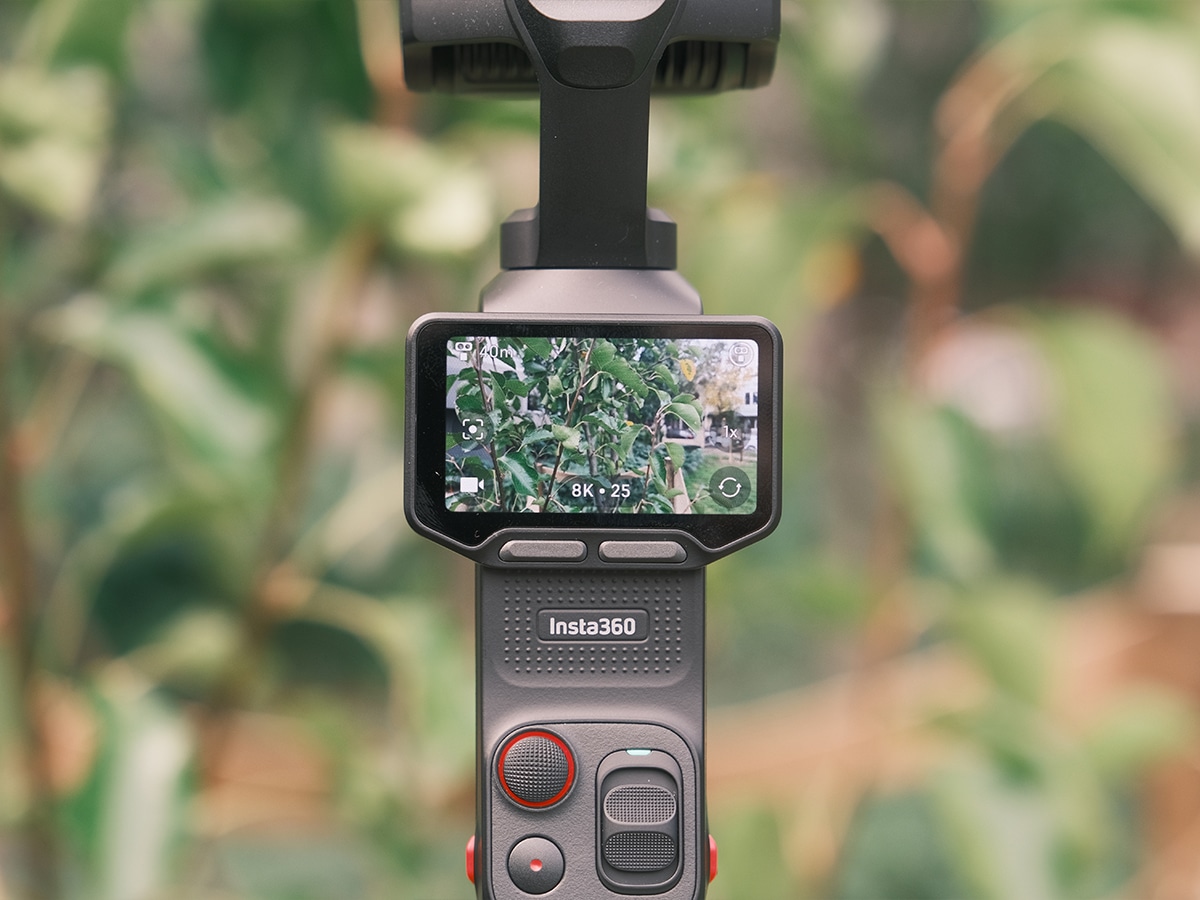
The main camera features a Leica Summicron lens paired with a massive 1″ 8K sensor. While I’m still in the relatively early testing stages here, and I haven’t had a chance to add an ND filter or CPL to the camera, my landscape and street footage in full auto mode still rendered with incredible sharpness and clarity.
This main camera sits next to the new for the market, secondary telephoto lens system, which utilises a 1/1.3″ sensor and a f2.0 aperture. Having access to five distinct focal lengths and up to 12× zoom (including 6× lossless zoom) allowed me to punch into fine details with a natural bokeh that looked properly organic and bypassed the harsh digital sharpening found on single-lens systems. This opens up a whole new way to shoot with your pocket camera, as not every image is a wide-angle, somewhat fishy shot that should really only be used sparingly for feature films. With these zoom lenses, it could really be a one-size-fits-all camera.
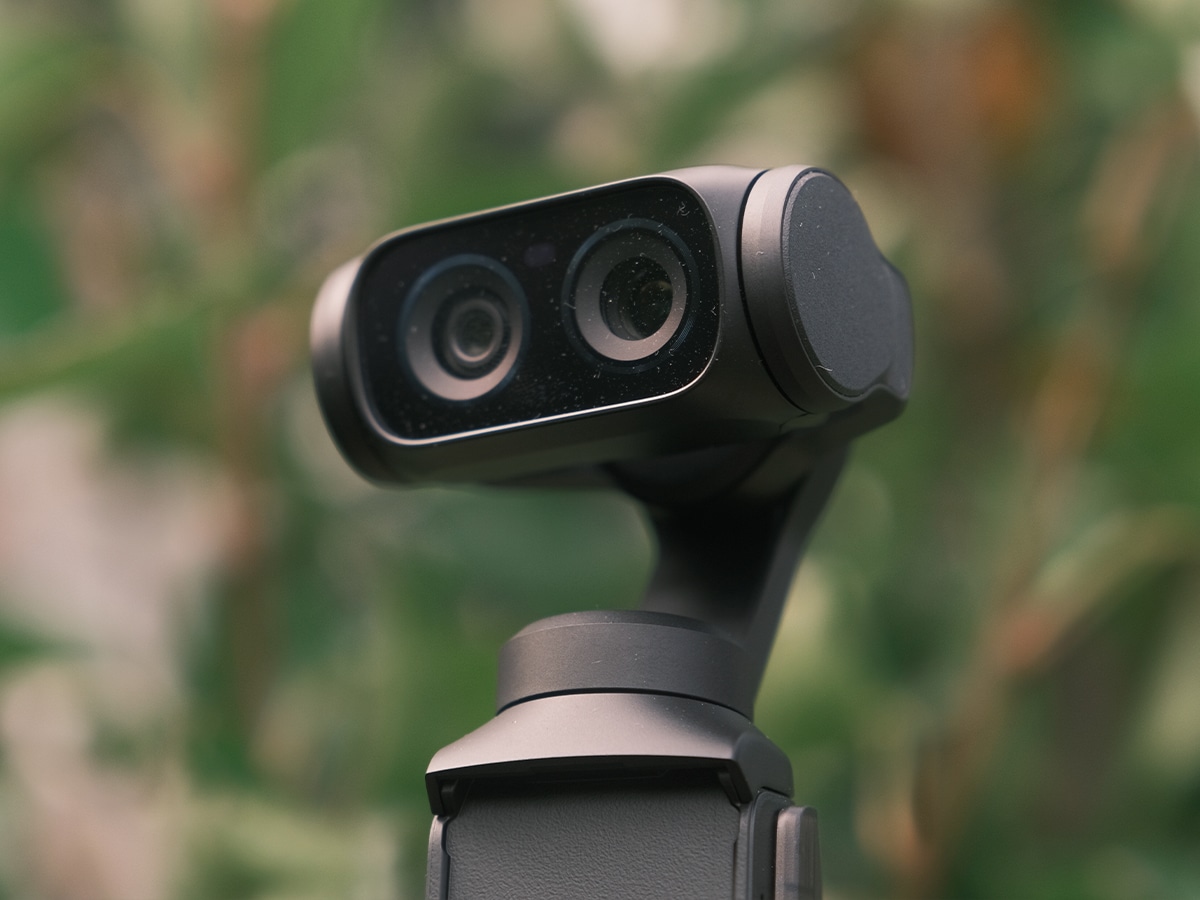
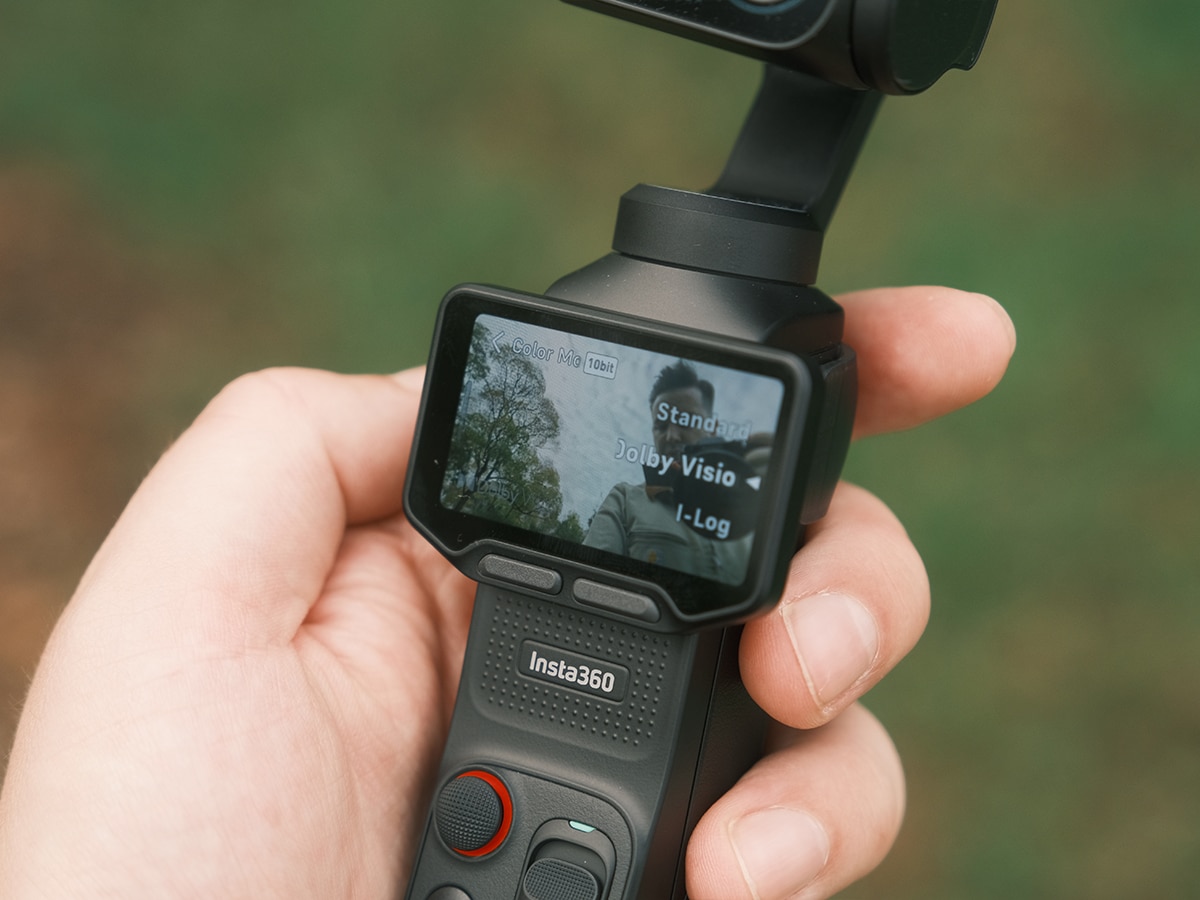
If you spend time shooting at night, there’s a dedicated PureVideo Mode that’s heavily driven by an integrated Triple AI Chip. It cleans up grain, boosts brightness, and lets me capture usable night clips up to 4K60fps, in a way similar to a smartphone. Of course, it won’t reach the levels of a true camera due to the sensor size, but it’s good enough for music concerts, etc.
When it comes to grading flexibility, shooting in 10-bit I-Log preserved 14 stops of dynamic range, which is down from the 17 stops offered by the DJI Pocket 4P. However, it still did a good job of preserving both bright skies and deep shadow details. If you don’t want to mess with grading in post-production, shooting straight in the Leica Chrome profile delivers a rich, cinematic aesthetic directly out of the camera.
Professionals will also appreciate how the brand built a timecode function directly into the Lune Ultra for multi-camera synchronisation across Final Cut Pro and Adobe Premiere Pro, while fully supporting the professional ACES (Academy Colour Encoding System) colour workflow. You also get QR Colour Share to instantly beam colour settings between devices, and AI-assisted editing within the app to flag key moments for quick turnarounds.
I’ve never been one to use my pocket camera for still photography, but the capability here extends to snapping 37MP UltraPhotos and massive 200MP Scenic Panoramas.
When you’re filming solo, smart autofocus and tracking are paramount. DJI’s tracking is the industry standard, but Insta360’s Deep Track 5.0 suite still feels up to scratch, and I haven’t yet encountered any issues or friction in my use. Testing it across complex environments, the Auto Tracking and Active Zoom Tracking smoothly locked onto the target and dynamically adjusted focal lengths to maintain the right composition.
In more unpredictable scenes, Group Tracking and Smart Framing kept multiple subjects in frame without any confusion.
Audio Quality
The screen detaches from the camera, and as you can hear in the video above, the audio quality is very good, rivalling any DJI Mic on the market through pure wireless connection. Of course, if you want a 32-bit float, you’ll have to look at external mics, but being able to quickly capture high-quality audio without lugging around a set of mics is excellent. Still, I think I would end up pairing a set of wireless mics to the camera, if only for the ability to clip them onto my shirt for longer shoots.
The Luna Ultra features a built-in wind guard that noticeably cuts out harsh buffet noise during an outdoor coastal shoot, and it features direct, seamless compatibility with Insta360 Mic systems for single or dual-transmitter setups.
Man of Many’s Verdict
If you’re a current DJI Pocket user, and you’re interested in making the switch the new features introduced here with the Insta360 Luna Ultra make it a worthy upgrade. However, that Ultra or “Pro” designation shouldn’t be taken lightly. It’s expensive (from AUD$1,229.99), significantly more than what’s currently available on the market, but by pairing the 1-inch 8K imaging with a detachable screen and a true dual-lens it claims the throne as the new king of mobile filmmaking until DJI rocks up to the party.
NOTE: The author of this article was provided an Insta360 Luna Ultra for the purposes of this review. All reviews remain independent and objective. Insta360 was not shown this review before publication, and we received no compensation for posting it. For more information on how we test products, view our editorial guidelines.

















Comments
We love hearing from you. or to leave a comment.